What Is Apple Intelligence? The Top Features Revealed
Introduction: Decoding the Future of Personal Computing
The announcement of Apple Intelligence at WWDC 2024 marked a seismic shift in how Apple views and integrates Artificial Intelligence. Far from simply adding a chatbot, Apple positioned this technology as a personal intelligence system—a sophisticated, deeply integrated AI that understands you, your context, and your data, making your iPhone, iPad, and Mac proactively helpful, not just reactive.
For years, the technology world has been waiting for Apple’s decisive move into the generative AI space. The answer wasn’t a standalone application but a foundational layer built into iOS 18 features, iPadOS 18, and macOS Sequoia.
What is Apple Intelligence? At its core, it is a system that merges large language models (LLMs) and diffusion models with the unique context of your personal data—calendars, emails, photos, and messages—to perform complex, cross-application tasks while rigorously safeguarding your privacy. It is the most significant Siri update in a decade, transforming the voice assistant from a simple command processor into a genuine contextual AI partner.
In this deep dive, we will explore the revolutionary architecture powering this system, detail the top features that will change your daily digital life, and uncover the strict privacy framework that allows Apple to deploy powerful AI without compromising user trust. If you want to know how to use Apple Intelligence and which devices are compatible, you’ve come to the right place.
The Foundation: On-Device AI Meets Private Cloud Compute
The success of Apple AI hinges on two intertwined, groundbreaking architectural components: powerful on-device AI processing and the innovative Private Cloud Compute (PCC) framework. This dual approach solves the biggest challenge in modern AI: balancing capability with absolute privacy.
The Power of On-Device Processing
For Apple, privacy is not an afterthought; it’s the default setting. The vast majority of everyday AI tasks—like quickly summarizing a short email, identifying people in photos, or generating a simple Genmoji—are handled entirely on the user’s device.
This requires serious hardware muscle. Devices capable of running Apple Intelligence must possess a specific class of Neural Engine capable of running generative models efficiently. This emphasis on on-device AI ensures that:
- Speed: Latency is minimized because data never leaves the device.
- Personalization: The models are fine-tuned using your local context (which flight you just booked, the address of your next meeting, etc.).
- Privacy: Your most sensitive personal data remains secured behind the device’s Secure Enclave, ensuring that it is never accessible to Apple or third parties.
The ability for the iPhone, iPad, and Mac to run smaller, highly optimized generative models locally is the core differentiator for Apple’s approach compared to purely cloud-based services.
Private Cloud Compute (PCC): The Privacy Shield
Not every task is simple enough for the local Neural Engine. When a request requires the computational power of a vast server-side model—for instance, summarizing a 100-page PDF or using complex image generation—Apple Intelligence seamlessly and securely utilizes the Private Cloud Compute.
PCC is Apple’s solution to secure cloud processing. When a complex query is sent to the cloud:
- Cryptographic Attestation: Your device verifies that the server receiving the request is running a cryptographically verifiable, public version of the Apple Intelligence software, ensuring the code hasn’t been tampered with.
- Ephemeral Sessions: Data sent to the PCC server is never stored, logged, or exposed. It exists only for the duration of the request processing.
- No Linking to User ID: The cloud server cannot link the computation data back to your Apple ID.
This architecture means Apple can leverage the power of cloud computing for demanding tasks while maintaining its stringent user privacy commitment, creating a powerful distinction between the service and traditional public cloud AI services like Apple Intelligence vs ChatGPT.
The Reimagined Assistant: The New Siri Update
For years, Siri update was a request met with disappointment. With Apple Intelligence, the virtual assistant has undergone a total transformation, moving beyond simple commands to become a true personal assistant fueled by contextual AI.
Deeper Context and Screen Awareness
The new Siri features integrate a deep level of screen awareness. Siri can now see and understand the content on your screen, allowing for natural, contextual follow-up questions and commands.
Example Use Case: If a friend texts you an address in Messages, you can say to Siri, “Add this address to my contact card for John,” and Siri automatically pulls the address from the current screen without needing you to copy and paste.
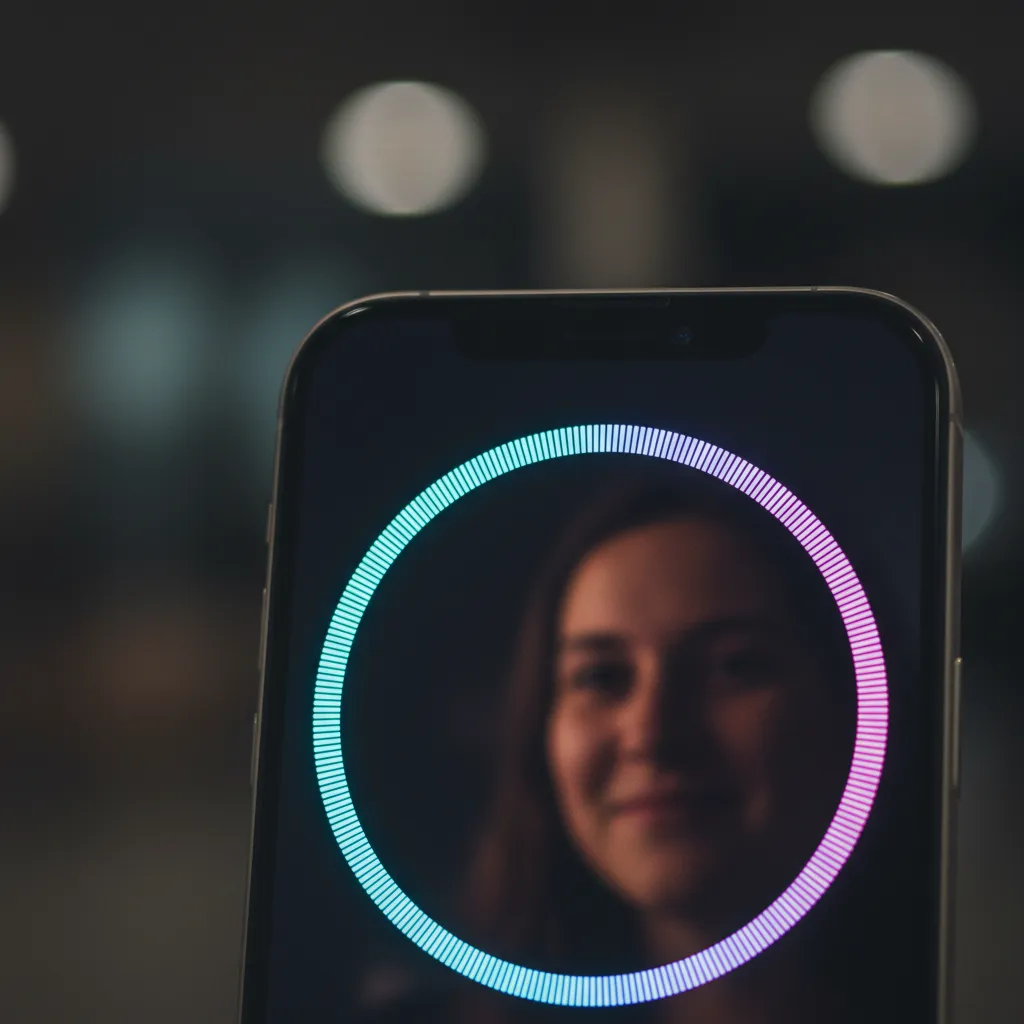
The interface itself is also modernized. Instead of taking over the entire screen, Siri now features an elegant, subtle glowing ring around the perimeter, making conversations feel more natural and less intrusive.
Natural Language and Complex Task Handling
Siri now boasts a significantly improved understanding of natural language and intent. Users can make less precise, more conversational requests, and Siri will understand the intent using advanced semantic indexing Apple technology.
You can ask multi-step, cross-application questions: “Find that podcast episode my wife recommended last month about green investing and send me the link in an email to my colleague about sustainable practices.”
This level of integration relies heavily on the SiriKit update and App Intents AI. Developers can now tap into the intelligence of the system, allowing Siri to coordinate actions across different third-party applications seamlessly—a foundational shift in how applications communicate.
Productivity Overhaul: AI Writing Tools and Summarization
One of the most immediate and useful applications of Apple Intelligence is the suite of AI Writing Tools embedded system-wide across apps like Mail, Notes, Pages, and third-party applications leveraging the new APIs.
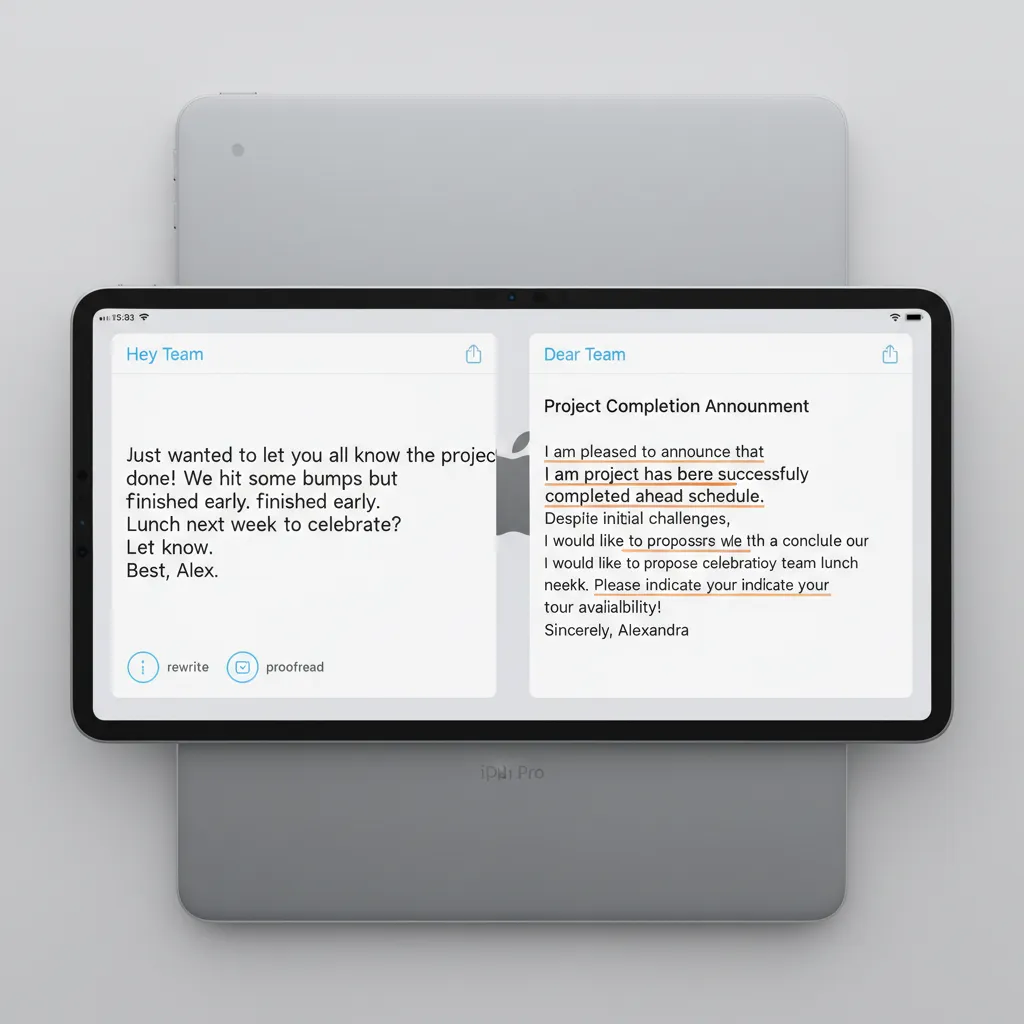
Writing Tools: Rewrite, Proofread, and Summarize
These tools are designed to elevate communication quality and efficiency, acting as a personal editor that’s always available:
- Rewrite: Need to change the tone of an email from casual to professional? The Rewrite tool offers multiple versions of your text, allowing you to select the best fit for the situation.
- Proofread: Beyond simple spell-check, the Proofread feature checks for grammatical errors, stylistic inconsistencies, and clarity, providing suggestions to tighten up your prose.
- Summarize: Whether it’s a long thread of emails, a lengthy article on a webpage, or meeting notes, the system can instantly generate a concise summary of the key takeaways.
This functionality is deeply integrated into the operating systems, meaning you don’t need to copy and paste text into an external AI tool. It’s simply an option available in the text selection menu.
Prioritization and Smart Replies in Mail
Apple Intelligence introduces a sophisticated system for prioritizing emails within the Mail app. It surfaces the most urgent and relevant messages to a new “Priority Messages” section, ensuring you never miss a critical communication.
Furthermore, the new Smart Reply feature generates entire response options, moving beyond generic phrases to generate personalized, context-aware replies. If an email asks three distinct questions, Smart Reply will generate three distinct answers based on the context of the thread.
[Related: mastering-ai-workflow-productivity-automation/]
Generative Fun: Genmoji and Image Playground
Generative AI isn’t just for productivity; it’s also for creative expression. Apple Intelligence introduces powerful yet constrained generative models on iPhone and iPad, allowing users to create unique images and custom emoji-like characters instantly.
Genmoji: Personalized Expression
Genmoji are custom, dynamically generated images that function like super-emojis or stickers. Instead of being limited to Apple’s pre-set library, users can simply type a description—like “A happy T-Rex riding a skateboard”—and the system generates a unique Genmoji instantly.
This feature integrates directly into Messages and Mail, providing a fun and expressive way to communicate that is instantly shareable.

Image Playground: Quick Image Generation
The Image Playground feature allows users to create high-quality, fun images quickly, often right within apps like Messages, Notes, and Freeform. Unlike complex professional AI image generators, Image Playground focuses on speed and simplicity.
Users select from three main styles—Animation, Illustration, or Sketch—and provide a simple text prompt. The images are designed to be fun and are generated almost instantly using the powerful local or Private Cloud Compute models. This is where Apple democratizes the power of generative models on iPhone and M-series Macs.
Photo and Memory Enhancements
The Photos app receives a significant AI injection, making photo management, search, and editing more powerful and intuitive than ever before. This represents the cutting edge of AI photo editing iOS 18 will bring.
The Clean Up Tool
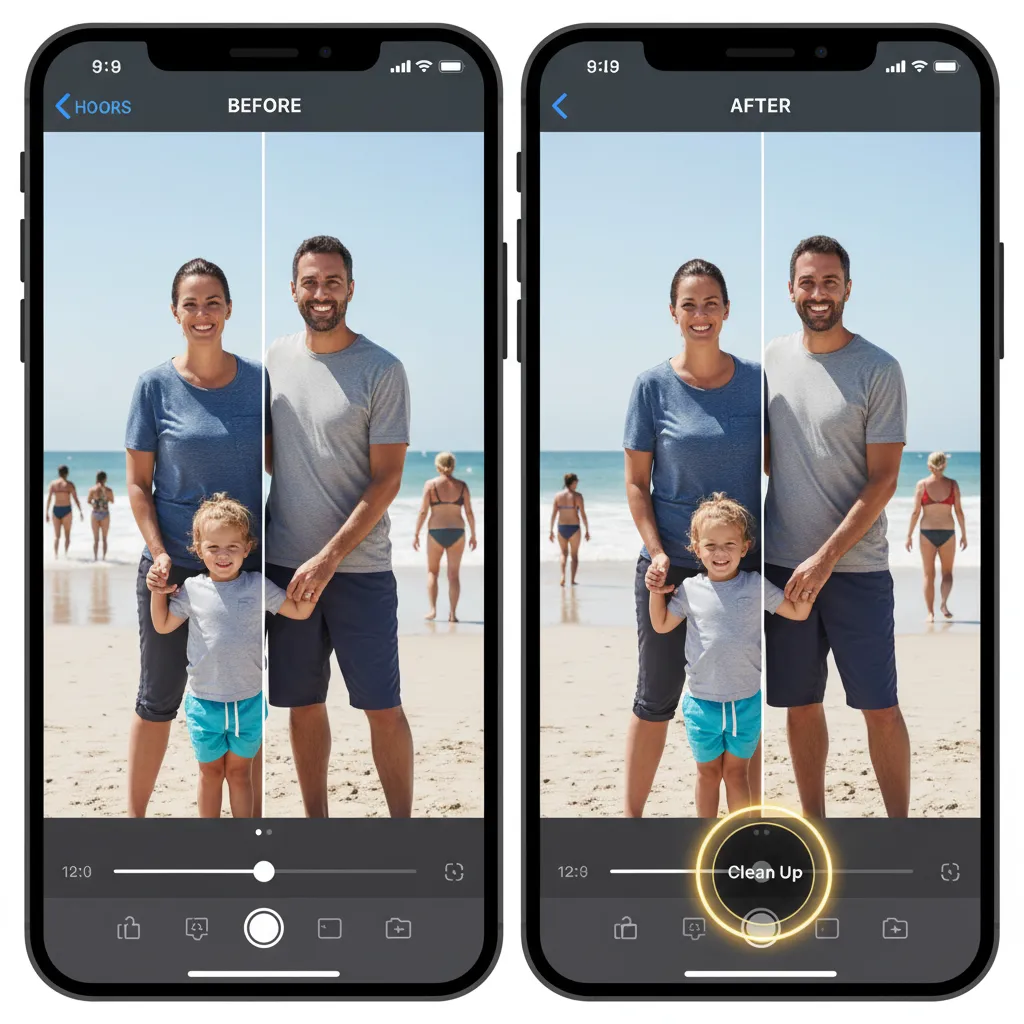
One of the most anticipated utilities is the Clean Up tool. This AI-powered feature allows users to select and remove unwanted objects or people from the background of a photo.
Crucially, Apple emphasizes that this is not just a simplistic cloning tool; it uses sophisticated generative models to intelligently fill in the space left behind, ensuring the final image looks natural and seamless.
Intelligent Search and Memory Creation
Apple Intelligence leverages semantic indexing Apple uses to understand the content of your photos and videos, not just the metadata.
You can now use complex natural language to search your library, such as: “Show me all the photos of my daughter wearing her blue coat near the ocean from last summer.” The AI can instantly cross-reference concepts, locations, and timeframes to locate the exact moments you are looking for.
Furthermore, the Memory feature is enhanced, allowing you to describe a story you want to see—“Generate a memory video of my trip to the city in May with upbeat background music”—and the AI automatically curates the relevant photos and videos, editing them into a cohesive narrative complete with music and titles.
[Related: quantum-ai-unleashed-reshaping-intelligence-innovation/]
The Crucial Partnership: ChatGPT on Siri
Apple’s commitment to providing the best possible user experience led to a landmark agreement: the partnership with OpenAI. This integration addresses the reality that while Apple Intelligence excels at personal context, massive world knowledge queries are often best handled by the industry-leading large language models.
How Apple’s OpenAI Partnership Works
When a user asks Siri a question that requires broad general knowledge or historical data—something that exceeds the scope of the localized or personal data model—Siri will transparently ask the user if they want to pass the request to ChatGPT on Siri.
- Transparency: The user is always asked for permission before the query leaves the Apple system.
- Anonymity: Queries sent to ChatGPT via Siri are anonymized; OpenAI does not receive the user’s IP address or other personal identifiers.
- No Cost: Users do not need an OpenAI account or a subscription to access the power of ChatGPT 4o through Siri.
This strategic Apple’s OpenAI partnership ensures that Apple Intelligence remains the primary, personalized intelligence layer, while leveraging ChatGPT as the optional, world-knowledge backup when necessary, all while adhering to strong privacy protocols.
The Semantic Indexing Engine: Making Sense of Your Digital Life
Underpinning the entire system is Apple’s proprietary semantic indexing Apple engine. This is arguably the least visible but most crucial component of Apple Intelligence.
Traditional search indexing organizes data based on keywords, file names, and dates. Semantic indexing goes deeper, building a map of your personal data based on meaning, relationships, and context. It understands that:
- A text message mentioning “dinner tonight” is related to your Calendar app.
- A meeting invite for “Project Nova” in your email is linked to the Note you created last week labeled “Nova Meeting Prep.”
- A specific photo is related to an event in your calendar and the person tagged in the photo.
This index is stored securely on your device and is the engine that allows Siri and the new AI features to perform complex, cross-app requests that require understanding your intentions and history. It is the key enabler of the “personal intelligence system.”
Compatibility and Availability: Who Gets Apple Intelligence?
The power and efficiency of Apple Intelligence necessitate modern hardware with specific computational capabilities, particularly in the Neural Engine department. This means that unlike standard OS updates, the AI features have a higher barrier to entry.
The Hardware Requirements
Apple Intelligence compatibility is restricted to devices that feature the A17 Pro chip or any Apple Silicon M-series chip.
| Device Category | Minimum Chip Requirement | Notes |
|---|---|---|
| iPhone | iPhone 15 Pro or iPhone 15 Pro Max (A17 Pro) | The A17 Pro’s Neural Engine provides the necessary performance for on-device generative models. |
| iPad | iPad with M1 chip or newer | Includes M1, M2, M3, and M4 chips across iPad Air and iPad Pro lines. |
| Mac | Mac with M1 chip or newer | All Macs with Apple Silicon (M1, M2, M3, M4 series) will support the features. |
This high requirement means that while the core iOS 18 beta and full release will support older devices, the powerful AI-driven features of Apple Intelligence will only be available on the iPhone 15 Pro AI and subsequent models, as well as M-series iPads and Macs. This has generated significant discussion, but it is a necessary trade-off for providing true, secure, on-device AI capability.
Release Timeline
Apple Intelligence will launch as part of the operating system updates:
- iOS 18
- iPadOS 18
- macOS Sequoia
The initial features will be available in the fall, likely starting with the public release of the main operating systems, though Apple noted some advanced features, particularly those utilizing Private Cloud Compute, might roll out in phases throughout late 2024 and into 2025.
[Related: claude-3-5-sonnet-deep-dive-ai-challenger/]
Apple AI Privacy: The Non-Negotiable Core Value
In a world increasingly concerned about data harvesting by technology giants, Apple AI privacy is the tentpole of the entire Apple Intelligence platform. The system is designed to ask, “Is the personal context required to complete this task?” and if so, “Can it be done on the device?”
Data Ownership and Control
Apple Intelligence redefines the relationship between the user and their data in the age of AI. Unlike many competing platforms where user queries and resulting outputs are used for model training, Apple makes explicit commitments:
- No Server Logging: Data sent to the Private Cloud Compute servers is never logged or stored permanently.
- No User Profiling: Apple cannot use your AI interactions to build a profile for advertising or selling data.
- Local Training: The highly personalized aspects of the AI are trained using only your data on your device, without sharing that raw data with Apple’s servers.
This approach transforms the AI from a potentially exploitative product into a genuine tool built purely for the user’s benefit.
Comparative Landscape: Apple Intelligence vs. the Competition
How does Apple’s new system stack up against the market leaders? The distinction lies primarily in integration and philosophy.
Integration vs. Isolation
Platforms like Google’s Gemini, Microsoft’s Copilot, and Apple Intelligence vs ChatGPT offer powerful generative capabilities, but they often exist as separate apps or interfaces (though increasingly integrated).
Apple Intelligence is fundamentally different because it is the operating system. It doesn’t require launching a separate app; its functions are woven directly into the core experiences of writing, searching, photography, and communication. This deep, system-level access, secured by semantic indexing, allows for tasks that rivals struggle with, such as cross-app coordination and contextual screen analysis.
Privacy vs. Utility Trade-Off
Traditional models often require large amounts of user data to train and execute complex tasks. Apple’s Private Cloud Compute model challenges the notion that users must sacrifice privacy for advanced utility. By creating a verifiable, ephemeral computing environment, Apple aims to deliver the utility of cloud AI with the trust of on-device AI.
While rivals often focus on raw model size and knowledge breadth (where ChatGPT often still leads), Apple focuses on personal relevance and security. Apple Intelligence’s goal is not to answer every question in the universe, but to answer every question about your life securely and efficiently.
[Related: project-astra-google-ai-assistant-explained/]
Conclusion: The Era of Personal Intelligence
The unveiling of Apple Intelligence signals the moment AI transitions from a separate, novel technology into an essential, integrated layer of personal computing. It is the sophisticated, privacy-focused answer to the generative AI boom, deeply transforming core user experiences across iOS 18, iPadOS 18, and macOS Sequoia.
From the radically updated, contextual AI of Siri to the immensely practical AI Writing Tools and the creative fun of Genmoji and Image Playground, this system promises to make devices truly understand the unique demands of each user’s life. The foundation—on-device AI coupled with the security of Private Cloud Compute—demonstrates a commitment to power and privacy that few competitors can match.
If you own an iPhone 15 Pro AI or an M-series device, you are standing on the cusp of a significant technological upgrade. Apple Intelligence isn’t just a new feature; it is the personalized, proactive future of the Apple ecosystem. Start exploring the capabilities of the system today and prepare to witness how your devices become smarter, more helpful, and truly yours.
FAQs: Understanding Apple Intelligence and Compatibility
Q1. What exactly is the ‘personal intelligence system’?
The “personal intelligence system” is Apple’s term for Apple Intelligence. It defines a framework where sophisticated generative models (LLMs and diffusion models) are combined with the unique, local context of a user’s personal data—emails, messages, photos, and calendar—using semantic indexing Apple to perform highly relevant and deeply personalized tasks while maintaining strict privacy standards.
Q2. Is Apple Intelligence the same as ChatGPT?
No. Apple Intelligence vs ChatGPT primarily differs in scope and privacy. Apple Intelligence is a system-wide, integrated personal intelligence system focused on contextual tasks using your local data. It can, however, optionally leverage ChatGPT on Siri (via the Apple’s OpenAI partnership) for general knowledge queries when required, but this integration is transparent, anonymized, and privacy-preserving.
Q3. Which devices are required for Apple Intelligence compatibility?
Due to the intensive computational requirements of running generative models, Apple Intelligence compatibility is limited to devices with the A17 Pro chip (i.e., iPhone 15 Pro AI and newer) and all Macs and iPads equipped with an M1 chip AI or any later M-series chip (M2, M3, M4). Older devices can run iOS 18 beta but will not access the core AI features.
Q4. What is Private Cloud Compute (PCC)?
Private Cloud Compute is Apple’s proprietary, secure cloud infrastructure designed to handle complex AI tasks that are too computationally demanding for the device’s Neural Engine. It uses cryptographic attestation to ensure the server runs publicly verifiable code, and crucially, it processes data in ephemeral sessions, ensuring no user data is stored or logged, protecting Apple AI privacy.
Q5. What are the key functionalities of the new Siri update?
The new Siri features introduced with Apple Intelligence include deep contextual AI that understands what’s happening on your screen; improved natural language processing for conversational requests; and the ability to perform complex, multi-step actions across different applications thanks to the updated SiriKit update and App Intents AI.
Q6. How do I access the AI Writing Tools?
The AI Writing Tools (Rewrite, Proofread, and Summarize) are integrated system-wide into standard text fields across iOS 18 features, iPadOS 18, and macOS Sequoia apps (Mail, Notes, Pages, etc.). When text is selected, an option to access these tools appears in the text manipulation menu, allowing for instant, context-aware editing and summarization.
Q7. What are Genmoji and Image Playground?
Genmoji and Image Playground are generative features that use diffusion models to create images on the fly. Genmoji allows users to create custom emoji-like images from a text description. Image Playground lets users quickly generate fun, stylized images (Animation, Illustration, Sketch) from prompts, primarily for use in messages and notes, showcasing generative models on iPhone.