What Is Apple Intelligence? A Complete Guide to iOS 18 AI

Introduction: Defining the Next Chapter of iOS
The world of mobile technology shifted fundamentally at WWDC 2024 with the unveiling of Apple Intelligence. Far from being just another marketing term, Apple positioned this new system as a “personal intelligence system” designed to fundamentally change how users interact with their iPhone, iPad, and Mac. It’s not a standalone app; it is deeply woven into the fabric of iOS 18 AI, macOS Sequoia, and iPadOS 18.
If you’ve heard the terms what is Apple Intelligence or iOS 18 AI features, you’re likely grappling with the sheer scope of what this means. In essence, Apple Intelligence leverages cutting-edge generative models, both on-device and in the cloud, to bring unparalleled levels of relevance, context, and privacy to your digital life.
This comprehensive guide is your deep dive into the technology that underpins this revolution. We will explore the key Apple AI features, from the dramatically revamped Siri to innovative creative tools like Genmoji, dissecting the game-changing privacy model of Private Cloud Compute, and answering the critical question: which devices are powerful enough to run this sophisticated new system?
By the end of this article, you will understand how to use Apple Intelligence, its competitive advantages over rivals like Samsung AI, and the profound implications for data privacy in the age of generative AI.
The Core of Apple Intelligence: A Personal Intelligence System
Apple’s approach to artificial intelligence is markedly different from the models adopted by its competitors. Instead of creating a generalized, one-size-fits-all chatbot, Apple has focused on building a true personal intelligence system.
The key differentiator is context. Apple Intelligence is designed to understand you—your routines, your relationships, your conversations, and your data stored across your apps—all without leaving your device. This is achieved through three core technical pillars:
1. On-Device Processing and Semantic Indexing
A significant portion of the AI heavy lifting happens directly on your device. This on-device AI Apple approach ensures speed and maximum privacy.
To make the AI truly personal, Apple created Semantic Indexing Apple. This is a powerful, constantly updated index of all your data (emails, messages, notes, photos) within your device, structured in a way that the AI can quickly and privately access the relevant information when you need it. For example, if you ask Siri, “What was the name of the restaurant my wife mentioned last week?” the system can use the Semantic Index to scan relevant communications instantly.
2. Deep Integration with Core Apps and Functionality
Unlike third-party AI tools that often require you to copy and paste content, Apple Intelligence is intrinsically linked to the operating system. This allows for cross-app functionality and fluid workflows. This is where features like the intelligent search iPhone capabilities shine, allowing you to search for concepts (“photos of my dog wearing a red sweater”) rather than just keywords.
3. Safety, Security, and Privacy First
Privacy isn’t an afterthought—it’s the architecture. Apple Intelligence operates on the principle that your personal data should never leave your control. When tasks are too complex for the on-device model, they are routed to the cloud, but under revolutionary constraints enforced by Private Cloud Compute.
This commitment is a clear response to the broader industry trend, positioning Apple AI privacy as a core feature, not a compromise.
Key Features of Apple Intelligence in iOS 18
The practical manifestation of Apple Intelligence is realized through a suite of powerful iPhone AI features integrated across the entire operating system. These features are designed to make communication faster, creation easier, and your device more intuitive.
Next Generation Siri: The Contextual Powerhouse
The next generation Siri is perhaps the most transformative upgrade, evolving from a voice command tool into a truly capable digital assistant. The Siri update 2024 completely redefines its capabilities:
Enhanced Natural Language and Contextual Awareness AI
Siri now understands natural, conversational language far better than before. It can maintain context across multiple turns in a conversation.
- Screen Awareness: Siri can now see and interact with what’s on your screen. If a friend texts you an address, you can activate Siri and say, “Save this as a contact’s home address,” and Siri will know exactly which address and contact you are referring to, demonstrating advanced contextual awareness AI.
- Cross-App Actions: Siri can now perform multi-step actions across different applications. For instance, you could say, “Take that photo I took yesterday, edit it to look vintage, and send it to Sarah in our group chat.” Siri handles the transitions seamlessly between Photos, a photo editor (like Markup), and Messages.
The new Siri also sports a fresh look, featuring a pulsating light around the screen’s border, making its activation far less intrusive.
[Related: guardians-digital-frontier-ai-revolutionizing-cybersecurity/]
Apple Writing Tools AI: Polishing Your Digital Voice
For many users, text generation and refinement are the most immediate benefits of generative AI. Apple integrated sophisticated Apple writing tools AI directly into the operating system, available wherever you type—Mail, Notes, Pages, and third-party apps.
These new tools fall into three main categories:
- Rewrite: This allows you to select a block of text and instantly generate different versions in various tones (e.g., formal, casual, concise). Perfect for tailoring an email to a boss versus a friend.
- Proofread: An advanced grammar and style checker that goes beyond simple spelling corrections, suggesting improvements for clarity and flow.
- Summarize: In Mail or Notes, you can instantly summarize long threads or documents, distilling the main points into a quick, readable summary. This is especially useful for handling incoming information overload, such as using summarize notifications AI to prioritize urgent alerts.
Creative Expression with AI: Genmoji and Image Playground
Apple Intelligence opens up powerful creative avenues, making generative image capabilities accessible right from the keyboard.
Genmoji Creation
The days of limited emoji sets are over. Genmoji is an innovative feature that allows users to create entirely new emojis simply by describing them with text.
Using descriptive prompts, you can generate an emoji that perfectly matches the tone of your message, whether it’s “a smiling avocado wearing a tiny party hat” or “a nervous Tyrannosaurus Rex riding a skateboard.” These Genmoji can be used as stickers, reactions, or inserted directly into text fields.
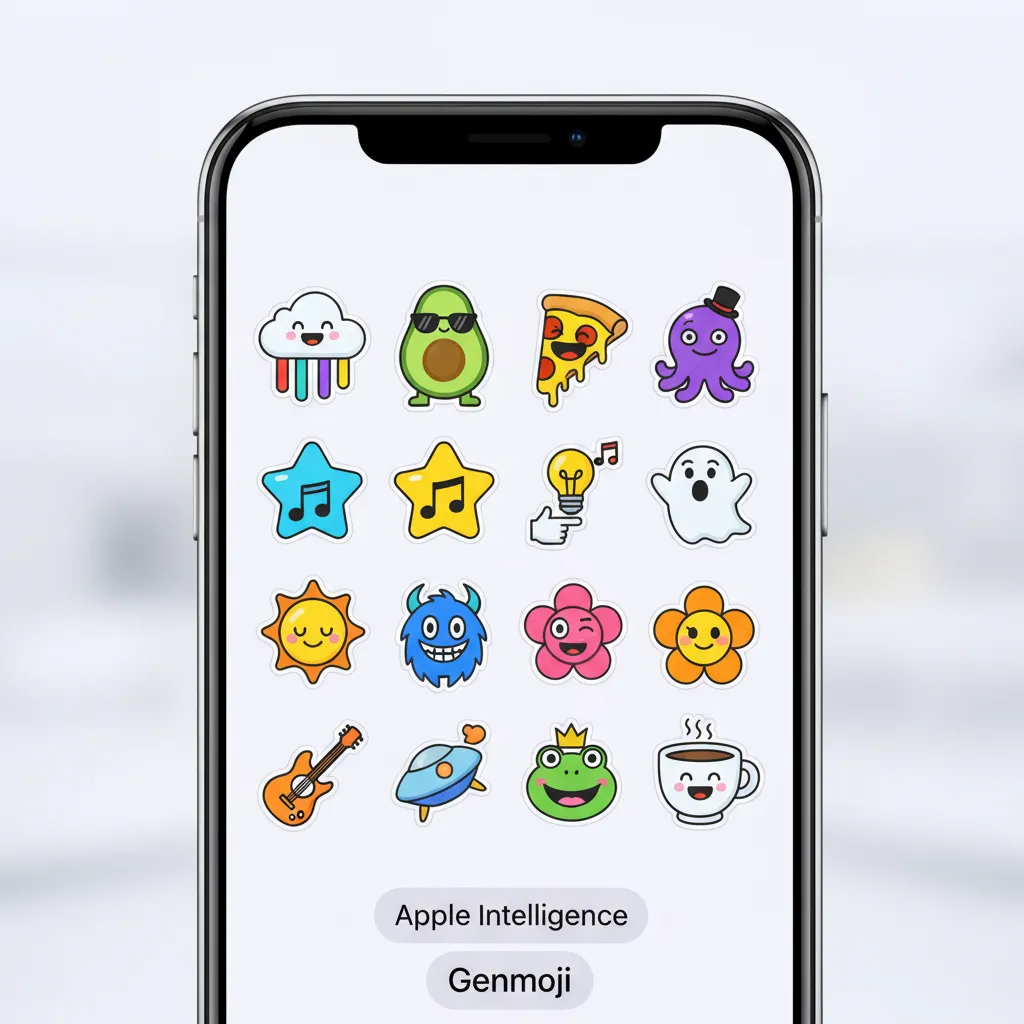
Image Playground Generation
For more sophisticated visual needs, Image Playground is Apple’s answer to popular image generators. It is designed to be fast, simple, and integrated into apps like Messages, Notes, and Freeform.
Instead of complex prompts, the tool emphasizes quick customization based on three key elements:
- Subject: What is the focus of the image (e.g., A golden retriever).
- Style: Choose a look (e.g., Animation, Sketch, Illustration).
- Context: Optional details (e.g., running through a field of flowers).
This simplicity makes quick image creation highly accessible, whether you’re illustrating a birthday card or designing a brainstorming board.

[Related: ai-personalized-health-future-wellness/]
Deep System Integration: Intelligent Search and Summarization
The integration of AI isn’t just about new tools; it’s about making existing tools vastly more efficient.
Prioritized Notifications and Focus
Apple Intelligence intelligently analyzes incoming notifications, categorizing and prioritizing them based on urgency and relevance to the user at that moment. This is a game-changer for managing device distractions, ensuring that important texts about your child’s pickup are seen immediately, while low-priority app updates are grouped together.
AI Photo Editing iOS 18
The Photos app gains a major boost with the introduction of “Clean Up.” This sophisticated AI photo editing iOS 18 feature allows users to brush over distracting objects or people in a photo, and the AI will seamlessly remove them, intelligently filling the gap based on the surrounding image data. This is similar to Magic Eraser tools found elsewhere but built directly into the core OS experience.
The Privacy and Security Foundation: Private Cloud Compute (PCC)
For Apple, the biggest challenge in launching a powerful generative AI system was maintaining user trust. Their solution is Private Cloud Compute (PCC), a groundbreaking security architecture that differentiates Apple Intelligence from virtually every other AI product on the market.
Understanding Private Cloud Compute (PCC)
PCC is Apple’s proprietary server infrastructure, built using custom silicon (Apple chips) and hardened operating systems. When an on-device AI Apple task is too computationally intensive (e.g., summarizing a massive PDF or generating a complex image), the request is securely routed to the PCC.
The critical aspects of PCC are:
- No Permanent Storage: The servers are designed to process the request and immediately discard the data. There are no user profiles, no logs, and no permanent storage of private information.
- Cryptographic Verifiability: Apple allows external security researchers and auditors to verify that the PCC infrastructure is running the exact public software version Apple claims, ensuring that they cannot secretly log or store data. This level of transparency is unprecedented for a cloud service.
- Identity Segregation: The system mathematically ensures that your personal information cannot be linked to your cloud identity when processing the request. Your phone sends the request securely, but the PCC server cannot identify who sent it.
This robust system ensures that even when leveraging the power of large language models in the cloud, Apple AI privacy remains absolute. This addresses deep user concerns that have plagued the adoption of other third-party AI assistants.

[Related: ai-personal-growth-master-habits-unlock-potential/]
On-Device AI Apple vs. Server-Side Processing
The entire system is orchestrated by the device itself:
| Process | Location | Function | Privacy Implication |
|---|---|---|---|
| Simple Actions | On-Device (iPhone, Mac) | Quick calculations, composing short emails, simple image generation, accessing recent contextual data via Semantic Indexing. | Maximum privacy. Data never leaves the device. |
| Complex Actions | Private Cloud Compute (PCC) | Large summarization tasks, high-quality image generation, complex cross-app queries requiring massive model power. | Highly secure. Data is encrypted, processed instantly, and non-logged on dedicated, verifiable servers. |
Compatibility: Which Devices Support Apple Intelligence?
One of the most talked-about topics following the WWDC 2024 announcement was device compatibility. Due to the requirement for massive computational power for the underlying generative models, Apple Intelligence supported devices are limited to newer hardware.
To run the full suite of iPhone AI features, devices must possess a specific Neural Engine capability, primarily found in the M-series and latest A-series chips.
The Hardware Requirement
The minimum requirement to access Apple Intelligence is:
- iPhones: iPhone 15 Pro and iPhone 15 Pro Max.
- iPads and Macs: Any device equipped with an Apple M-series AI chip (M1, M2, M3, M4).
This means that while older devices like the iPhone 14 series can run iOS 18, they will not have access to the core features of Apple Intelligence, such as Genmoji, advanced Siri, and the Writing Tools. This highlights Apple’s commitment to delivering features that offer a high-quality user experience, even if it means limiting access to older hardware that cannot efficiently handle the massive on-device model.
The ChatGPT Integration: Expanding Horizons
While Apple Intelligence is a powerful internal system, Apple recognized that there are times when users need the broad general knowledge and creative depth of a massive, external model. This led to the surprising partnership with OpenAI.
Siri ChatGPT Integration: The Best of Both Worlds
Apple Intelligence includes an optional, seamless Siri ChatGPT integration.
If Siri cannot complete a complex query requiring general world knowledge (e.g., “Tell me about the history of the Silk Road and draft a 500-word summary”), it will ask the user if they wish to send the request to ChatGPT (specifically, the GPT-4o model).
- User Permission is Key: The request is never sent without explicit user permission.
- Privacy Guardrails: If the user agrees, Siri handles the connection, masking the user’s IP address and identity from OpenAI. The interaction is completely anonymous. If you have a paid ChatGPT subscription, you can link it for an enhanced experience.
This clever collaboration allows ChatGPT on iPhone to act as a powerful safety net, offering high-level generative capabilities for public information, while Apple Intelligence handles all personal, private, and contextual tasks.
[Related: financial-freedom-blueprint-guide-to-wealth/]
Apple Intelligence vs. The Competition
In the increasingly crowded AI landscape, where Google (Gemini) and Samsung (Galaxy AI) have already made significant strides, how does Apple Intelligence stack up? The answer lies in the focus: privacy and deep system integration.
The Privacy Advantage
This is the clearest distinction in the Apple Intelligence vs Samsung AI debate:
| Feature | Apple Intelligence | Samsung Galaxy AI (via Google Cloud) |
|---|---|---|
| Core Philosophy | Personal Intelligence, Contextual, Private by Design. | Generalized, Cloud-first, Feature-driven. |
| Sensitive Data Handling | Processed primarily on-device or via Private Cloud Compute (PCC) with cryptographic privacy guarantees. | Processed by Google’s cloud servers; reliance on standard cloud privacy policies. |
| Cross-App Integration | Deep OS-level integration via Semantic Indexing. Actions across native apps are seamless. | Integration is often limited to a few core Samsung apps or relies on Circle to Search for screen interaction. |
| Creativity | Genmoji and Image Playground (fast, on-device/PCC). | Galaxy AI tools rely heavily on third-party integration or Google Photos editing. |
While Galaxy AI offers unique features like Live Translate during calls, Apple Intelligence offers a more profound and secure shift in the entire operating system experience. The focus on privacy and the verifiable nature of PCC give Apple a significant advantage in earning the trust of its massive user base.
[Related: eco-tourism-unpacked-sustainable-adventures/]
Practical Ways to Use Apple Intelligence in Daily Life
Understanding the technical architecture is one thing; seeing the practical benefits is another. Here are just a few examples of how how to use Apple Intelligence will change daily interactions:
1. Email Triage and Summarization
Imagine waking up to 50 emails. Instead of scrolling, the Mail app now shows a “Priority Summary” at the top of your inbox, powered by summarize notifications AI.
- Scenario: You have a dozen project updates, two urgent messages from your doctor, and three flight changes.
- Apple Intelligence Action: The system highlights the urgent medical messages and flight changes, providing a one-sentence summary for each. You can then click “Summarize Thread” on the project updates to get the key takeaways without reading 30 replies.
2. Effortless Photo Search and Retrieval
Using the new intelligent search iPhone capabilities dramatically simplifies finding media.
- Old Way: Searching for “beach vacation 2023” and scrolling through thousands of photos.
- New Way: Asking Siri or typing into the search bar: “Find all the photos of Sarah wearing her purple dress from the trip to Italy where we ate pizza.”
- Mechanism: The Semantic Indexing combined with sophisticated image recognition instantly cross-references all these attributes to surface the exact images you need.
3. Quick Scheduling and Context
The system’s contextual awareness AI makes planning seamless.
- Scenario: You’re on a phone call. Your friend suggests meeting at 7 PM for dinner, and the conversation moves on.
- Apple Intelligence Action: After the call, you get a suggestion in your notification center: “Do you want to create a calendar event for dinner with [Friend’s Name] at 7 PM?” It automatically pulls the time, participants, and context.
Apple AI Release Date and Availability
The integration of Apple Intelligence is tied directly to the release schedule for iOS 18, iPadOS 18, and macOS Sequoia.
The initial rollout began with developer betas immediately following WWDC 2024.
- Public Beta: Expected in mid-to-late Summer 2024.
- Initial Launch: The main features of Apple Intelligence will roll out with the public release of iOS 18 AI in Fall 2024.
- Full Feature Rollout: It is common for Apple to stage the release of major AI capabilities. Some features, particularly more complex cross-app workflows and deep integrations, may continue to roll out throughout 2025.
Is Apple Intelligence free? Yes. Apple has confirmed that the system is a core, free component of the operating system updates for supported devices. While the optional use of ChatGPT uses the free GPT-4o model, users can subscribe to ChatGPT Plus for higher rate limits and priority access, but the fundamental Apple AI features are free for all compatible users.
[Related: deep-work-mastery-unlock-focus-boost-productivity-distracted-world/]
Conclusion: A New Era of Personal Computing
Apple Intelligence marks a watershed moment for the company, moving beyond simple automation to create a truly “personal intelligence system.” By tightly weaving AI capabilities—from Genmoji creation and enhanced writing tools to sophisticated AI photo editing iOS 18—into the very core of iOS 18 AI, Apple has redefined the user experience.
The critical takeaway is the focus on Apple AI privacy. Through the innovative use of Private Cloud Compute, Apple ensures that the power of generative AI can be accessed without sacrificing personal data security. This dedication to on-device AI Apple processing and verifiable cloud security sets a new industry standard.
For users with compatible devices (iPhone 15 Pro/Pro Max and M-series Macs/iPads), the rollout of this technology promises a smarter, faster, and more contextually relevant digital life. The future of the iPhone is smart, personal, and, most importantly, secure.
FAQs: Your Questions About Apple Intelligence Answered
Q1. What is Apple Intelligence?
Apple Intelligence is the name for Apple’s suite of proprietary generative artificial intelligence models and features, unveiled at WWDC 2024. It is designed to act as a personal intelligence system that leverages context and data on the user’s device to provide customized, private assistance across iOS, iPadOS, and macOS.
Q2. Is Apple Intelligence the same as iOS 18 AI?
Yes, essentially. Apple Intelligence is the technological engine and set of models, while iOS 18 AI is the term used to describe the collection of user-facing features (like Genmoji, Writing Tools, and the new Siri) that are powered by the Apple Intelligence system within the iOS 18 update.
Q3. What are the key features of the new Siri update 2024?
The Siri update 2024 features significantly enhanced natural language understanding, deep contextual awareness AI (screen awareness), and the ability to perform multi-step, cross-app actions seamlessly. It can handle more complex requests and now offers the optional integration with ChatGPT on iPhone for general knowledge queries.
Q4. Which devices are required to use Apple Intelligence?
Due to the computational demands of the underlying large language models and the need for a powerful Neural Engine, Apple Intelligence supported devices are limited to the iPhone 15 Pro and iPhone 15 Pro Max, and any Mac or iPad running an Apple M-series AI chip (M1 and later).
Q5. How does Private Cloud Compute protect my privacy?
Private Cloud Compute (PCC) is Apple’s proprietary server technology used when on-device processing is insufficient. PCC ensures that requests are processed on specialized, secure servers using only non-logged, transient data. The system is cryptographically verified to never store or log user information, guaranteeing Apple AI privacy even when using cloud models.
Q6. Is Apple Intelligence free to use?
Yes, is Apple Intelligence free? Apple Intelligence is provided as a core component of the operating system updates (iOS 18, etc.) and is free for users with compatible devices.
Q7. What are Genmoji and Image Playground?
Genmoji is an Apple AI feature that allows users to instantly generate custom, unique emojis using text descriptions. Image Playground is Apple’s fast, integrated image generation tool that lets users create stylized images for notes, messages, or documents directly within core apps.
Q8. When is the Apple AI release date?
The core features of Apple Intelligence are expected to be released publicly alongside iOS 18 in the Fall of 2024, with some more complex functionalities rolling out throughout early 2025.