What Is Apple Intelligence? A Guide to iOS 18’s AI
Introduction: The Dawn of the Personal Intelligence System
For years, Apple has taken a cautious, measured approach to integrating artificial intelligence into its ecosystem, often lagging behind rivals in the public-facing generative AI arms race. That all changed at Apple WWDC 2024 AI.
The reveal of Apple Intelligence wasn’t just another incremental OS update; it was the foundation of a completely new paradigm for how we interact with our most personal devices. This is not simply a set of new features—it is a sophisticated, deeply integrated personal intelligence system designed to understand you, your context, and your intentions across all your Apple products.
So, what is Apple Intelligence? At its core, it is the native Apple generative AI framework built into iOS 18 AI features, iPadOS 18, and macOS Sequoia. Unlike centralized cloud-based systems that treat all users the same, Apple Intelligence is fundamentally tailored to be helpful in a way that respects your privacy first and foremost. It learns, understands, and anticipates your needs using on-device data and complex language models, transforming how you use your iPhone, iPad, and Mac.
In this comprehensive guide, we will break down every critical aspect of this groundbreaking system—from the technical marvels of Private Cloud Compute and on-device AI processing to the practical, day-to-day AI features in iOS 18, including the new Siri, writing tools, and creative options.
[Related: what-is-gpt-4o-ultimate-guide-2024]
Decoding Apple Intelligence: More Than Just AI
The term “Apple Intelligence” is used intentionally to differentiate it from general-purpose AI models like ChatGPT or Google Gemini. Apple’s system is built on two unique pillars: deep personalization and absolute privacy. This is the culmination of years of work focused on creating an Apple AI that serves the individual, rather than the collective.
The Core Concept: Personal Intelligence System
The fundamental difference lies in personalization. To be truly helpful, AI needs context—it needs to know where you are, who you’re talking to, what you were just working on, and what your schedule looks like. Apple Intelligence leverages the vast amount of secure, private data stored on your device to create a dynamic, personalized understanding of your life.
This contextual awareness AI allows it to perform complex tasks that no previous mobile AI could handle. For instance, you can ask Siri to “send Sarah the photo I took yesterday of the dog wearing the funny hat,” and the system understands “Sarah,” the time “yesterday,” and can identify the specific, previously unseen image based on its description, linking this information across your Mail, Messages, and Photos apps.
Semantic Indexing Apple: Unifying Your Data
To achieve this high level of personalization, Apple built a new foundational technology: semantic indexing Apple.
Semantic indexing is essentially a private, hyper-organized map of all the data—emails, messages, files, photos, calendar events, app usage—stored on your device.
How Semantic Indexing Works:
- Deep Understanding: It doesn’t just index keywords; it understands the meaning (semantics) and relationships between pieces of information.
- Cross-App Connectivity: This index allows Apple Intelligence to quickly retrieve relevant information across different applications. When you search for a file, it understands the intent of your search, not just the file name.
- On-Device Security: Crucially, this comprehensive index lives exclusively on your device, ensuring maximum security and speed. It never leaves your iPhone or Mac.
This architecture is what powers the dramatic advancements in the iPhone AI features, making your device feel like it’s finally thinking with you.
Privacy at the Core: On-Device Processing and Private Cloud Compute
In the age of cloud-based AI, data security is paramount. Apple knew that its generative AI had to handle sensitive personal data without compromising its long-standing privacy commitments. This led to the development of a unique, multi-tiered approach that utilizes both on-device AI processing and an innovative system called Private Cloud Compute (PCC).
The Power of On-Device AI Processing
The vast majority of the tasks performed by Apple Intelligence—including those involving your personal context—are handled directly on your device. This includes generating summaries of short emails, prioritizing notifications, and generating quick text responses.
This on-device AI processing is only possible due to the sheer computational power of Apple Silicon (specifically the Neural Engine in the A17 Pro and M-series chips). Processing locally offers three major advantages:
- Privacy: Your personal data never leaves your device.
- Speed: Latency is minimal because there’s no need to send information over the internet.
- Availability: Many features work even when you are offline or in airplane mode.

Private Cloud Compute Explained (PCC)
While on-device models are excellent for local tasks, some requests are simply too complex, computationally intensive, or require larger models to process—such as drafting a 5,000-word summary of a PDF or generating a complex image. This is where Private Cloud Compute (PCC) steps in.
PCC is Apple’s solution for expanding generative model capacity while maintaining strict privacy. It runs on Apple servers powered by custom Apple Silicon chips.
Key Features of PCC:
- Cryptographic Auditability: When a request is offloaded to PCC, the iPhone cryptographically verifies that the server is running public, auditable software—not tracking or logging software.
- Ephemeral Instances: Apple’s servers do not store user data. They only run the necessary task and discard the data immediately after the computation is complete.
- Identity Shielding: Your Apple ID and personal identifiers are never associated with the requests sent to PCC. The request is essentially anonymous and untraceable.
This ingenious architecture ensures that even when the system needs cloud power, the data privacy Apple AI promises is fully maintained, giving users peace of mind that their most sensitive context remains private.
A New Standard for Data Privacy Apple AI
The entire design of Apple Intelligence focuses on transparency and control. When you ask a question, the system first determines if it can be handled on-device. If it needs PCC, it tells you clearly that it is sending an anonymous request to the cloud. You are always aware of where your data is being processed, which sets a new benchmark for trust in consumer AI.
The Revolution of Siri: Contextual Awareness and Natural Language
Siri, one of Apple’s oldest technologies, has received its most fundamental overhaul with the integration of Apple Intelligence. The Siri update 2024 transforms the often-rigid voice assistant into a truly helpful, contextual awareness AI capable of understanding the environment on your screen and maintaining natural conversation flow.
New Siri Features: A True Contextual Awareness AI
The new Siri can now see and interact with what’s happening on your screen. This feature is a massive leap forward for the new Siri features.
Practical Examples of Contextual Understanding:
- In an email thread: You can say, “Summarize this email chain for me,” and Siri will pull the text, process it, and generate a concise summary without you having to manually copy and paste.
- On a webpage: If you see a meeting time listed, you can summon Siri and say, “Add this to my calendar,” and Siri will automatically recognize the date, time, and topic from the open page.
- In Messages: If a friend texts you their new address, you can say, “Save this as a contact card,” and Siri handles the complex task of parsing the address components and updating the contact.
This ability to act on the content you are currently viewing is the core differentiator of the new Siri and makes how to use Apple Intelligence feel seamless and intuitive.
Siri Update 2024: Conversational Depth and On-Screen Understanding
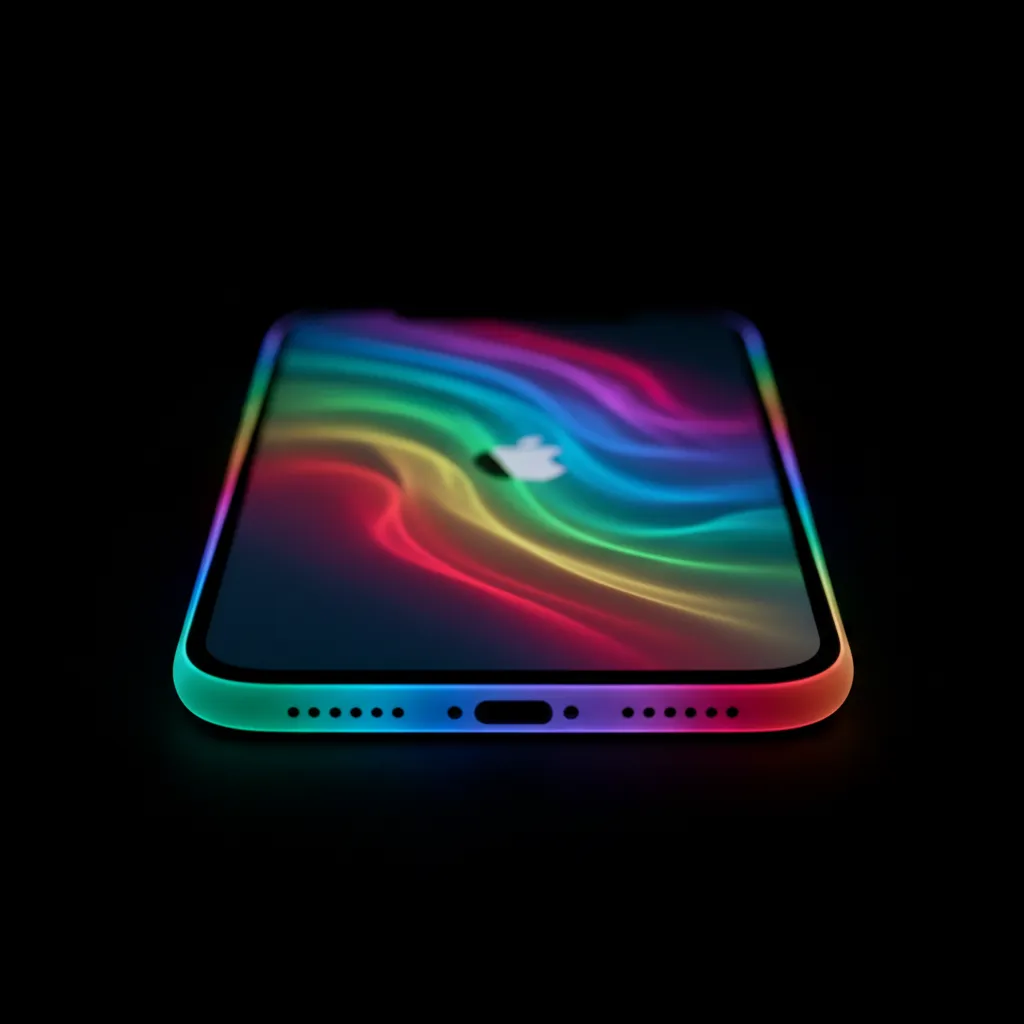
The visual interface for Siri has also been updated in iOS 18. Instead of taking over the whole screen, the new Siri appears as a subtle, glowing light around the edge of the device, allowing you to maintain visual context while you interact.
Siri is also now capable of sequential, conversational follow-up questions. It remembers the context of the previous request, allowing for much more natural dialogue, a critical element for any effective personal intelligence system.
The Siri ChatGPT Integration: When and Why
One of the most surprising announcements was the partnership with OpenAI for Siri ChatGPT integration.
Apple Intelligence prioritizes using its own powerful models first, utilizing the highly efficient on-device and Private Cloud Compute infrastructure. However, for extremely specialized general knowledge tasks, such as complex historical research, niche coding queries, or when a massive general model is explicitly requested by the user, the system can offer to defer to ChatGPT’s capabilities.
Key points about the ChatGPT integration:
- Opt-In and Transparent: Users must explicitly agree to send their query to ChatGPT.
- Anonymity Preserved: Apple strips out identifying information before sending the request to OpenAI.
- No Log Retention: OpenAI has committed not to store these requests, ensuring an added layer of privacy.
This strategic partnership acknowledges that while Apple Intelligence excels at personalized, contextual tasks, ChatGPT provides industry-leading general knowledge and reasoning that complements the system, defining the practical use cases of Apple Intelligence vs ChatGPT clearly.
Practical AI Features in iOS 18: Enhancing Productivity
The iOS 18 AI features are deeply woven into the core productivity apps, offering massive gains in efficiency across writing, communication, and organization. These are the tools that will redefine how professional users interact with the Apple ecosystem.
AI Writing Tools iOS 18: Rewrite, Summarize, and Proofread
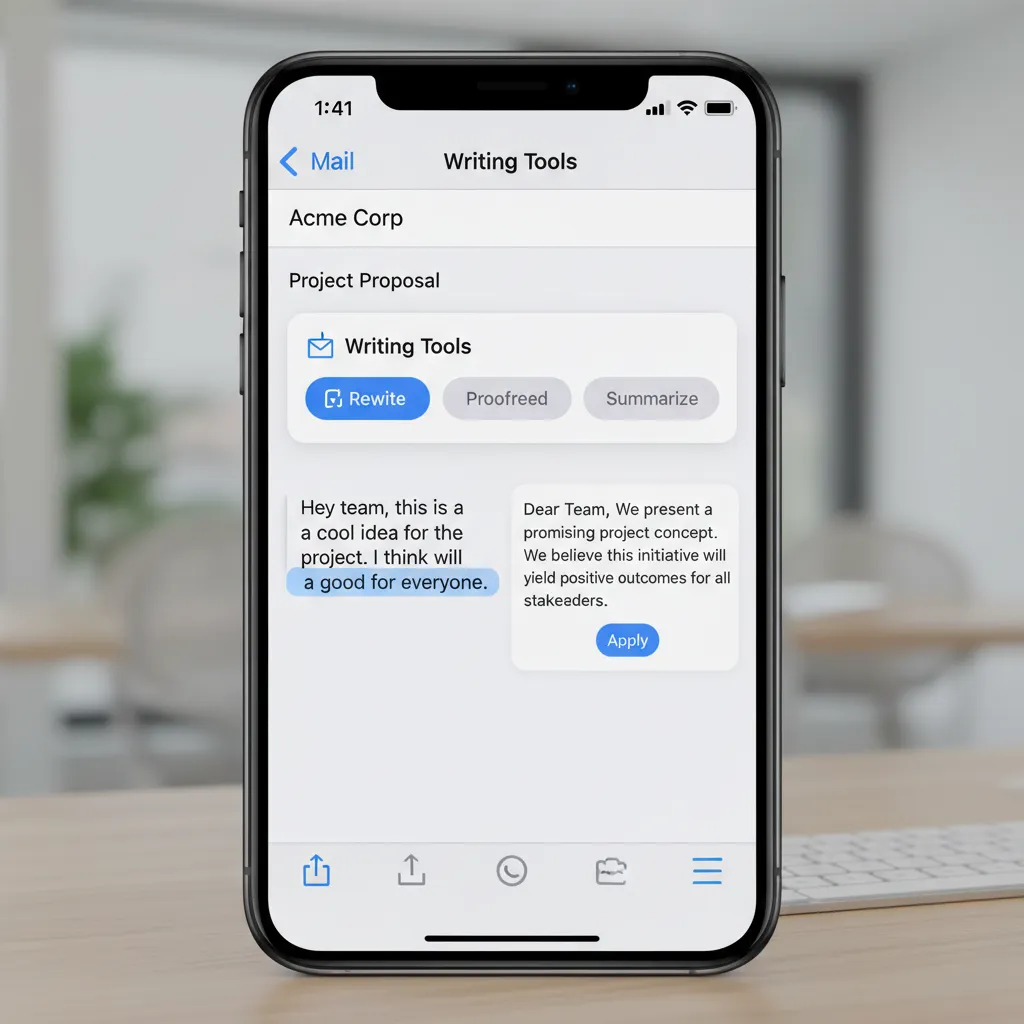
The new Writing Tools (part of the AI features in iOS 18) are perhaps the most immediately impactful change for communication. These tools are available system-wide across Mail, Notes, Pages, and even third-party apps, making Apple generative AI instantly useful.
- Rewrite: This allows users to instantly generate different versions of their written text, adjusting the tone and formality. You can take a casual text message draft and instantly make it sound professional for an email to your boss, or vice versa.
- Summarize: This feature quickly distills long passages of text, notes, or emails into key takeaways—an invaluable tool for managing overflowing inboxes and long documents.
- Proofread: Going beyond simple spell-check, the Proofread tool checks for grammatical errors, stylistic awkwardness, and word choice, offering suggestions to tighten and clarify your language.
[Related: mastering-ai-workflow-productivity-automation]
Smart Reply and Prioritization in Mail
The Mail app is getting a massive upgrade driven by Apple Intelligence’s ability to understand context and urgency:
- Smart Reply: For simple emails, Smart Reply offers pre-written responses that are contextually appropriate, often going a step further by identifying questions in the original email and providing ready-to-fill-in answers (e.g., detecting a request for meeting times and offering available slots).
- Priority Notifications: Using the semantic index, the system can now identify which notifications are truly urgent (e.g., a message from your child’s school or your manager) versus low-priority updates, grouping them intelligently to reduce cognitive load.
AI Photo Editing iPhone and Clean Up Tool
The Photos app in iOS 18 also receives significant AI photo editing iPhone capabilities. The most prominent is the new Clean Up tool.
Similar to advanced editing features found in professional software, Clean Up allows users to simply brush over unwanted objects or people in a photo. Apple Intelligence then intelligently detects the object and seamlessly removes it, filling the background naturally. This is a powerful demonstration of the system’s advanced image understanding and generative capabilities working on-device.
Furthermore, iPadOS 18 AI and macOS Sequoia AI bring these powerful tools to the tablet and desktop experience, providing consistent, high-end productivity features regardless of the device.
Generative Creativity: Genmoji and Image Playground AI
Beyond productivity, Apple Intelligence opens up new avenues for fun and creative expression, particularly in messaging and image creation.
Image Playground AI Explained
Image Playground AI is Apple’s native tool for generating images in Messages, Notes, Freeform, and other apps. It is designed to be fast, simple, and respectful of safety guidelines, focusing on generating playful, custom imagery rather than highly photorealistic renders.
Users can generate images in three distinct styles:
- Animation: Cartoon-like, hand-drawn aesthetic.
- Sketch: Black and white, artistic line drawings.
- Illustration: Rich, textured, and colorful digital art.
Image Playground is ideal for quickly visualizing concepts or adding flair to a message. For instance, you could type “A happy golden retriever flying an airplane in the style of an illustration,” and the system generates the image almost instantly, using the local models where possible or Private Cloud Compute for more complexity.

Creating Personalized Emojis with Genmoji
Genmoji takes the concept of emojis to a highly personalized level. Tired of the standard emoji library? With Genmoji, you can describe an emoji that perfectly fits the context of your conversation.
Examples of Genmoji:
- A dinosaur wearing a party hat.
- A smiley face crying happy tears that look like tiny hearts.
- A melting clock.
Genmoji are created instantly, appear in the keyboard bar like standard emojis, and can be sent as stickers or incorporated into messages, adding a unique and expressive layer to your iPhone AI features.
Compatibility Check: Apple Intelligence Supported Devices
One of the most frequently asked questions is: is my iPhone compatible with Apple Intelligence? The computational demands of running powerful AI models—especially the promise of robust on-device AI processing—mean that Apple Intelligence is not available on every device running iOS 18.
The Hardware Requirement: Why You Need an Apple Silicon Chip
Apple Intelligence requires a specific level of performance, particularly from the Neural Engine, which is dedicated to machine learning tasks.
Apple Intelligence supported devices require at minimum:
- iPhone: iPhone 15 Pro and iPhone 15 Pro Max (which feature the A17 Pro chip).
- iPad and Mac: Any model running an M1 chip or later (M1, M2, M3, M4).
This requirement ensures the system can handle the complex tasks on-device swiftly and privately. Older devices, while capable of running iOS 18, will not have access to the core features of Apple Intelligence. This distinction is crucial for understanding the performance gap.
Apple Intelligence Release Date and Beta Access
Apple typically follows a predictable release schedule for its major software updates.
- Apple Intelligence beta: The first developer betas were released shortly after WWDC 2024, followed by public betas, allowing users and developers to begin testing the system.
- Apple Intelligence release date: The full consumer launch of Apple Intelligence is tied to the public release of iOS 18, iPadOS 18, and macOS Sequoia, expected in Fall 2024 (typically September or October). Note that some advanced features, like the full Siri ChatGPT integration, may roll out slightly later, potentially remaining in beta through early 2025.
If you are eager to jump in, you can explore the public beta, but be aware that performance and stability may be lower than the final release version.
Apple Intelligence vs ChatGPT: A Philosophical Difference
When comparing Apple Intelligence vs ChatGPT, it’s important to understand they are solving two fundamentally different problems.
| Feature | Apple Intelligence (AI) | ChatGPT (General LLM) |
|---|---|---|
| Primary Goal | Personalized, contextual assistance | General knowledge, reasoning, and creation |
| Data Focus | Private, on-device user data (emails, photos) | Massive public and proprietary datasets |
| Processing Location | Primarily on-device, secondarily Private Cloud Compute (anonymous) | Primarily centralized cloud servers |
| Key Differentiator | Contextual awareness, privacy guarantee | Scalability, depth of general knowledge |
| Ideal Use Case | Summarizing a recent meeting, generating a personal Genmoji, drafting an email | Writing a thesis on quantum physics, brainstorming a startup name, complex coding |
The Use Case Divide
Apple Intelligence explained is about optimizing your personal digital life. It’s an expert in you. It knows your schedule, your relationships, and the content of your private files, using that knowledge solely to help you.
General LLMs like ChatGPT are experts in everything else. They have read the public internet and can generate content on virtually any general topic.
The genius of the Siri ChatGPT integration is that Apple recognizes this divide and offers the best of both worlds under its privacy shield, ensuring that highly personal requests stay local to Apple Intelligence, while broad, general queries can leverage the power of external models when necessary.
[Related: the-metaverse-at-work-revolutionizing-remote-collaboration-virtual-offices/]
Conclusion: The Future of Personal Computing
The debut of Apple Intelligence marks a watershed moment for the company and the entire tech industry. By focusing on privacy through Private Cloud Compute and on-device processing, Apple has created a new category of Apple generative AI that is designed not to gather data, but to serve the individual user with unparalleled contextual awareness AI.
The iOS 18 AI features, including the dramatically improved Siri, the powerful AI writing tools iOS 18, and the fun, creative outlets like Genmoji and Image Playground AI, are set to revolutionize daily interactions with our devices. If your device supports it (remember, iPhone 15 Pro or M-series minimum), you will soon be able to experience the power of a true personal intelligence system that finally feels like an extension of your own mind.
Keep an eye out for the Apple Intelligence release date this Fall, and prepare to redefine what your personal technology can do.
FAQs (People Also Ask)
Q1. What is Apple Intelligence?
Apple Intelligence is the official term for Apple’s new suite of generative AI models and features integrated into iOS 18, iPadOS 18, and macOS Sequoia. It functions as a personal intelligence system that leverages your on-device data (while keeping it private) to provide highly personalized assistance and perform complex tasks across applications.
Q2. Is Apple Intelligence free to use?
Yes, the core features of Apple Intelligence, including the iOS 18 AI features like Rewrite, Summarize, Genmoji, and the new Siri, are included as part of the operating system updates for supported devices. There is no separate subscription fee for using Apple Intelligence.
Q3. Which devices are compatible with Apple Intelligence?
The system is resource-intensive, requiring advanced hardware. Apple Intelligence supported devices include the iPhone 15 Pro and iPhone 15 Pro Max (A17 Pro chip), and any Mac or iPad equipped with an Apple M1 chip or later.
Q4. How is Private Cloud Compute different from a regular cloud server?
Private Cloud Compute (PCC) is Apple’s private, secure cloud system for handling complex AI requests that exceed on-device capabilities. PCC is designed with cryptographic auditability, ensuring the servers run public, non-logging software, and all user data sent is temporary, anonymous, and never stored, prioritizing data privacy Apple AI.
Q5. What is Genmoji and how does it work?
Genmoji is one of the creative Apple generative AI features that allows users to create entirely new, personalized emojis simply by typing a description (e.g., “a startled avocado”). The system generates these unique images instantly for use in messages and as stickers.
Q6. Will Apple Intelligence replace ChatGPT?
No, Apple Intelligence is designed for personalized, contextual tasks, while ChatGPT excels at broad, general knowledge and reasoning. Apple sees them as complementary, hence the optional, transparent Siri ChatGPT integration offered for general knowledge queries outside of the user’s personal context.
Q7. When will Apple Intelligence be available to the public?
The Apple Intelligence release date is expected to coincide with the public launch of iOS 18, iPadOS 18, and macOS Sequoia in Fall 2024 (typically September or October). Users can access the early features via the public Apple Intelligence beta program before the official release.
Q8. What does “semantic indexing Apple” mean?
Semantic indexing Apple is a new, secure, on-device technology that creates a hyper-organized map of all your personal data (photos, emails, files) based on their meaning and relationships, not just keywords. This allows the system to understand complex, cross-app requests and provide high-level contextual awareness AI without compromising security.