What Is Apple Intelligence? A Deep Dive Into Apple’s New Generative AI System
Introduction: The Dawn of Apple Intelligence
For years, the tech world anticipated Apple’s major move into the generative AI space. While companies like Google, Microsoft, and OpenAI accelerated their public-facing models, Apple remained conspicuously quiet, dedicating resources to building a system that could integrate seamlessly and securely into the lives of its billion-plus users.
That wait ended at WWDC 2024 with the unveiling of Apple Intelligence.
More than just a collection of features, Apple Intelligence is a deep-seated, systemic integration of generative AI across iOS 18, iPadOS 18, and macOS Sequoia. It’s an approach fundamentally different from its competitors, prioritizing a concept Apple calls “personal context” and, crucially, privacy.
This is not a standalone app or a chatbot you occasionally visit; it’s a framework that imbues your devices—iPhone, iPad, and Mac—with the ability to understand you, your data, and your intentions to deliver truly personalized assistance.
In this deep dive, we will explore the core technology powering this evolution, the revolutionary capabilities of the next generation Siri, the creative new tools available, the vital question of compatibility, and how Apple is navigating the complex waters of large language models through its strategic partnership with OpenAI. By the end, you will understand exactly what is Apple Intelligence and why it represents the most significant paradigm shift in the Apple ecosystem since the original iPhone.
The Foundation: On-Device AI Meets Private Cloud Compute (PCC)
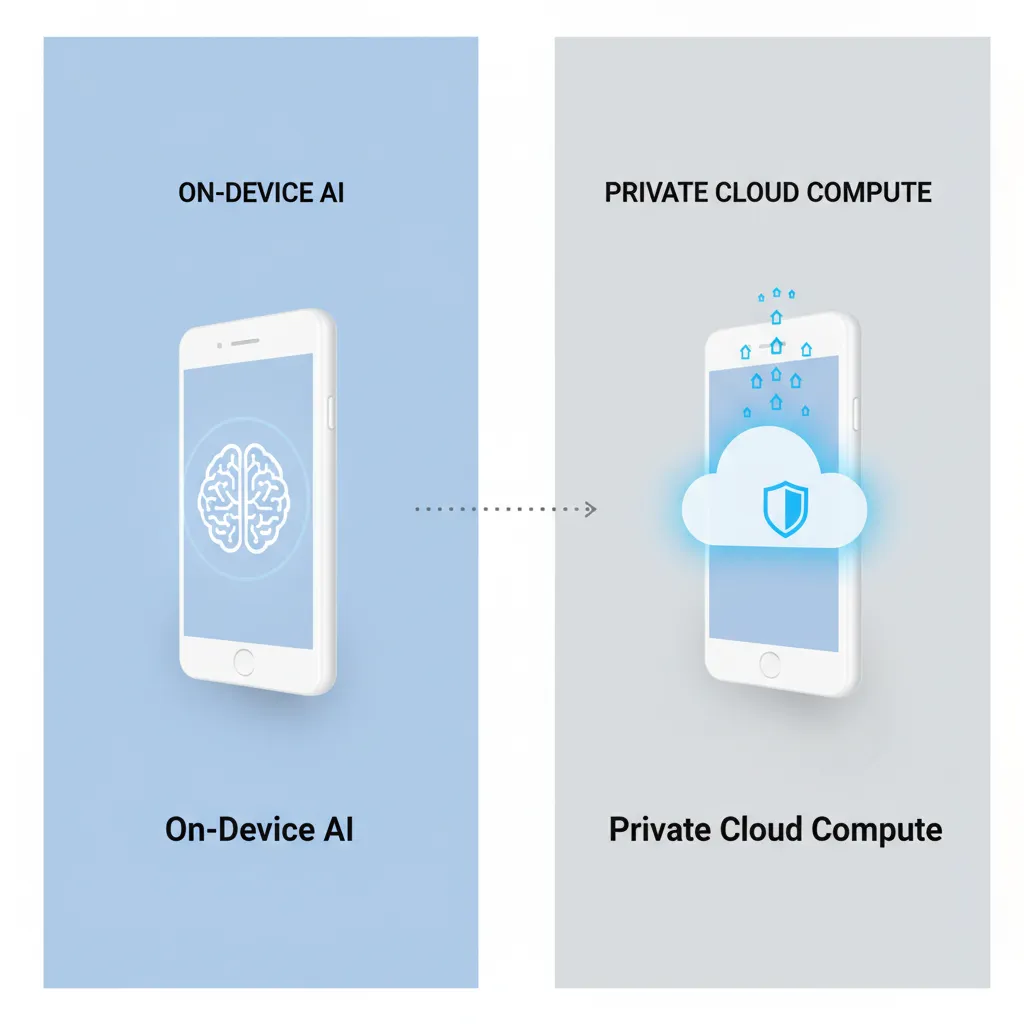
The central hurdle for any major tech company integrating powerful generative AI is the trade-off between power and privacy. Large language models (LLMs) require immense computational resources, often forcing data to be sent to large, centralized cloud servers. Apple’s solution to this dilemma is a sophisticated, dual-layered architecture: on-device AI and Private Cloud Compute (PCC).
Prioritizing Privacy: The On-Device Advantage
At the core of Apple Intelligence is the principle that as much processing as possible should happen locally on your device. This is the definition of on-device AI Apple.
For tasks like understanding conversational context, summarizing short notifications, perfecting grammar, or classifying images in the Photos app, the models are small, efficient, and run entirely on the Neural Engine of Apple Silicon (A17 Pro or M-series chips).
This approach offers three critical benefits:
- Immediate Speed: Latency is drastically reduced because data doesn’t travel over the internet.
- Guaranteed Privacy: Your personal data—messages, emails, calendar, and photos—never leaves your device or is seen by Apple.
- Personalized Context: The model uses your specific data (who you talk to, where you are, your current tasks) to provide truly helpful and contextual awareness AI without compromising security.
Introducing Private Cloud Compute (PCC)
However, some complex requests—such as generating a complex image, summarizing an entire document, or asking Siri an obscure factual question—require more power than even the advanced Neural Engine can provide. This is where Private Cloud Compute (PCC) enters the picture.
PCC is Apple’s proprietary server technology designed specifically to extend the capability of Apple Intelligence while maintaining ironclad privacy. When a request needs cloud power, the system utilizes a network of Apple Silicon-powered servers with a unique structure:
- Cryptographic Attestation: Before any data is processed, the user’s device cryptographically verifies that the PCC server is running only public, audited software and is not logging or retaining data.
- Ephemeral Processing: The user’s request is processed on a temporary, isolated session. Once the computation is complete and the result is returned, the data is immediately discarded. There is no server-side retention.
- Data Minimization: Only the necessary data is sent, and it is never linked to the user’s Apple ID.
This blend ensures that Apple Intelligence can handle the heavy lifting of generative AI while adhering to Apple’s high standard for user privacy, making it a truly secure AI for iPhone.
[Related: https://hyperdaily.one/blog/safeguarding-sanctuary-smart-home-security-privacy-ai-era/]
Next Generation Siri: Contextual Awareness and Action
Perhaps the most immediately recognizable change stemming from the WWDC 2024 announcements is the radical evolution of Siri. Long criticized for its robotic nature and limited scope, the Siri update 2024 transforms it from a rigid voice assistant into a highly capable, personalized AI assistant. This is the next generation Siri.
Siri’s New Look and Capabilities
Siri’s interface now adapts dynamically, appearing as a glowing border around the screen when activated, rather than blocking the entire view. This subtle change signals its heightened awareness of the content currently on screen.
Key improvements enabled by Apple Intelligence include:
- Natural Language Understanding: Siri can handle much more complex, conversational, and often incomplete requests. It understands corrections and context from previous questions within the same thread.
- On-Screen Awareness: Siri can now “see” and interact with content on your screen. If you ask, “Can you summarize that website I just read?” Siri knows which website you mean, providing sophisticated contextual awareness AI.
- Semantic Indexing: Apple Intelligence creates a personalized index of your most frequently used information, enabling Siri to find content—not just files—by concept. You can ask, “Show me all the photos my sister sent me last week about the trip to Spain,” and Siri can pull them from Messages, Photos, or Mail.
Taking Action Across Apps
The true power of the new Siri features lies in its ability to execute multi-step actions across different applications using natural language. This moves beyond simple commands and into genuinely useful automation.
Examples of complex, cross-app actions Siri can perform:
| Request Example | Action Required | Benefit |
|---|---|---|
| ”Send my mom a photo of the dog I took on vacation and convert it to black and white first.” | Opens Photos, identifies photo by context, applies the filter, opens Messages, attaches, and addresses. | Multi-step task completion without manual app switching. |
| ”What is the meeting time for the event with David, and find the email he sent with the attached proposal.” | Searches Calendar for the event, cross-references Mail for the sender/topic, opens the attachment. | Deep linking and data retrieval across the ecosystem. |
| ”Set the mood for my next workout with an album by ‘The Chainsmokers’ on Apple Music, but only if the temperature outside is below 70 degrees.” | Checks Weather, evaluates condition, and initiates playlist. | Conditional, personalized action based on real-world data. |

Generative AI Across the Apple Ecosystem
Generative AI on iPhone is not confined to Siri; it’s baked into the core operating systems. iOS 18 AI features, iPadOS 18 AI, and macOS Sequoia AI introduce potent tools for writing, creativity, and organization that leverage the power of Apple Intelligence.
The AI-Powered Writing Tools Ecosystem
For those who rely on Apple devices for communication, the new writing tools are game-changing. These features are universally available in system apps (Mail, Notes, Pages) and third-party apps that use standard text fields.
The core writing features include:
- Rewrite: Users can instantly rephrase sentences or paragraphs in different tones—for instance, changing a casual text into a professional email, or a lengthy draft into a concise summary. This is highly beneficial for productivity and rapid communication.
- Proofread: Beyond basic spell-check, the AI reviews grammar, word choice, and overall flow, suggesting structural improvements to refine the quality of the text.
- Summarize: This feature can distill long articles, meeting notes in the Notes app, or lengthy email threads into digestible bullet points, saving considerable time.
The ability to generate polished text instantly positions these features as a powerful workflow booster, similar to advanced features found in dedicated AI writing platforms, but with the added benefit of system-level integration and privacy.
[Related: https://hyperdaily.one/blog/mastering-ai-workflow-productivity-automation/]
Creative Tools: Image Playground, Genmoji, and Photo Editing
Apple Intelligence also injects creativity into messaging and communication through powerful image generation tools, prioritizing quick, fun, and relevant outputs rather than high-fidelity, complex art.
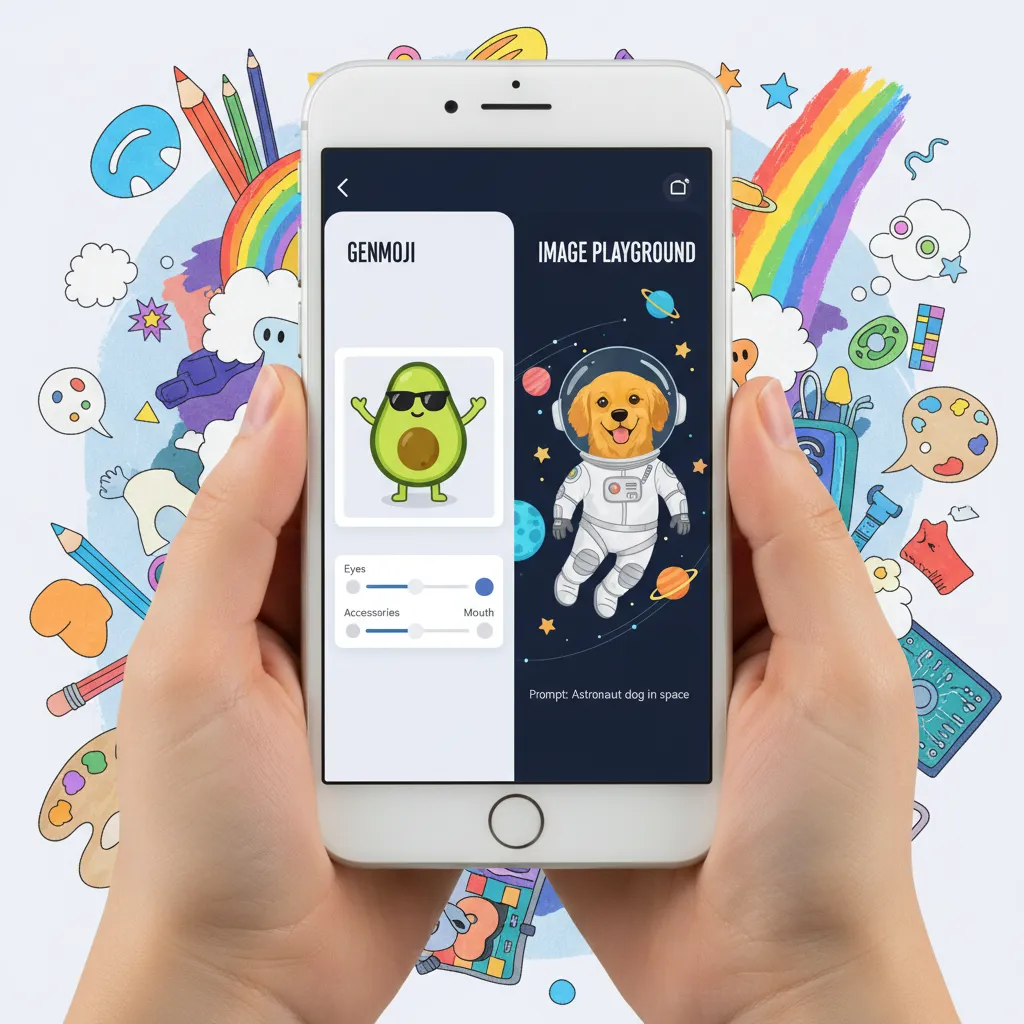
1. Image Playground AI
This feature allows users to generate images rapidly based on simple text prompts. Unlike more technical tools, Image Playground is designed for immediate use within Messages, Notes, and Freeform.
Users can choose from three distinct styles:
- Sketch: Simple, line-art drawings.
- Illustration: Stylized, colorful, and graphic novel-like.
- Animation: A classic cartoon style.
It’s built for communication; imagine instantly generating an illustration of a “cat wearing sunglasses surfing a wave” to send to a friend, all within the Messages app.
2. Genmoji Creator
Building on the popularity of standard emoji and Memoji, Genmoji creator allows users to type a description and have a brand-new, unique emoji-like graphic created instantly. These are usable as stickers or reactions, expanding the emotional palette beyond the standard Unicode set. If you can’t find the right emoji for “a tired panda drinking coffee,” Genmoji creates it for you.
3. AI Photo Editing iOS 18
Within the Photos app, AI is utilized to make sophisticated editing simpler and faster. The key feature here is a powerful object removal tool that can intelligently fill in the background after removing a distraction, such as a person or an unwanted sign in a photograph, achieving professional-grade results with a simple tap.
System-Wide Integration and Organization
Beyond writing and creation, Apple Intelligence weaves its magic into everyday system tasks:
- Priority Notifications: The system intelligently surfaces the most crucial notifications, such as a message from your child’s school or an update on a delayed flight, while grouping or summarizing less critical alerts.
- Mail Conversation Summary: In Mail, the system can instantly generate a summary of a long, complex email thread, providing the core action items and decisions without requiring you to scroll through dozens of messages.
- Memories in Photos: The “Memories” feature is enhanced, allowing users to describe a specific memory they want to create—e.g., “Make a memory of last summer’s photos, focusing on beach trips and including upbeat music.” The AI sifts through tens of thousands of images and clips to fulfill the specific narrative.
The Open Question: Apple’s Partnership with OpenAI
While Apple Intelligence handles the highly personal and contextual tasks using its internal models and Private Cloud Compute, there remains a class of generative AI requests—those requiring massive, world-spanning knowledge—that its models are not currently designed for.
To address these highly complex, factual, or expansive queries, Apple announced a landmark partnership: integrating ChatGPT directly into the core operating systems.
Integrating ChatGPT on iPhone
The integration is designed to be seamless, yet strictly permission-based, maintaining Apple’s commitment to user control.
When a user’s request exceeds the capability or scope of Apple’s built-in models (for example, asking for a detailed technical analysis of a niche engineering topic), Siri will prompt the user, asking if they would like to forward the query to ChatGPT.
Key aspects of this integration:
- User Consent is Mandatory: The request is never sent to OpenAI without explicit user approval.
- Free Access: Users can access ChatGPT 4o directly through Siri and the system writing tools for free, without needing an account.
- Subscriber Benefits: ChatGPT Plus subscribers can link their accounts to gain access to premium features and models directly through the Apple system interface.
- Privacy Guardrails: When the query is sent to OpenAI, Apple ensures that identifying data (like the user’s IP address) is obfuscated, and OpenAI has committed not to log or retain requests made through Apple Intelligence for building its own models.
This dynamic routing system allows Apple users to benefit from the powerful general knowledge of the OpenAI model for specific tasks while ensuring that the most personal, contextual data remains locked down within the Apple Intelligence framework.
Compatibility, Availability, and the Cost
A major talking point following the Apple Intelligence demo was the relatively restrictive compatibility list. This is directly tied to the fundamental requirement for powerful on-device processing.
Devices That Support Apple Intelligence
Because Apple Intelligence relies heavily on the capabilities of the Neural Engine for swift and private computation, it is only available on devices running the most advanced Apple Silicon.
| Device Type | Specific Models Required | Reason for Requirement |
|---|---|---|
| iPhone | iPhone 15 Pro, iPhone 15 Pro Max, and later | Requires the A17 Pro chip or newer, which contains a significantly faster Neural Engine. |
| iPad | All models with the M1 chip or later | Requires M-series chips (M1, M2, M3, etc.) due to the architectural power needed for deep AI processing in iPadOS 18 AI. |
| Mac | All models with the M1 chip or later | Similarly relies on the robust capabilities of the M-series chips for macOS Sequoia AI. |
This strict Apple Intelligence compatibility means that the vast majority of older iPhones, including all standard iPhone 15 and 14 models, will not gain access to these system-level AI features. This restriction underscores Apple’s commitment to guaranteeing a high-quality, high-speed, and private experience by only deploying the technology where the hardware can fully support on-device AI Apple.
Release Schedule and Availability
The Apple Intelligence release date follows the standard schedule for major operating system updates:
- Developer Beta: Announced at WWDC in June.
- Public Beta: Typically released in July.
- General Release: Full public release will accompany the launch of iOS 18, iPadOS 18, and macOS Sequoia, generally scheduled for Fall 2024.
It is important to note that many features, particularly the full ChatGPT integration, may be rolled out in beta or preview status initially and reach their final form in subsequent point releases (e.g., iOS 18.1 or 18.2).
Is Apple Intelligence Free?
In short, yes. Apple Intelligence will be available as part of the core operating systems for all compatible devices at no extra charge.
The features, including the new Siri, the generative writing tools, and the creative capabilities, are integrated at the system level and are free to use. Access to the foundational ChatGPT 4o model through Siri is also included at no cost.
Apple’s Approach to AI: Personal Context Over Public Data
The philosophy behind Apple’s approach to AI is arguably its most critical differentiator. While competitors like Google (with Gemini) and OpenAI focused first on building large, publicly accessible models based on vast swathes of internet data, Apple has focused on depth of integration and personal understanding.
Apple Intelligence vs Google Gemini
When conducting an Apple Intelligence vs Google Gemini comparison, the distinction lies in their purpose:
| Feature | Apple Intelligence | Google Gemini (on Android/Google services) |
|---|---|---|
| Core Goal | Personal context, system action, and privacy. | General knowledge, creative generation, and information retrieval. |
| Data Reliance | Primarily on-device user data (messages, photos, apps). | Primarily vast internet data and external user data (Search, Mail, Drive). |
| Cloud Model | Private Cloud Compute (PCC) with strict data non-logging. | Standard cloud infrastructure; data used for model improvement (if opted in). |
| Interaction | System-wide integration via Siri and Writing Tools. | Standalone app, or integrated into specific Google apps. |
| Security | Audited cryptographic attestation, data is ephemeral. | Robust security layers, but data resides in a shared cloud environment. |
Apple’s system excels at knowing you—your schedule, your relationships, your ongoing tasks—and taking actions accordingly. Google’s Gemini excels at knowing the world—providing detailed factual information, generating code, or creating complex, artistic imagery.
This is why the future of AI on Apple devices is so promising: it combines the best of both worlds, using its on-device knowledge for practical, personal tasks and partnering with a global leader (OpenAI) for expansive general knowledge.
[Related: https://hyperdaily.one/blog/navigating-ai-ethics-governance-bias-trust-ai-era/]
Practical Guide: How to Use Apple Intelligence Features
Once your compatible device is updated to the latest OS, using the core how to use Apple Intelligence features is intuitive, as they are integrated directly into standard interfaces.
1. Mastering the New Siri
- Activation: Say “Siri,” press the side/top button, or tap the new animated Siri icon in a text field.
- Contextual Queries: If you are looking at a webpage in Safari and want to save the information, say: “Siri, summarize the key points of this article and add them to my Notes.”
- Cross-App Actions: Use natural language commands involving multiple apps, such as: “Siri, play the playlist I made last week called ‘Summer Vibes,’ but lower the volume by 30% first.”
2. Using AI-Powered Writing Tools
Writing tools appear in any standard text field where you compose an email, text, or note:
- Type your draft text.
- Select the text you want to modify.
- A new pop-up menu option—“Writing Tools”—will appear.
- Tap it and select Rewrite (to change tone), Proofread (to clean up grammar), or Summarize.
3. Creating Genmoji and Images
- Genmoji: In the Messages app, tap the Genmoji icon (usually near the keyboard). Type a description, such as “a surprised robot riding a bicycle,” and watch the unique graphic generate instantly.
- Image Playground: Available in Messages and Notes. Tap the image insertion icon and select “Image Playground.” Type your prompt, choose a style (Sketch, Illustration, Animation), and tap to insert the generated image.
These practical tools demonstrate the system’s utility: AI that is accessible, fast, and directly enhances core computing tasks without requiring complex prompts or dedicated software.
Conclusion: A Paradigm Shift Defined by Privacy
What is Apple Intelligence? It is Apple’s definitive answer to the generative AI revolution—a comprehensive framework that integrates complex, personalized language and image models directly into the operating system. It marks the transition of the iPhone, iPad, and Mac from smart devices to truly intelligent, context-aware digital partners.
The commitment to Private Cloud Compute and rigorous on-device AI Apple ensures that this massive leap in capability does not come at the expense of user privacy—a crucial ethical differentiator in the current technological climate. From the robust, contextual awareness AI of the next generation Siri to the playful yet powerful Image Playground AI and professional AI-powered writing tools iOS 18, Apple Intelligence promises to redefine how users interact with their personal technology.
While the strict hardware requirements limit initial adoption, the features arriving in the Fall of 2024 will set the stage for the future of AI on Apple devices, proving that powerful personalized AI and security can coexist. This is more than just an update; it’s the foundation for the next decade of personal computing.
Are you ready for your devices to know you this well? Start preparing by ensuring your hardware is compatible and exploring the ethical implications of this new age of personalized AI.
FAQs (Frequently Asked Questions)
Q1. What is the fundamental difference between Apple Intelligence and current AI assistants?
Apple Intelligence’s fundamental difference is its access to personal context (your emails, messages, calendar, and photos) combined with an architecture that guarantees privacy (on-device processing and Private Cloud Compute). This allows it to take complex, multi-step actions across apps based on your life, whereas traditional assistants are limited to siloed app commands or general factual queries.
Q2. Is Private Cloud Compute (PCC) as secure as on-device processing?
Apple asserts that Private Cloud Compute (PCC) is the most secure form of cloud processing currently available. While on-device is inherently the most private, PCC uses cryptographic attestation to guarantee that the server runs only audited, public software and does not log, store, or retain any user data after the computation is complete. It provides the necessary power for complex queries without compromising the user’s identity.
Q3. Which specific iPhone models support Apple Intelligence?
Due to the demanding requirements of running the generative models, Apple Intelligence compatibility is limited to the iPhone 15 Pro and iPhone 15 Pro Max, and all subsequent iPhone models. This is because these are the first iPhones equipped with the A17 Pro chip, featuring the next-generation Neural Engine necessary for high-speed on-device AI Apple.
Q4. What happens when I ask Siri a question that requires ChatGPT?
If a request is too broad or knowledge-intensive for Apple’s internal models, the next generation Siri will ask you for explicit permission to send the query to OpenAI’s ChatGPT. If you consent, the request is sent anonymously. The answer is returned directly to Siri, ensuring you remain in control of when and what data leaves your Apple device, addressing the Apple and OpenAI partnership with transparency.
Q5. Can Apple Intelligence generate realistic, high-fidelity images?
The initial rollout focuses on practical and communicative image generation. Features like Image Playground AI are optimized for quick, stylized outputs (Sketch, Illustration, Animation) within messages and notes. While impressive, they are not designed to compete with dedicated artistic AI models that generate photorealistic imagery, prioritizing speed and integration over complex fidelity.
Q6. Will Apple Intelligence be available in all languages immediately upon release?
Apple Intelligence features are being rolled out incrementally. The initial release in Fall 2024 will prioritize English (U.S.) as the first language for the most advanced features, including the personalized context and enhanced Siri actions. Support for other major languages is expected to follow in rapid succession through 2025.
Q7. How does the Genmoji creator work?
The Genmoji creator is a feature within the Messages app where you can type any descriptive phrase (e.g., “a grumpy badger wearing a chef’s hat”). Apple Intelligence instantly generates a unique, custom emoji-like graphic based on that phrase, which you can use as a sticker or reaction in your conversation. It leverages the underlying generative AI capability of the system.