iPad Pro M4: The Ultimate Guide for Creatives (2024)
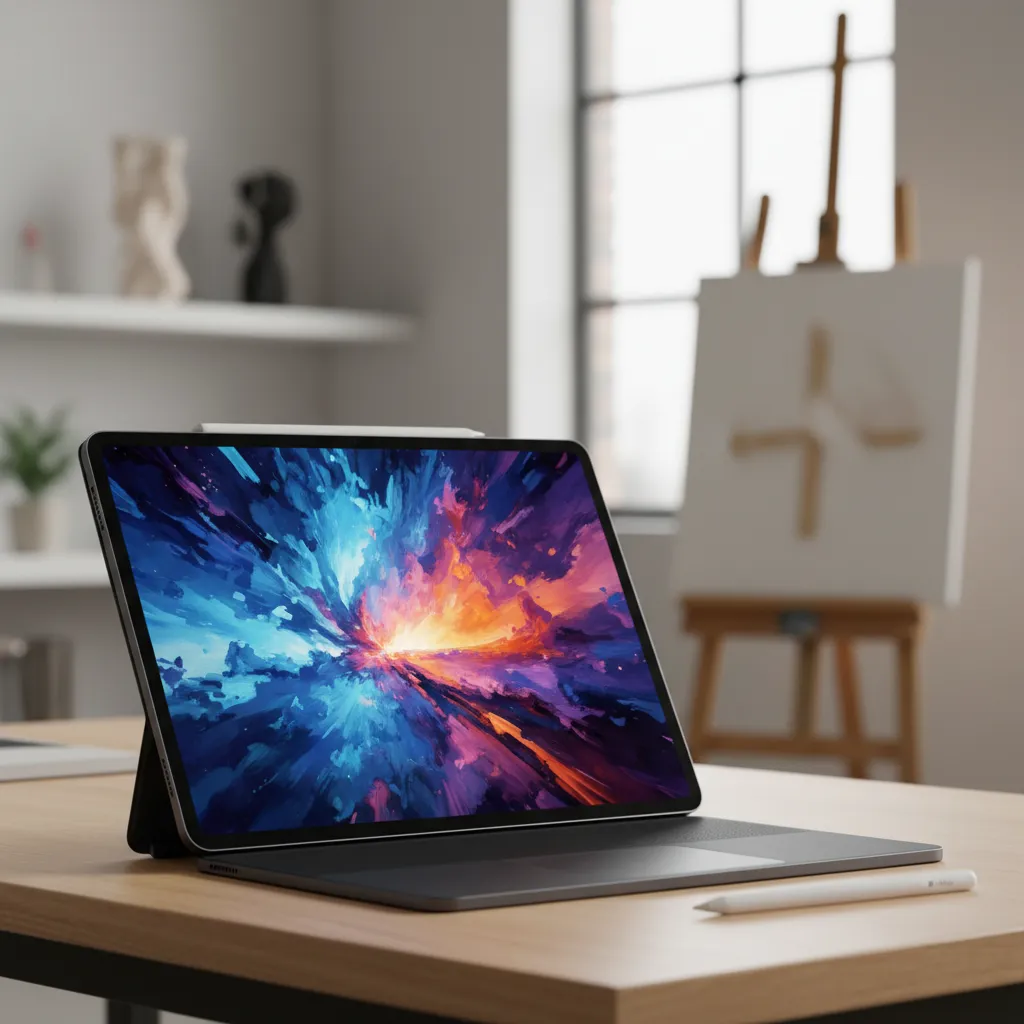
Introduction: The Dawn of the Ultra-Thin Powerhouse
The tablet landscape undergoes periodic seismic shifts, and 2024 marked one of the most profound. Apple didn’t just refresh its flagship; it completely redefined what a professional mobile device could be. The new iPad Pro 2024, powered by the revolutionary Apple M4 chip, is not merely an incremental update—it’s a paradigm shift aimed squarely at the professional creative.
If your workflow involves pixel-perfect drawing, 8K video editing, complex music production, or sophisticated 3D rendering, the questions are clear: Is the iPad Pro M4 truly the portable studio Apple claims it is? How do the new features—from the stunning Tandem OLED screen to the magical Apple Pencil Pro—translate into real-world creative gains?
This ultimate guide will take a deep dive into every facet of the iPad Pro M4, moving beyond spec sheets to analyze its practical impact on various creative disciplines. We’ll explore the groundbreaking Apple M4 chip, dissect the visual perfection of the Tandem OLED display, examine the intuitive Apple Pencil Pro features, and determine if the significant leap in power makes the iPad Pro price justified for demanding users. By the end, you’ll have a clear understanding of whether this device represents the future of mobile computing and if it’s time for you to buy new iPad Pro.
The M4 Chip: Redefining Mobile Performance and AI
When Apple unveiled the Apple M4 chip inside the iPad Pro M4, it was a statement of intent. For the first time, a main-line M-series chip debuted in an iPad rather than a Mac, signaling Apple’s commitment to pushing the tablet into true professional territory. Built on second-generation 3-nanometer technology, the M4 is not just fast; it’s designed for efficiency and, crucially, for the escalating demands of artificial intelligence.
The M4 chip performance delivers a CPU that is up to 50% faster than the already stellar M2 in the previous generation iPad Pro, alongside a GPU featuring hardware-accelerated mesh shading and ray tracing—a massive win for game developers, 3D artists, and anyone working with high-fidelity visuals.
M4 vs. M2: The Generational Leap in Power
For creatives considering an upgrade, the comparison between iPad Pro M4 vs M2 is critical. While the M2 was sufficient for basic tasks, the M4 opens up genuinely impossible workflows on a mobile device previously.
| Feature | iPad Pro M2 (Previous Generation) | iPad Pro M4 (2024) | Creative Impact |
|---|---|---|---|
| CPU Performance | 8-core (4 performance, 4 efficiency) | Up to 10-core (4P, 6E or 3P, 6E) | Significantly faster processing for compiling code, batch processing photos, and complex timelines. |
| GPU Performance | 10-core (Standard architecture) | 10-core (Next-gen architecture) | Hardware-accelerated ray tracing for realistic lighting in 3D apps like Nomad Sculpt or Procreate Dreams. |
| Neural Engine | 16-core (15.8 TOPS) | 16-core (38 TOPS) | 2.5x faster AI tasks; essential for smart selection, denoising, and advanced features in Final Cut Pro for iPad 2. |
| Display Driver | Standard | New custom display controller | Enables the brilliance and precision of the Tandem OLED screen. |
This leap is reflected in the early M4 chip benchmark tests, which show desktop-class performance in a chassis that is impossibly thin. For video editors, this means handling multiple streams of 4K or even 8K footage with far fewer dropped frames. For photographers, applying intensive generative fills or complex filters is nearly instantaneous.
The Neural Engine: Unlocking AI Features
Perhaps the most future-forward component of the M4 is its vastly upgraded Neural Engine. At 38 trillion operations per second (TOPS), it’s 2.5 times faster than the M2’s Neural Engine and sets the stage for the wave of AI features iPad Pro users can expect, particularly with the arrival of iPadOS 18 features and the integration of Apple Intelligence.
The power of the Apple Neural Engine M4 directly benefits creative workflows through:
- Smart Object Selection: Automatically masking complex subjects in apps like Affinity Photo or Photoshop.
- Real-time Transcription and Translation: A boon for content creators and journalists.
- Generative AI within Apps: Enabling features like creating custom stickers, automatic image expansion, or advanced audio processing in Logic Pro for iPad 2.
This focus on on-device AI processing ensures privacy and speed, allowing professional apps to execute complex, computationally heavy tasks without relying on cloud servers.
[Related: Apple Intelligence Guide: iOS 18 New AI Features]
A Visual Revolution: The Tandem OLED Display
The single most noticeable upgrade for any visual creative is the display. Apple introduced the “Ultra Retina XDR” display, which utilizes a technology known as Tandem OLED display. This isn’t just a marketing term; it’s an engineering marvel that fundamentally changes how you see and create on the iPad.
What is Tandem OLED? Why It Matters for Creatives
Standard OLED displays are known for perfect blacks and infinite contrast, but they can struggle with sustained brightness, particularly across the entire screen (a challenge known as “burn-in risk”). Tandem OLED solves this by layering two OLED panels.
This dual-stack architecture delivers two core benefits essential for creative professionals:
- Exceptional Brightness: The new display offers 1,000 nits of sustained full-screen brightness and 1,600 nits of peak brightness for HDR content. This is crucial for color grading videos or viewing detailed designs accurately in bright environments.
- Longevity and Color Accuracy: By distributing the workload across two layers, the display dramatically reduces thermal degradation, improving long-term color stability and extending the life of the screen—a major concern for professional tools.
For artists and designers, this means colors are vibrant yet accurate, blacks are truly inky, and fine details in shadows and highlights are preserved perfectly. It solidifies the iPad Pro’s status as the best iPad for drawing and detailed visual work.
Precision Choices: The Nano-Texture Glass
For those working in demanding environments or requiring absolute minimal glare, the iPad Pro nano-texture glass option (available on 1TB and 2TB models) is a game-changer. This matte finish option is etched at the nanometer level, scattering ambient light without sacrificing contrast or color quality, unlike traditional matte screen protectors.
While not suitable for everyone (some prefer the clarity of gloss), for artists who draw under studio lighting or color graders who demand a neutral viewing environment, this feature provides unparalleled light control, reducing eye strain and improving accuracy.
The Design Marvel: The Thinnest Apple Product Ever
It’s astonishing that Apple managed to pack the M4 chip, the Tandem OLED, and a vast battery into a housing so impossibly small. The 13-inch M4 iPad Pro measures just 5.1mm thin, making it the thinnest Apple product ever created, surpassing even the iPod Nano.
This radical reduction in size and weight enhances its portability and tactile feel. For mobile creatives who travel constantly, carrying this device feels less like carrying a computer and more like carrying a high-end sketchbook or clipboard.
Precision and Workflow: The New Apple Pencil Pro
The iPad Pro M4 launch was perfectly complemented by the debut of the Apple Pencil Pro. This is not a simple refinement; it’s a necessary evolution that integrates haptic feedback and new control gestures directly into the creative workflow, enhancing the experience of iPad Pro for artists globally.
Essential Apple Pencil Pro Features: Barrel Roll and Hover
The core interaction of the Pencil Pro leverages built-in gyroscope sensors to enable the Barrel Roll feature.
- Barrel Roll: As you rotate the Pencil Pro between your fingers, tools like shape brushes, calligraphy pens, or texture stamps rotate automatically on screen. This provides unprecedented control over digital mediums, mimicking the subtle rotation necessary for traditional pen and brush control.
- Hover: Already present, Hover is enhanced to work seamlessly with the new M4 display, allowing precise previewing of tool interactions before the tip even touches the glass—crucial for high-speed detailed work.
The Revolutionary Squeeze Gesture
The most impactful new feature for accelerating creative workflow is the Apple Pencil Pro squeeze gesture. By applying a gentle squeeze to the barrel of the Pencil Pro, users can instantly bring up a contextual tool palette.
This eliminates the need to lift the Pencil, tap a toolbar icon, or use a complex modifier key.
Practical Applications of the Squeeze Gesture:
- Illustrators: Squeezing instantly pulls up a color picker or brush-size adjustment slider.
- Photo Editors: Triggering a quick undo/redo or toggling between the brush and eraser tool without interrupting flow.
- 3D Modelers: Quickly switching between selection, move, and rotate tools.
The haptic engine inside the Pencil Pro provides a satisfying confirmation click when the squeeze is registered, making the interaction feel tactile and reliable. This small addition dramatically reduces friction in the iPad Pro creative workflow.
Professional Apps Unbound: Final Cut Pro and Logic Pro
The argument that the iPad Pro is “just a big phone” has been thoroughly debunked by the arrival of true professional applications. With the power of the M4 chip, apps that were previously restricted to desktop machines are not only available but are running with desktop-class performance. The 2024 update to Apple’s professional creative suite is proof that the iPad Pro is now positioned as a serious primary computing device for specific creatives.
Final Cut Pro for iPad 2: A Multicam Revolution
The updated Final Cut Pro for iPad 2 capitalizes directly on the M4’s immense processing power, particularly its unified memory architecture and potent GPU.
The key feature for professional editors is the new Multicam Editing capability. The M4 allows editors to view and switch between up to four separate video streams simultaneously, all synced and running in real-time. This is a task that would stress many desktop machines, let alone a device 5.1mm thin.
Furthermore, FCP for iPad 2 now supports the ability to run projects directly from external storage, a crucial development for managing large libraries of high-resolution footage. When paired with a fast external SSD connected via the iPad’s Thunderbolt/USB 4 port, the M4 iPad Pro becomes a complete, portable video editing suite. It solidifies its claim as the best tablet for video editing on the market.
[Related: AI Video Generation: Future of Content]
Logic Pro for iPad 2: Session Players and Mixer Mastery
For music producers and audio engineers, Logic Pro for iPad 2 sees equally transformative updates. The M4 enables new features designed to streamline production and composition:
- Session Players: AI-powered virtual musicians (bassists, drummers, keyboardists) that can instantly generate high-quality backing tracks tailored to the mood and rhythm of your project. This leverages the Apple Neural Engine M4 for sophisticated musical analysis.
- Mixer Enhancements: A redesigned mixer view offers true desktop-class controls, including VCA faders, gain reduction metering, and more robust routing options, making it suitable for professional mixing and mastering on the go.
The M4 provides the ultra-low latency required for real-time instrument input and the sheer computational power needed to stack dozens of high-fidelity audio tracks and complex plugin chains without glitching or slowdowns.
Configuration Guide: 11-inch vs. 13-inch and Storage Needs
The process of choosing the right iPad Pro M4 is more nuanced than ever, involving decisions about screen size, storage, RAM, and the new display finishes. Making the right choice impacts both your creative workflow and the iPad Pro price you pay.
Choosing the Right Size: iPad Pro 13-inch M4 vs. iPad Pro 11-inch M4
Apple offers two models, both featuring the exact same M4 technology and Tandem OLED display. The choice comes down entirely to portability versus screen real estate.
| Consideration | iPad Pro 11-inch M4 | iPad Pro 13-inch M4 | Recommendation for Creatives |
|---|---|---|---|
| Portability | Excellent, easily handheld, backpack-friendly. | Good, but often requires a table surface for prolonged use. | Mobile Artists & Sketchers: 11-inch is perfect for drawing on the couch or in a café. |
| Screen Area | Spacious for most tasks, but multitasking can feel cramped. | Vast, desktop-like canvas; ideal for high-resolution timelines. | Video Editors & Producers: 13-inch is necessary for complex Final Cut or Logic Pro layouts. |
| Weight | Extremely light (approx. 0.98 lbs) | Still thin, but slightly heavier (approx. 1.28 lbs) | Overall Best Balance: The 13-inch offers superior visual workspace, highly recommended for professionals who need precision. |
RAM and Storage: The Pro Tiers
One crucial detail tied to storage is the RAM configuration. The M4 iPad Pro comes in two tiers:
- 8GB Unified Memory: Available on 256GB and 512GB models.
- 16GB Unified Memory: Required for the 1TB and 2TB models.
For any serious creative—especially those utilizing Final Cut Pro for iPad 2 or 3D rendering—the 16GB tier is a must-have. It ensures that apps remain open in the background, complex projects don’t swap data to the SSD, and high-resolution files can be processed quickly. Therefore, opting for at least the 1TB storage model to unlock the 16GB RAM is highly recommended for maximizing M4 chip performance.
Price Considerations: Is the M4 iPad Pro Worth It?
The iPad Pro price starts significantly higher than the previous M2 generation. While it’s a considerable investment, viewing it as a replacement for a portable MacBook Pro is the correct framework.
If you are currently using an M1 or M2 iPad Pro, the value proposition rests on whether you genuinely need the Tandem OLED, the 38 TOPS Neural Engine, and the Apple Pencil Pro squeeze gesture. If your work relies on color grading, AI processing, or intense 3D rendering, the answer is a resounding yes—the efficiency gains translate into saved time and higher quality output.
The Creative Workflow Ecosystem (iPadOS 18 and Accessories)
The M4 chip provides the horsepower, but the creative experience is completed by the software environment and accessories designed around it. The synergy between the M4 and upcoming iPadOS 18 features will further blur the line between tablet and desktop.
iPadOS 18: Unlocking Desktop-Class Capabilities
While the full range of iPadOS 18 features will be revealed later, early indications point toward increased flexibility for professional users, including better external display support (allowing the iPad screen to be used simultaneously with an external monitor) and enhanced multitasking tools.
Critically, the deep integration of Apple Intelligence (AI) across the operating system leverages the M4’s Neural Engine. This will result in system-wide creative assistance, such as instant image generation, advanced photo editing suggestions, and enhanced organizational features for project management.
[Related: iPadOS 18 and Apple Intelligence Guide: Top New Features]
Essential iPad Pro Accessories 2024
No professional workflow is complete without the right peripherals. The iPad Pro accessories 2024 lineup is streamlined to enhance productivity:
- Apple Pencil Pro: As discussed, this is indispensable for drawing and detailed editing.
- Magic Keyboard (New Version): Lighter, thinner, and now featuring a function row and a larger, haptic trackpad. This transforms the iPad from a tablet into a legitimate laptop replacement for typing and navigating complex software.
- High-Speed External SSD: Essential for video editors running large libraries of footage. The Thunderbolt port ensures fast data transfer required by Final Cut Pro for iPad 2.
- USB-C Hub: For connecting peripherals like dedicated audio interfaces (Logic Pro for iPad 2), card readers for cameras, and external monitors.
The combination of the M4, professional software, and refined accessories makes the iPad Pro creative workflow unmatched in the mobile space.
The Verdict: Is the M4 iPad Pro Worth the Upgrade?
The iPad Pro M4 review 2024 consensus is clear: this device is arguably the most significant leap in Apple’s tablet history. It sets a new benchmark for thinness, display quality, and computational power.
Who Should Buy the New iPad Pro?
The question of “is the M4 iPad Pro worth it?” depends entirely on your current setup and profession:
| User Profile | Recommendation | Rationale |
|---|---|---|
| Existing M1/M2 iPad Pro Users | Maybe/Yes | If you rely on Final Cut Pro or 3D rendering, or if you need the Tandem OLED accuracy and Apple Pencil Pro squeeze gesture, the upgrade is compelling. Otherwise, your M1/M2 is still highly capable. |
| iPad Air or Older Users | Yes | This is a massive leap. The M4 is substantially more powerful and future-proofed than any A-series chip or older M-series chips. The M4 iPad Pro is the definitive creative tool. |
| Video Editors & 3D Artists | Strong Yes | The 16GB RAM models with M4 ray tracing and FCP 2’s multicam support provide true desktop portability. This is the best tablet for video editing. |
| Illustrators & Designers | Strong Yes | The Tandem OLED combined with the Pencil Pro’s new features makes the creative process faster, more accurate, and more fluid than ever before. It remains the best iPad for drawing. |
Looking Ahead: The Future of Mobile Computing
The iPad Pro M4 is more than just a powerful tablet; it’s a strong indicator of the future of mobile computing. By placing their most advanced chip into the thinnest device, Apple is signaling that form factor doesn’t have to dictate function.
The M4 architecture, designed explicitly to handle complex on-device AI operations, means the iPad Pro is ready for the next decade of computationally intensive software. It’s a device built not just for today’s creative challenges, but for the complex, AI-driven workflows of tomorrow. If you want a device that feels ready to take on the world, and capable of replacing a traditional laptop for all but the most specialized computing tasks, the new iPad Pro 2024 is it.
Conclusion
The iPad Pro M4 is a monumental achievement in mobile engineering. Its combination of the blistering Apple M4 chip power, the immersive and precise Tandem OLED display, and the tactile innovation of the Apple Pencil Pro creates an unrivaled creative platform.
For the professional artist, editor, or producer, this device eliminates compromise. Whether you’re utilizing the enhanced features of Final Cut Pro for iPad 2, relying on the color accuracy of the Tandem OLED, or leveraging the on-device intelligence of the Apple Neural Engine M4, the iPad Pro M4 delivers a transformative experience.
The initial iPad Pro price is high, but the value proposition—a complete, portable, desktop-class studio packed into the thinnest Apple product ever—makes the investment worthwhile for those who depend on peak performance and precision. If you’re ready to streamline your iPad Pro creative workflow and embrace the next generation of mobile performance, it’s time to seriously consider the new iPad Pro.
FAQs (Frequently Asked Questions)
Q1. What is the key advantage of the Apple M4 chip over the M2 for creatives?
The Apple M4 chip offers up to 50% faster CPU performance, but the key advantage for creatives is the 2.5x faster Neural Engine (38 TOPS) for advanced AI features iPad Pro users can leverage, along with hardware-accelerated ray tracing in the GPU for faster 3D rendering and more realistic lighting effects.
Q2. How does Tandem OLED compare to the previous Liquid Retina XDR display?
The Tandem OLED display (branded Ultra Retina XDR) uses two stacked OLED panels, allowing for higher sustained brightness (1,000 nits across the entire screen) while maintaining the perfect blacks and contrast ratio of OLED. This greatly improves HDR performance and color accuracy, making it superior for professional color grading.
Q3. Is the Apple Pencil Pro compatible with older iPad Pro models?
No, the Apple Pencil Pro is exclusively designed to work with the iPad Pro M4 (2024) models due to the specific magnetic connector, internal sensor requirements (for the Barrel Roll), and its reliance on the new M4 display driver to enable the Apple Pencil Pro squeeze gesture tool palette functionality.
Q4. Which iPad Pro size is better for video editing: 11-inch or 13-inch M4?
The iPad Pro 13-inch M4 is generally better for video editing. Its significantly larger screen provides the necessary real estate for complex timelines, mixers, and viewing multiple video streams in Final Cut Pro for iPad 2 during Multicam editing, greatly improving the overall iPad Pro creative workflow.
Q5. Is the iPad Pro nano-texture glass worth the extra cost?
The iPad Pro nano-texture glass is worth the cost primarily for professional artists, designers, and color graders who work under controlled lighting and need minimal glare and reflection. It maintains high contrast and color fidelity while providing a true matte surface feel for drawing, unlike standard glossy glass.
Q6. Should I wait for iPadOS 18 before I decide to buy new iPad Pro?
While the official iPadOS 18 features will unlock the full potential of the M4’s AI capabilities, the hardware advantages (Tandem OLED, M4 performance, and Pencil Pro) are immediately impactful. If you need a powerful mobile creative tool now, the new iPad Pro 2024 is already a massive upgrade. The software updates will only improve the device over time.
Q7. How does the M4 chip enable desktop-class apps like Logic Pro?
The Apple M4 chip provides the necessary computational throughput (both CPU and GPU) and high-speed unified memory bandwidth to run complex, multi-threaded applications like Logic Pro for iPad 2. Specifically, it ensures extremely low audio latency and the ability to handle dozens of concurrent tracks, effects, and the AI-driven Session Players without performance degradation.
Q8. Does the extreme thinness of the iPad Pro M4 compromise durability?
Despite being the thinnest Apple product ever made, Apple claims the structural integrity is maintained through redesigned internals and advanced material science. While it is thin, the device still utilizes durable aluminum construction. However, like any ultra-thin, large-screen device, using a protective case is always recommended for professional mobile use.