iOS 18 & Apple Intelligence: A Guide to the Top New Features
Introduction: The Dawn of On-Device Intelligence
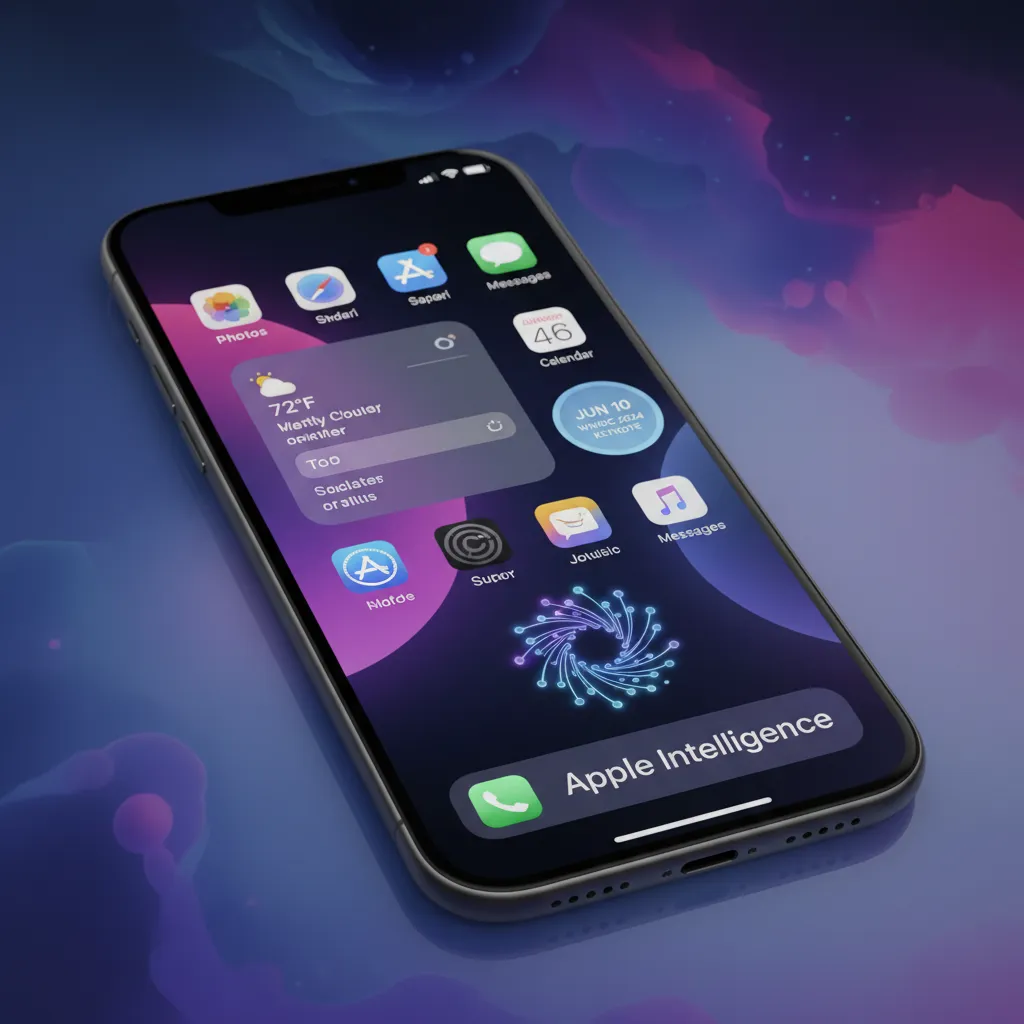
The transition from iOS 17 to iOS 18 marks more than just an annual update; it represents a fundamental shift in how we interact with the iPhone. Unveiled at WWDC 2024, this new iPhone update is a duality: a major overhaul of user interface and customization options, coupled with the introduction of a sophisticated generative intelligence system called Apple Intelligence.
For years, the promise of true smart assistance on mobile devices felt constrained. Apple’s answer is a system designed not just to complete tasks, but to understand context, personalize interactions, and enhance creativity, all while prioritizing user privacy.
This comprehensive guide dives deep into the best iOS 18 features, demystifying the complex technology underpinning Apple Intelligence and showing you exactly how to customize iOS 18 to make your iPhone truly yours. We will cover everything from the massively redesigned Control Center and Photos app to the profound capabilities of the next generation Siri and the revolutionary Genmoji feature. Whether you are planning the iOS 18 beta download or simply wondering, should I update to iOS 18, this article provides the essential insights you need.
Section 1: Decoding Apple Intelligence—Privacy Meets Generative AI
The most significant component of this release is not the operating system update itself, but the integrated intelligence framework: Apple Intelligence. This is not a separate application; it is a deep, system-wide layer of generative AI and machine learning that powers new experiences across all core Apple apps.
What Exactly is Apple Intelligence?
Apple Intelligence explained is best understood as a privacy-focused personal intelligence system. It leverages Apple’s silicon (A17 Pro and M-series chips) to perform extensive on-device AI processing. Unlike many cloud-based AI systems, Apple Intelligence excels at analyzing your personal data—emails, messages, calendar, and photos—to provide relevant assistance without ever compromising your privacy.
The core promise is personal context. The AI can help you find a specific photo of your friend wearing a green shirt from last summer, or summarize a long email thread about your upcoming vacation—tasks that require understanding your personal life data.
The Privacy Pillar: Private Cloud Compute
A key differentiator that elevates Apple Intelligence above its competitors is the innovative architecture supporting it. For tasks that are too complex for on-device AI processing (such as generating large images or handling complex documents), Apple introduced Private Cloud Compute (PCC).
PCC utilizes Apple’s own custom silicon servers that run on an operating system designed specifically for privacy. When an advanced request is made:
- The iPhone determines if it needs more computational power than is available locally.
- If so, the data is encrypted and sent to PCC, where it is processed in a secure enclave.
- Apple ensures that the servers cannot store the data, and all information is cryptographically verified to ensure the server is running the correct, unmodified software.
This mechanism ensures that even when using the cloud, Apple cannot access your personal data, reinforcing why Apple Intelligence is built on a foundation of trust.
[Related: naviating-future-imperative-ethical-ai-smart-world]
Writing Tools AI Apple: Summaries and Enhancements
One of the most immediate productivity boosts in iOS 18 comes via the integrated AI writing tools AI Apple has deployed across Mail, Notes, Pages, and third-party apps.
These tools offer three main functions:
- Rewrite: The AI can generate several versions of a sentence or paragraph, adjusting the tone from professional to casual, or simplifying complex language. This is perfect for ensuring your messages land exactly right.
- Proofread: Standard grammatical corrections are augmented by semantic suggestions, ensuring clarity and flow.
- Summarize: This feature shines in the Mail app, providing instant, concise email summaries iOS 18 users can read at a glance, allowing them to triage an overflowing inbox far more quickly.
Section 2: Creativity Unleashed with Generative Media
Beyond text, Apple AI features extend into the realm of image and emotional expression, making generative media accessible to everyone right from the keyboard.
Genmoji Feature: Personalized Emojis
The Genmoji feature is perhaps the most fun and viral component of Apple Intelligence. Instead of being limited to the existing library of Unicode emojis, users can now type a description—“a T-Rex wearing a chef hat and rollerblades”—and the system generates a unique, high-resolution emoji in real-time.
These custom-created Genmoji can be used instantly in iMessage, serving as stickers or reacting to messages, adding an unparalleled layer of personalization to communication.
“The ability to create custom, context-aware visual reactions means our digital language just became significantly richer and more expressive.”
— HiFi Studio And Mobile Technology Analysis
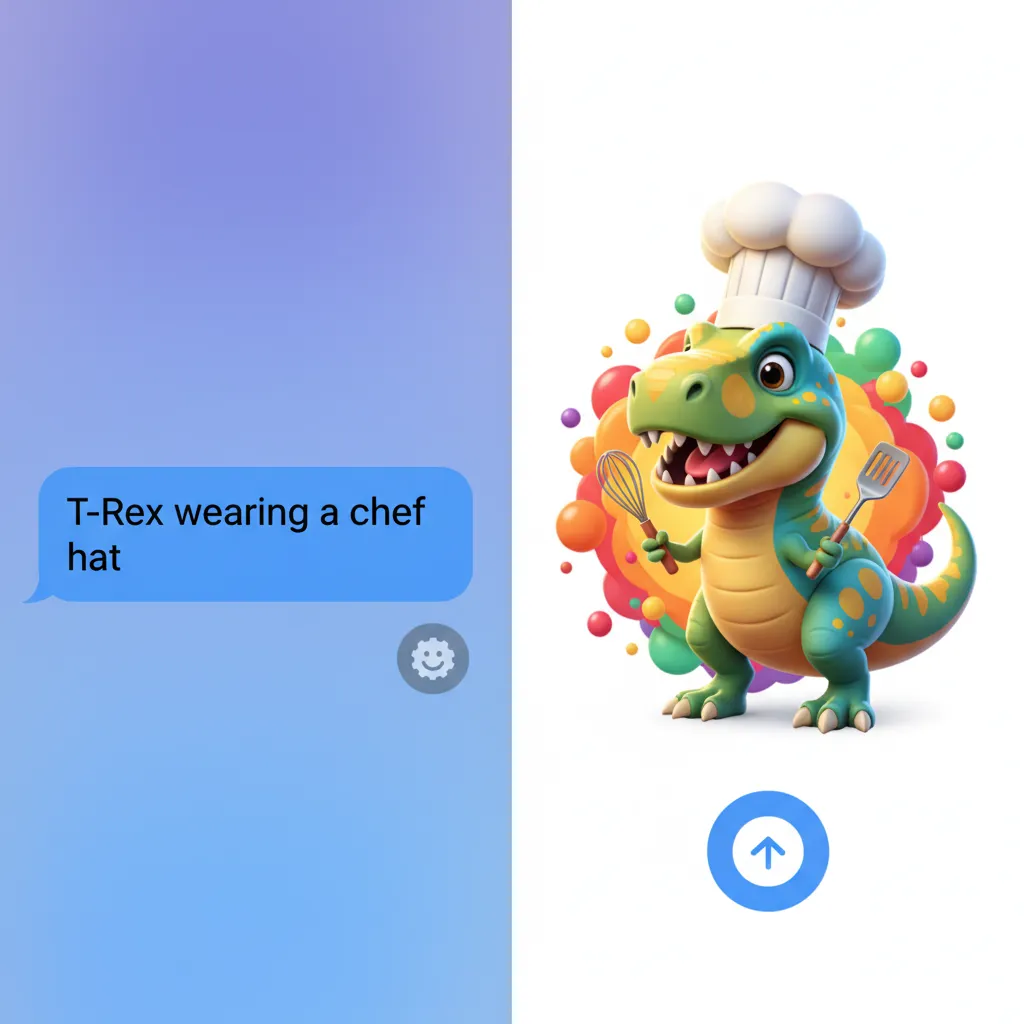
Image Playground AI: Instant Visuals
For more robust visual creation, the Image Playground AI is integrated into apps like Messages, Notes, and Freeform. This feature allows users to generate images in three distinct styles—Sketch, Illustration, and Animation—by simply typing a prompt.
The system is designed for quick, informal generation, not complex professional editing, making it ideal for creating whimsical images for party invitations, mood boards, or visual aids in notes. Importantly, all generations occur either on-device or using Private Cloud Compute, keeping the creative process private.
AI Photo Editing iPhone Enhancements
The Photos app also receives powerful new AI photo editing iPhone capabilities. The “Clean Up” tool is a sophisticated version of object removal, allowing users to select and automatically remove distracting elements (like a photobomber or trash in the background) from a picture with remarkable precision, powered by generative fill technology.
Section 3: The Ultimate Customization Overhaul
While Apple Intelligence garners the headlines, the changes to the user interface in iOS 18 are arguably the most immediately noticeable and long-awaited upgrades. For the first time in iPhone history, users have unprecedented control over the look and feel of their Home Screen and Control Center.
The Highly Customizable iOS 18 Home Screen Layout
In iOS 18 vs iOS 17, the largest visual difference is the flexibility of the Home Screen.
- Icon Placement: Icons are no longer rigidly locked to the top-left grid. Users can now place app icons and widgets anywhere on the grid, freeing up space to show off a dynamic wallpaper or simply arrange apps logically at the bottom of the screen.
- Dark Appearance for Icons: A dedicated feature allows users to apply a consistent dark tint to all app icons, making the entire iOS 18 home screen layout match the system’s Dark Mode, creating a sleek, unified aesthetic.
- Color Tinting: Beyond dark mode, users can apply subtle color tints to icons, adding personalized flair without needing third-party icon packs or Shortcut workarounds.
These iPhone customization options move the platform closer to the flexibility long enjoyed by Android users, but with Apple’s signature focus on refinement and system-wide consistency.
[Related: unlock-growth-top-ai-tools-small-business-success/]
New Control Center iOS 18: Widgets and Galleries
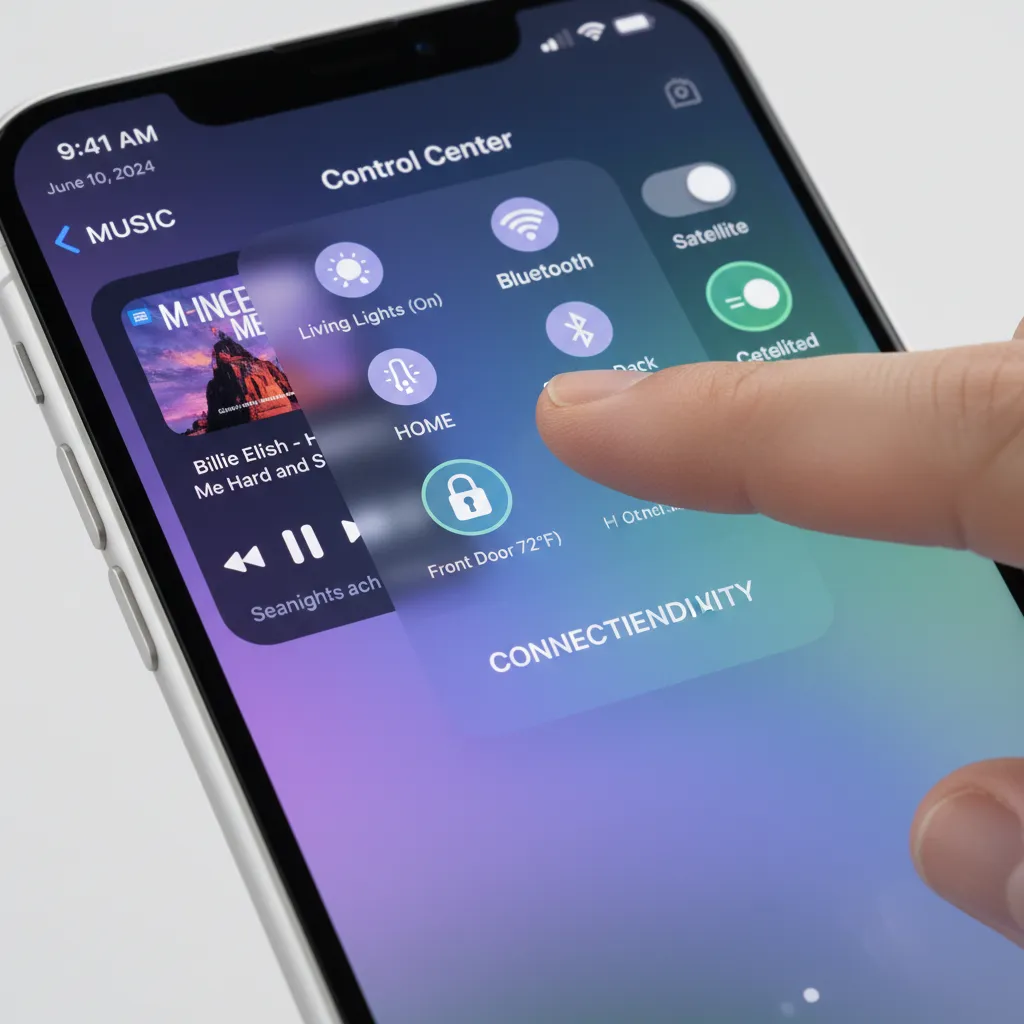
The new Control Center iOS 18 is dramatically redesigned, transitioning from a single static panel to a modular, multi-page system with customizable galleries. This is a massive step forward for utility and personalization.
- Modular Controls: The center is now divided into thematic “Control Galleries” for media, connectivity, and specific tasks.
- Resizing Controls: Users can resize individual controls, making the flashlight or camera shortcuts larger for easier access, or minimizing less-used toggles.
- Third-Party Integration: For the first time, third-party developers can create and add their own controls to the Control Center, meaning you can potentially control your smart lock or directly launch a specific Spotify playlist without leaving the Control Center environment.
- Bottom Swipe Access: Users can now swipe up from the bottom of the screen to access the Control Center, and then swipe horizontally to navigate between the different galleries (e.g., from the main controls to the media player controls).
This enhanced customization answers years of user demand for more fluid, personalized controls, making the phone feel more responsive and intuitive.
Section 4: Smarter Apps and a New Siri
Core Apple applications and the central assistant, Siri, also receive major intelligence and usability upgrades driven by Apple Intelligence.
The Redesigned Photos App
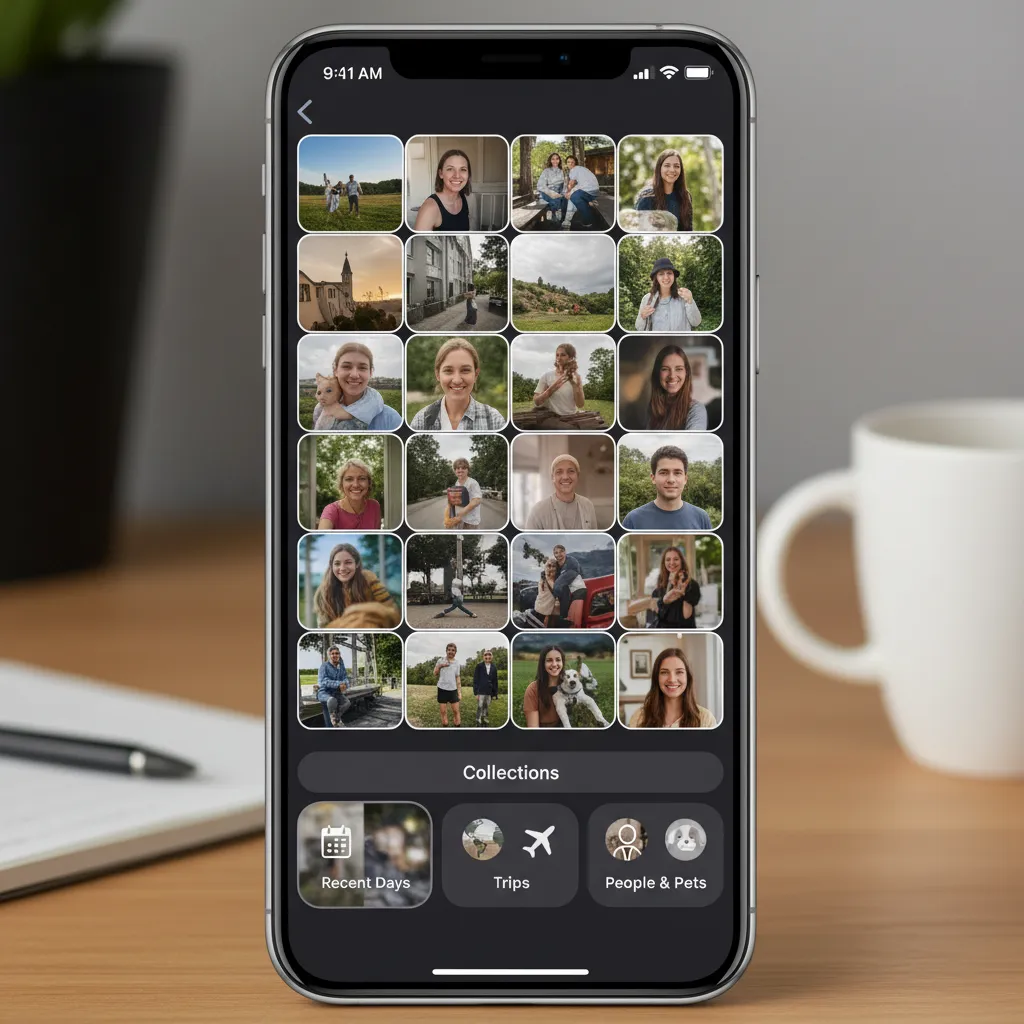
The Photos app redesign in iOS 18 features a completely new look, streamlining navigation and discovery.
- Single-View Home: Gone are the separate Albums, Library, and For You tabs. The new design presents a single, unified view at the top showing the familiar grid, with all the personalized content organized beneath it.
- Automatic Collections: The lower section introduces automatically generated “Collections” based on themes, time, and location—such as “Trips,” “People,” “Pets,” and “Recent Days.” This eliminates the need for manual organization.
- Carousel of Highlights: A new carousel at the top uses AI to dynamically surface the best photos and videos from your recent life events, like a birthday party or a weekend hike, complete with cinematic transitions and music recommendations.
This redesign focuses heavily on discovery, making it easier than ever to resurface cherished memories without having to manually sift through thousands of pictures.
Next-Generation Siri: Contextual and Aware
The Siri update 2024 showcases the potential of deep Apple Intelligence integration. The next generation Siri is now designed to be far more conversational, capable, and, most importantly, aware of what is happening on your screen.
- On-Screen Awareness: Siri can now see and interact with what’s on your display. If you receive an address in a message, you can say, “Siri, save this address as a contact,” and Siri will understand that “this address” refers to the text currently visible.
- Natural Language Understanding: The assistant is better at handling corrections and understanding complex, multi-step requests. For example, “Show me photos of my dog from last week, but only the ones where he’s at the park,” is handled effortlessly.
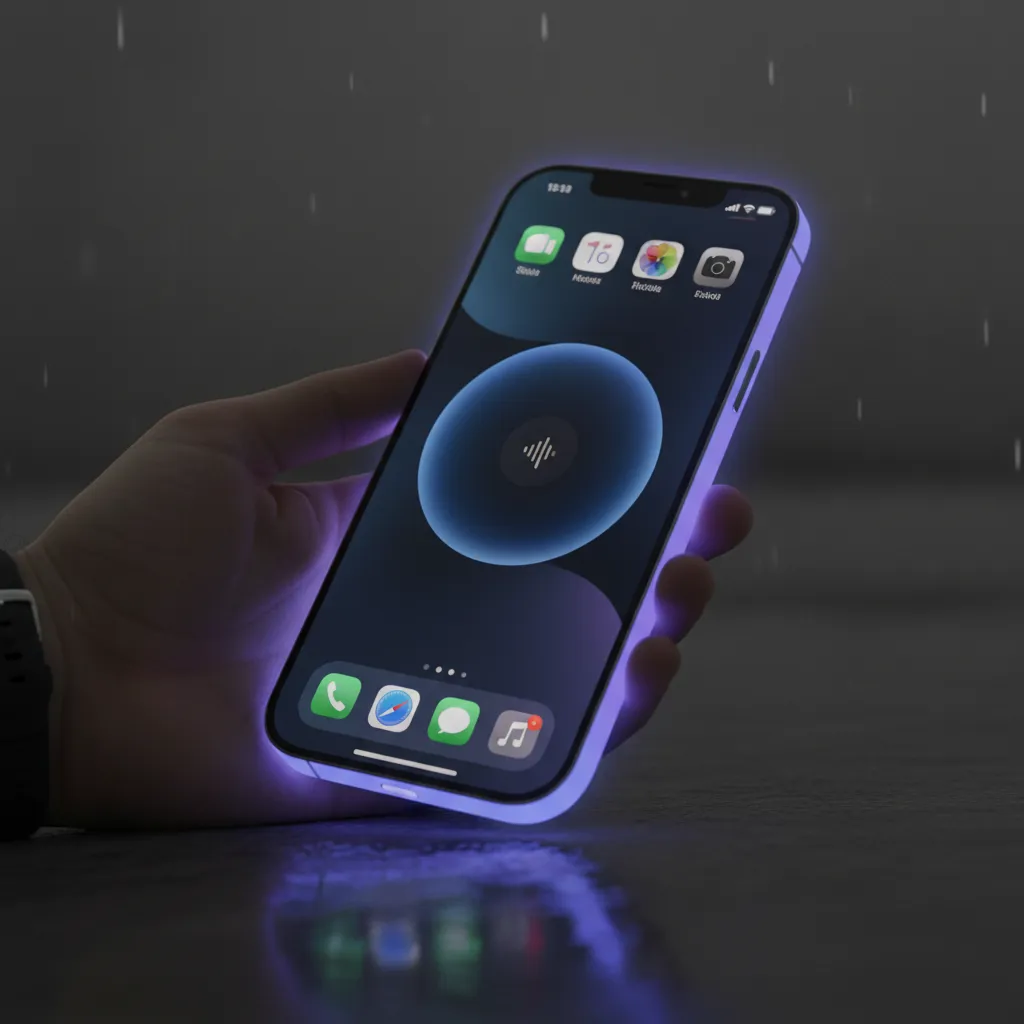
- Visual Interface: When invoked, Siri no longer overtakes the entire screen. A subtle light glows around the perimeter of the screen, indicating that it is listening, maintaining context without interrupting your current workflow.
Math Notes and Messages Enhancements
The venerable Calculator app receives a massive upgrade, becoming “Math Notes.” Within the Notes app, or directly in the Calculator, users can write out equations using the Apple Pencil or keyboard, and the system instantly solves them. It can even handle variables and generate graphs in real-time. This elevates the app from a simple tool to a genuinely useful utility for students and professionals.
The Messages app also receives new tapback options, text formatting (bold, italics, underline), and the ability to schedule messages for later delivery. The use of custom Genmoji as Tapbacks is another immediate, delightful upgrade.
Section 5: Siri and ChatGPT Integration: A New Partnership
One of the most surprising announcements from WWDC 2024 was the partnership with OpenAI, bringing ChatGPT on iPhone and enabling Siri and ChatGPT integration. This decision addresses the immediate need for world knowledge and high-power generative capabilities that go beyond personal context.
When a user asks Siri a question that requires expansive knowledge or complex generative reasoning (e.g., “Write a short poem about the history of quantum physics”), Siri will first ask permission to send the request to ChatGPT.
How the Integration Works Safely
- Opt-In and Permissions: Users must explicitly agree to use ChatGPT for the specific query.
- Anonymity: Requests sent to ChatGPT are anonymized, and OpenAI does not store the requests or link them back to the user’s Apple ID.
- Built-in: This capability is integrated into the system at a deep level, meaning users do not need to download the ChatGPT app or create an account to use the basic functions.
This collaboration positions Apple Intelligence as the ultimate arbiter: personal context remains private, handled by on-device and PCC resources, while general world knowledge is instantly accessible via a securely integrated third party.
[Related: ai-content-powerup-speed-quality-today/]
Section 6: Compatibility and Preparing for the Update
Understanding the hardware requirements is crucial, especially because the core features of iOS 18 and Apple Intelligence have different device limitations.
iOS 18 Supported Devices
The installation base for the base iOS 18 features is quite broad, mirroring recent update cycles. Users with older iPhones will still benefit from the new Home Screen customization, Control Center overhaul, Photos redesign, and many other general usability improvements.
Devices Compatible with iOS 18:
- iPhone XS and XS Max
- iPhone XR
- iPhone 11 series
- iPhone 12 series
- iPhone 13 series
- iPhone 14 series
- iPhone 15 series (including Pro models)
- iPhone SE (2nd generation and later)
Apple Intelligence Compatibility: The Chip Barrier
The truly groundbreaking AI features—Genmoji, Image Playground, advanced writing tools, and the next-generation Siri with on-screen awareness and ChatGPT integration—rely on the specialized Neural Engine performance of Apple’s most powerful modern chips.
Devices Compatible with Apple Intelligence:
- iPhone 15 Pro
- iPhone 15 Pro Max
- iPads and Macs with M1, M2, M3, and M4 chips
If you own an iPhone 15 or earlier model (like the iPhone 14 Pro), you can install iOS 18, but you will not have access to the system-level Apple AI features. This distinction is critical when deciding whether the update necessitates a hardware upgrade.
[Related: the-electric-revolution-guide-evs-sustainable-driving/]
When to Update: iOS 18 Beta Download vs. Final Release
The typical Apple update cycle begins with the developer beta (available shortly after WWDC), followed by the public beta (mid-summer), and finally, the official general release.
If you are considering the iOS 18 beta download:
- Pros: You get immediate access to new features like the Control Center customization and Photos app redesign.
- Cons: Beta software is inherently unstable. You will encounter bugs, app compatibility issues, and potential battery drain. It is strongly recommended to install beta software only on secondary devices or to wait for the public release.
The official release date for iOS 18 and Apple Intelligence is expected in September 2024, coinciding with the launch of the new iPhone lineup. For reliability and peace of mind, most users should I update to iOS 18 only when the official version is released.
Section 7: iOS 18 vs iOS 17: Summary of Key Differences
The difference between iOS 18 vs iOS 17 is significant, driven mainly by the shift to generative AI and massive user control over the interface.
| Feature Area | iOS 17 State | iOS 18 State (Standard) | iOS 18 State (AI-Enabled) |
|---|---|---|---|
| Home Screen | Rigid icon grid, fixed placement. | Icons placed anywhere; custom tinting and dark mode icons. | N/A |
| Control Center | Single, fixed page; limited customization. | Multi-page, customizable Control Galleries; third-party controls. | N/A |
| Siri | Reactive and task-based; full-screen overlay. | Next generation Siri with on-screen context awareness; subtle visual indicator. | ChatGPT integration, complex multi-step commands, AI Summarization. |
| Photos App | Tabs (Library, For You, Albums); manual organization. | Single-view structure; AI-driven ‘Collections’ and automatically highlighted memories. | AI photo editing iPhone (Cleanup tool). |
| Generative Tools | N/A | N/A | Genmoji feature, Image Playground AI, writing tools AI Apple. |
The standard iOS 18 upgrades bring the operating system visually into the modern era of mobile interface design, while the optional Apple Intelligence compatibility adds a powerful, personalized computing layer.
Conclusion: The New Era of Personalized iPhone Experience
iOS 18 and Apple Intelligence represent Apple’s most ambitious software launch in years. The platform successfully marries two core principles: unparalleled user control over the interface (through Home Screen and Control Center customization) and powerful, context-aware AI assistance rooted in privacy (via on-device AI processing and Private Cloud Compute).
The inclusion of groundbreaking features like the Genmoji feature, the streamlined Photos app redesign, and the vastly more capable next generation Siri means this update delivers immense value across the user experience spectrum—from productivity enhancements like email summaries iOS 18 provides, to pure creative fun with Image Playground AI.
For those with compatible devices (iPhone 15 Pro/Max or M-series), Apple Intelligence explained is a tool that finally transforms the iPhone into a truly proactive personal assistant. If you are debating should I update to iOS 18, the answer is a resounding yes. If your device supports the AI features, you gain access to a technology that fundamentally changes how you interact with your device. If your device only supports the base iOS 18 features, you still receive a massive upgrade in terms of usability and aesthetic customization. This is an update poised to redefine the future of mobile computing.
FAQs: Your Questions About iOS 18 and Apple Intelligence
Q1. What is Apple Intelligence?
Apple Intelligence is the system-wide personal intelligence framework integrated into iOS 18, iPadOS 18, and macOS Sequoia. It uses a combination of on-device AI processing and secure cloud computing (Private Cloud Compute) to provide personalized, context-aware assistance, enhance writing, generate images, and power the next generation Siri, all while prioritizing user data privacy.
Q2. Is the iOS 18 beta download safe for everyday use?
No. The iOS 18 beta download, particularly the early developer and public betas, is prone to instability, bugs, and battery drainage. It is generally recommended that most users wait until the official, final public release in the fall before installing the new iPhone update on their primary device to ensure stability and compatibility.
Q3. Which devices support all the Apple AI features?
The full suite of Apple AI features and Apple Intelligence compatibility is limited to devices featuring the A17 Pro chip or any M-series chip (M1, M2, M3, M4). Currently, this means the iPhone 15 Pro and iPhone 15 Pro Max, and newer devices expected later this year. Older iPhones that can run iOS 18 (like the iPhone 14 Pro or iPhone 13) do not have the necessary neural engine capacity for the deep AI features.
Q4. How does the new Control Center iOS 18 change customization?
The new Control Center iOS 18 transforms from a static panel into a dynamic, multi-page, and modular system. Users can rearrange, resize, and add custom controls to create personalized galleries for different needs (e.g., music, smart home, connectivity). This provides extensive iPhone customization options directly at your fingertips, a significant change from iOS 17.
Q5. What is the Genmoji feature?
The Genmoji feature allows users to create custom, AI-generated emojis and stickers by simply typing a descriptive phrase (e.g., “a grumpy houseplant riding a bicycle”). Powered by Apple Intelligence, these unique creations can be used instantly in Messages and other apps, offering a highly personalized form of communication.
Q6. Will ChatGPT on iPhone access my personal data?
The Siri and ChatGPT integration is designed with privacy in mind. When Siri needs the expansive knowledge of ChatGPT, it will ask for explicit user permission. The request sent to OpenAI is anonymized and unlinked from your Apple ID, meaning OpenAI does not use your personal information to train its models or store your request history.
Q7. What are the key improvements in the Photos app redesign?
The Photos app redesign in iOS 18 features a single, unified home view instead of multiple tabs. It heavily relies on AI to automatically categorize and organize content into “Collections” based on themes, people, and locations. A new carousel highlights the best recent memories, making photo discovery and organization more intuitive than the manual systems in iOS 17 vs iOS 18.
Q8. Do the writing tools AI Apple work in third-party apps?
Yes. The integrated writing tools AI Apple, including Rewrite and Proofread, are available system-wide. This means they can function in Apple’s native apps (Notes, Mail) as well as within the text fields of popular third-party applications, providing consistent quality and tone adjustments wherever you type.