Copilot+ PCs: Your Guide to the New AI Laptops
Introduction: The Dawn of the On-Device AI PC
For decades, the personal computer landscape was defined by incremental upgrades: slightly faster CPUs, slightly better screens, and marginally thinner chassis. But 2024 marks a genuine paradigm shift, heralded by the introduction of the Copilot+ PC.
These are not just laptops with better specifications; they are an entirely new class of machine designed from the ground up to handle intense, continuous on-device AI workloads. They represent Microsoft’s ambitious vision for the future of personal computing, placing powerful AI models directly on your desk, independent of the cloud.
The term AI PC has been thrown around for a while, but the Copilot+ PC designation is Microsoft’s official stamp of approval, setting a stringent standard for hardware performance and deep software integration.
In this comprehensive guide, we will unpack everything you need to know:
- What is a Copilot+ PC and the hardware requirements that define it.
- The revolutionary Snapdragon X Elite chip that powers the first wave.
- The groundbreaking Copilot Plus PC features like Windows Recall feature and Cocreator in Paint.
- An AI laptop comparison to help you decide if these next-gen laptops 2024 are right for you.
By the end, you’ll have a clear understanding of the technological leap represented by these new Microsoft AI PCs and whether you should consider an upgrade.
What Defines a Copilot+ PC? The Three Pillars of the AI Revolution
The distinction between a standard modern laptop and a Copilot+ PC boils down to a strict set of hardware and software criteria established by Microsoft. Think of it as the minimum required specification to run the next era of Windows 11 AI features effectively and locally.
These criteria are built on three foundational pillars: the chip architecture, the processing power, and the integration of specific software features.
The NPU Requirement: The Engine for On-Device AI
The single most defining feature of a Copilot+ PC is the mandatory inclusion of a dedicated NPU (Neural Processing Unit).
For years, tasks like image processing, gaming, and general computing were handled primarily by the CPU (Central Processing Unit) and the GPU (Graphics Processing Unit). However, modern AI—especially neural networks—requires an entirely different kind of parallel processing, which is where the NPU excels.
Why the NPU Matters: While CPUs handle sequential tasks and GPUs handle parallel graphics, the NPU is optimized specifically for the massive matrix multiplications and low-precision calculations that drive machine learning models. Moving these calculations from the cloud or the CPU/GPU to the dedicated NPU drastically reduces power consumption and latency.
This shift allows for on-device AI—meaning the AI models (like those used for background blurring, real-time transcription, or the new Recall feature) run locally on your machine, ensuring greater speed, better privacy, and independence from an internet connection.
/image-topic.webp
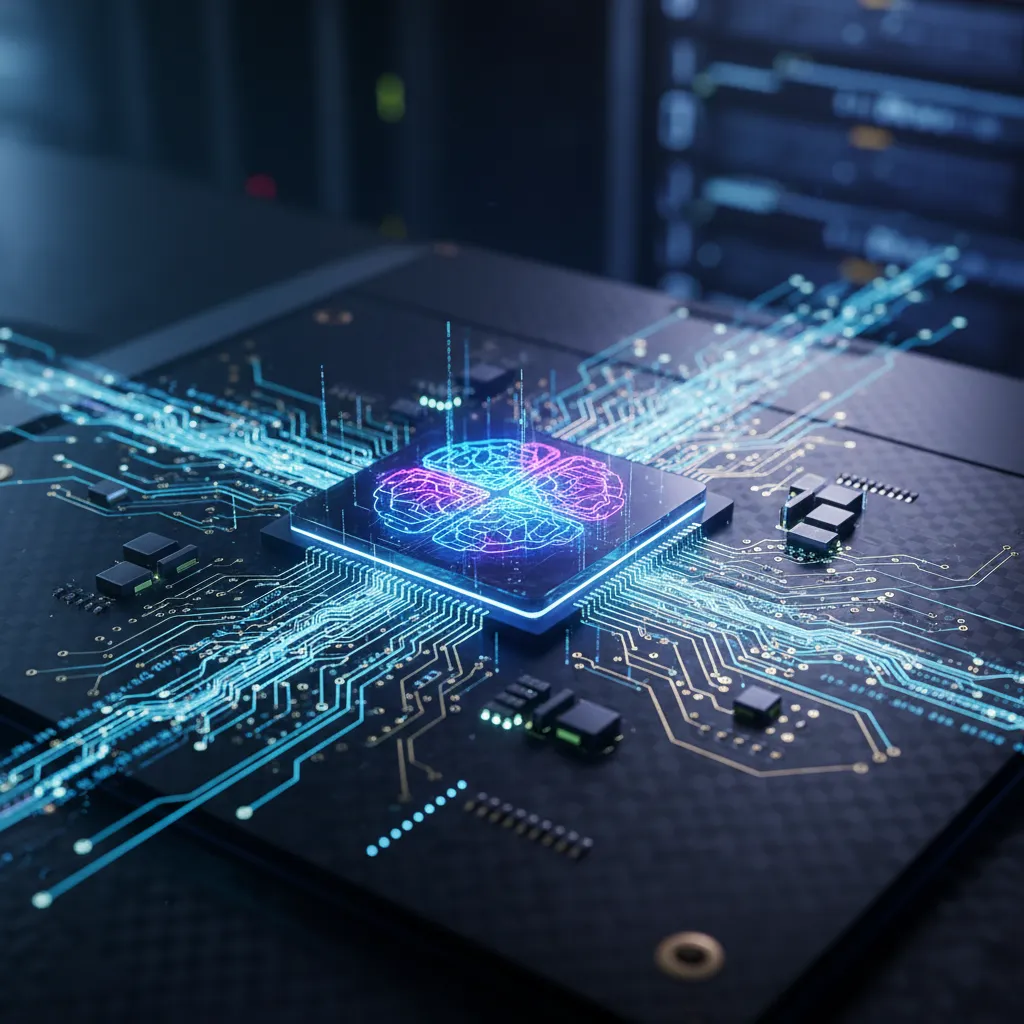 A glowing Neural Processing Unit (NPU) chip on a motherboard, visualizing on-device AI power.
Performance Baseline: The 40+ TOPS Standard
To qualify as a Copilot+ PC, the device must deliver a minimum performance threshold of 40 Trillions of Operations Per Second (TOPS) via its NPU.
This specific number is the metric Microsoft identified as necessary to run its suite of demanding Windows 11 AI features smoothly and instantly. For context, the NPUs in previous generations often peaked in the single digits or low teens. This 40 TOPS requirement signifies a leap in processing capability, ensuring that AI-enhanced workflows can be executed without bogging down the main CPU.
Deep Integration with Windows 11 AI Features
The third pillar is the software experience. A Copilot+ PC must be able to run a set of exclusive, next-generation Windows 11 features that leverage the NPU, effectively creating a unified hardware-software platform. These features are often foundational to the entire Microsoft AI PCs ecosystem and cannot be fully replicated on older hardware.
[Related: The Rise of AI Copilots: Revolutionizing Work, Boosting Creativity, Driving Innovation]
The Heart of the Machine: Snapdragon X Elite and X Plus
The initial wave of Copilot+ PC devices, announced during the landmark Microsoft Build 2024 announcements, are predominantly powered by Qualcomm’s new ARM-based chips: the Snapdragon X Elite and its slightly pared-down sibling, the Snapdragon X Plus.
Windows on Arm: Understanding the Efficiency Leap
The decision to rely heavily on the Snapdragon X Elite for the launch lineup signifies a renewed commitment to Windows on Arm architecture. Unlike the x86 architecture traditionally used by Intel and AMD, ARM architecture prioritizes power efficiency, a philosophy mastered by mobile devices and most famously implemented in Apple’s M-series chips.
This move provides two massive benefits for the next-gen laptops 2024:
- Exceptional Battery Life: Copilot+ PCs promise, and in early tests deliver, phenomenal longevity, with some models claiming up to 20 hours of video playback. This is crucial because continuous on-device AI processing needs to be sustained without draining the battery.
- Integrated NPU Performance: The Snapdragon chips integrate a powerful NPU (the Hexagon NPU) capable of hitting or exceeding the 45 TOPS required by Microsoft, ensuring seamless execution of features like Live Captions translation and other background AI tasks.
The Performance Debate: Snapdragon X Elite vs. Apple M4 and Intel/AMD
One of the most intense areas of focus for tech journalists and consumers alike is the AI laptop comparison between the new Snapdragon chips and the market leaders.
While the Snapdragon X Elite vs Apple M4 comparison in pure CPU performance is nuanced and application-dependent, Microsoft and Qualcomm have positioned the Copilot+ PCs as having superior performance per watt compared to older x86 systems.
| Feature | Copilot+ PC (Snapdragon X Elite) | Traditional Laptop (High-End Intel/AMD) | Apple M-Series (M3/M4) |
|---|---|---|---|
| Architecture | ARM-based | x86 (Intel Core Ultra, AMD Ryzen AI) | ARM-based (Proprietary) |
| NPU TOPS | 45+ TOPS (Dedicated) | 10-30 TOPS (Integrated) | 18-38 TOPS (Integrated) |
| Battery Life | 18–22+ Hours (AI Optimized) | 10–14 Hours (Standard) | 15–20 Hours (Highly Optimized) |
| Key Advantage | Dedicated AI features (Recall) and longevity | Wide software compatibility, raw CPU power (in some cases) | Optimized OS and integrated software ecosystem |
The main competitive edge for the Copilot+ PC lies in that high TOPS count, which unlocks the exclusive features that define the experience. Intel and AMD are quickly catching up, releasing their own chips (like Lunar Lake and Strix Point) that also meet or exceed the 40 TOPS requirement, ensuring that the top AI PC brands will soon offer a variety of processor choices.
[Related: The Rise of SLMs: Edge AI’s Secret Weapon for Local Intelligence]
Game-Changing AI Features Only Available on Copilot+ PCs
The hardware specs are merely the foundation; the true value of the Copilot+ PC resides in the groundbreaking Windows 11 AI features that leverage the NPU’s power. These features redefine how users interact with their operating system and applications.
Windows Recall Feature: A Searchable Photographic Memory
The most talked-about and potentially controversial feature is the Windows Recall feature.
Recall functions as a searchable photographic memory for your PC. It takes snapshots of your screen every few seconds, encrypting and storing them locally on the device (a key point for privacy). This creates a navigable, searchable timeline of everything you have ever done on your machine—from the obscure webpage you looked at three weeks ago to the exact moment you saw a specific image in a presentation.
You can use natural language prompts (“Show me the purple dress on that fashion site I visited last Thursday”) and Recall will instantly pull up the corresponding snapshot, acting as a revolutionary search tool that transcends traditional file and browser history.
/image-topic.webp
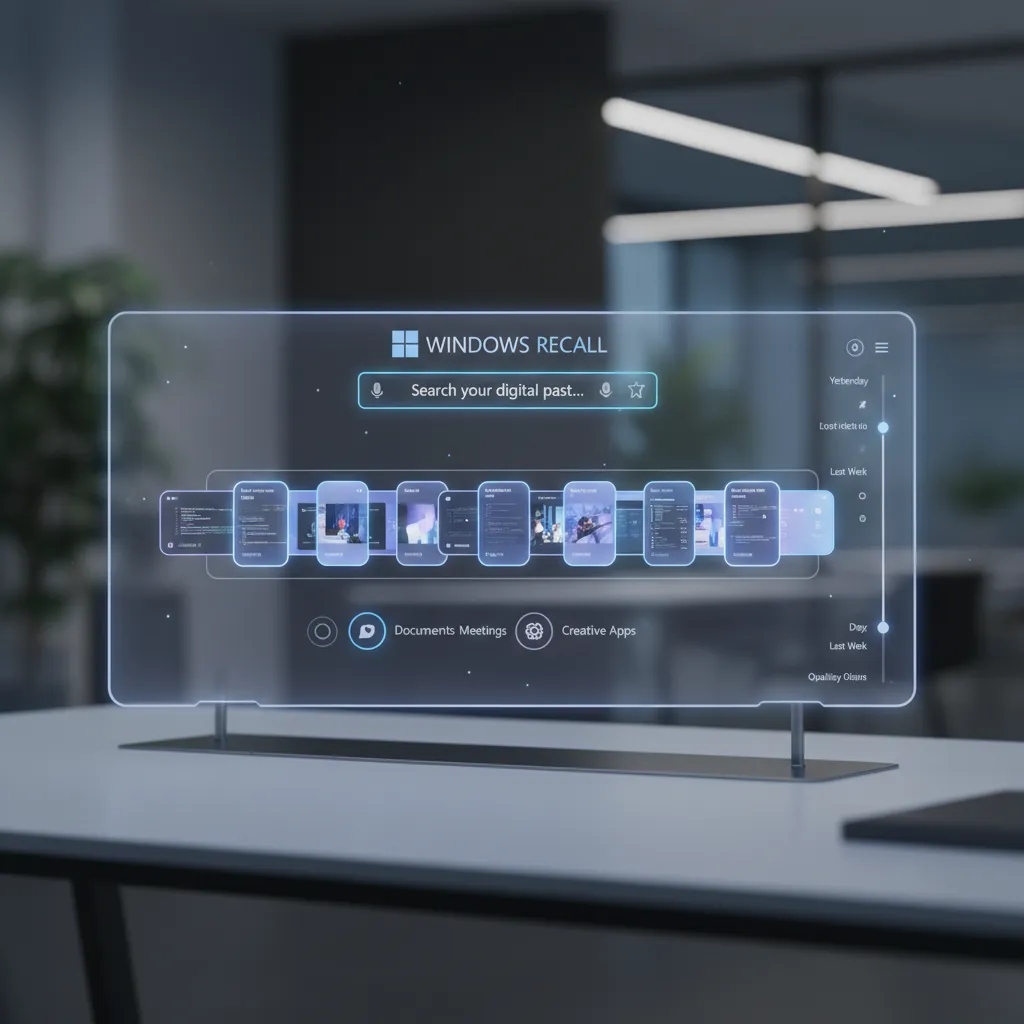 A user interacting with the Windows Recall feature on a transparent screen, showing a searchable timeline.
Security and Ethical Concerns
While incredibly powerful for AI-enhanced workflows, the Recall feature immediately raised significant security and privacy concerns. Microsoft has been quick to reiterate several critical points:
- Local Storage: All data remains encrypted and stored strictly on the local machine; nothing is sent to the cloud.
- User Control: Users can pause Recall, delete snapshots, or exclude specific applications or websites (like banking apps) from being recorded.
- Enterprise Policies: Business users will have IT controls to manage or disable the feature.
Despite these assurances, the debate surrounding a feature that constantly records a user’s activity highlights the necessary conversation around AI ethics unpacked: navigating moral maze intelligent systems.
Cocreator in Paint and Photos
The NPU also enables real-time creative assistance. The Cocreator in Paint feature transforms the classic Windows application into a generative AI tool. As you draw, type a text prompt, or adjust a slider, the AI uses your rough input to instantly generate polished, high-quality images alongside your work.
This is a massive leap for AI PC for creatives, moving generative AI from a slow, cloud-based process to an immediate, local function. Similarly, the Photos app gains enhanced AI editing capabilities, such as advanced background manipulation and object removal, all executed instantly on the device.
Live Captions and Real-Time Translation
Global communication gets a massive boost with improved Live Captions. This feature can now provide live, automatic captioning for any audio input on your system—whether it’s a YouTube video, a streaming service, or a virtual meeting.
Crucially, Live Captions translation allows for real-time translation of audio in supported languages. This is a vital tool for international professionals and students, allowing seamless participation in multilingual meetings or consumption of global content without reliance on third-party software or cloud processing.
[Related: AI in the Kitchen: Reshaping Future Food Gastronomy]
AI-Enhanced Workflows: Who Needs a Copilot+ PC?
The question should I buy a Copilot+ PC hinges entirely on how much value you place on these specialized AI-enhanced workflows. While anyone can benefit from better battery life and speed, certain professional segments stand to gain the most.
For Creatives: Faster Rendering and AI-Assisted Design
For designers, photographers, video editors, and artists, the Copilot+ PC offers tangible performance benefits related to AI acceleration.
- Video Editing: Applications optimized for the NPU can use AI to speed up tasks like smart object tracking, stabilization, and content generation within the timeline.
- Image Processing: Features in Adobe Photoshop and Lightroom that rely on neural filters (like sky replacement or facial feature adjustments) can execute faster because the workload is offloaded to the NPU rather than the CPU.
- 3D Modeling: AI-driven texture generation and rendering previews can be handled with significantly less latency, boosting the efficiency of AI PC for creatives.
This on-device acceleration means more time creating and less time waiting, fulfilling the promise of truly unlocking potential with next-generation tools.
[Related: Unlocking Potential: AI Revolutionizing Personalized Learning]
For Professionals: Seamless Meeting Management and Data Analysis
The professional world benefits from speed, organization, and efficient communication:
- Virtual Meetings: AI features like automatic camera framing, gaze correction, and advanced noise suppression are managed by the NPU, offering a superior conferencing experience without taxing the primary CPU.
- Data Organization (Recall): For knowledge workers, the ability to instantly search their entire history of digital activity—whether a spreadsheet, an email thread, or a design mockup—is a monumental productivity boost. It dramatically reduces the time spent hunting for lost context.
- Local Copilots: As developers release more models optimized for the NPU, future professional tools will enable large language model (LLM) operations—such as summarizing documents, generating code snippets, or analyzing data—to run locally, increasing data privacy and speed.
For Everyday Users: Enhanced Security and Battery Life
Even for the average user primarily focused on web browsing, streaming, and light productivity, the value proposition is strong:
- Unmatched Battery Life: The efficiency of the ARM architecture makes these some of the longest-lasting Windows machines ever produced.
- Enhanced Security: The NPU can be used for continuous security monitoring, detecting malware patterns and anomalies in real-time without consuming noticeable system resources.
- Intuitive Interaction: Features like instantaneous image generation via Cocreator make standard apps like Paint fun and useful again.
[Related: Future Sustainable Travel: Eco-Conscious Adventures Tech Innovations]
The First Wave: Top Copilot+ PC Models Revealed at Microsoft Build 2024
Following the Microsoft Build 2024 announcements, nearly every major PC manufacturer rapidly unveiled their initial lineup of Copilot+ PC models, solidifying the new category’s launch. These best AI laptops share the core NPU and architecture but offer varied designs to suit different users.
Microsoft’s Own: Surface Pro 11 and Surface Laptop 7
Microsoft’s in-house hardware, the Surface line, typically sets the standard for the Windows experience.
- Surface Pro 11: Maintaining the detachable 2-in-1 form factor, the Pro 11 introduces the Snapdragon X Elite chip, promising laptop-level performance with tablet flexibility and exceptional battery life. It is positioned as the ultimate mobile productivity device.
- Surface Laptop 7: The traditional clamshell laptop received a massive internal overhaul, emphasizing speed and efficiency. This device is often highlighted as the benchmark for how well the new Windows on Arm architecture integrates with the OS.
Leading OEM Entries
The momentum behind the Microsoft AI PCs is evident in the broad support from major Original Equipment Manufacturers (OEMs):
- Dell XPS 13 Copilot+: Dell has integrated the new Snapdragon architecture into its premium, minimalist XPS 13 chassis, focusing on sleek design and high-end materials combined with the NPU power.
- Lenovo Yoga Slim 7x: Positioned for professionals and creatives, the Lenovo Yoga Slim 7x emphasizes thinness, portability, and excellent displays, making it an ideal choice for running sophisticated AI PC for creatives applications.
- Samsung Galaxy Book4 Edge: Samsung leverages its experience in the mobile sector to create a highly connected device, offering deep integration between the laptop and Samsung Galaxy smartphones, making it a compelling option for those already in the Samsung ecosystem.
- **Other Top AI PC Brands: Asus (with the Vivobook S 15), Acer (Swift 14 AI), and HP (Omnibook X) also announced their own models, ensuring a highly competitive launch market with diverse options in terms of screens, ports, and aesthetic designs.
Copilot+ PC vs. Traditional Laptop: Is It Worth the Upgrade?
The crucial question remains for any potential buyer: should I buy a Copilot+ PC now, or wait for the next iteration of Intel/AMD laptops?
The decision boils down to whether you prioritize the new, exclusive AI features and battery life over potential x86 compatibility concerns.
The Performance Metrics: TOPS (Trillions of Operations Per Second)
The current generation of traditional x86 laptops relies on powerful integrated graphics or dedicated GPUs, but their NPUs typically don’t hit the 40+ TOPS threshold required for the full Copilot+ experience.
/image-topic.webp
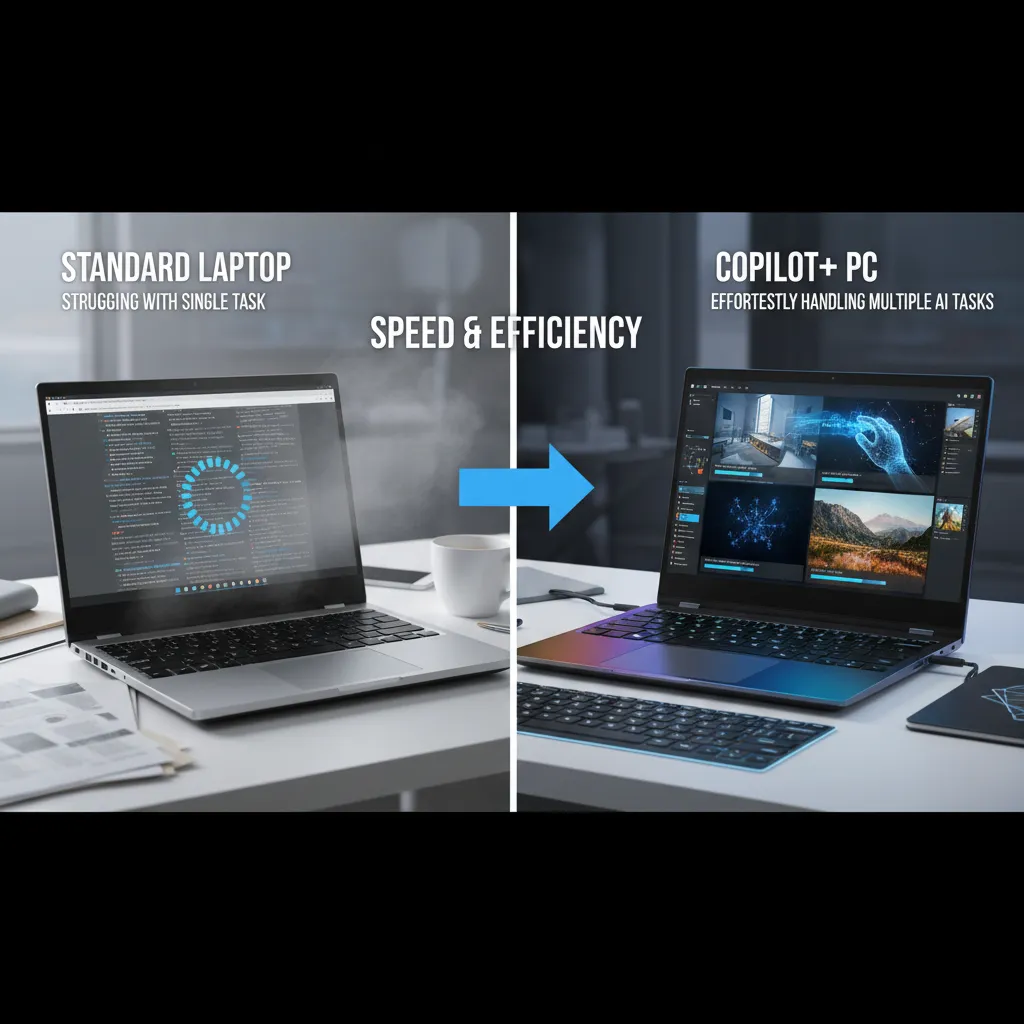 Side-by-side comparison of a Copilot+ PC running complex AI tasks and a regular laptop buffering.
| Comparison Point | Copilot+ PC Advantage | Traditional Laptop Advantage |
|---|---|---|
| Windows Recall | Exclusive and NPU-dependent. | Not available. |
| Battery Life | Significantly better (ARM architecture efficiency). | Adequate, but rarely market-leading. |
| AI Speed | Instant, local processing via 40+ TOPS NPU. | Often slower, cloud-reliant, or CPU/GPU-taxing. |
| Software Compatibility | Excellent via Rosetta-style emulation (Prism), but some legacy software may face hurdles. | Near-universal compatibility for decades of x86 software. |
| Heat/Noise | Runs cooler and quieter due to efficient ARM design. | Can run hot and loud under heavy CPU/GPU load. |
Longevity and Future-Proofing
Buying into the Copilot+ PC ecosystem now is largely about future of personal computing. Microsoft is positioning these machines as the foundation for all future advancements in Windows. Just as DirectX made dedicated GPUs essential for gaming, the NPU is becoming essential for AI.
If future applications and Windows updates are increasingly relying on 40 TOPS of AI power for basic functionality (like background processing, security, and next-level productivity), then investing in a Copilot+ PC today guarantees you access to all those features. Waiting means potentially missing out on the core innovations driving the AI-powered laptops market.
[Related: Quantum Computing: Unlocking Future Tech and AI]
Navigating the Future of Personal Computing
The launch of the Copilot+ PC is more than just a product release; it’s a statement about the direction of the entire industry. It signifies the mainstream acceptance of dedicated, localized AI processing and the rise of ARM-based AI PCs as serious competitors in the high-performance computing space.
This architectural shift enables the use of powerful Small Language Models (SLMs) and other AI tools that can operate efficiently at the edge.
The immediate success and future evolution of the platform depend heavily on three factors:
- App Compatibility: Ensuring that the emulation layer (Prism) runs legacy x86 applications seamlessly is vital for professional adoption.
- Developer Support: The platform needs rapid adoption and optimization from key developers, especially in the creative and engineering spaces, to take full advantage of the NPU.
- Intel and AMD’s Response: While Snapdragon leads the initial charge, the inevitable entry of Intel and AMD into the 40+ TOPS market will give consumers more choice and drive down prices.
For now, the Copilot+ PC requirements have set a clear, high bar for what defines an “AI-ready” machine, fundamentally changing how we think about laptop performance.
[Related: Eco-Friendly Gadgets: Sustainable Living Tech]
Conclusion: Embracing the AI-Powered Evolution
The Copilot+ PC represents the most significant change to the Windows ecosystem since the transition to Windows 10. By mandating powerful NPUs and leveraging the efficiency of Windows on Arm (primarily the Snapdragon X Elite), Microsoft has created a class of AI-powered laptops that delivers truly transformative on-device AI experiences.
If you are a creative professional, a power user relying on deep context search (via the Windows Recall feature), or simply someone who craves the best battery life possible, the answer to should I buy a Copilot+ PC is a resounding yes—especially if you are due for a laptop refresh.
These best AI laptops—whether the Surface Pro 11, Dell XPS 13 Copilot+, or Samsung Galaxy Book4 Edge—are not just fast; they are fundamentally smarter, integrating AI into the core of the operating system to boost productivity and unlock creative potential. The future of personal computing is here, and it runs on an NPU.
FAQs: Copilot+ PCs Explained
Q1. What exactly is a Copilot+ PC?
A Copilot+ PC is a new category of Windows PC defined by Microsoft, specifically designed to run advanced on-device AI features locally. The key requirement is a powerful integrated NPU (Neural Processing Unit) capable of processing at least 40 Trillions of Operations Per Second (TOPS), paired with 16GB RAM and a 256GB SSD minimum.
Q2. How is a Copilot+ PC different from a regular AI PC?
The term AI PC has been used loosely for devices with basic NPU capabilities. A Copilot+ PC is a strict designation that guarantees the hardware meets the 40+ TOPS requirement necessary to run exclusive, high-demand features like the Windows Recall feature and sophisticated real-time Live Captions translation.
Q3. Will my old Windows laptop get the new Copilot+ features like Recall?
No. Features exclusive to the Copilot+ PC category, such as the Windows Recall feature and advanced versions of Cocreator in Paint, are designed specifically to run on the 40+ TOPS NPU (Neural Processing Unit). Older hardware, even those with lower-performance NPUs, cannot handle the continuous, low-power workload required for these features to function properly.
Q4. Are Copilot+ PCs running on Intel or AMD processors?
The initial wave of Copilot+ PCs announced at the Microsoft Build 2024 announcements primarily use Qualcomm’s Snapdragon X Elite and X Plus chips, which are based on the power-efficient Windows on Arm architecture. However, future models from top AI PC brands will include next-generation Intel Core Ultra (Lunar Lake) and AMD Ryzen AI (Strix Point) processors that also meet the 40 TOPS performance baseline.
Q5. What is the Windows Recall feature, and how does it affect privacy?
The Windows Recall feature acts as a searchable timeline of everything you see or do on your PC, taking snapshots that are stored locally and encrypted on your hard drive. To address privacy concerns, the data never leaves the device or goes to the cloud. Users have complete control to pause Recall, delete the history, or exclude specific applications (like browsers in private mode or banking apps) from being recorded.
Q6. Is the Snapdragon X Elite as fast as Apple’s M4 chip?
The Snapdragon X Elite vs Apple M4 comparison shows both chips are highly competitive within the ARM architecture space. While the M4 often retains an edge in single-core raw CPU performance, the Snapdragon X Elite often boasts a higher-performing integrated NPU (45+ TOPS) crucial for on-device AI, making the overall system exceptionally fast for AI-enhanced workflows.
Q7. What are the benefits of the ARM-based laptops in the Copilot+ lineup?
ARM-based laptops like the Lenovo Yoga Slim 7x and Surface Pro 11 are exceptionally power-efficient. This efficiency translates directly into phenomenal battery life (often exceeding 18 hours), cooler operation, and the ability to run demanding on-device AI features continuously without rapidly draining the battery, making them ideal next-gen laptops 2024.
Q8. Should I buy a Copilot+ PC now, or wait?
If you are a creator, developer, or professional who can utilize the AI PC for creatives features or the Recall search function, and if your mission-critical applications are confirmed to run well on Windows on Arm, buying a Copilot+ PC now provides immediate access to groundbreaking features and industry-leading battery life. If you rely heavily on highly specialized or older x86 software, waiting for the technology to mature or for the Intel/AMD variants might be a safer approach.
[Related: Unlock Growth: Top AI Tools for Small Business Success]