Copilot+ PC Buyer’s Guide: Top AI Laptops of 2024
Introduction: The Dawn of the Copilot+ PC Era
For years, the personal computing landscape remained relatively stagnant. Incremental performance bumps, slightly thinner chassis, and the occasional port shuffle defined new laptop generations. But 2024 marks a genuine, seismic shift. The introduction of the Copilot+ PC is not just an upgrade; it’s a redefinition of what a Windows laptop can do, how long it can last, and how seamlessly it integrates artificial intelligence into everyday tasks.
If you’re researching your next machine, whether you’re an enterprise professional, a student, or a creative, you’ve likely encountered the term AI PC. But what exactly sets a Copilot+ PC apart from a standard laptop with ChatGPT installed?
The answer lies in two critical components: power and efficiency, driven by a new architecture centered around the Neural Processing Unit (NPU). This new generation of devices, largely powered by the Snapdragon X Elite and Snapdragon X Plus chips, promises unprecedented AI PC performance, groundbreaking Copilot+ PC battery life, and a suite of innovative Windows 11 AI features that fundamentally change productivity.
This comprehensive guide is your essential AI laptop buying guide. We will dissect the core technology, analyze the leading models—from the Microsoft Surface Pro 11 to the Samsung Galaxy Book4 Edge—compare these machines against rivals like the MacBook, and help you determine where to buy Copilot+ PC models that meet your specific needs. Prepare to dive deep into the future of laptops.
Understanding the New AI Standard: What is a Copilot+ PC?
The Copilot+ PC is a specific certification established by Microsoft, defining a new class of premium Windows computers optimized for on-device AI operations. It is Microsoft’s response to the need for local, instantaneous AI processing, moving away from reliance on cloud services for every AI task.
To earn the Copilot+ PC badge, a computer must meet strict hardware specifications designed to handle the most demanding Windows 11 AI features.
The Three Pillars of the Copilot+ PC
- Powerful NPU (Neural Processing Unit): The device must include an NPU capable of at least 40 TOPS (Trillions of Operations Per Second). This dedicated silicon handles sustained AI workloads, freeing up the traditional CPU and GPU for other tasks.
- Minimum RAM: 16GB of unified memory is the baseline requirement to ensure smooth multitasking and complex AI operations.
- High Storage Capacity: A minimum of 256GB of fast solid-state storage (SSD) is required, often necessary to handle the data cache for features like Windows Recall.
The shift to these specifications is enabled primarily by a groundbreaking move to Windows on ARM architecture, led by Qualcomm’s custom-designed silicon.
The Processor Revolution: Snapdragon X Elite and X Plus
The foundation of the current generation of Copilot+ PCs is the Qualcomm Snapdragon X series. This is not just another processor; it’s a fundamentally new design based on the ARM64 laptops architecture, similar to Apple’s M-series chips.
At the heart of this design is the Qualcomm Oryon CPU, a custom-designed core that promises desktop-class performance while maintaining unprecedented efficiency.
Snapdragon X Elite: The Performance Core
The Snapdragon X Elite is the flagship chip, featuring up to 12 powerful Oryon cores and an Adreno GPU, but its true strength lies in its integrated NPU, which delivers 45 TOPS of AI performance. This dedicated AI power is what makes native Microsoft AI PC features possible.
Snapdragon X Plus: Efficiency and Accessibility
The slightly more accessible Snapdragon X Plus offers a similar architectural benefit with a focus on maximizing battery life and reaching lower price points. While slightly fewer CPU cores or a lower clock speed may be present, the critical NPU performance generally remains highly competitive, often meeting the 40 TOPS requirement.
This architectural shift—embracing high-performance, low-power ARM64 laptops—is what allows these machines to challenge the conventional Intel/AMD x86 dominance and compete directly in performance and efficiency with Apple’s dominant M-series silicon.
Decoding the AI Experience: Copilot+ PC Features
The hardware is the engine, but the true value proposition of the Copilot+ PC lies in the software experience it unlocks. These next gen AI PCs utilize the NPU to run complex, personalized AI tasks locally and instantly.
Windows Recall Feature: The Controversial Game Changer
Perhaps the most discussed feature of the new platform is Windows Recall. This functionality takes snapshots of your screen every few seconds, storing them locally on your device in a searchable, encrypted timeline.
The goal is to provide a “photographic memory” for your PC. Need to remember that specific slide from a presentation you saw last week, or that specific line of code you wrote yesterday? Recall allows you to search conversational prompts (“Find the email where Dave mentioned the London trip budget”) and instantly jump back to the exact moment you viewed that content.
While immensely powerful for productivity, the Windows Recall feature has sparked significant privacy debate. Microsoft has responded by making the feature opt-in, encrypted, and ensuring all data remains localized on the device—never leaving the PC. For professionals and developers who need instant access to prior work, this feature, when handled with proper security awareness, could be revolutionary.
Other Essential Copilot+ PC Features
Beyond Recall, the NPU powers several other crucial Windows 11 AI features:
- Cocreator (Paint and Photos): Real-time image generation and editing using simple text or drawing prompts, running locally without an internet connection.
- Live Captions and Translations: Real-time translation of audio (including video calls) into English and other languages, displayed instantly as captions on your screen. This feature is particularly vital for international collaboration and accessibility.
- Windows Studio Effects: Advanced features like automatic framing, background blur, and eye-gaze correction, running with minimal impact on battery life during video conferencing.
The ability to run these heavy-lifting tasks locally is the primary driver behind the massive leaps in Copilot+ PC battery life—the NPU uses vastly less power than forcing the CPU or GPU to perform the same calculations.
[Related: AI-Powered Investing: Robo-Advisors and the Future of Wealth Growth]
AI PC Performance Explained: Beyond the Benchmark Numbers
When evaluating an AI PC, traditional benchmarks like Geekbench scores for the CPU cores still matter, but the critical metric is the TOPS score of the NPU. This shift in evaluation requires a new perspective.
NPU vs. CPU/GPU: Why Dedicated AI Power Matters
Historically, AI workloads were handled by the CPU (slowly) or the GPU (power-hungry). The NPU, or Neural Processing Unit, is designed specifically for parallel matrix multiplication—the fundamental computation required for neural networks and large language models (LLMs).
| Component | Primary Function | AI Workload Efficiency | Power Consumption |
|---|---|---|---|
| CPU | General-purpose tasks, sequential logic | Low (Inefficient) | Medium to High |
| GPU | Graphics, massively parallel computing | High (Fast) | Very High (Requires constant power) |
| NPU | Neural network calculations, AI inference | Excellent (Specialized) | Very Low (Extremely efficient) |
The integration of the NPU is why AI PC performance for generative AI tasks is now measured in milliseconds rather than seconds, and why a machine can run a full day without needing a charger.
Snapdragon X Elite Benchmarks and Real-World Speed
Initial Snapdragon X Elite benchmarks have shown striking results, positioning the chip as a serious contender against high-end Intel/AMD chips and even challenging some of the mid-tier Apple M-series processors, especially in multi-threaded performance.
- Performance Claim: Qualcomm claimed the Snapdragon X Elite could offer up to 50% faster CPU performance at the same power level compared to competitors.
- Real-World Application: In specific AI-intensive tasks—such as running local LLMs, real-time video editing effects, or advanced photo filtering—the 45 TOPS NPU offers performance superiority that Intel’s previous-generation NPUs simply couldn’t match.
For the end-user, this means immediate feedback. Copilot is integrated deeper into Windows 11, running faster and more intuitively than ever before. This is the difference between a sluggish, cloud-based assist and a true, on-device digital co-pilot.
[Related: What is GPT-4o? OpenAI’s New AI Model Explained]
The Game-Changer: Copilot+ PC Battery Life
If there is one killer feature that defines the Copilot+ PC experience, it is battery longevity. Because the underlying architecture is ARM64, similar to the highly efficient processors found in smartphones and MacBooks, the power consumption is dramatically reduced.
Early reviews of models like the Samsung Galaxy Book4 Edge and Microsoft Surface Pro 11 suggest many devices can easily achieve 18 to 22 hours of typical use on a single charge. This level of endurance means users can leave their charger at home for an entire workday, a milestone that Windows laptops have long struggled to reach. This efficiency leap is a direct result of shifting the heavy, sustained AI workloads from the power-hungry CPU/GPU to the ultra-efficient NPU.
The Best Copilot+ PC Laptops of 2024: A Buyer’s Guide
The initial lineup of Copilot+ PCs is broad, featuring machines from all major manufacturers, each offering unique strengths, target demographics, and Copilot+ PC price points. Whether you need a 2-in-1 hybrid, an ultra-light productivity machine, or a powerful workstation, there’s an option tailored for you.

1. Microsoft Surface Pro 11 and Surface Laptop 7
As the primary architect of the Copilot+ standard, Microsoft’s own devices are often the purest expression of the vision.
- Microsoft Surface Pro 11: This 2-in-1 tablet is the ultimate portable hybrid. Running the Snapdragon X Elite, it offers unrivaled battery life and performance in a detachable form factor. It’s perfect for mobile professionals and students who prioritize versatility.
- Surface Laptop 7: A traditional clamshell design, the Laptop 7 is thin, elegant, and uses the new processor to deliver exceptional speed and battery life. It’s the direct competitor to the MacBook Air, focusing on premium build quality and seamless Microsoft AI PC integration.
2. Samsung Galaxy Book4 Edge
Samsung consistently pushes the boundaries of hardware design, and the Samsung Galaxy Book4 Edge is no exception. It’s perhaps the sleekest launch device, offering a stunning AMOLED display and a sophisticated ultra-thin profile.
- Key Selling Points: Brilliant display quality, extremely low weight, and instant-on capability. It integrates deeply with the Samsung ecosystem, making it a compelling choice for users who also own Samsung phones or tablets. It’s the device aimed at creatives and premium consumers.
3. Dell Copilot+ PC Lineup (XPS and Latitude)
Dell is targeting both the consumer and enterprise markets with their new AI PCs.
- Dell XPS Line (e.g., XPS 13): Dell’s iconic flagship receives the Snapdragon X Elite treatment. These models retain their premium aluminum build and high-resolution displays, offering maximum performance for users who demand both power and portability.
- Dell Latitude: For businesses, the Dell Copilot+ PC Latitude models focus on security, manageability, and robust build quality, ensuring enterprise users can leverage the Windows Recall feature and other AI productivity boosts securely within their IT framework.
4. HP AI PC and Lenovo Yoga Slim 7x
Rounding out the initial wave are excellent options from HP and Lenovo, often focusing on niche strengths or value propositions.
- HP AI PC (e.g., Spectre and EliteBook): HP’s Spectre line brings a flair for design and often includes high-end features like advanced webcams and sound systems, making them ideal for remote workers and content consumers.
- Lenovo Yoga Slim 7x: The Lenovo Yoga Slim 7x (or similar P-series variants) often targets power users and creatives, offering powerful configurations in a minimalist, light package. Lenovo typically excels at keyboard and input design, a key factor for those who write extensively or use professional software.
Copilot+ PC Price Range and Value
Initial pricing for these best AI laptops 2024 tends to start around the $1,000 to $1,200 mark for baseline 16GB RAM/256GB SSD configurations, putting them directly in competition with the MacBook Air M2/M3. Given the performance, NPU capabilities, and extraordinary battery life, the Copilot+ PC price represents strong value, especially for early adopters focused on maximizing AI productivity.
Copilot+ PC vs MacBook: The Ultimate Comparison
The introduction of the Copilot+ PC is explicitly designed to compete with the highly successful Apple Silicon architecture (M1, M2, M3), which revolutionized the laptop market with its power-to-efficiency ratio. For years, the MacBook has dominated the efficiency narrative, but the new Windows on ARM machines offer a compelling challenge.
Performance and Architecture (ARM64 vs Apple Silicon)
Both platforms use the ARM64 laptops architecture, leading to inherently superior efficiency compared to older x86 Windows machines.
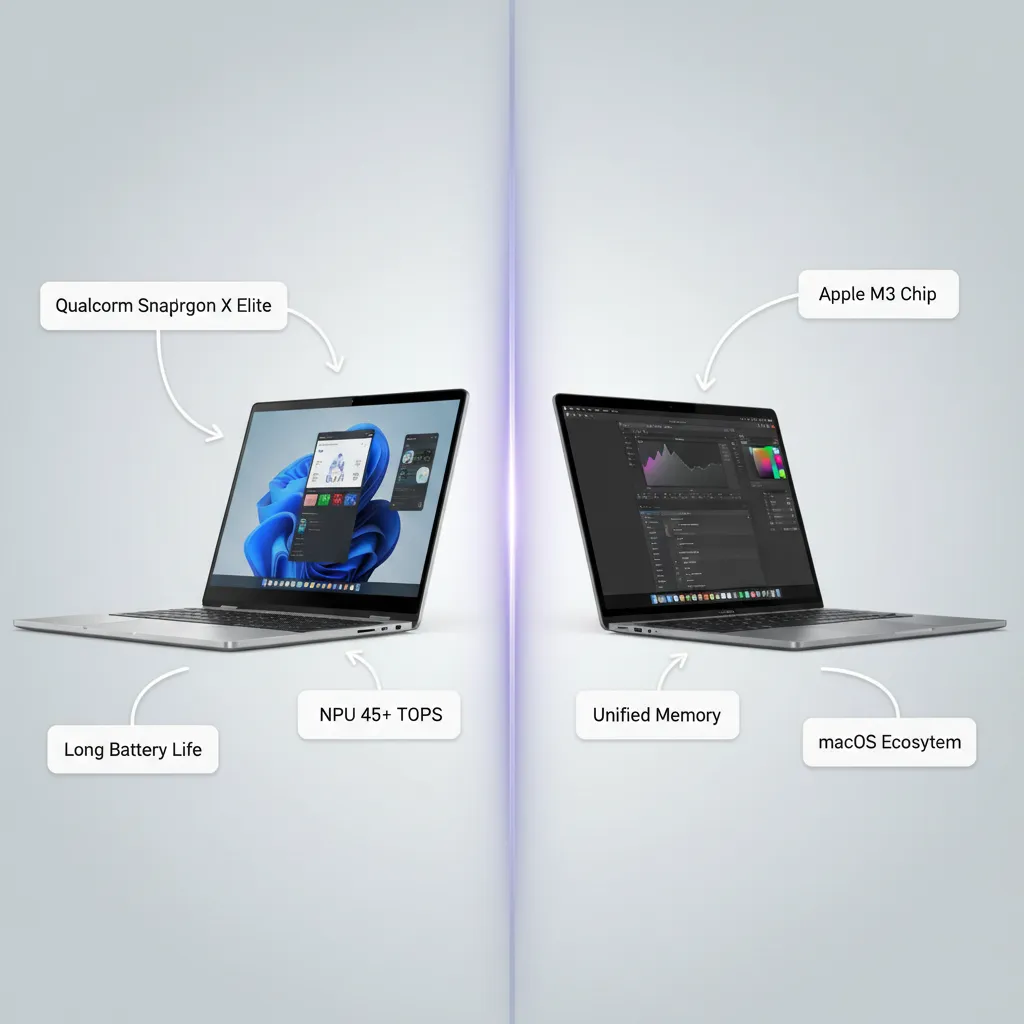
- Snapdragon X Elite: Offers competitive raw multi-core CPU performance against the M3 chip. Its dedicated 45 TOPS NPU gives it a significant edge in specific local AI tasks, often surpassing the NPU performance of current M-series chips in sheer raw TOPS count.
- MacBook (Apple Silicon): Known for industry-leading single-core performance and superior GPU integration (for graphics and video editing). Apple’s unified memory architecture is incredibly fast and optimized for macOS.
The Verdict: While the MacBook is still the gold standard for video production and graphical workloads, the Copilot+ PC excels at raw AI acceleration and provides serious competition in CPU efficiency and general multi-tasking.
Software Ecosystem: Windows on ARM Compatibility
The historical stumbling block for Windows on ARM has always been software compatibility. Running x86 applications through emulation (like Rosetta 2 on macOS) often resulted in poor performance.
- Windows on ARM Advancement: The new generation of PCs, combined with Microsoft’s enhanced Prism emulation layer, promises near-native speed for most older applications. Crucially, major developers like Adobe, DaVinci Resolve, and Chrome have committed to or already released native ARM64 versions of their software, effectively eliminating the compatibility problem for most professional users.
- MacBook Advantage: macOS has a decade-long head start with app optimization for its custom silicon, ensuring a flawless experience across the board.
For best laptops for AI developers, the choice often comes down to the preferred development environment. However, the rapidly improving Windows on ARM ecosystem means this gap is shrinking quickly, especially as AI frameworks like PyTorch and TensorFlow become optimized for the new Qualcomm NPU.
[Related: The Fintech Revolution: Mastering Money with Innovative Personal Finance Tools]
Value, Price, and Features
When comparing the Copilot+ PC vs MacBook, pricing is a key factor.
| Feature | Copilot+ PC (Snapdragon X Elite) | MacBook (M-series) |
|---|---|---|
| Starting Price | $999 - $1,200 | $999 - $1,299 |
| Battery Life | 18–22 hours (Industry leading) | 18–20 hours (Benchmark setter) |
| Dedicated AI Power | 45+ TOPS NPU | Varies, typically lower raw TOPS |
| Touch/Hybrid Options | Excellent (Surface, Dell 2-in-1s) | Limited (No touch screens, no 2-in-1) |
| Recall Feature | Exclusive to Copilot+ PC | None equivalent |
| Ecosystem Focus | Productivity, Enterprise, Gaming | Creative, Media, Lifestyle |
The Copilot+ PC delivers more flexibility (touch screens, 2-in-1 form factors) and a higher raw AI performance ceiling at a highly competitive price point, making it a compelling alternative for users who rely heavily on Microsoft 365 and the new AI productivity stack.
Who Should Buy a Copilot+ PC?
The shift to Copilot+ PCs is not just for early adopters; it signals the new baseline for mobile productivity. But who benefits the most from these next gen AI PCs?
1. The Productivity and Efficiency Seeker
If your workday consists of heavy web browsing, document creation, video conferencing, and using cloud-based tools, the combination of phenomenal battery life and instant AI assistance (like Live Captions and Recall) is transformative. The Copilot+ PC is designed to keep up with intense, all-day work without ever needing a plug.
2. The AI Developer and ML Engineer
For best laptops for AI developers, the powerful NPU is an invaluable asset. While heavy training loads still require cloud GPUs, the ability to run local inference models, test on-device LLMs, and optimize applications directly for the 40+ TOPS NPU makes these machines essential testing platforms for the future of laptops. They bridge the gap between cloud development and edge computing.
[Related: Quantum Computing: Unlocking the Future of Tech and AI]
3. Students and Mobile Professionals
The light weight, robust build quality, and multi-day battery life make models like the Lenovo Yoga Slim 7x and Samsung Galaxy Book4 Edge ideal for students moving between classes or professionals constantly traveling. The ability to instantly generate images, summarize notes, and access context via Windows Recall makes study and research far more efficient.
4. Users Seeking Modern Features and Form Factors
If you were put off by previous Windows on ARM attempts but crave the efficiency of ARM silicon, now is the time to reconsider. With compatibility largely solved and the promise of dedicated AI features, the Copilot+ PC offers modern, competitive hardware in slim, often 2-in-1 packages that the competition sometimes lacks.
Navigating the Software Landscape: Compatibility and the Future
A common lingering concern for potential buyers is software compatibility on ARM64 laptops. Fortunately, the market has matured significantly since the first generation of Windows on ARM devices.
Emulation and Native Apps
The Prism emulation layer is highly optimized, ensuring that most older 32-bit and 64-bit x86 apps run smoothly and often faster than they did on the earliest ARM processors. However, to maximize AI PC performance, users should prioritize native ARM64 applications.
Major software suites now running natively or offering native betas include:
- Google Chrome and Microsoft Edge
- Microsoft 365 Suite (Word, Excel, PowerPoint, Teams)
- Adobe Creative Cloud (Photoshop, Premiere Pro)
- DaVinci Resolve
- Essential development tools (VS Code, Python environments)
As the ecosystem grows, expect the transition to native ARM apps to accelerate, ensuring that all users can take full advantage of the Snapdragon X Elite’s capabilities. This mass transition is shaping the future of laptops, moving all vendors toward more power-efficient architectures.
Conclusion: Making Your Decision in the AI PC Market
The Copilot+ PC is more than just a marketing label; it represents the most significant architectural shift in the Windows laptop market in over a decade. Driven by the raw, power-efficient performance of the Snapdragon X Elite and the revolutionary integration of Windows 11 AI features like Recall, these machines set a demanding new standard.
If you are currently running an older laptop and are looking for a device that offers multi-day battery life, instant AI assistance, and performance that handles modern multitasking with ease, a Copilot+ PC is a strong investment. Look specifically at the Samsung Galaxy Book4 Edge for a premium display, the Microsoft Surface Pro 11 for versatility, or the Dell Copilot+ PC for enterprise robustness.
The convergence of performance, efficiency, and integrated intelligence makes this crop of best AI laptops 2024 the new benchmark, ready to define the next era of personal computing.
FAQs: Your Top Questions About Copilot+ PCs
Q1. What is a Copilot+ PC and how is it different from a regular AI PC?
A Copilot+ PC is a specific certification by Microsoft, requiring the device to have a Neural Processing Unit (NPU) capable of at least 40 TOPS (Trillions of Operations Per Second), 16GB of RAM, and 256GB of storage. While many laptops now have some AI capabilities (making them generic AI PCs), the Copilot+ badge guarantees the hardware capacity required for Microsoft’s most advanced local AI features, such as Windows Recall and enhanced Cocreator tools.
Q2. Does the Snapdragon X Elite really compete with Apple’s M-series chips?
Yes, the Snapdragon X Elite is highly competitive. Early Snapdragon X Elite benchmarks show its custom Qualcomm Oryon CPU cores delivering comparable multi-core performance and superior efficiency when pitted against current-generation Intel chips. Furthermore, its 45 TOPS NPU gives it a significant advantage in dedicated AI workloads, often surpassing the NPU performance in Apple’s current M-series chips.
Q3. What is the Windows Recall feature and is it safe?
The Windows Recall feature records your screen activity, indexes it, and stores the data locally on your device, allowing you to search past activities using natural language. This feature is processed on-device and is designed to be highly secure. Following initial privacy concerns, Microsoft made the feature opt-in and added local encryption, ensuring the data never leaves your machine unless you explicitly share it.
Q4. Is application compatibility still an issue with Windows on ARM (ARM64 laptops)?
The compatibility issue has largely been solved. Thanks to Microsoft’s improved Prism emulation layer, most older x86 applications run efficiently. Crucially, major software developers, including Adobe and Google (for Chrome), have released or are rapidly transitioning to native ARM64 laptops versions, which utilize the full speed of the Snapdragon X Elite, eliminating performance concerns for professional users.
Q5. How much does a Copilot+ PC cost?
The Copilot+ PC price typically starts in the range of $1,000 to $1,200 for the entry-level models (16GB RAM, 256GB SSD) featuring the Snapdragon X Plus or the base Snapdragon X Elite. Premium models like the Samsung Galaxy Book4 Edge or high-end Dell Copilot+ PC configurations can range up to $2,500, similar to other premium laptops on the market.
Q6. Are Copilot+ PCs good for gaming?
While the GPU integrated into the Snapdragon X Elite is efficient and capable of handling older or less demanding titles, the Copilot+ PC platform is optimized primarily for productivity, AI acceleration, and power efficiency, not for high-end gaming. Dedicated gaming laptops running Windows on x86 architecture with discrete NVIDIA or AMD GPUs still offer superior performance for modern AAA titles.
Q7. How does the battery life compare to standard x86 laptops?
The Copilot+ PC battery life is a standout feature. Due to the high efficiency of the ARM64 laptops architecture and the specialized NPU offloading AI tasks, these machines routinely offer between 18 and 22 hours of typical use, depending on the model and workload. This is a massive leap over most traditional Intel/AMD laptops, which typically deliver 8 to 12 hours.
Q8. Where can I buy a Copilot+ PC right now?
All major computer retailers and online stores carry the new lineup. You can find where to buy Copilot+ PC models directly from Microsoft (Surface Pro 11, Surface Laptop 7), Samsung (Samsung Galaxy Book4 Edge), Dell (Dell Copilot+ PC models), HP (HP AI PC), and Lenovo (Lenovo Yoga Slim 7x), among others. It is highly recommended to purchase directly from certified distributors to ensure the machine meets the full Copilot+ specification.