Apple Intelligence: Top AI Features in iOS 18
Introduction: The Tipping Point for the Apple Ecosystem
The digital world shifted seismically during WWDC 2024. For years, the tech community has speculated on Apple’s approach to the generative artificial intelligence boom. The answer arrived not as a single app or isolated feature, but as a deep, transformative system: Apple Intelligence.
This isn’t merely an incremental software update; it is a profound re-architecture of how you interact with your iPhone, iPad, and Mac. Integrated seamlessly into iOS 18, iPadOS 18, and macOS Sequoia, Apple Intelligence is positioned as personal AI, designed to understand your specific context, prioritize privacy, and elevate productivity and creativity in unprecedented ways.
At its core, Apple AI answers the search intent of millions: How can my device truly understand me?
This comprehensive guide will dive into the most significant aspects of this rollout, analyzing the top features that define the new experience. We will explore the massive Siri update 2024, the groundbreaking security of Private Cloud Compute, the practical magic of AI Writing Tools, and the playful creativity enabled by Genmoji and Image Playground Apple. If you’re looking to understand the future of your iPhone and the iPhone AI update, this is your essential roadmap.
[Related: The Metaverse at Work: Revolutionizing Remote Collaboration with Virtual Offices]
The Dawn of Apple Intelligence: Defining Apple AI
Before delving into the specific features of iOS 18, it’s crucial to understand the foundational principles driving what is Apple Intelligence. Unlike many competing AI services that operate entirely in the cloud, Apple built its system on three primary pillars: Personal Relevance, Productivity Enhancement, and, most importantly, Privacy.
The Philosophy: Personal, Private, and Contextually Aware
Apple Intelligence is designed to be the ultimate personal assistant because it is inherently aware of you.
Traditional AI relies on generalized models. Apple Intelligence, however, excels at contextual awareness AI. It can pull information from your communications, your calendar, your location, and even what’s currently on your screen to provide hyper-relevant assistance.
Example: If you text your partner, “The flight leaves at 4 PM tomorrow,” and later ask Siri, “What time is the flight?”, the system understands you mean that specific flight mentioned in the text thread, without you needing to specify dates or airlines. This level of personalized understanding makes the entire Apple ecosystem AI feel less like a tool and more like an extension of your memory.
The Security Cornerstone: Private Cloud Compute (PCC)
One of the most critical announcements from the Apple keynote 2024 was the introduction of Private Cloud Compute (PCC). This revolutionary infrastructure directly addresses the central tension in AI: performance versus privacy.
For complex requests that exceed the processing power of the A-series and M-series chips (required for on-device AI), the data must be sent to the cloud. PCC ensures this process remains private and secure.
PCC utilizes servers powered by custom Apple Silicon. Crucially, these servers cannot store your data long-term and are cryptographically verified to run only the necessary transparent software. Before data is sent, the iPhone verifies that the server meets these security standards. If the server cannot mathematically prove it is running clean, verifiable code, the device refuses to send the data. This provides a level of security assurance unmatched in the current consumer AI landscape, reinforcing Apple’s long-standing commitment to user trust.
Siri Reimagined: The Next Generation of Voice Assistance
The evolution of Siri is arguably the centerpiece of iOS 18 features driven by Apple Intelligence. The next generation Siri is not just smarter; it’s more natural, more capable, and visually modernized.
A More Natural and Capable Siri
The Siri update 2024 gives the voice assistant a major overhaul. The key enhancements include:
- Natural Language Understanding: Siri can now better handle mid-sentence corrections, stumbles, and conversational flow. Users no longer need to speak in rigid, robotic commands.
- Screen Awareness: Siri gains the ability to see and understand what is happening on your screen. You can ask Siri to “Add this address to my contact card” while viewing a webpage, or “Send this photo to my mom” while browsing the Photos app. This screen-based interaction is a huge leap in productivity.
- Typing to Siri: For moments when speaking isn’t appropriate, you can now double-tap the Siri icon to type your request instead of speaking, offering flexibility without losing the power of the AI.
The Power of Collaboration: Integrating ChatGPT on iPhone
The biggest surprise of the WWDC 2024 presentation was the strategic partnership with OpenAI, bringing ChatGPT on iPhone. This collaboration ensures that when Apple Intelligence encounters a request that requires world knowledge, creative generation, or deep topic understanding—which its specialized on-device and PCC models aren’t best suited for—it can seamlessly, and only with user permission, route the query to ChatGPT.
The integration of Siri and ChatGPT is handled intelligently:
- Transparency: Before sending any data to ChatGPT, the user receives a prompt asking for permission, informing them that their data will be handled by OpenAI’s privacy policies.
- No Account Required: Access to the basic GPT-4o model is free and does not require users to create an OpenAI account.
- Context Passing: The query is passed efficiently, allowing ChatGPT to operate within the natural flow of the conversation or task initiated by Siri.
This move effectively provides the ultimate safety net for Apple Intelligence, ensuring that users have access to the world’s leading generative model whenever necessary, without compromising the core privacy structure of the Apple ecosystem AI.
[Related: Google Project Astra: The Future of AI as a Universal Agent]
Creative Tools for Everyone: Image and Text Generation
Apple Intelligence extends beyond organizational tasks and into the realm of digital creation, offering powerful tools baked directly into the operating system interfaces of iOS 18 and iPadOS 18.
The Essential AI Writing Tools in iOS 18
Writing is arguably the most common professional activity on these devices, and the new AI Writing Tools are designed to streamline communication across Mail, Notes, Pages, and third-party apps.
These tools manifest in several practical ways:
- Rewrite: This function allows you to instantly polish, adjust the tone, or alter the voice of your text. Need to turn a casual text message into a formal email? Rewrite handles it instantly.
- Proofread: Standard grammatical and spelling corrections are augmented by deeper style suggestions, ensuring clarity and professionalism.
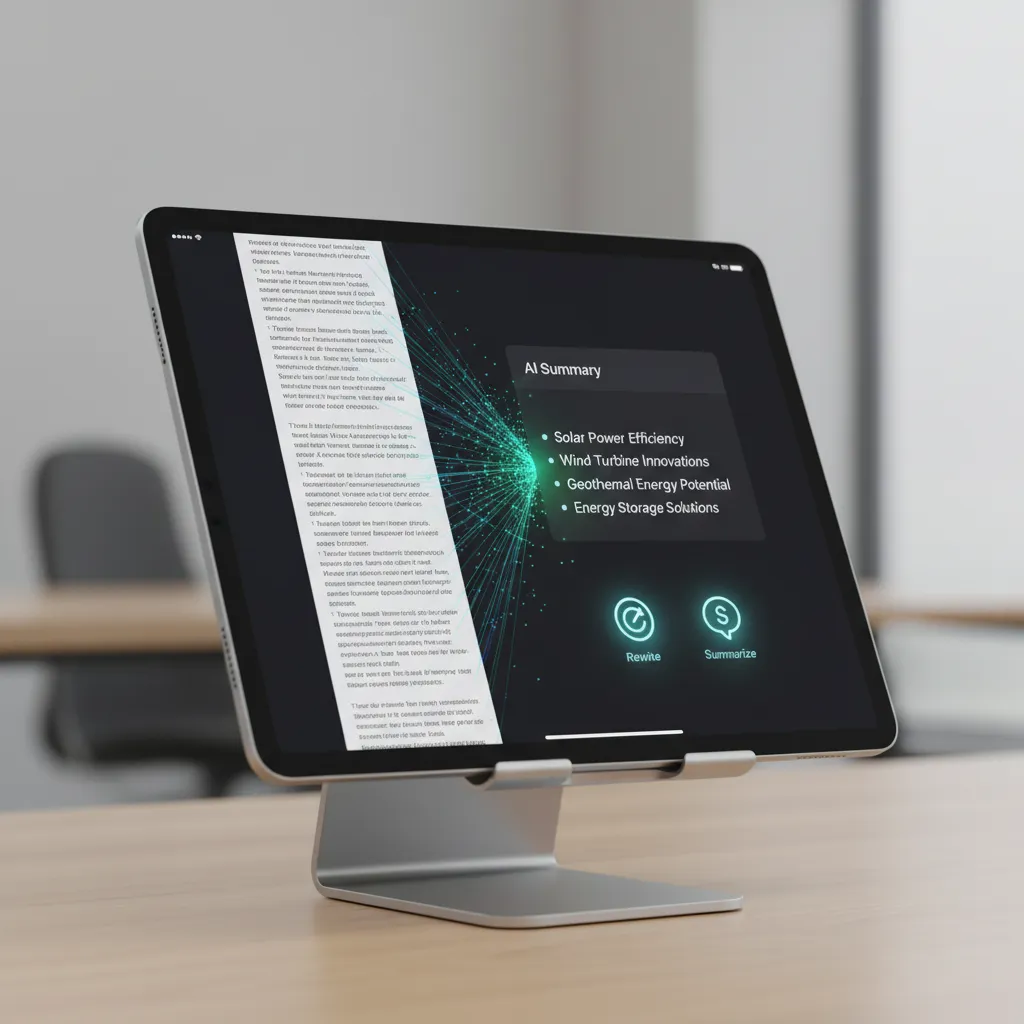
- Summarize: The most powerful of the tools, Summarize can analyze long documents, emails, or even web pages and condense them into key bullet points or a concise paragraph. This is particularly useful in the Mail app, where a new Priority Messages feature uses this same technology to bubble up the most important emails in your inbox summary view.
The beauty of these Apple AI features is their pervasive nature—they are available system-wide via a floating text menu, much like standard copy/paste functions. This seamless integration makes the productivity boost instantaneous.
Genmoji: Personalizing Your Conversations
The most playful, yet deeply personal feature of Apple Intelligence is Genmoji. Leveraging the text-to-image capabilities of the system, Genmoji allows users to create entirely custom emojis on the fly, directly from text descriptions.
Example: Instead of settling for a standard smiley face, you could type “A dinosaur wearing a party hat riding a skateboard.” The system generates a unique image in the standard emoji aesthetic, which can be sent as a sticker or inline reaction.
Genmoji taps into the human desire for unique, personalized expression in digital communication. This is a brilliant example of a high-tech generative AI feature delivered with Apple’s signature focus on user-friendly fun.
Image Playground: Visual Creation Made Easy
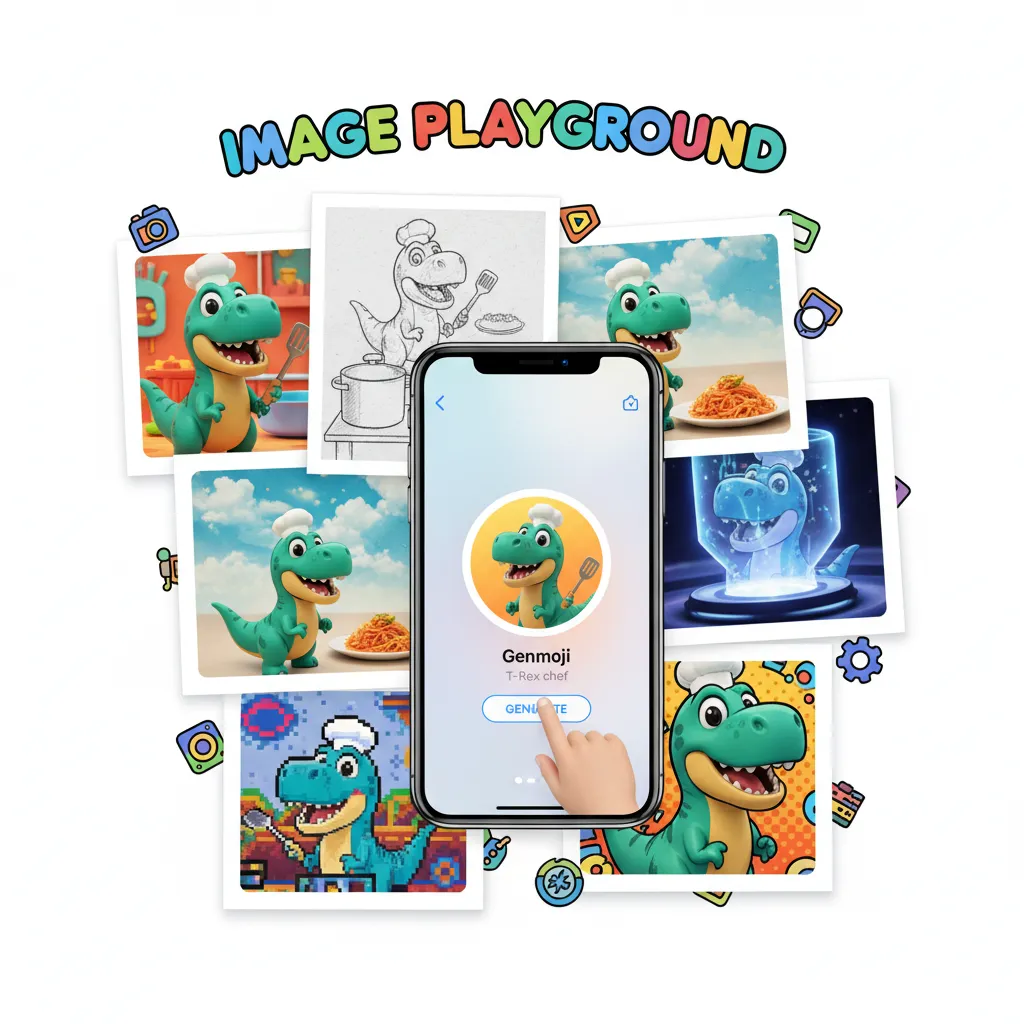
For more robust visual creation, Image Playground Apple provides a dedicated and integrated tool for generating images. It’s available in apps like Messages, Notes, and Freeform, allowing users to quickly create three distinct styles: Animation, Illustration, and Sketch.
Unlike complex, standalone generative art apps, Image Playground is designed for speed and relevance.
- Contextual Input: In Messages, Image Playground can suggest prompts based on the conversation you are having.
- On-Device Generation: Many simpler generations are handled entirely on-device AI, ensuring lightning-fast results and maximum privacy.
This feature also powers AI photo editing iOS 18 advancements, such as “Clean Up,” which uses object recognition and generative fill to remove distracting items from the background of photos seamlessly, much like existing features in Google Photos, but now built directly into the Photos app ecosystem.
[Related: AI Content Creation: Master Generative AI for Digital Marketing]
Apple Intelligence Across the Ecosystem
Apple’s strength has always been its integrated ecosystem. Apple Intelligence is not limited to the iPhone; it is a unified experience across the new operating systems unveiled at the Apple Keynote 2024.
macOS Sequoia and iPadOS 18
The core Apple Intelligence features—AI Writing Tools, Genmoji, and the updated Siri—are fully functional in macOS Sequoia and iPadOS 18. This unified experience means that whether you are drafting a professional document on your MacBook Pro or summarizing lecture notes on your iPad Pro, the same powerful AI capabilities are available via the same intuitive interface.
Furthermore, features specific to these platforms gain AI enhancements:
- Notes App: On iPad and Mac, the Notes app can automatically transcribe and summarize audio recordings.
- Mail App: Email summaries, smart replies, and suggested actions are available across all platforms, streamlining workflows for professionals and students alike.
System Customization and Control in iOS 18
While not strictly an AI feature, iOS 18 customization received significant updates that complement the new Intelligence layer. The ability to freely place app icons, change their tint, and completely redesign the Control Center speaks to a philosophy of hyper-personalization—a perfect parallel to the personalization offered by Apple Intelligence. By giving users control over both the look and the intelligent function of their devices, Apple solidifies the sense that the device is truly theirs.
The AI Future of visionOS 2
Though the initial deployment of Apple Intelligence focuses on iPhone, iPad, and Mac, the foundation laid by PCC and the contextual model will inevitably extend into visionOS 2. Imagine a future where the Vision Pro’s virtual environment can use contextual awareness to pull up highly relevant information or tools based on the environment you are simulating or the task you are performing in spatial computing. The future of the Apple ecosystem AI is inherently spatial.
Privacy Deep Dive: Understanding Private Cloud Compute (PCC)
The conversation about Apple Intelligence cannot be complete without dedicating significant space to Private Cloud Compute (PCC), as this technology is what distinguishes Apple’s approach from rivals like Microsoft’s Copilot+ PCs or Google’s Gemini-powered devices.
Why PCC Matters: The Trust Barrier
For many years, consumers have been hesitant to embrace cloud-based AI due to legitimate fears about data logging, retention, and third-party access. Apple recognized that the complex, high-performance requests that define the best AI experiences (like detailed image generation or deep cross-application contextual queries) require more power than an iPhone 15 Pro can provide on its own.
PCC solves this by creating an almost untouchable environment for transient processing.
Key Technical Safeguards of PCC:
- Ephemeral Data: Data sent to the PCC server is not logged or stored permanently. The server processes the request and immediately discards the information.
- Cryptographic Attestation: Every time a user’s device prepares to send a request to a PCC server, the device uses cryptographic keys to verify the exact software running on the server. If the code deviates even slightly from the public, verifiable, transparent software provided by Apple, the request is halted. This verification process ensures that malicious code or backdoors cannot be inserted onto the processing hardware.
- Third-Party Auditing: Apple has committed to making the code running on PCC servers publicly auditable by independent security researchers, setting a new standard for cloud transparency.
This robust security framework means that when your iPhone needs to use its superior cloud AI model, you can trust that your personal information—the core of the contextual awareness AI—remains protected. This is the lynchpin of the entire Apple Intelligence compatibility story, as trust is non-negotiable for a deeply personal AI.
[Related: Copilot+ PCs: Your Ultimate Guide to AI Laptops with Snapdragon X Elite]
Availability and Compatibility: Getting Your Hands on Apple Intelligence
The arrival of iOS 18 brings with it the most anticipated question: Will my device support it? The answer is nuanced, as many features are standard iOS 18 features, but the powerful Apple Intelligence features have specific hardware requirements.
Which Devices Support Apple Intelligence?
While iOS 18 supported devices stretch back to the iPhone Xs/Xr, the true AI capabilities are far more restrictive due to the need for advanced Neural Engine processing and system memory (RAM).
The initial rollout of full Apple Intelligence features will only be available on devices equipped with the A17 Pro chip or the M-series family of chips.
| Device Category | Operating System | Apple Intelligence Compatibility | Rationale |
|---|---|---|---|
| iPhone | iOS 18 | iPhone 15 Pro and iPhone 15 Pro Max (A17 Pro required) | Neural Engine performance for on-device models. |
| iPad | iPadOS 18 | All iPads with M1 chip or newer (e.g., iPad Air 5th Gen, iPad Pro 3rd Gen) | M-series chip requirements for power efficiency and performance. |
| Mac | macOS Sequoia | All Macs with M1 chip or newer | M-series chips are essential for running large diffusion and generative models efficiently. |
| Older iPhones | iOS 18 | No Apple Intelligence features | Supports standard iOS 18 changes (customization, messaging), but not AI. |
This requirement means that only a select group of users will benefit from the iPhone AI update initially, underlining the intensity of the processing required for truly powerful on-device AI and Private Cloud Compute connectivity.
When Can I Get It? Beta and Stable Release Timeline
The typical Apple software release cycle was confirmed for iOS 18 and its related operating systems, which also dictates the Apple Intelligence release date.
- Developer Beta: Released immediately after WWDC 2024 (June). This is primarily for app developers and highly technical users testing compatibility and new APIs.
- Public Beta: Typically released in July. This allows a broader audience to try out how to get iOS 18 beta and experience the new features firsthand, helping Apple squash bugs before the final release.
- Stable Public Release (General Availability): The official launch usually coincides with the release of new iPhone hardware, typically in September or early October. This is when the finalized version of iOS 18 becomes available to all compatible users globally.
The Apple Intelligence compatibility with the public release will be phased. Apple has indicated that some advanced features may roll out incrementally or be refined throughout the lifecycle of iOS 18 and macOS Sequoia, ensuring stability and performance.
[Related: Google I/O 2024: The Biggest AI Announcements You Missed]
The Future Landscape: Apple Intelligence vs. The Competition
The launch of Apple Intelligence is a direct response to, and a unique counterpoint against, the AI strategies of Google, Microsoft, and OpenAI. Where others prioritize raw power and universal models, Apple prioritizes privacy and deep personalization.
Personalization Over Generalization
Apple’s focus on contextual awareness AI allows it to bypass the need for enormous, generalized models for every task. By using metadata about your life—your calendar events, who you talk to, and what you’ve recently done—Apple Intelligence can generate highly accurate and specific responses without requiring gigabytes of data to be transmitted to the cloud. This personalized knowledge is what makes asking Siri to “pull up that recipe Sam sent me last week” possible.
The New Standard of AI Trust
PCC sets a new benchmark for trust in consumer AI. As detailed earlier, by verifying that cloud servers are running only transparent, temporary code, Apple shifts the competitive battlefield from what the AI can do to how safely it can do it. In an era increasingly sensitive to digital privacy, this strategic move provides a powerful differentiator against competitors who rely on more traditional, closed cloud infrastructures.
The integration of ChatGPT, while seemingly contradictory to the focus on privacy, is a necessary compromise to ensure Apple Intelligence remains competitive on creative generation and general world knowledge tasks, where OpenAI still holds a substantial lead. The key, however, remains user consent and the fundamental protection offered by PCC for all native tasks.
Conclusion: A New Era of Personal Computing
The announcement of Apple Intelligence alongside iOS 18 at WWDC 2024 marks the beginning of a profound transformation in personal computing. This new layer of AI is designed not just to automate tasks, but to anticipate needs, elevate creativity through tools like Genmoji and Image Playground Apple, and fundamentally make the entire Apple ecosystem AI more intelligent and intuitive.
From the revamped, conversationally aware next generation Siri to the robust security measures of Private Cloud Compute, Apple has delivered a vision of artificial intelligence that is powerful, deeply integrated, and, critically, fundamentally private.
If you own an iPhone 15 Pro, M1 iPad, or M1 Mac or newer, you are positioned to experience this revolution in full. The iPhone AI update is coming, and it promises to redefine your relationship with your device. Get ready to experience true contextual awareness AI in your daily life when the final release of iOS 18 arrives this fall.
[Related: WWDC 2024 AI Predictions: How Apple Intelligence Will Shift the Landscape]
FAQs: Answering Your Top Questions About Apple Intelligence
Q1. What is Apple Intelligence?
Apple Intelligence is the official term for Apple’s generative AI system, deeply integrated into iOS 18, iPadOS 18, and macOS Sequoia. It leverages large language models (LLMs) and diffusion models to provide personalized, private, and contextually aware features across the Apple ecosystem AI, focusing on writing, imagery, and a dramatically improved Siri.
Q2. Is Apple Intelligence available on my older iPhone?
No. Full Apple Intelligence compatibility requires the robust processing power of the A17 Pro chip (iPhone 15 Pro and later) or an M-series chip (M1 and later on Mac/iPad). Older devices running iOS 18 will still receive standard OS updates (like customization features) but will lack the deep generative Apple AI features.
Q3. How does Private Cloud Compute (PCC) ensure my privacy?
Private Cloud Compute (PCC) is Apple’s cloud infrastructure for handling complex AI requests that exceed on-device AI capabilities. It ensures privacy through cryptographic attestation, meaning your device mathematically verifies that the remote server is running only clean, non-logging, transparent code before sending data. The data processed is ephemeral and cannot be stored by Apple.
Q4. Do I need to pay for the ChatGPT integration in Siri?
No. Access to ChatGPT via Siri in iOS 18 is free for all users. The integration utilizes the basic GPT-4o model for general knowledge and creative requests when Apple’s native models aren’t sufficient. Users will be asked permission before any query is routed to ChatGPT.
Q5. What exactly are Genmoji and Image Playground Apple?
Genmoji is a feature that allows users to create custom, unique emojis instantly based on text descriptions (e.g., “a grumpy unicorn riding a bicycle”). Image Playground Apple is a system-wide tool for fast, fun image generation in three styles (Illustration, Animation, Sketch), primarily used in communication and note-taking apps. Both are powered by generative Apple Intelligence.
Q6. Will the new AI Writing Tools work with third-party apps?
Yes. The AI Writing Tools (Rewrite, Proofread, Summarize) are integrated as system-level functions. Just like copy and paste, they are designed to be accessible through the standard text selection menu in virtually any application that utilizes Apple’s standard text input frameworks, including third-party email clients and note-taking apps.
Q7. What is the official Apple Intelligence release date?
The official stable Apple Intelligence release date will coincide with the general public release of iOS 18, iPadOS 18, and macOS Sequoia, which is typically in September or early October following the annual iPhone hardware launch. Public betas are usually available starting in July.
Q8. What does ‘contextual awareness AI’ mean in practice?
Contextual awareness AI means Apple Intelligence understands not just your direct command, but the surrounding details of your life—what’s on your screen, your location, and recent conversations. For example, if your partner texts you a new restaurant address, you can ask Siri, “When can I make a reservation there this weekend?” without ever needing to verbally repeat the restaurant name or location. The AI pulls the necessary context from the conversation thread.
[Related: What is GPT-4o? OpenAI’s New Free AI Model Explained]