Apple Intelligence: Top AI Features & Complete Guide
Introduction: Decoding the Personal Intelligence System
The world of technology shifts rapidly, and few announcements have generated as much buzz as the introduction of Apple Intelligence at WWDC 2024. This isn’t just a simple feature set; it’s an ambitious overhaul of how we interact with our most personal devices. Apple’s approach to Apple AI is fundamentally different from its competitors, prioritizing a deeply integrated, highly secure, and uniquely personal experience—coining it the personal intelligence system.
For years, we’ve relied on our iPhones, iPads, and Macs to store our lives: photos, messages, emails, and appointments. The goal of Apple Intelligence is to leverage all that latent personal data to make every interaction faster, more intuitive, and contextually relevant, all while upholding the company’s stringent privacy standards. This deep integration defines the iOS 18 AI features and extends seamlessly into iPadOS 18 AI and macOS Sequoia AI.
In this comprehensive guide, we will dive deep into what is Apple Intelligence, exploring its groundbreaking features like the reinvented Siri, the practical AI writing tools, the creative power of Genmoji and Image Playground Apple, and the crucial technological framework of Private Cloud Compute. If you’re wondering which Apple Intelligence supported devices will benefit or how the integration of ChatGPT on iPhone works, this is the essential reading you need.
[Related: Apple Intelligence Guide iOS 18 New AI Features]
The Foundation: On-Device Processing and Contextual Awareness
Before exploring the individual features, it’s vital to understand the technological backbone. Apple Intelligence is not a monolithic cloud service; it is primarily built on on-device AI. This means the most frequent, private, and simple tasks—like organizing photos, drafting quick emails, or understanding your immediate context—are processed right on your device, ensuring maximum speed and Apple Intelligence privacy.
This on-device processing is powered by custom silicon—specifically the A17 Pro chip (in the iPhone 15 Pro and later) and the M-series chips (in modern Macs and iPads). This hardware prerequisite is why Apple Intelligence supported devices are limited to newer models.
Semantic Indexing: The Secret to Contextual Awareness AI
One of the most powerful, yet least-discussed, components of this new system is semantic indexing AI. Think of your device creating a massive, searchable knowledge graph of your entire digital life—emails, files, notes, transcripts, and photos.
Contextual awareness AI is the practical result of this indexing. Instead of Siri just retrieving a calendar entry, it now understands the relationship between that entry, the recent messages you exchanged about it, and the file you drafted for the meeting.
Example: You can ask Siri, “Show me the PDF John sent me last week about the hyperloop project.” Siri doesn’t just search file names; it cross-references “John” (a contact), “last week” (time context), and the topic of the file (hyperloop project, derived from content and message context). This capability elevates the system from a simple retriever to a true personal intelligence system.
Feature Spotlight: The Reinvention of Siri
The most visible and long-awaited upgrade in iOS 18 AI features is the transformation of Siri. The Siri update fundamentally changes the way Apple’s assistant works, moving it beyond simple command recognition into the realm of a truly intelligent, context-aware assistant—the next generation AI assistant.
New Siri Features: Conversational and Screen-Aware
The new Siri features are designed to feel less like talking to a digital automaton and more like conversing with a helpful colleague.
- Natural Conversation: Siri can now maintain context across multiple turns in a conversation. If you ask about the weather in London and then immediately ask, “What about tomorrow morning?”, Siri remembers the location you specified previously.
- System-Wide Awareness: Siri can now operate on top of the running application. This contextual awareness AI means you can ask Siri to “add this photo to my vacation album” while viewing the photo, or “copy the address on the screen and paste it into a new note.” This level of screen interaction is a game-changer for workflow efficiency.
- Type to Siri: Recognizing that sometimes verbal commands are impractical, users can now type commands directly to Siri. This integration ensures the power of the new assistant is always accessible, regardless of environment.
/image-placeholder-start
 /image-placeholder-end
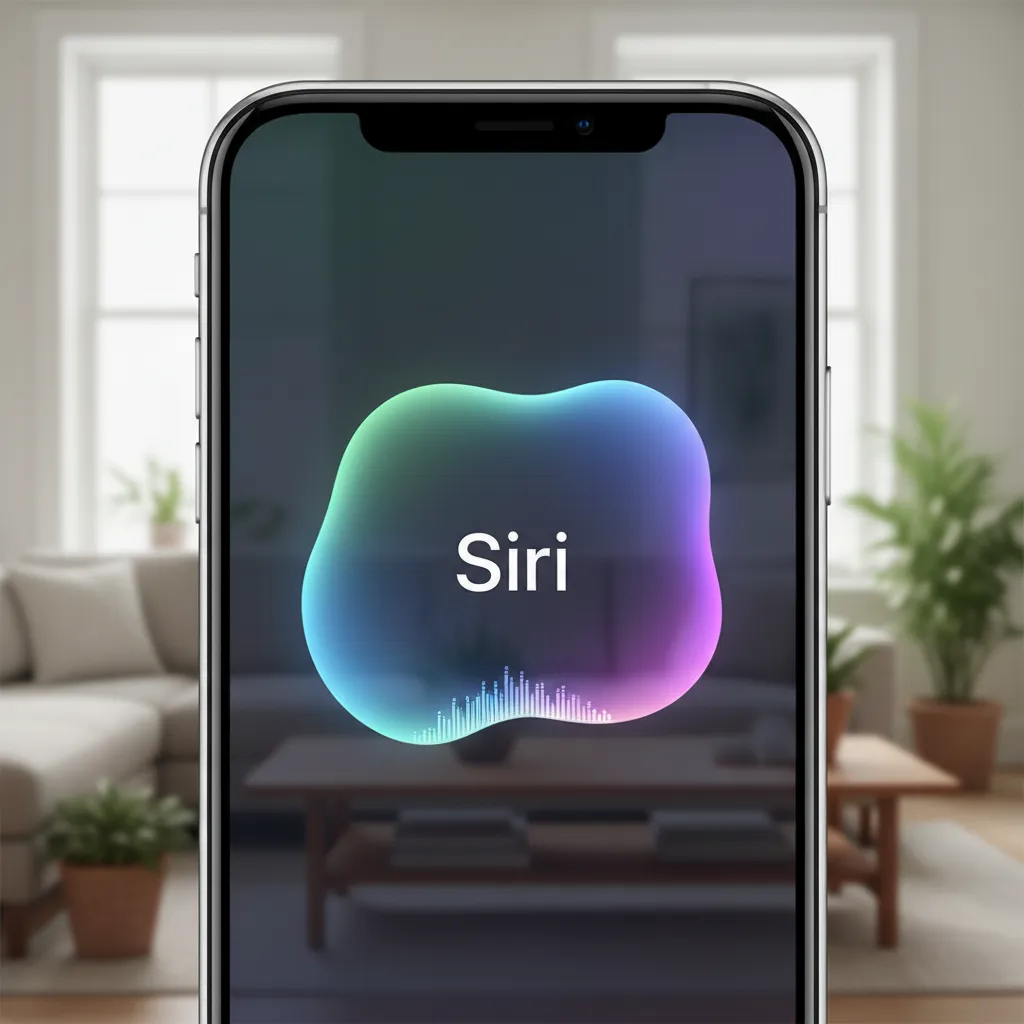
The new visual design, featuring a subtle, glowing edge around the screen when activated, reinforces the idea that Siri is deeply integrated and ready to assist system-wide.
The Power of AI Writing Tools Across the Ecosystem
For productivity users, the new AI writing tools represent one of the biggest leaps forward. Integrated across core applications like Mail, Notes, Pages, and third-party apps, these features drastically improve drafting, refining, and proofreading content.
The Writing Tools Suite
Apple Intelligence introduces three core writing functions, all based on generative AI models refined for concise, professional, and personal communication:
1. Rewrite
This tool is invaluable when you need to change the tone or structure of text. Whether you need to make a casual text message sound formal for an email to a client, or simplify a complex paragraph into bullet points, the AI writing tools can handle the transformation instantly. You can select different suggested tones, such as professional, friendly, or concise.
2. Proofread
Beyond basic spell-checking, the proofreading function uses deep language models to analyze grammar, word choice, and overall sentence structure. It suggests corrections that enhance clarity and flow, ensuring your communication is polished and professional.
3. Summarize
In a world saturated with information, the ability to quickly grasp the core of long text is crucial. The summarize function works across emails, web pages, and even lengthy transcriptions in the Voice Memos app. It provides a concise, accurate summary, saving significant time.
/image-placeholder-start
 /image-placeholder-end
This suite of Apple generative AI features is designed to augment human creation, ensuring that the final output still feels inherently personal while being grammatically flawless.
[Related: Navigating Future Imperative Ethical AI Smart World]
Creative Capabilities: Image Playground and Genmoji
Apple Intelligence isn’t just about productivity; it’s also about unleashing creativity. The new creative features, Image Playground Apple and Genmoji, integrate sophisticated generative AI models directly into the messaging experience, making communication more expressive and fun.
Image Playground: Instant Image Generation
Image Playground Apple allows users to create images from scratch using text prompts, all directly on the device. It focuses on playful, quick creations rather than complex artistic renderings, perfectly suited for messaging and notes.
Key aspects of Image Playground:
- Styles: Users can choose from three distinct styles: Animation, Illustration, and Sketch.
- Speed: Generation is remarkably fast, leveraging the efficiency of on-device processing.
- Integration: It’s seamlessly available within apps like Messages, Notes, and Freeform.
Genmoji: Your Custom Emojis
Genmoji takes the concept of emojis to a personal level. Users can type a description—for instance, “a cartoon beaver wearing a chef’s hat and juggling pizza”—and the system instantly generates a custom image styled as an emoji. These creations are treated just like standard emojis, usable inline in conversations, adding a unique flare to the messaging experience.
/image-placeholder-start
 /image-placeholder-end
AI Photo Editing iOS 18: Cleaning Up the Clutter
Beyond these fun generative tools, the Photos app receives a powerful upgrade with AI photo editing iOS 18 features. The new “Clean Up” tool is reminiscent of Magic Eraser on competing platforms, allowing users to effortlessly select and remove distracting objects or people from the background of a photograph. The AI fills the gap intelligently, resulting in a cleaner, more professional final image.
Privacy Redefined: Private Cloud Compute
In the fierce competition between Apple vs Google AI and other large language models (LLMs), privacy is Apple’s defining battleground. The company understands that to build a true personal intelligence system, users must trust that their most private data remains secure. This led to the creation of Private Cloud Compute (PCC).
What is Private Cloud Compute (PCC)?
PCC is Apple’s innovative solution for handling requests that are too complex for the on-device model but still require access to personal context.
Instead of sending your personal data to a generic cloud server, PCC utilizes dedicated, custom-built Apple silicon servers. When a complex request (e.g., “Summarize all the emails about the vacation trip from last month and draft a packing list based on them”) is made:
- On-Device Assessment: The device determines if it needs more computational power.
- Encrypted Dispatch: If necessary, the device sends a small, encrypted portion of the necessary data (the model, not the raw data) to a PCC server.
- Ephemeral Processing: The PCC server runs the model, processes the request, and immediately deletes the data after the computation is complete.
- Auditable Security: Apple has stated that the software stack running on PCC servers is cryptographically verifiable, meaning independent security researchers can confirm that the servers only run the approved code designed to protect user privacy and do not log the data.
/image-placeholder-start
 /image-placeholder-end
This architecture is the core differentiator of Apple Intelligence privacy. It offers the power of a large server-based model without sacrificing the fundamental security promise that Apple has built its brand on. Private Cloud Compute is the essential bridge that allows the Apple generative AI models to scale their complexity while remaining trustworthy.
[Related: Sustainable AI Eco-Friendly Innovation Greener Digital Future]
The Strategic Alliance: ChatGPT on iPhone and Siri Integration
Perhaps the most surprising aspect of the Apple AI integration was the partnership with OpenAI. Recognizing the current state-of-the-art in large language model capabilities, Apple made a pragmatic decision to integrate OpenAI’s flagship model, ChatGPT, as an optional fallback for highly complex, general knowledge requests.
Siri ChatGPT Integration: Opt-in and Transparent
The integration of Siri ChatGPT is handled with the utmost transparency and user control:
- Automatic Routing: If Siri determines a user query is best answered by a highly capable general-purpose LLM (like asking for ideas for a complex birthday poem or deep historical research), it will ask the user for permission to route the request to ChatGPT.
- Consent is Key: The user must explicitly confirm before the query is sent.
- Privacy Protocol: Apple ensures that IP addresses are obfuscated, and OpenAI does not store the user’s requests. If the user has a paid ChatGPT account, they can connect it for enhanced capabilities.
This means users get the best of both worlds: highly personal, context-aware assistance from the proprietary Apple Intelligence models, and access to world-class general knowledge when needed via the industry-leading LLM. This ChatGPT on iPhone feature is poised to significantly expand Siri’s utility.
[Related: What is GPT-4o OpenAI’s New AI Model Explained]
Availability and Ecosystem Requirements
When will users get access to these incredible features, and perhaps more importantly, which devices are capable of running the demanding Apple Intelligence models?
The iOS 18 Release Date and Feature Rollout
While the official iOS 18 release date is typically scheduled for September (alongside new iPhone launches), the Apple Intelligence features will be rolled out strategically:
- Initial Beta: Access typically begins shortly after WWDC (June) for developers, followed by public beta testing (July/August).
- Full Launch: The core OS update (iOS 18, iPadOS 18, macOS Sequoia) arrives in the fall.
- Apple Intelligence Rollout: Apple has indicated that some of the more advanced features of Apple Intelligence will debut in a limited capacity in the fall and continue rolling out throughout 2025. Initially, some features may only be available in US English.
Apple Intelligence Supported Devices: The Chip Barrier
The computational demands of running sophisticated on-device AI require a powerful Neural Engine. This requirement creates a hard cutoff for Apple Intelligence supported devices:
| Device Category | Required Chipset | Devices (Examples) |
|---|---|---|
| iPhone | A17 Pro or later | iPhone 15 Pro, iPhone 15 Pro Max (and all future Pro models) |
| iPad | M1 or later | iPad Pro (M1, M2, M4), iPad Air (M1, M2) |
| Mac | M1 or later | MacBook Air, MacBook Pro, iMac, Mac Studio, Mac mini (all M-series generations) |
This limitation is crucial for users to understand. If you own an iPhone 15, iPhone 14, or older models, you will get the core OS update (iOS 18), but you will not have access to the deep learning and Apple generative AI features that define Apple Intelligence.
Is Apple Intelligence Free?
Yes, Apple confirmed that is Apple Intelligence free for all users who own a compatible device. There is no subscription fee to access the core set of features, including the new Siri, writing tools, and Image Playground. The only potential cost would be related to using a paid ChatGPT subscription through the integration, but the standard integration is available for free.
Diving Deeper: Practical Examples of Apple Intelligence in Action
To truly appreciate the scope of this personal intelligence system, consider how Apple AI integration will change day-to-day interactions across different apps:
Mail and Notifications
- Priority Filtering: Mail now uses contextual awareness AI to elevate truly important messages (e.g., “The email from the dentist about your urgent appointment”) while stacking less critical messages (e.g., newsletters) into a secondary category.
- Smart Replies: The system can analyze the content of an email and suggest concise, complete responses based on the context, often pulling information directly from your calendar or contact list.
Notes and Voice Memos
- Audio Transcription and Summary: For students or professionals, this is a massive gain. You can record a meeting or lecture, and Apple Intelligence will not only provide a perfect transcription but also automatically generate a summarized list of action items or key takeaways.
- Image Wand: This feature in the Notes app lets you circle a rough sketch and instantly transform it into a refined, high-quality image, perfect for drafting concepts.
Focus Modes and Interruptions
Focus modes become vastly more intelligent. Instead of simply blocking notifications, the system uses its contextual awareness AI to determine if a notification is truly time-sensitive.
Example: If you are in “Focus Mode: Work” and a family member sends an iMessage saying, “Urgent: Need the garage code now,” the system understands the urgency and familial relationship, allowing the notification through, while still blocking non-urgent spam.
Apple vs. The Competition: Why Personal is the New Standard
The landscape of modern AI is defined by massive cloud LLMs from Google, Microsoft, and OpenAI. The key differentiator for Apple in the Apple vs Google AI debate is the focus on privacy and personalization.
Google and others offer incredible breadth—vast knowledge and access to the entire web. Apple’s competitive edge is depth. By indexing the user’s private data securely, Apple Intelligence can answer questions no general LLM can:
- “When did my daughter get accepted to college, and where did she send the photo of the acceptance letter?”
- “Pull up the podcast episode I was listening to last Tuesday while I was driving to the gym.”
This is not a competition over who has the bigger model, but who can make the model more intimately relevant to the individual user. The tight integration of hardware, OS, and on-device AI models allows Apple to deliver this highly targeted personal intelligence system with unparalleled speed and security.
[Related: AI in Gaming Revolutionizing Worlds Players and Development]
Conclusion: The Dawn of the Next Generation AI Assistant
Apple Intelligence marks a watershed moment, not just for Apple, but for the trajectory of consumer technology. It’s an acknowledgment that the most powerful AI is the one that knows you best, yet respects your privacy above all else.
From the conversational, screen-aware new Siri features to the robust AI writing tools and the creative fun of Genmoji, these iOS 18 AI features promise to simplify daily tasks and open new avenues for creative expression. The groundbreaking Private Cloud Compute architecture ensures that even when the complexity of a task requires cloud processing, the sacred trust of user data remains intact.
As the iOS 18 release date approaches and these features roll out across Apple Intelligence supported devices—the iPhones with A17 Pro and Macs/iPads with M-series chips—we are looking at a future where our devices are not just tools, but deeply integrated, highly knowledgeable assistants. If you want to experience the future of computing, it’s time to start exploring how this personalized Apple AI integration will transform your digital life.
FAQs
Q1. What is Apple Intelligence?
Apple Intelligence is the personal intelligence system announced by Apple at WWDC 2024. It is an integrated suite of Apple generative AI models designed to enhance writing, simplify daily tasks, improve image creation, and deeply integrate with the user’s personal context across iOS 18, iPadOS 18, and macOS Sequoia, prioritizing on-device AI and privacy.
Q2. How does Private Cloud Compute protect my privacy?
Private Cloud Compute (PCC) is Apple’s proprietary server-based system for handling complex Apple Intelligence requests. It utilizes custom Apple silicon and software that is cryptographically auditable, ensuring that personal data sent to the cloud for processing is not stored, logged, or made accessible to Apple or third parties. It is a secure, ephemeral processing environment designed to maintain Apple Intelligence privacy.
Q3. Which devices support Apple Intelligence?
The primary requirement for Apple Intelligence supported devices is the presence of a powerful Neural Engine. This limits compatibility to iPhone 15 Pro and iPhone 15 Pro Max (with the A17 Pro chip), and all Macs and iPads equipped with the M1 chip or later. Older devices, while receiving the iOS 18 update, will not have access to these advanced iPhone AI features.
Q4. Can I use ChatGPT directly within Siri?
Yes. The Siri ChatGPT integration allows the next generation AI assistant to automatically route complex, general knowledge queries to OpenAI’s ChatGPT, but only after explicitly asking the user for permission. This feature is opt-in, and while you don’t need a paid account, you can link your existing ChatGPT account for enhanced capabilities.
Q5. What are Genmoji and Image Playground Apple?
Genmoji are custom emojis generated instantly based on a user’s text prompt (e.g., “a grumpy cat wearing sunglasses”). Image Playground Apple is a tool for quickly generating playful images in three styles (Animation, Illustration, Sketch) from a text prompt. Both are Apple generative AI features designed to enhance communication in apps like Messages and Notes.
Q6. Is Apple Intelligence launching immediately with the iOS 18 release date?
No, while the core iOS 18 release date is anticipated for the fall, Apple has stated that Apple Intelligence features will begin rolling out in beta in the fall and continue being deployed throughout 2025. Some features, particularly those relying on the most complex Apple AI integration, may initially only be available in U.S. English.
Q7. How do the AI writing tools work?
The AI writing tools are a suite of features (Rewrite, Proofread, Summarize) integrated across text fields in the operating system. They leverage on-device AI and, occasionally, Private Cloud Compute to analyze and modify text based on user commands, allowing users to change the tone, correct grammar flawlessly, or summarize long emails or documents quickly.