Apple Intelligence: Top AI Features Coming to iOS 18
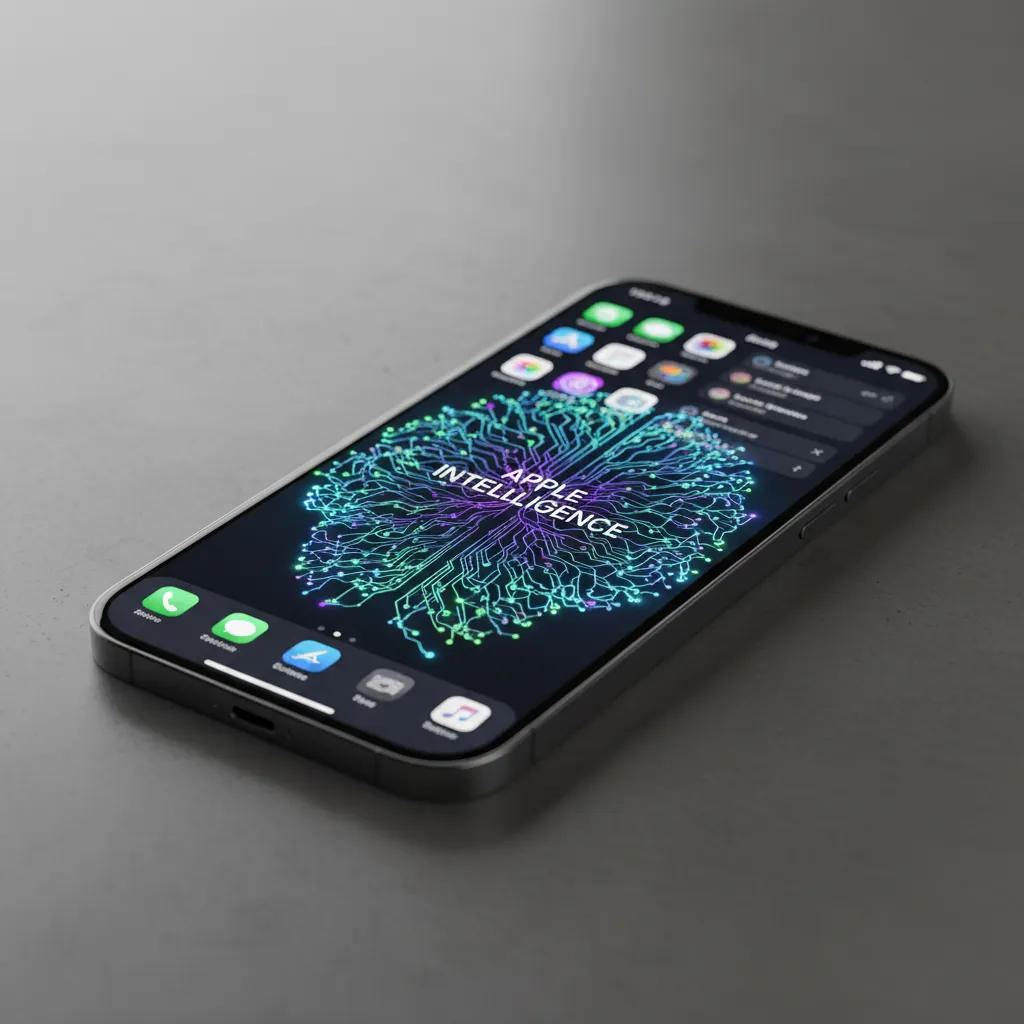
Introduction: The Dawn of Personalized Intelligence
Every major technology shift is defined by a new interaction paradigm. For the smartphone era, it was the multi-touch screen. For the current computing generation, it is Artificial Intelligence. At WWDC 2024, Apple officially stepped into the generative AI arena, not with a standalone chatbot, but with a deeply integrated system designed to understand and assist the user on a profound, personal level. This system is called Apple Intelligence.
More than just a set of new features, Apple Intelligence is a philosophical overhaul of how iOS, iPadOS, and macOS operate. It leverages large generative models, both on-device and via secure private servers, to provide powerful, context-aware actions. The core goal is to make your devices genuinely helpful by knowing you—your calendar, your messages, your emails, and your needs—without compromising the privacy Apple is known for.
For users anticipating iOS 18 AI features, the announcement delivered a massive upgrade to foundational apps and functions. From transforming Siri into a proactive partner to offering cutting-edge generative tools, Apple Intelligence is set to redefine the user experience. This comprehensive guide will break down the crucial WWDC 2024 announcements, explain what is Apple Intelligence, and detail the top features that will change how you use your iPhone and other Apple devices.
The Foundation: What is Apple Intelligence?
Before diving into the dazzling features, it’s critical to understand the architecture that powers this revolution. Apple Intelligence explained is essentially a multilayered system designed for high performance and high privacy. It utilizes a combination of small, optimized generative models running locally on your device and larger, secure server models when more complexity is required.
The Power of On-Device Processing
The philosophy of on-device AI processing is central to Apple’s approach. By running the core models directly on the iPhone, tasks are performed quickly, efficiently, and most importantly, privately. This is achieved through the powerful Neural Engine embedded in Apple’s Silicon chips.
This local processing allows Apple Intelligence to grasp your “personal context AI.” It reads your messages, organizes your emails, scans your photos, and learns your habits, all without sending that highly sensitive data to the cloud. This deep, private understanding is what allows the system to offer truly relevant assistance—a task far beyond simple search queries.
Semantic Indexing: The Key to Context
To achieve this level of context-awareness, Apple has introduced semantic indexing Apple. This is not just a standard index of your files, but a deep, meaningful map of your data. It understands the relationships between information.
For example, if you ask Siri, “When is the soccer game my wife mentioned last week?” the semantic index doesn’t just search for “soccer” and “wife” in messages. It understands that:
- Your wife sent a message about a specific event.
- That event is a soccer game.
- The date and time are attached to that conversational thread.
This powerful, personalized understanding fuels nearly every feature in the iOS 18 AI features lineup, turning fragmented data into actionable knowledge.
The Dual-Layer Architecture: Private Cloud Compute (PCC)
When an AI task is too complex for the on-device model—perhaps requiring massive computational power for a complex image generation or a highly detailed summary—Apple employs Private Cloud Compute (PCC).
Apple understands the immediate distrust users have when sensitive data leaves the device. The PCC architecture is designed to maintain user privacy Apple AI even in the cloud:
- Ephemeral Servers: The requests are sent to servers running Apple Silicon. Crucially, these servers operate on ephemeral (temporary) memory, meaning the data is immediately wiped upon completion of the request.
- No Logging or Storage: Apple guarantees that requests are never logged or stored. The server only exists to process the task, not to retain the personal context data it receives.
- Verifiable Security: The system architecture is designed to be publicly verifiable by security experts, ensuring that Apple cannot access the data, even if compelled by law enforcement.
This commitment to privacy is perhaps the strongest differentiator in the battle of Apple vs Google AI and other competitors, which often rely on user data for model training and improvement.
A Smarter, Reimagined Siri: The Context-Aware Assistant
The most visible change brought by Apple Intelligence is the complete overhaul of Siri. Once prone to frustratingly simple errors and rigid commands, the new Siri features position it as a truly capable, context-aware AI assistant. This is arguably the most transformative aspect of the Siri update 2024.
Siri’s Visual Upgrade and Natural Dialogue
First, the user interface is changing. The familiar colored orb now flows cleanly around the screen’s edges, signifying its deeper integration. More importantly, Siri can now handle complex, overlapping language and corrections. If you misphrase a request, you don’t need to start over; Siri remembers the context of the previous turn and allows for natural conversational adjustments.
Understanding the Screen: Screen Awareness
One of the major breakthroughs is Siri’s new ability to see and understand what is happening on your screen. This feature fundamentally changes how to use Apple Intelligence for everyday tasks:
- App Actions: If you receive a text message from a friend detailing their new address, you can swipe up the chat and tell Siri, “Add this address to their contact card.” Siri will automatically identify the address and perform the multi-step action across apps.
- Photo Tasks: While viewing a photo, you can ask, “Send this to my brother,” and Siri will immediately recognize the photo and initiate a message with the correct attachment, even if you don’t explicitly share or copy the image first.
This context-aware AI removes several steps from common workflows, making interactions seamless and intuitive.
Siri OpenAI Integration: ChatGPT on iPhone
For tasks requiring world knowledge or expansive generative capabilities, Apple has partnered with OpenAI to integrate the power of ChatGPT directly into the Apple ecosystem. This is a crucial element of the Apple AI integration.
When a user asks Siri a question that requires external, large model computation—a task Siri’s on-device models can’t handle—Siri will proactively ask for permission to send the request to ChatGPT.
- Transparent Access: The user is always asked for explicit permission before any data leaves the Apple ecosystem for OpenAI’s servers.
- Anonymity: Even when using ChatGPT through Siri, user requests and IP addresses are protected, and OpenAI does not store the requests to train its model unless the user explicitly connects their own paid ChatGPT account.
This seamless, opt-in connection provides the best of both worlds: Apple’s personalized, private context combined with ChatGPT’s vast general knowledge.
Elevating Communication with Writing Tools
The arrival of Writing Tools iOS 18 signals a significant step forward in making generative AI a daily utility rather than a novelty. These tools are baked directly into system-wide text fields across Mail, Notes, Pages, and third-party apps, making text creation and refinement instantly accessible.
The benefits of Apple Intelligence are perhaps most tangible here, especially for professionals and students looking to enhance their output quickly.
Rewrite, Proofread, and Summarize
- Rewrite: This function allows users to instantly generate different versions of the text they’ve written. Need to make a terse email sound more formal? Or a detailed report sound more conversational? Rewrite offers suggested tones and styles, saving massive editing time.
- Proofread: Going beyond standard spelling and grammar checks, the AI Proofread function assesses clarity, conciseness, and word choice, actively improving the quality and flow of the writing.
- Summarize: This feature is invaluable for handling information overload. Whether it’s summarizing a lengthy email chain, a full PDF document, or meeting notes, the AI can instantly distill the core points into a concise bulleted list or a short paragraph.
This integration of generative AI on iPhone fundamentally changes how people interact with text, turning the device into a powerful editorial assistant.
Generative Imagery and Expression: Genmoji and Image Playground
Apple Intelligence isn’t just about productivity; it’s about fun and expression. The WWDC 2024 announcements included two major features focusing on creative image generation, both designed to maintain Apple’s signature ease of use.
Creating Personalized Emojis with Genmoji
Imagine never being limited by the existing Unicode emoji catalog again. That is the promise of Genmoji. This feature allows users to describe an emoji they want, and Apple Intelligence instantly generates a custom image.
Users can create Genmoji based on concepts, people, or objects relevant to their conversation.
- Example: If you’re talking about a weekend camping trip, you could type “A happy bear wearing a tiny chef hat holding a marshmallow.” Genmoji will create a personalized image that can be dropped directly into an iMessage thread as a Sticker or emoji replacement.
This highly engaging feature capitalizes on the human desire for unique, personalized digital self-expression, making messaging feel richer and more dynamic.
The Artistic Side: Image Playground
For more complex and higher-fidelity image creation, there is Image Playground Apple. Integrated into apps like Messages, Notes, and Freeform, this tool allows users to generate images in three distinct styles:
- Animation: Cartoon-like, playful images.
- Illustration: Stylized, hand-drawn looks.
- Sketch: Black and white, artistic renderings.
Unlike some external AI image generators, Image Playground focuses on speed and simplicity. The generation happens in real-time, often on-device, allowing users to rapidly prototype concepts for quick inclusion in notes or chats. This feature makes sophisticated generative AI accessible to casual users who simply want to visualize an idea or enhance a message.
Photo and Video Capabilities Enhanced by AI
The Photos app has always been a key focus for Apple, and AI photo editing iPhone features are arriving with a focus on intelligent cleanup and automated memory creation.
The Clean Up Tool
The most highly anticipated generative editing feature is the new Clean Up tool. This functionality directly rivals similar features offered by Google Photos (like Magic Eraser).
The Clean Up tool allows users to select and remove distracting objects or people from the background of a photograph. The AI doesn’t just smudge the area; it intelligently reconstructs the background based on surrounding pixels, often delivering seamless and highly convincing results.
Memory Movies and Automatic Categorization
Apple Intelligence deeply integrates with the Memories feature in Photos. Instead of just grouping photos chronologically, the system can now:
- Identify Themes: The AI understands the context of events—a birthday, a specific holiday, or a trip—by cross-referencing locations, dates, and people mentioned in messages.
- Generate Narratives: Users can prompt the system with a phrase like, “Make a video of my recent trip to the mountains,” and the AI will select the best photos and videos, cut them together, and add a thematic musical score instantly, creating a “Memory Movie.”
This transformation moves the Photos app from a static archive into a dynamic, personalized storyteller.
Device Compatibility: Who Gets Apple Intelligence?
One of the most significant caveats from the WWDC presentation was the highly restrictive device compatibility list. This is the central concern for anyone asking, “Apple Intelligence supported devices?”
Due to the demanding nature of on-device AI processing and the need for a high-performance Neural Engine, Apple Intelligence features will initially only be available on devices running the A17 Pro chip or better, or devices with an M-series chip.
The Critical Role of the Neural Engine
The requirement is not arbitrary. Features like semantic indexing, real-time context-awareness for Siri, and fast image generation rely heavily on the dedicated machine learning cores of the Neural Engine.
| Device Type | Required Chip/Model | Feature Support |
|---|---|---|
| iPhone | iPhone 15 Pro, iPhone 15 Pro Max | Full Apple Intelligence |
| iPad | iPad Air (M1 or later), iPad Pro (M1 or later) | Full Apple Intelligence |
| Mac | All Macs with M1 chip or later | Full Apple Intelligence |
| Older iPhones | iPhone 15, iPhone 14, older models | iOS 18 base features only, NO Apple Intelligence |
The crucial takeaway is that while the majority of users will get the base iOS 18 beta features (like Home Screen customization and control center redesigns), only users with an AI for iPhone 15 Pro (and future models) will access the core generative AI functionality. This is a critical distinction that will likely drive upgrade cycles.
[Related: AI Career: Mastering the Future Job Market]
The Rollout: Release Schedule and Availability
Anticipation is high, but when can users expect to engage with these powerful new features? Understanding the Apple Intelligence release date involves differentiating between the operating system rollout and the AI feature rollout.
iOS 18 Beta Features and Initial Access
iOS 18 itself, including the redesigned Control Center, customizable Home Screen, and improved privacy controls, will follow the standard Apple release schedule:
- Developer Beta: Released immediately after WWDC (June).
- Public Beta: Typically released in July. This allows a wider audience to test the operating system.
- Official Stable Release: Expected in September 2024, coinciding with the launch of the new iPhone models.
Apple Intelligence Staggered Rollout
The core Apple Intelligence features—especially those requiring the Private Cloud Compute infrastructure—will be released differently:
- Late 2024 (Initial Launch): Apple Intelligence will debut as part of a significant software update (likely iOS 18.1 or iOS 18.2), but initially only in US English. The complex linguistic models and context required for deep integration mean non-English languages will follow later.
- 2025 (Expansion): Broader language support (Spanish, French, German, etc.) and potentially more advanced features will be rolled out throughout 2025.
This phased approach ensures stability and quality control for the globally launching features, meaning international users will have to wait longer to truly how to use Apple Intelligence to its full potential.
Apple Intelligence vs. the Competition: Privacy as the Differentiator
The current landscape is dominated by Google’s Gemini, Microsoft’s Copilot, and independent players like OpenAI’s ChatGPT. Apple is entering a mature market, but its approach is fundamentally different, focusing on one key value proposition: Trust.
The Personal Context Advantage
Google and Microsoft excel at general knowledge and wide-ranging web search integration. However, Apple Intelligence uses personal context AI to win in the highly personalized, on-device assistant category.
| Feature | Apple Intelligence | Google Gemini | Microsoft Copilot |
|---|---|---|---|
| Primary Focus | User personal context, privacy, system integration | World knowledge, web search, broad task completion | Enterprise integration (Office, Windows) |
| On-Device Core | Yes (A17 Pro/M-series only) | Yes (e.g., Pixel 8 Pro) | Limited on mobile, primarily cloud-based |
| Privacy Model | Private Cloud Compute (Verifiable, no logging) | Strong data retention policies, user agreements apply | Enterprise-level data protection, user agreements apply |
| Integration | Deeply baked into iOS/macOS system functions | Standalone app or integration into Android/Google apps | Windows 11 integration and Microsoft 365 |
Privacy and Trust: A Business Strategy
Apple is betting that, in an era of increasing data insecurity and model bias, users will gravitate toward a solution that promises utility without surveillance. By making the architecture behind Private Cloud Compute transparent, Apple aims to establish a new benchmark for data ethics in consumer AI. This strategy reinforces the core message of user privacy Apple AI and attempts to differentiate them from the “data hungry” models of their competitors.
[Related: Safeguarding Sanctuary: Smart Home Security and Privacy in the AI Era]
The Future of AI on Apple Devices
The initial iOS 18 AI features are just the beginning. Apple Intelligence is not a finished product but a framework designed to grow rapidly. The shift toward a “personal index” and a “screen-aware” Siri opens up enormous possibilities for the future of AI on Apple devices.
Enhanced Proactivity and Automation
The combination of the semantic index and enhanced Siri capability means future iterations will likely push the boundaries of proactive computing.
- Smarter Automation: Imagine an AI that notices you often listen to a specific playlist on Friday afternoons while commuting home. It could automatically suggest starting the playlist and navigating to your house when the work week ends, all based on silent observation of your context.
- Predictive Management: The system could analyze your inbox and calendar, automatically drafting concise replies to trivial emails or proactively blocking out “focus time” based on upcoming deadlines it identifies in your documents.
Cross-Platform Continuity
As the M-series chips become standard across all Apple platforms, the continuity between the iPhone, iPad, and Mac will be further deepened by AI. The benefits of Apple Intelligence will be felt globally across the ecosystem, where the personal context learned on your phone immediately transfers to your Mac without data synchronization through external servers.
This unified, intelligent ecosystem promises a level of personalization and assistance that other platforms, fragmented across operating systems and services, struggle to achieve.
Understanding the Details of Apple Intelligence
How is Apple Intelligence different from simply integrating ChatGPT?
Apple Intelligence is a unified system that operates on your local data for personalization and privacy first. The models running on-device AI processing handle 90% of your requests (summaries, context retrieval, writing tools). The optional Siri OpenAI integration is a fallback for general knowledge requests, handled with strict privacy protocols (anonymized requests, user permission required). It’s a localized, personalized brain with an optional connection to a powerful external library.
Is Apple Intelligence free?
Yes, is Apple Intelligence free? Apple has confirmed that all core Apple Intelligence features, including the new Siri and Writing Tools, will be available for free on eligible devices (iPhone 15 Pro/Pro Max and M-series devices). The optional integration with ChatGPT will also be free for users without a paid ChatGPT Plus subscription; users wishing to access their premium features will need to link their paid account.
Why is the A17 Pro chip required?
The minimum requirement of the A17 Pro chip (or M-series) is due to the computational demands of the generative AI models running locally. The specific performance and efficiency of the Neural Engine on these newer chips are necessary to run these models quickly and ensure your device doesn’t overheat or drain the battery excessively during on-device AI processing tasks like Image Playground generation or semantic indexing updates.
[Related: AI Tutors: Revolutionizing Personalized Education]
Conclusion: Apple’s Private Path to AI
Apple Intelligence marks a watershed moment for Apple and for the world of consumer technology. By focusing intently on user privacy Apple AI through the transparent and verifiable architecture of Private Cloud Compute, Apple is setting a new standard for how powerful generative models can be safely deployed into everyday devices.
The suite of iOS 18 AI features—from the highly intuitive new Siri features and practical Writing Tools iOS 18 to the delightful Genmoji and Image Playground Apple—doesn’t just add new functionality; it fundamentally changes the nature of the smartphone. Your iPhone is transitioning from a powerful tool to a genuine, proactive, and deeply personal assistant.
While the restricted device compatibility limits the initial audience to those with AI for iPhone 15 Pro and newer M-series hardware, this deliberate limitation guarantees a high-quality, high-performance experience. The future of AI on Apple devices is one where the technology understands you, anticipates your needs, and acts on your behalf, all while keeping your personal life strictly private. As the stable release approaches, prepare to experience a truly smarter iPhone—one that finally delivers on the decades-old promise of personalized artificial intelligence.
FAQs
Q1. What exactly is Apple Intelligence?
Apple Intelligence is the generative AI system integrated across iOS 18, iPadOS 18, and macOS Sequoia. It uses a combination of on-device processing (for personalization and speed) and the secure, verifiable Private Cloud Compute (PCC) for complex tasks, focusing heavily on understanding the user’s personal context AI.
Q2. Which Apple devices will support Apple Intelligence features?
The core generative features of Apple Intelligence require the A17 Pro chip (found in the iPhone 15 Pro and iPhone 15 Pro Max) or any M-series chip (M1, M2, M3, M4) found in newer iPad Airs, iPad Pros, and Mac models. Older iPhones, including the standard iPhone 15, will not support these features due to hardware limitations in the Neural Engine.
Q3. When will Apple Intelligence officially be released?
The Apple Intelligence release date is expected to be phased. While iOS 18 (the base OS) is set for a September 2024 launch, the AI features themselves will arrive in beta for US English users in late 2024. Full global and multi-language support is expected to roll out throughout 2025.
Q4. How does Apple ensure privacy with Private Cloud Compute?
Private Cloud Compute (PCC) uses servers powered by Apple Silicon that are designed to be ephemeral. User data sent to PCC is never stored, logged, or accessed by Apple employees. The architecture’s security is verifiable by external experts, ensuring that the personalized requests remain private even when offloaded to the cloud.
Q5. What is the difference between Genmoji and Image Playground?
Genmoji is a feature for generating custom, stylized emojis and stickers based on text descriptions for quick use in messages. Image Playground Apple is a tool for creating larger, more detailed images in specific artistic styles (Animation, Illustration, Sketch) for use in apps like Notes or Freeform, offering more complex generative capabilities.
Q6. Will the new Siri interact with my emails and private data?
Yes, the new Siri features are designed to be context-aware, meaning they can understand information within your private apps (Mail, Messages, Calendar, Photos) through semantic indexing Apple. All of this interaction and indexing happens locally and on-device AI processing on your iPhone or Mac, ensuring your private data never leaves your device unless you explicitly grant permission (such as for a ChatGPT request).
Q7. Can I turn off the ChatGPT integration on my iPhone?
Yes. The ChatGPT on iPhone integration via Siri OpenAI integration is completely opt-in. Siri will always ask for your permission before forwarding a request to ChatGPT for a general knowledge query. If you never opt-in, your data will never leave Apple’s ecosystem for OpenAI.