Apple Intelligence: A Deep Dive Into iOS 18’s New AI
Introduction: The Dawn of Personalized Intelligence
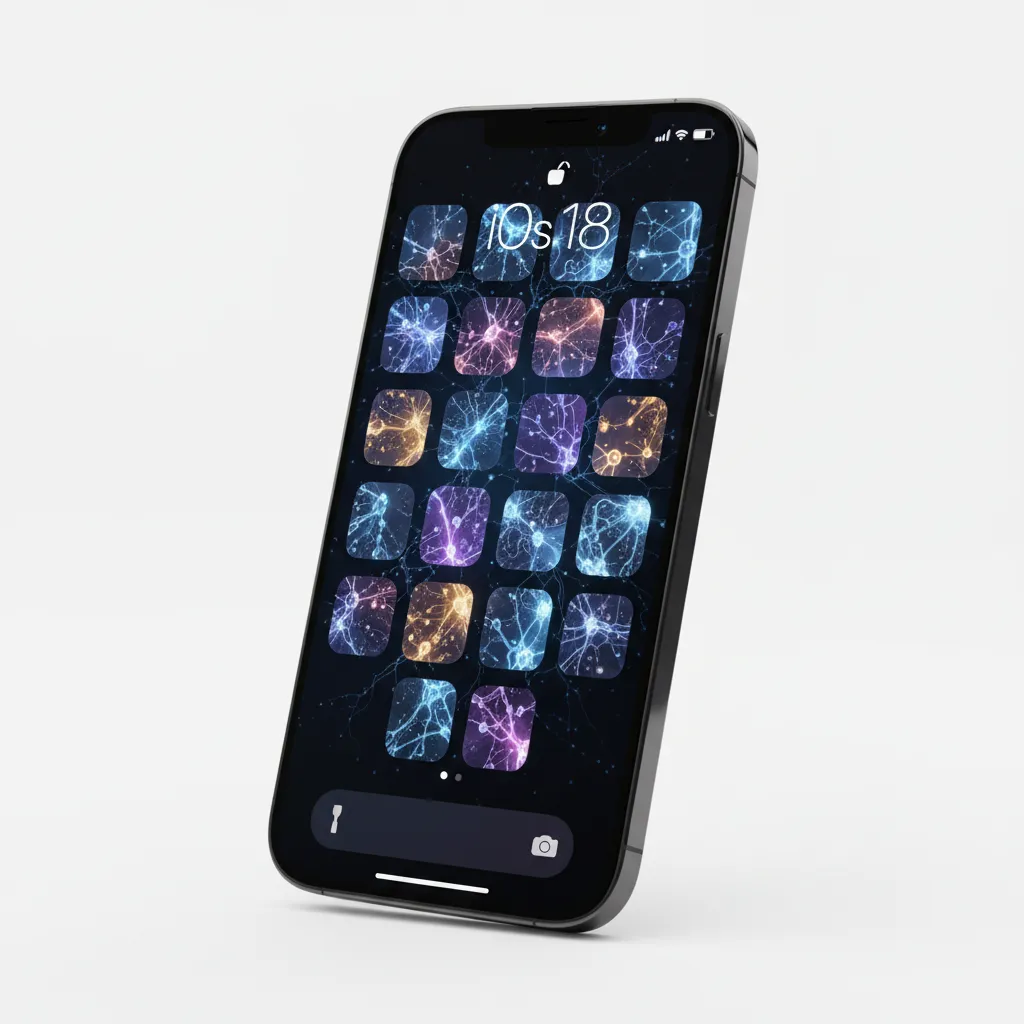
For years, the tech world wondered how Apple would respond to the generative AI revolution spearheaded by OpenAI and Google. The answer arrived with decisive clarity at WWDC 2024: Apple Intelligence. More than just a collection of features, Apple Intelligence is a foundational, privacy-first overhaul of how we interact with our iPhone, iPad, and Mac, deeply embedded within the upcoming iOS 18 AI framework.
This isn’t about simply adding a chatbot; it’s about creating a truly contextual AI assistant that understands you, your data, and your environment without compromising your personal space. The core philosophy driving this shift—announced by Tim Cook AI announcement—is utility, relevance, and, critically, trust.
If you’ve been wondering what is Apple Intelligence, this is your definitive guide. We will explore the revolutionary new Siri features, the creative freedom of Genmoji and Image Playground AI, the robust security of Private Cloud Compute, and, crucially, which devices are capable of running this sophisticated AI for iPhone experience. Prepare to explore the most significant update to the future of iOS since its inception.
The Core Pillars of Apple Intelligence
Apple Intelligence is not one single application but a unified system that integrates generative models across the core operating systems. It acts as an on-device large language model that works in concert with powerful cloud processing when needed, creating a fluid, hyper-personalized workflow. These foundational capabilities break down into three major areas: Writing, Imagery, and Personal Assistant.
1. The Revamped, Contextual AI Assistant: Next Generation Siri
Siri has often been the punchline of AI jokes, but that era is officially over. The next generation Siri is the most immediate and profound recipient of the Apple Intelligence upgrade.
Screen Awareness and Contextual Understanding
The most critical change is Siri’s newfound ability to see and understand what is happening on your screen. This feature, powered by a massive semantic indexing Apple system that organizes all your personal data, allows Siri to execute complex, multi-app requests that were previously impossible.
Imagine you are looking at a text message from a friend detailing their travel itinerary. You can activate Siri and ask, “Add their flight number to my calendar and pull up the gate information from my email.” Siri can now perform these actions by crossing app boundaries—Mail, Messages, Calendar—something traditional voice assistants cannot do. This makes Siri a true contextual AI assistant, not just a voice command processor.
Enhanced Interactivity and Tone
Siri’s tone and appearance have also been modernized. It now offers more conversational responses and can engage in back-and-forth dialogue. If you struggle with what to say, the new AI Writing Tools can help Siri draft complex replies.
The Strategic Siri ChatGPT Integration
A massive and surprising announcement was the partnership with OpenAI. For complex queries or open-ended knowledge questions that require world knowledge beyond your personal device, Apple will offer an integrated, optional Siri ChatGPT integration.
When Siri determines a query is best handled by a powerful external model, it will ask for your permission to send the request to ChatGPT. This integration maintains the Apple Intelligence privacy ethos: it’s optional, and your data is protected, adhering to OpenAI’s privacy policies for this specific partnership. This provides users with best-in-class general AI while keeping personal context private.
[Related: what-is-gpt-4o-openai-omni-model-features-free-access/]
2. Intelligent Writing Tools: Generative AI Across the System
Apple is embedding powerful Apple AI writing tools directly into core system apps, including Mail, Notes, Pages, and third-party apps using the new system APIs. This makes the iPhone and iPad powerful platforms for productivity, offering an intelligent writing assistant that elevates your communication.
The Three Core Writing Utilities: Rewrite, Proofread, and Summarize
- Rewrite: This allows you to select any block of text and instantly rewrite it in a different style or tone. Need to turn a casual note into a professional email? Simply tap “Rewrite.”
- Proofread: Beyond basic spellcheck, the AI can check for grammar, clarity, and conciseness, suggesting structural improvements to make your writing stronger and more natural.
- Summarize: Whether it’s a long email chain, a PDF document, or meeting notes, the AI can instantly condense the text into bullet points or a short paragraph summary, saving significant time.
This suite of tools leverages the generative models on iPhone to process your private communications without ever leaving your device, ensuring maximum Apple AI privacy for your sensitive texts and emails.

3. Generative Imagery and Personal Expression
Apple Intelligence brings creativity to the masses through accessible, system-wide image generation features. The primary tools here are Genmoji and Image Playground.
Genmoji: Personalized Emojis
Genmoji is perhaps the most fun and immediately viral feature. Instead of being limited to the existing library of standard emojis, users can now create custom, expressive emojis simply by typing a description.
Need an emoji of “a surfing astronaut with a purple hat”? Just type it, and Genmoji instantly generates a unique image using the generative models on iPhone. These bespoke creations can be used in Messages, documents, or anywhere else traditional emojis are supported.

Image Playground AI
For more substantial creative work, the Image Playground AI is integrated into apps like Messages, Notes, and a dedicated application. Users can generate images across three distinct styles: Animation, Illustration, and Sketch.
This tool is designed to be quick and easy, perfect for visualizing concepts or simply having fun. Unlike complex, external AI generators, Image Playground focuses on speed and quality right on the device, maintaining the seamless user experience Apple is known for.
AI Photo Editing iOS 18 Enhancements
The Photos app also receives deep AI enhancements. The new “Clean Up” tool allows users to remove distracting objects from the background of photos seamlessly, similar to Google’s Magic Eraser, but integrated natively into the iOS editing suite. The AI photo editing iOS 18 features also contribute to smarter, automated organization and better memories creation.
The Engine Room: On-Device AI and Private Cloud Compute
The most defining characteristic of Apple’s approach to AI is its uncompromising stance on user privacy. Apple Intelligence operates on a groundbreaking hybrid architecture: maximum on-device processing coupled with a secure, revolutionary cloud system called Private Cloud Compute.
The Power of On-Device Processing
Most of the foundational tasks—like rewriting a quick text, organizing notes, or generating a Genmoji—happen directly on the device. This utilizes the Apple on-device AI, specifically tailored versions of their large language models (LLMs) which are highly efficient and optimized to run on the powerful Apple Silicon (A17 Pro and M-series chips).
Running the AI locally offers three major benefits:
- Speed: Tasks are near-instantaneous as there is no network latency.
- Efficiency: It reduces power consumption compared to constantly sending data to the cloud.
- Maximum Privacy: Your personal data—messages, photos, emails, health data—never leaves your device. This is the ultimate form of Apple AI privacy.
Private Cloud Compute (PCC): Apple’s AI Privacy Shield
For incredibly complex tasks that exceed the capacity of the on-device large language model (e.g., summarizing an hour-long meeting transcript or generating a complex image), Apple utilizes Private Cloud Compute (PCC). This system is a revolutionary solution designed to address the inherent security concerns of cloud AI processing.
How PCC Ensures Privacy
When a complex request needs external computation, the data is not sent to a general-purpose server. Instead, it is routed to dedicated Apple Silicon servers running PCC. These servers have a unique security feature: they are cryptographically attested and auditable.
- No Persistent Storage: The servers cannot permanently store user data. The data is processed and instantly erased.
- Encrypted Channels: All data is sent over encrypted channels and processed in a secure execution environment.
- Third-Party Vetting: Apple has stated that security experts and auditors can inspect the code running on the Private Cloud Compute servers to verify their privacy guarantees.
This dual architecture—on-device first, PCC second—allows Apple to offer cutting-edge generative models on iPhone while honoring its commitment to security.

The Deep Foundation: Semantic Indexing and Personalized AI
A truly intelligent assistant must understand you, not just the immediate query. This is where semantic indexing Apple technology comes into play.
Creating a Personalized AI Experience
Apple Intelligence builds a sophisticated, localized index of your personal data: emails, photos, calendar events, notes, and messages. This index is not a simple file list; it maps the meaning and relationships between your data points. Crucially, this index is highly protected and exists only on your device.
This indexing capability enables the truly personalized AI experience. It allows the AI to answer questions like:
- “Show me the photos Sarah sent me last summer of the dog at the beach.”
- “Pull up the address of the restaurant my wife mentioned last Thursday.”
- “When is my mom’s flight landing? Check the text message I got from my sister about it.”
This deep personal context transforms the AI from a generic tool into an indispensable, hyper-relevant extension of your memory and workflow. It also powers features like AI-powered notifications, which prioritize and summarize the most important alerts based on your current activities and relationships.
Apple Intelligence vs. The Competition: A Privacy-First Paradigm
In the crowded field of AI, from Google’s Gemini to Microsoft’s Copilot, where does Apple Intelligence stand? The distinction lies primarily in integration, speed, and privacy philosophy.
| Feature | Apple Intelligence | Google Gemini / Microsoft Copilot |
|---|---|---|
| Integration | Deeply embedded into iOS 18 features, macOS, and system apps. Contextual awareness across apps. | Separate apps, web interfaces, or integrated into specific product suites (e.g., Workspace, Office). |
| Privacy Model | On-device first. Private Cloud Compute (PCC) for external processing, offering auditable, cryptographically assured security. | Primarily cloud-based processing. Data processing is generally secure but relies on standard cloud security models. |
| Personalization | Hyper-personalized via semantic indexing Apple of local data. | Primarily relies on user account history and external data sources. |
| Hardware Requirement | High barrier: iPhone 15 Pro, 15 Pro Max, and M-series iPads/Macs (A17 Pro or M1 chip minimum). | Accessible on a wide range of devices, often through software updates or web access. |
| Core Differentiator | Contextual understanding of personal data and unparalleled Apple AI privacy. | Vast world knowledge and powerful external processing capacity. |
Apple Intelligence vs Google Gemini is not a feature-for-feature battle, but a philosophical one. Google and Microsoft focus on bringing the vastness of the internet into your queries; Apple focuses on bringing the intelligence of the machine to your personal life, ensuring that life remains private.
The Logistics: Supported Devices and How to Use Apple Intelligence
One of the most pressing questions following the WWDC 2024 announcement was: will my iPhone get Apple Intelligence? The answer hinges entirely on the processing power required to run the specialized on-device large language model.
Apple Intelligence Supported Devices
To utilize the core features, your device must contain a minimum level of Apple Silicon processing power, specifically the Neural Engine performance required for fast, local computation.
The initial devices confirmed to support the full Apple Intelligence suite are:
- iPhone: iPhone 15 Pro and iPhone 15 Pro Max (requires the A17 Pro chip).
- iPad: All iPad models featuring the M1 chip or later.
- Mac: All Mac models featuring the M1 chip or later.
This strict requirement means that older devices, including the standard iPhone 15 and 15 Plus, will not support the full scope of iOS 18 AI features, though they will still receive the broader iOS 18 features like custom control center and app customization.
How to Use Apple Intelligence
Once the supported OS (iOS 18, iPadOS 18, or macOS Sequoia) is installed and the device is compatible, how to use Apple Intelligence is seamlessly integrated:
- Via Siri: Simply invoke Siri (either by voice or the Side Button). The next generation Siri will automatically analyze your screen context and provide options based on the visible content.
- Writing Tools: Look for the new ‘AI wand’ icon in text input fields (e.g., Mail, Notes). Tapping this icon brings up the Rewrite, Proofread, and Summarize options.
- Image Playground: Access this feature directly within Messages (when drafting a reply or reaction), Notes, or the dedicated Image Playground app. You type a prompt, and the image generates instantly.
The beauty of Apple Intelligence is its quiet integration; it appears when you need it and stays out of the way when you don’t, providing the most intuitive personalized AI experience possible.
[Related: ios-18-apple-intelligence-guide-top-new-features/]
Beyond the Basics: Deeper Integrations and Future Potential
The launch of Apple Intelligence is merely the beginning of the future of iOS. Several subtle, yet powerful, integrations hint at where Apple is taking the technology.
AI-Powered Organization in Notes and Phone
The Notes app receives a significant boost with new intelligent writing assistant features. Notes can now automatically transcribe audio recordings and generate instant summaries. Furthermore, during phone calls, if you activate recording, Apple Intelligence will automatically transcribe the conversation and provide a concise summary once the call is complete (with notification to the other party).
Mail and Priority Management
The Mail app uses Apple Intelligence to enhance organization. The AI can automatically categorize incoming mail into priority lists—Primary, Transactions, Updates, and Promotions—moving beyond simple sender filtering to understand the content and intent of the message. This feature, leveraging AI-powered notifications, helps users cut through the digital clutter and focus on what matters.
[Related: declutter-life-minimalist-strategies-serene-home-mind/]
The SDK and Developer Opportunities
The release of the necessary APIs and SDKs means that third-party developers can also integrate Apple Intelligence’s on-device processing and contextual awareness into their own apps. This opens the door for custom, private, and powerful AI for iPhone experiences across the App Store ecosystem, expanding the utility of generative models on iPhone far beyond Apple’s native applications.
Conclusion: Apple’s Patient, Calculated Leap
The Apple WWDC 2024 AI event confirmed that Apple wasn’t late to the AI party; it was simply waiting until it could do it right. Apple Intelligence successfully introduces transformative generative AI capabilities—from Genmoji creation and powerful Apple AI writing tools to the entirely new next generation Siri—all wrapped in an industry-first security blanket provided by Private Cloud Compute.
The core takeaway from the Tim Cook AI announcement is that intelligence does not have to come at the expense of privacy. By prioritizing the on-device large language model and building a verifiable secure cloud system, Apple has set a new standard for ethical AI deployment.
For owners of the latest iPhones and M-series Macs and iPads, the arrival of iOS 18 AI represents a paradigm shift in device usability. It’s an intelligent system that learns your context, protects your privacy, and fundamentally changes how to use Apple Intelligence features to boost your productivity and creativity. The future of iOS is intelligent, personalized, and, most importantly, private.
Are you ready to see the full potential of your device unlocked? Upgrade your mindset along with your operating system and prepare for a truly personalized computing experience.
FAQs (People Also Ask)
Q1. What is Apple Intelligence?
Apple Intelligence is the brand name for the integrated suite of generative models and AI features that Apple is introducing across iOS 18, iPadOS 18, and macOS Sequoia. It focuses on personalized, contextual, and deeply private on-device processing, working as an intelligent system that understands your personal data and context.
Q2. Will my iPhone get Apple Intelligence?
Only iPhones equipped with the A17 Pro chip or later will support the full suite of Apple Intelligence features. This currently includes the iPhone 15 Pro and iPhone 15 Pro Max. Older models, even those running iOS 18, will not have access to these core AI functions due to the demanding requirements of the on-device large language model.
Q3. How does Private Cloud Compute (PCC) ensure Apple AI privacy?
Private Cloud Compute is Apple’s secure cloud architecture designed for complex AI requests. It ensures privacy by processing data on dedicated, cryptographically attested Apple Silicon servers that are forbidden from retaining the data. The system is auditable by third-party experts to verify that user data is processed securely and instantly erased, maintaining a high level of Apple AI privacy.
Q4. What is the biggest difference between Apple Intelligence vs Google Gemini?
The biggest difference lies in privacy and integration. Apple Intelligence prioritizes on-device processing and personal context using semantic indexing Apple locally. Google Gemini is primarily a cloud-based service emphasizing vast world knowledge. Apple’s approach is fundamentally privacy-first, while Gemini is focused on broad utility.
Q5. What is Genmoji and how is it used?
Genmoji is a new feature within Apple Intelligence that allows users to create custom, unique emojis instantly by simply typing a text description. Using generative models on iPhone, Genmoji creates the image, which can then be used directly in Messages, Mail, or any text input field to provide a highly personalized form of expression.
Q6. Is the Siri ChatGPT integration mandatory?
No, the Siri ChatGPT integration is strictly optional. When Siri determines that a request requires external, general world knowledge beyond its local capabilities, it will explicitly ask for the user’s permission before sending the request to OpenAI’s ChatGPT service. This maintains user control and adheres to the Apple Intelligence commitment to privacy.
Q7. What are the key Apple AI writing tools available in iOS 18?
The key Apple AI writing tools are:
- Rewrite: Adjusting tone and style for any selected text.
- Proofread: Checking for grammar, clarity, and conciseness.
- Summarize: Condensing long documents or emails into bullet points or concise paragraphs. These tools are embedded system-wide as an intelligent writing assistant.
Q8. What does “semantic indexing Apple” mean?
Semantic indexing Apple refers to the system that creates a highly organized, private map of all the data on your device (emails, photos, notes, calendar). This index understands the meaning and relationships within your data, allowing the contextual AI assistant (Siri) to perform complex, multi-app commands based on deep personal context.