Apple Intelligence: Top iOS 18 AI Features Revealed
Introduction: The Dawn of Apple Intelligence
The technological landscape is undergoing its most profound shift since the introduction of the iPhone, driven almost entirely by artificial intelligence. At WWDC 2024, Apple officially stepped into this new era, not just with a product, but with a foundational ecosystem known as Apple Intelligence. This is far more than just a list of new features; it’s a systematic integration of personal, generative AI capabilities woven into the core of iOS 18, macOS Sequoia, and iPadOS.
For years, we’ve relied on scattered, app-specific AI tools. Now, Apple has created a unified experience that prioritizes context, privacy, and, most importantly, personalization. The promise of Apple Intelligence is an AI on iPhone that understands you—your calendar, your relationships, your emails, and your needs—without compromising your security.
This deep dive will reveal the most transformative iOS 18 features powered by this new intelligence. We will explore everything from the truly next generation Siri to groundbreaking creative tools like Genmoji and Image Playground, and the critical technology underpinning it all: Private Cloud Compute. If you’ve been wondering what is Apple Intelligence and how it will fundamentally change the way you interact with your devices, read on.
[Related: Apple Intelligence iOS 18 New AI Guide]
Redefining Personal Computing: What is Apple Intelligence?
Apple Intelligence is not a single large language model (LLM) but an umbrella term for a suite of personalized, generative models capable of reasoning across apps, understanding context, and executing complex, multi-step tasks. It operates on a dual architecture: prioritizing on-device AI for speed and privacy, and leveraging cloud computing only when necessary, through a highly secured system.
The core distinction of Apple Intelligence is its emphasis on contextual awareness AI. Unlike generalized AI assistants, Apple’s system can draw information from your apps—emails, text messages, documents, photos—to provide relevant and helpful actions. It’s an intelligent search iPhone tool that transcends keyword matching, moving towards semantic understanding.
The Three Pillars of Apple Intelligence
- On-Device Processing: For most common tasks, such as generating text, prioritizing notifications, or quickly summarizing an email, the AI runs locally on the chip (A17 Pro or M-series chips). This guarantees instant performance and absolute data privacy.
- Private Cloud Compute (PCC): When a request requires more compute power than the device can provide, it is securely routed to Apple’s dedicated servers running custom silicon. We will explore this groundbreaking privacy technology in detail below.
- Model Interoperability: Apple Intelligence is designed to call upon specialized models—Apple’s own foundational models, or, notably, third-party models like ChatGPT—seamlessly based on the user’s specific request.
The Next Generation Siri: Contextual Awareness Unlocked
The most visible change driven by Apple Intelligence is the complete overhaul of Siri. The familiar voice assistant is finally getting the much-needed Siri update, transforming it from a simple command executor into a truly intelligent personal assistant. This is the next generation Siri we’ve been waiting for.
Seamless Interaction and Screen Awareness
The new Siri features an updated visual design—a subtle, glowing animation around the edges of the screen rather than a massive overlay—and vastly improved comprehension. Crucially, the new Siri has screen awareness.
For example, if you receive a text message from a friend about a specific event, you can now say: “Add that to my calendar.” Siri understands that “that” refers to the specific event details visible in the message thread. It can execute actions that span multiple applications without the user manually opening them.
Key Siri Enhancements in iOS 18:
- Semantic Search iOS: Users can search their photos or notes using natural language descriptions, like, “Show me all the photos of my dog wearing his blue collar from last summer’s camping trip.”
- Correction and Refinement: If Siri misunderstands a prompt, you can correct it verbally without restarting the entire interaction.
- System-Wide Control: Siri can now control settings and actions within apps more deeply. For instance: “Send that draft article to Sarah using the red color scheme for the headers.”
[Related: Safeguarding Sanctuary Smart Home Security Privacy AI Era]
The Integration of ChatGPT on Siri
One of the most talked-about announcements was the partnership between Siri and OpenAI. While Apple Intelligence handles the majority of personalized and private tasks, Apple has integrated access to ChatGPT (initially GPT-4o) for queries that require vast general knowledge or complex creative generation beyond Apple’s specific on-device models.
This integration is purely opt-in and handled with Apple’s typical privacy rigor. When Siri detects a generalized request (e.g., “Write a sonnet about the feeling of using a new iPhone”), it will ask the user for permission to pass the query to ChatGPT. Crucially, Apple does not log these requests, and the user’s identity is anonymized. This collaboration ensures users have access to world-class generative AI while maintaining high standards for personal data protection.
Creative Tools: Genmoji and Image Playground
Apple Intelligence introduces powerful new creative capacities, making high-quality generative AI accessible right on the device. Two features stand out: Genmoji and Image Playground.
1. Genmoji: Custom Emojis for Any Occasion
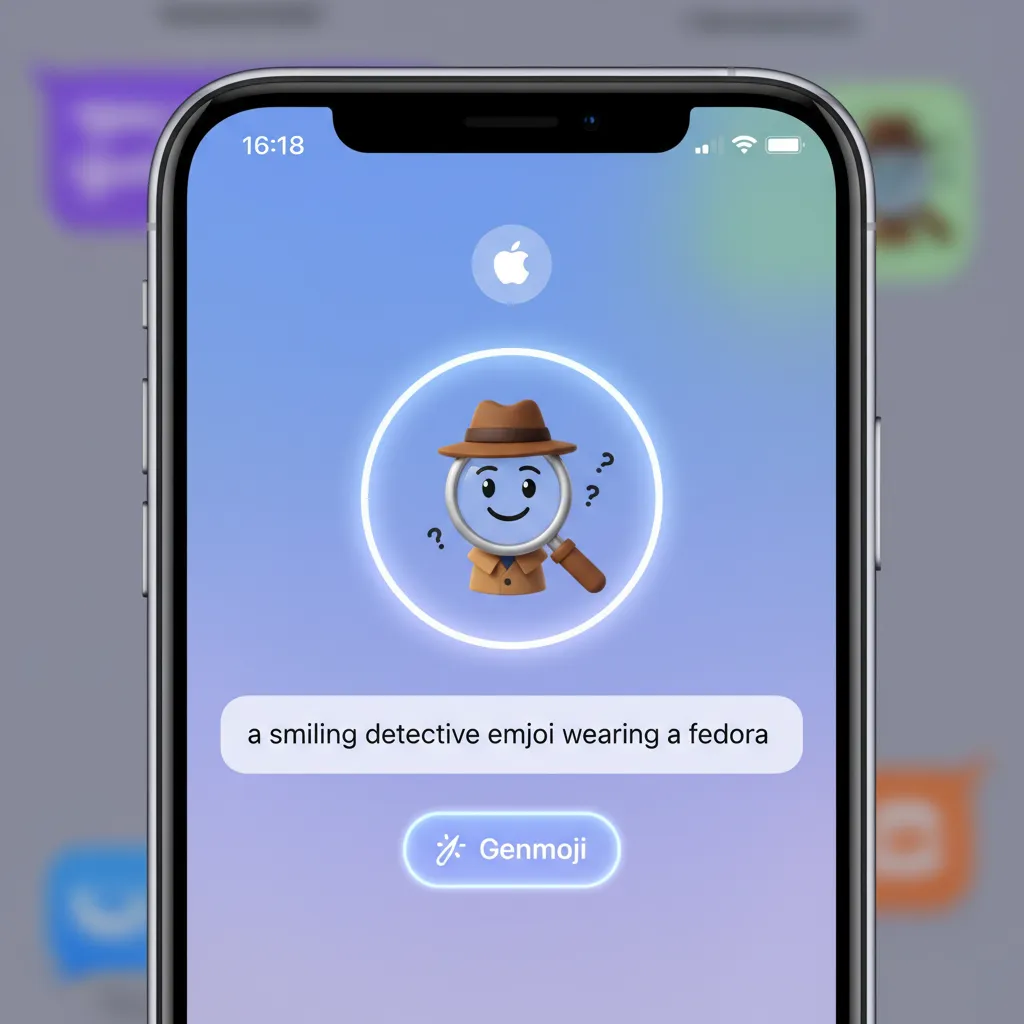
Tired of scrolling through thousands of standardized emojis? Genmoji solves this by letting you create custom emojis on the fly using simple text prompts.
For example, you could type: “A happy cat wearing a tiny top hat riding a skateboard.”
The AI immediately renders a unique emoji that can be used directly in Messages, Mail, or any other application that supports standard emoji formats. This feature is not just fun; it demonstrates the speed and capability of on-device AI for instant, low-latency graphic generation.
/image-topic-placement-1.webp
How to Use Genmoji
Using Genmoji is incredibly intuitive. When composing a message, accessing the emoji keyboard will present a new ‘Genmoji’ button. Tapping it opens a simple text box where you input your desired creation. The system provides quick suggestions and allows for immediate visual refinement. The generated Genmojis are saved in your personalized Genmoji library for future use.
2. Image Playground: Instant Image Creation
Image Playground is Apple’s answer to popular image generation tools, but seamlessly integrated across applications like Messages, Keynote, and Pages. It focuses on quick, fun, and relevant image generation for communication and creativity.
The tool provides three distinct styles: Animation, Illustration, and Sketch. Users provide a prompt, and Image Playground instantly renders options. Because it understands the user’s personal context, it can often integrate subjects or settings from their existing photo library (with explicit permission), making the creations highly personal.
/image-topic-placement-2.webp
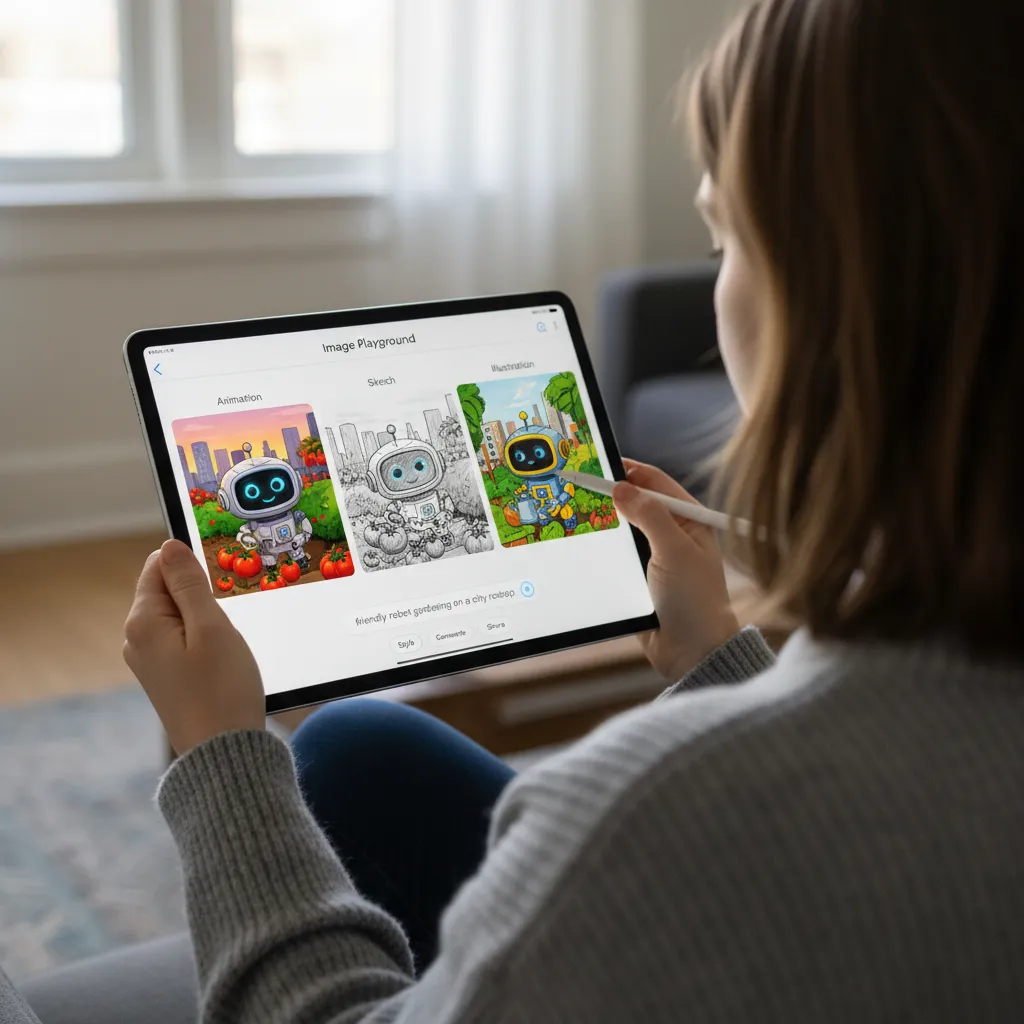
Image Playground is also the engine behind the new AI photo editing iOS 18 features, allowing users to quickly remove intrusive objects from photos or apply complex stylistic changes with natural language commands, eliminating the need for complex layered editing software for basic tasks.
Productivity Powerhouse: Apple Writing Tools and Summarization
Apple Intelligence is fundamentally designed to make users more productive by handling the rote tasks of writing, editing, and comprehension. The Apple writing tools are system-wide, appearing automatically wherever text input is possible, including third-party apps.
The System-Wide Writing Assistant
The new writing assistant offers three main functions:
- Rewrite: Select a piece of text and ask the AI to rewrite it in a different tone—more professional, more casual, more concise, or even poetic. This is invaluable for quickly adapting communication styles across different mediums (e.g., turning a casual text into a formal email).
- Summarize: This feature can distill long emails, articles, documents, or even the text transcript of a phone call into digestible bullet points. This dramatically speeds up information processing, especially for heavy email users.
- Proofread: Beyond basic spell check, the Proofread function reviews grammar, syntax, and clarity, offering intelligent suggestions for improving the flow and effectiveness of the text.
Priority Notifications and Summaries
The deluge of digital information often leads to notification fatigue. Apple Intelligence tackles this with AI-powered notifications.
- Smart Stacks: The system automatically prioritizes the most relevant notifications, stacking less urgent ones in a summary group. For example, if your flight is delayed, that notification gets top priority, while twenty automated social media likes are grouped discreetly.
- Notification Summaries: If you step away from your phone for an hour, the AI can instantly summarize the key missed notifications, so you don’t have to scroll through dozens of individual alerts.
The Foundation of Trust: Private Cloud Compute and Apple AI Privacy
Apple’s entire approach to AI is built on the pillar of privacy. The most sensitive and complex processes, which require cloud processing, are handled by a revolutionary system called Private Cloud Compute (PCC).
How Private Cloud Compute Works
PCC utilizes Apple’s own dedicated servers, powered by Apple Silicon chips (M2 Ultras or later), ensuring that the code running on the cloud servers is inspectable and verifiable.
- No User Data Storage: When your device needs PCC, it sends the request in a secured, encrypted capsule. The server processes the request, computes the result, and immediately destroys the capsule and the ephemeral environment used. The session is not logged, stored, or accessed by Apple employees.
- Public Auditability: Apple has made the cryptographic hash of the PCC software publicly available. This allows security researchers to verify that the servers are running only the publicly disclosed, secure code, ensuring no backdoors or tracking mechanisms exist.
- Trust Barrier: PCC acts as a secure, temporary computation environment that allows Apple to deploy powerful LLMs without sacrificing the user’s absolute privacy, which is the core difference between Apple Intelligence vs ChatGPT and other public models.
This commitment to Apple AI privacy is arguably the most crucial feature of the entire suite, enabling sophisticated AI services without the surveillance model prevalent in much of the industry.
[Related: On-Device AI The Next Revolution In Tech]
Beyond AI: Crucial iOS 18 Features and Ecosystem Updates
While Apple Intelligence stole the spotlight, iOS 18 features also include several highly anticipated quality-of-life updates and new application capabilities.
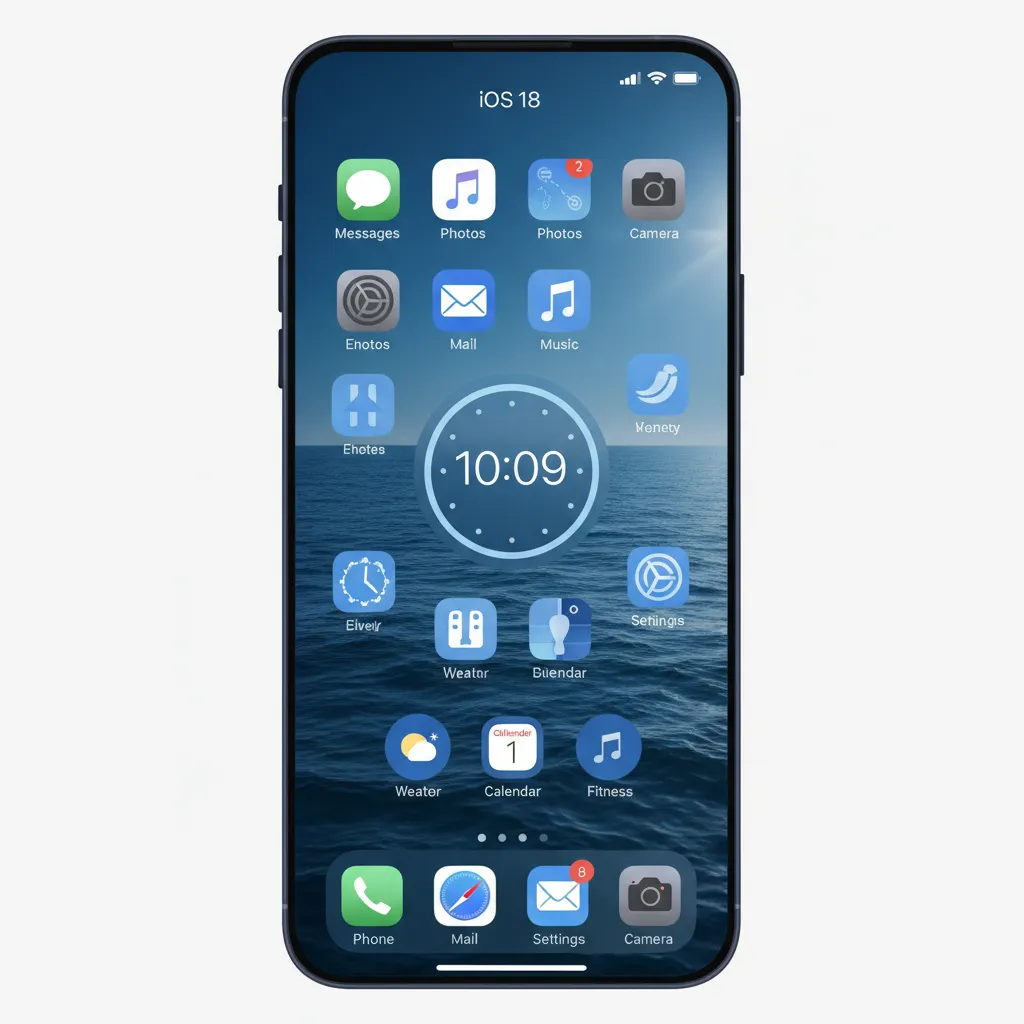
iOS 18 Home Screen Customization
Finally, users gain unprecedented control over their iPhone’s look.
- Free Icon Placement: Apps are no longer forced into a rigid grid. Users can leave gaps, create borders, or place widgets exactly where they want them for a truly personalized look.
- Color Tinting: Users can apply a subtle tint to all app icons, giving the entire home screen a consistent, customized color theme (e.g., all app icons can adopt a uniform blue or green hue).
/image-topic-placement-4.webp
The New Calculator App (and Math Notes on iPad)
The Calculator app has received its first major overhaul in years, making it far more functional than just a basic arithmetic tool.
- History and Unit Conversion: Essential, long-overdue features have been added.
- Math Notes (iPadOS 18): Perhaps the biggest surprise is the new calculator app iPad integration called Math Notes. Users can write out complex equations (or simple sums) with the Apple Pencil, and the iPad instantly solves them in their own handwriting, displaying the result underneath. This is a powerful educational and productivity tool.
Ecosystem Integration: VisionOS 2
Though not strictly an iOS feature, the simultaneous announcement of visionOS 2 further solidifies Apple’s multi-device strategy. VisionOS 2 introduces spatial computing enhancements, including the ability to generate a spatial photo from any standard 2D image, providing a new dimension of content immersion powered by similar underlying generative models.
Logistics: iOS 18 Release Date and Supported Devices
Anticipation for these powerful new features is naturally high. Understanding the rollout plan is essential for users planning their iPhone AI update.
iOS 18 Release Date
Historically, Apple releases the first developer betas immediately following WWDC, followed by public betas shortly after. The official public release of iOS 18 is expected in September, coinciding with the launch of the new iPhone models.
However, the full Apple Intelligence suite will likely roll out progressively:
- Fall 2024: Initial features (Home Screen customization, basic Siri improvements, core iOS 18 structure).
- Late Fall/Early 2025: Full rollout of Apple Intelligence features (Genmoji, Image Playground, Advanced Siri, PCC) starting in the U.S. and in English, before expanding globally.
iOS 18 Supported Devices
While iOS 18 itself supports a broad range of iPhones, the core features of Apple Intelligence require significant computational power, specifically the Neural Engine in Apple’s latest chips.
Devices Supporting Full Apple Intelligence Features:
- iPhone 15 Pro
- iPhone 15 Pro Max
- Future iPhone models (iPhone 16 series, etc.)
- iPads and Macs with M1, M2, M3, and M4 chips
Devices Supporting Core iOS 18 Features (But not Apple Intelligence):
- iPhone 15, 15 Plus
- iPhone 14 series
- iPhone 13 series
- iPhone 12 series
- iPhone 11 series
- iPhone XS, XR
This distinction is crucial: older devices get the basic iOS 18 features (like customization), but the revolutionary AI on iPhone experience is limited to newer Pro models and M-series iPads/Macs due to the demanding nature of the on-device AI models required for speed and privacy.
Conclusion: A New Standard for Personalized AI
Apple Intelligence marks a watershed moment, successfully positioning Apple as a serious contender in the generative AI space while sticking to its core values of privacy and personalized experience. The features revealed at WWDC 2024—from the transformative new Siri features and contextual awareness AI to the playful creativity of Genmoji and the fundamental security provided by Private Cloud Compute—demonstrate a mature, integrated vision for the future of personal technology.
The focus on on-device AI ensures that the system truly understands the user’s life and data without ever having to expose that personal context to the public cloud, redefining the capabilities of an iPhone AI update. As we await the iOS 18 release date, the message is clear: the next chapter of computing will be deeply personal, intelligently predictive, and, thanks to Apple, reassuringly private.
Prepare for the transformation: the way you interact with your iPhone is about to become more intuitive, creative, and powerful than ever before.
[Related: What Is GPT-4o Next Era AI] [Related: Master Any Language AI Revolution Personalized Learning]
FAQs: Apple Intelligence and iOS 18
Q1. What is Apple Intelligence?
Apple Intelligence is the personalized, generative AI system integrated across iOS 18, iPadOS 18, and macOS Sequoia. It leverages a combination of powerful on-device AI models and the proprietary Private Cloud Compute system to deliver features like advanced writing tools, image generation, and a fully context-aware Siri, all while prioritizing user privacy and data security.
Q2. Which Apple devices support Apple Intelligence?
The full suite of Apple Intelligence features is limited to devices equipped with the A17 Pro chip or later, or any M-series chip. This currently includes the iPhone 15 Pro and iPhone 15 Pro Max, and all iPads and Macs with M1, M2, M3, and M4 chips. Older devices running iOS 18 will receive general operating system updates but not the core AI functionalities.
Q3. How does Private Cloud Compute ensure my data privacy?
Private Cloud Compute (PCC) is Apple’s proprietary cloud infrastructure designed for AI workloads. When a complex request is sent to PCC, it is processed on dedicated Apple Silicon servers in an ephemeral, unlogged, and encrypted environment. The request is processed, the result is sent back, and the secure capsule is instantly destroyed. Apple has made the cryptographic hash of the software auditable, ensuring strict Apple AI privacy standards are maintained.
Q4. Can I choose not to use ChatGPT on Siri?
Yes. The integration of ChatGPT on Siri is optional and strictly opt-in. When Siri identifies a request that would benefit from ChatGPT’s broad general knowledge (which Apple’s models may not cover), it will explicitly ask the user for permission to pass the query along. If permission is granted, the request is anonymized before being sent to OpenAI, maintaining user control over their data.
Q5. What is Genmoji and how is it different from standard emojis?
Genmoji is a new feature powered by Apple Intelligence that allows users to instantly create entirely custom, unique emojis using simple text prompts (e.g., “A surfing sloth wearing sunglasses”). Unlike standard, static emojis, Genmoji are generated in real-time by the AI on iPhone models and can be used like any standard emoji in messaging apps. This showcases the power of Apple’s small, efficient generative models.
Q6. Will the new Siri features understand context across different apps?
Yes, the next generation Siri and its advanced contextual awareness AI are designed to reason across applications. If you are looking at a location in Maps and ask Siri, “What is the history of this place?” Siri understands “this place” refers to your current screen view. It can similarly connect information from emails, messages, and photos to execute complex, multi-step commands seamlessly, making it a true intelligent search iPhone assistant.
Q7. When is the iOS 18 release date?
The official public release of iOS 18 is typically scheduled for September, alongside the launch of the new iPhone lineup. However, the core Apple Intelligence features are expected to roll out in beta and then progressively through late 2024 and early 2025, starting in English in the U.S., as Apple perfects the underlying models.
Q8. Does iOS 18 include significant non-AI updates?
Absolutely. Beyond the AI suite, iOS 18 features include major customization updates, most notably the ability to freely place app icons anywhere on the Home Screen grid and apply a system-wide color tint to app icons. The system also introduces a dramatically enhanced, long-overdue Calculator app with Math Notes functionality on iPad.