Apple Intelligence: iOS 18’s AI Features Explained
Introduction
The digital world shifted fundamentally at WWDC 2024 with the unveiling of Apple Intelligence. Far more than just a marketing term, this integrated system of AI models marks Apple’s definitive entry into the generative intelligence era, woven deeply into the fabric of iOS 18, iPadOS 18, and macOS Sequoia.
For years, we’ve watched AI capabilities flourish across cloud-based platforms, often at the expense of user privacy AI. Apple’s approach is different. It’s a deliberate, deeply personalized, and security-focused endeavor designed to elevate your interaction with your devices from transactional to genuinely intuitive.
This guide provides an exhaustive explanation of what is Apple Intelligence, detailing the revolutionary iOS 18 AI features, how they work, and, crucially, which devices are capable of running this next-generation technology. We will explore everything from the foundational on-device AI processing to the specifics of the new next generation Siri, generative tools like Genmoji, and the groundbreaking privacy architecture known as Private Cloud Compute.
If you want to understand how the future of the iPhone will rely on personal context AI and advanced silicon, you’re in the right place. Dive in to see how Apple is redefining intelligent technology with a system that knows you, but never compromises your data.
The Core Philosophy: Personal Context and On-Device Intelligence
Apple Intelligence is not a single large language model (LLM); it is a comprehensive system architecture built around the user. Its fundamental goal is to provide deeply personalized and helpful experiences by understanding the user’s history, relationships, schedule, and communications—your personal context AI.
This design choice dictates two major technological pillars:
Defining Apple Intelligence: Personalized Utility
At its heart, Apple Intelligence explained is the integration of advanced generative and non-generative AI models directly into Apple’s operating systems. Unlike generic AI, the intelligence derived here is always filtered through the prism of what you are doing, where you are, and what data you allow it to access (like emails, calendars, and messages). This is what enables seamless features like summarizing a string of text messages while you’re walking or prioritizing incoming notifications based on your schedule.
The primary commitment is to execute on-device AI processing whenever possible. By keeping the vast majority of computations local, Apple ensures speed, immediate access to personal data, and unparalleled privacy. This localized processing power requires substantial and specialized silicon, which directly impacts the system’s compatibility (a topic we will explore later).
Semantic Indexing: The Engine of Contextual Awareness
To provide truly personalized assistance, the system needs a real-time map of your digital life. This is where semantic indexing Apple comes into play.
Semantic indexing is a new, secure database residing locally on your device (iOS 18, iPadOS 18, macOS Sequoia) that organizes your data—photos, emails, notes, documents—not just by file name or date, but by meaning and relevance.
Imagine you need to find the address of the restaurant your partner mentioned in a text message last month. Traditional search relies on exact keywords. With semantic indexing, the system uses contextual awareness AI to connect the dots:
- It knows “restaurant name” is a location entity.
- It knows “partner” is a relationship entity.
- It finds the message where the two entities intersect, regardless of how you phrased the original text.
This background indexing is what allows the updated Mail, Notes, and Siri experiences to jump into action immediately, leveraging your life’s data securely on the device, rather than uploading it to the cloud for processing.
[Related: edge-ai-explained-powering-smart-devices-real-time-intelligence/]
A New Voice: The Next Generation Siri
The Siri update 2024 is arguably the most dramatic change delivered by Apple Intelligence. For years, Siri has been criticized for being transactional—good at setting timers, poor at complex, multi-step requests. The next generation Siri aims to shed this reputation, becoming a truly capable digital assistant built on a deep understanding of natural language and, critically, visual context.
Contextual Understanding and On-Screen Awareness
The new Siri is equipped with the core Apple Intelligence models, giving it unprecedented contextual awareness AI. It can maintain conversation flow, remember previous requests, and perform actions based on what is currently displayed on your screen.
This feature is called on-screen awareness. If you receive a text message with a meeting time, you can now invoke Siri and say, “Add this to my calendar,” without having to explicitly state the time or date. Siri understands “this” refers to the relevant data on the screen.
Furthermore, Siri can now perform hundreds of actions within and across apps. For instance:
- “Pull up the photo of the sunset I took in Greece and make it look more dramatic.” (Combining Photo search and AI photo editing iOS 18 features).
- “Take the address from this email and find out how long it takes to drive there.”
The new visual design, featuring a subtle, pulsing light around the device’s edge rather than a full-screen takeover, signals a less intrusive, more integrated experience.
ChatGPT on iPhone: Intelligent Model Selection
A crucial part of the iOS 18 AI features announcement was the partnership with OpenAI. When a user request is too complex, too broad, or requires expansive world knowledge that exceeds the capability of the on-device or Private Cloud Compute models, Apple Intelligence can transparently route the request to ChatGPT.
This integration is handled with Apple’s famous discretion:
- Transparency: The user is always asked permission before any data is sent to ChatGPT.
- Anonymity: Apple ensures that IP addresses and other identifying information are masked when the request is sent, maximizing user privacy AI.
This feature, coming later in the cycle, ensures that users get the best possible answer, whether it comes from Apple’s personalized AI or OpenAI’s general-purpose model. It essentially creates a tiered intelligence system, prioritizing the most secure and private option first.

Productivity Revolution: AI Writing Tools and Summarization
The integration of Apple Intelligence into core productivity apps means that users will benefit from generative AI without having to jump to a separate application or service. This functionality is broadly marketed as “Writing Tools.”
AI Writing Tools Apple: Refine and Rewrite
Across Mail, Notes, Pages, and virtually any text field where you compose, the AI writing tools Apple feature offers instant refinement options.
- Rewrite: Need to change the tone of an email from casual to professional, or vice versa? Apple Intelligence can rephrase entire paragraphs while retaining the core meaning, a massive boost for workplace efficiency.
- Proofread: Beyond simple spelling and grammar checks, the AI can suggest structural improvements, clarify confusing sentences, and ensure consistency in tone and style.
- Summarize: This feature can condense long blocks of text into bulleted lists or a concise overview, essential for quickly processing long research papers or email threads.
These tools are powered by specialized generative models fine-tuned for language tasks, ensuring that whether you are drafting an important client email in the Mail app or jotting down lecture notes, the intelligence is there to elevate your communication.
Mail App AI Features and Notification Summarization AI
The Mail app AI features leverage the semantic indexing system to instantly prioritize and categorize your inbox. But the most valuable additions are in summarization:
- Instant Summaries: For a thread of 50 emails, the AI can instantly provide a summary, eliminating the need to scroll through lengthy histories to catch up on a project status.
- Smart Replies: The system generates suggested quick responses based on the email content, including complex replies that reference internal data or calendar availability.
Similarly, Notification summarization AI cleans up your lock screen. Instead of seeing dozens of rapid-fire messages from a group chat, Apple Intelligence combines them into a single, cohesive digest, like: “Group chat update: Dinner location changed to Italian place downtown; starting at 7:30 PM.” This reduces cognitive load and keeps the user focused.

Creative Expression: Genmoji and Image Playground
Apple has always emphasized creativity, and iOS 18 AI features deliver potent new tools for visual generation, ensuring that everyone can create unique imagery and express themselves in novel ways.
Genmoji: Personalized Expression
Genmoji are custom-generated emojis that use simple text descriptions. Tired of the standard set of yellow faces? With Genmoji, you can type, “A smiling avocado wearing sunglasses” or “A T-Rex riding a skateboard,” and the system generates a unique image tailored to your input, seamlessly integrated into the keyboard.
These aren’t static images; they can be used inline in messages, integrated into photos, or added to documents. This provides a playful, infinitely customizable layer of personal expression far beyond standard emojis or stickers.
Image Playground and AI Photo Editing iOS 18
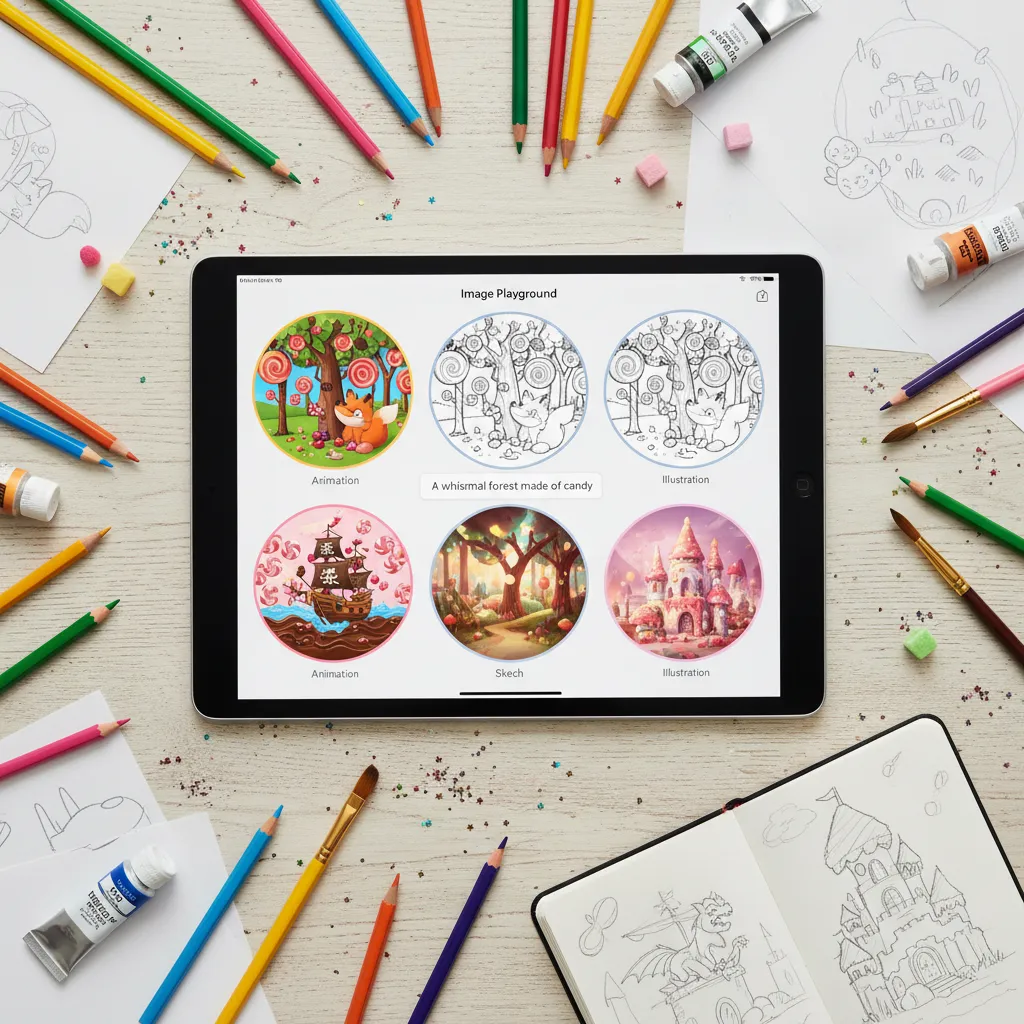
For more complex visual creation, Image Playground is Apple’s built-in tool for on-the-fly image generation. It is designed to be fast, fun, and easy to use, supporting three main styles: Animation, Illustration, and Sketch.
Unlike public image generation tools that can be slow or inconsistent, Image Playground is built for speed, generating images directly on the device for quick integration into notes, presentations, or chats.
The integration of generative models also enhances existing AI photo editing iOS 18 features. For example, the new Clean Up tool uses generative AI to intelligently remove unwanted objects from the background of a photo, matching the surrounding textures and colors naturally. This deep integration makes powerful editing accessible to casual users.
[Related: ai-in-the-kitchen-reshaping-future-food-gastronomy/]
Privacy First: The Power of Private Cloud Compute (PCC)
For Apple, the non-negotiable cornerstone of Apple Intelligence is privacy. While on-device AI processing handles most tasks, some require more substantial computing power than even the latest A-series or M-series chips can provide, especially for complex generative models.
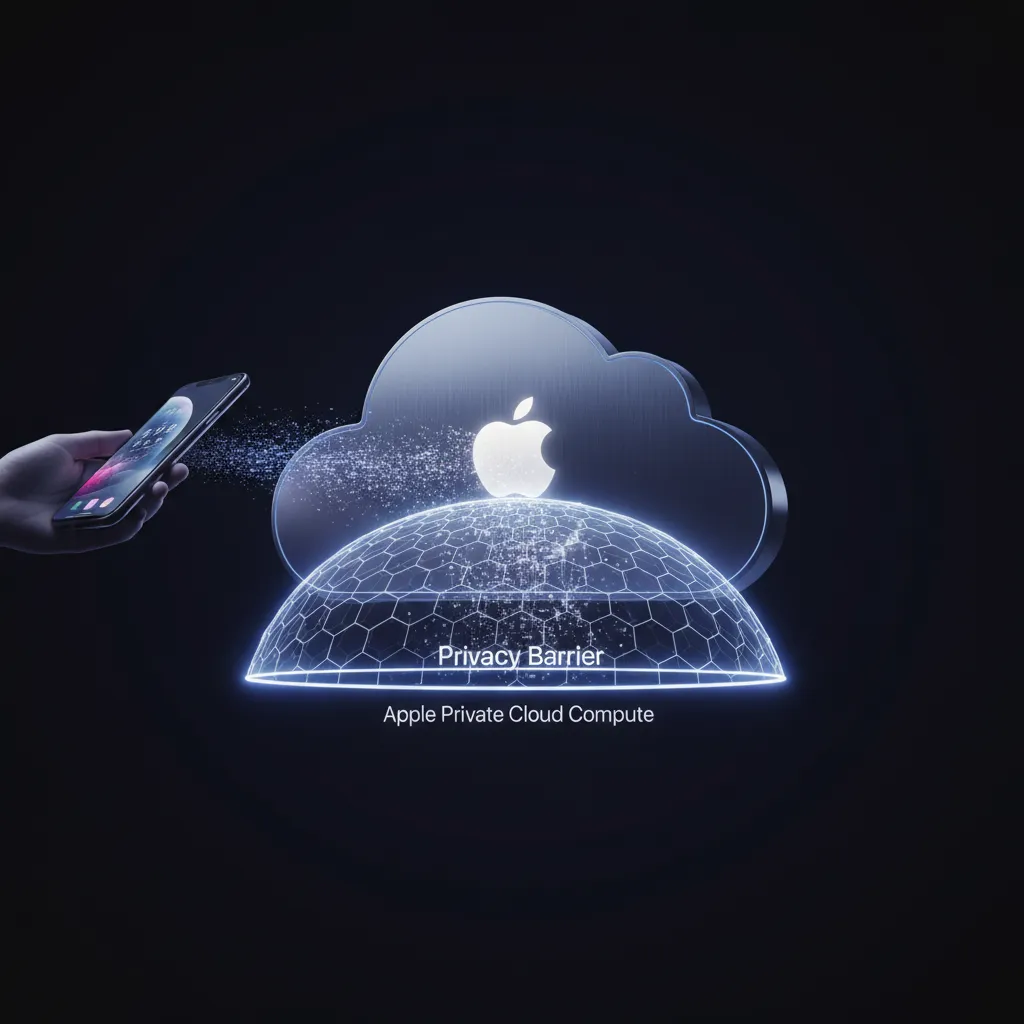
This is where Private Cloud Compute (PCC) enters the picture—a novel architecture designed to extend the privacy and security of the iPhone into the cloud.
What is Private Cloud Compute?
PCC is a network of Apple-owned servers running specialized, hardened silicon (Apple Silicon) and proprietary software. When a request is too large for the device, it is sent to PCC under strict, audited conditions:
- Ephemeral Data Handling: The data sent to PCC is never stored permanently. Once the computation is complete, the data is instantly deleted.
- Trust Verification: Before your device sends data, it cryptographically verifies that the PCC server is running certified, unaltered Apple software. If a server is compromised or running anything other than the verified code, the device will refuse to send the request.
- Data Isolation: The entire system is architected to prevent Apple employees, or anyone else, from accessing the data. The requests are processed in an encrypted sandbox.
PCC is the solution to the biggest dilemma in AI: how to leverage massive cloud-based models while maintaining absolute user privacy AI. By creating a closed, auditable, and constantly verified computation pipeline, Apple addresses the fear that personal data must be sacrificed for powerful AI features. This approach stands in stark contrast to many competitor models.
Apple Intelligence vs Google AI: The Privacy Distinction
The difference between Apple Intelligence vs Google AI (or others like Microsoft Copilot) often boils down to data philosophy.
| Feature | Apple Intelligence | Google AI/Copilot |
|---|---|---|
| Data Processing Priority | On-Device first, then Private Cloud Compute. | Cloud-first. |
| Context Source | Secure, Semantic Indexing of local personal data. | Cloud-stored user data, web history, and general LLM training. |
| Privacy Guarantee | Cryptographically verified server security (PCC). Data is never stored. | Data handling based on complex terms of service and anonymization policies. |
| Hardware Dependency | Highly dependent on modern Apple Silicon (A17 Pro/M1 and newer). | Accessible across most modern devices via the cloud. |
Apple’s primary differentiator is using your personal context to make the AI helpful, without having to expose that context to the open internet or third-party servers.
[Related: rise-of-ai-companions-enhancing-daily-life-emotional-well-being/]
Compatibility: Who Gets Apple Intelligence?
Perhaps the most talked-about aspect of the WWDC 2024 AI announcements was the strict compatibility requirements for Apple Intelligence. The system is not available on every device capable of running iOS 18.
The Hardware Barrier: A17 Pro Chip AI and M-Series
The requirement for Apple Intelligence compatibility stems directly from its foundational commitment to speed and on-device processing. To run the sophisticated foundation models (both generative and non-generative) locally, the device needs a Neural Engine (NPU) with specific performance characteristics and sufficient local memory bandwidth.
Currently, Apple Intelligence requires:
- iPhone: The A17 Pro chip or later. This means only the iPhone 15 Pro AI and iPhone 15 Pro Max, and any subsequent iPhone models, will support the full suite of features.
- iPad and Mac: Devices with an M1 chip or later.
Devices older than the iPhone 15 Pro, such as the iPhone 14 series, will still get new features in iOS 18 (like Control Center changes and lock screen customization), but will not benefit from the core intelligent features powered by AI.
The demanding nature of the models, especially for tasks like summarizing long documents or real-time image generation, necessitates the horsepower of the A17 Pro chip AI and M-series chips, which feature vastly more powerful Neural Engines than their predecessors.
Implications for iOS 18 Supported Devices
This compatibility requirement effectively creates two tiers of iOS 18 experience:
- Tier 1 (Intelligent): iPhone 15 Pro/Pro Max, M1/M2/M3 iPads/Macs. Full Apple Intelligence, next generation Siri, Genmoji, PCC.
- Tier 2 (Standard): Older iPhones (e.g., iPhone 14). Standard iOS 18 feature updates, but no core AI functionality.
While this may disappoint owners of relatively recent hardware, it underscores Apple’s commitment to delivering a high-quality, instant, and secure AI experience that cannot be compromised by insufficient local processing power.
Getting Started: iOS 18 and Apple Intelligence Release Date
Understanding how to use Apple Intelligence begins with knowing when it will arrive.
The full public rollout of iOS 18 AI features will occur in the fall of 2024, likely alongside the release of the new iPhone models. However, the release of Apple Intelligence specifically is planned to be staggered:
- Developer Beta: Began immediately after WWDC 2024.
- Public Beta: Typically starts in July, allowing non-developers to test early versions of iOS 18.
- Official Release (Fall 2024): The initial release will include many of the core features like writing tools, on-device Siri enhancements, and Image Playground.
- Phased Rollout: Key features like the full ChatGPT on iPhone integration and some highly specialized functionalities of the next generation Siri are expected to arrive in 2025 updates (e.g., iOS 18.1 or 18.2).
The crucial takeaway is that the Apple Intelligence release date marks the beginning of a journey. Users should expect capabilities and integrations to deepen significantly over the subsequent year as Apple refines its models based on real-world usage data.
The Future of the Apple Ecosystem
Apple Intelligence is more than just a set of new phone features; it’s a strategic move to define the next decade of personal computing. By weaving personalized intelligence into every layer of the operating system, Apple is making its ecosystem exponentially stickier and more useful.
The synergy between the advanced silicon (the M-series and A-series chips), the semantic index of personal data, and the secure framework of Private Cloud Compute creates a powerful, closed-loop system. This holistic approach ensures that your device doesn’t just manage data; it actively helps you manage your life, anticipates your needs, and protects your identity in the process.
This shift positions Apple not merely as a hardware company, but as the premier provider of private, contextual, and integrated digital intelligence. As Apple AI permeates every application, from health to creativity, the definition of a “smart” device will permanently evolve.
[Related: sustainable-tech-innovations-greener-gadgets-eco-smart-living/]
Conclusion
Apple Intelligence represents the most significant platform transformation since the launch of the App Store. By tackling the challenges of generative AI with a unique, privacy-centric philosophy built around Private Cloud Compute and rigorous on-device AI processing, Apple has successfully carved out a high-ground position in the AI race.
The iOS 18 AI features—from the highly capable next generation Siri with on-screen awareness to the delightful creativity tools like Genmoji and Image Playground—are unified by the system’s ability to understand your unique personal context AI.
While the compatibility requirements, focused primarily on the iPhone 15 Pro AI and newer devices, are stringent, they are a necessary guarantee of the quality, security, and instantaneous responsiveness that define this new era of Apple technology. Get ready for a deeply intelligent, inherently personal, and fully private computing experience when the Apple Intelligence release date arrives this fall.
FAQs: Grounded Questions on Apple Intelligence
Q1. What is Apple Intelligence and how does it work?
Apple Intelligence is the personal intelligence system introduced by Apple, deeply integrated into iOS 18, iPadOS 18, and macOS Sequoia. It works by combining specialized large language models (LLMs) that prioritize on-device AI processing for speed and privacy. When more power is needed, it uses the Private Cloud Compute architecture, which is a cryptographically verifiable, non-storing cloud system, ensuring user data remains secure and personal context is maintained.
Q2. Which devices support Apple Intelligence compatibility?
Due to the demanding computational requirements for its foundation models, Apple Intelligence compatibility is limited to devices equipped with a high-performance Neural Engine. This includes the iPhone 15 Pro and iPhone 15 Pro Max (featuring the A17 Pro chip AI), and all iPads and Macs running an M1 chip or later. Older devices running iOS 18 will receive OS updates but not the core AI features.
Q3. How does the next generation Siri differ from the previous version?
The next generation Siri is fundamentally different thanks to the core Apple Intelligence models, which grant it superior contextual awareness AI and the ability to maintain conversational flow. The key differentiator is on-screen awareness, allowing Siri to execute actions based on elements currently visible on your device screen (e.g., summarizing an article you are viewing or finding an address within a message).
Q4. What is Private Cloud Compute (PCC)?
Private Cloud Compute (PCC) is Apple’s specialized architecture for handling complex AI tasks that exceed on-device processing power. It uses Apple Silicon servers with zero data retention and cryptographic verification. Before a device sends data to the cloud, it confirms the server is running verified, tamper-proof Apple software, thereby protecting user privacy AI while allowing access to large-scale generative models.
Q5. Can I use ChatGPT on iPhone with Apple Intelligence?
Yes. As one of the announced iOS 18 AI features, Apple Intelligence includes a partnership to integrate ChatGPT on iPhone. For highly generalized or extensive world knowledge queries that the native models cannot handle, the system will transparently ask for the user’s permission to route the request to ChatGPT, ensuring privacy protocols are maintained during the process.
Q6. What specific AI writing tools Apple offers in iOS 18?
The AI writing tools Apple offers are integrated into Mail, Notes, Pages, and virtually all text input fields. They allow users to quickly rewrite text in different tones (e.g., professional or casual), summarize long documents into key points, and perform advanced proofreading and tone suggestions for clarity and impact. These tools are key to the Mail app AI features announced.
Q7. When is the Apple Intelligence release date?
The core Apple Intelligence release date will coincide with the public launch of iOS 18 in the fall of 2024. Some advanced features, like deeper integration of ChatGPT on iPhone and specific cross-app functionality, are expected to be rolled out in subsequent updates throughout 2025.
Q8. What is semantic indexing and why is it important for personal context AI?
Semantic indexing Apple is a new, secure database on your device that organizes your photos, documents, and communications not by file name, but by the meaning and content. This index enables the system to rapidly access and understand your personal context AI, allowing Apple Intelligence features like the enhanced Siri and Notification summarization AI to quickly draw connections between apps, emails, and events specific to your life.