Apple Intelligence: A Guide to Apple’s New AI and the Future of Personalized Computing

Introduction: Defining the Personal Intelligence System
In an age saturated with large language models (LLMs) and generative AI hype, Apple finally unveiled its unique, privacy-centric approach to artificial intelligence at WWDC 2024: Apple Intelligence.
This isn’t just a set of new features; it is a fundamental shift in how Apple’s operating systems—iOS 18 AI, iPadOS 18 AI, and macOS Sequoia AI—will function. At its core, Apple Intelligence is designed to be a personal intelligence system, deeply integrated into the fabric of your daily digital life, prioritizing understanding you and your context above all else.
The fundamental question of what is Apple Intelligence can be answered simply: it is the seamless fusion of powerful generative models with your personal data—calendars, emails, messages, photos—all processed securely to provide proactive assistance, creative tools, and superior communication capabilities.
This comprehensive guide will delve into the technology, the groundbreaking features like the next generation Siri and Genmoji, the critical security measures of Private Cloud Compute, and crucially, which devices are compatible. We will explore how to use Apple Intelligence, its expected Apple Intelligence release date, and how it stacks up in the burgeoning field of AI against competitors like Google Gemini.
By the end, you’ll understand why Apple Intelligence is poised to redefine user interaction, focusing on power, relevance, and, most importantly, unparalleled privacy in AI.
Section 1: The Core Philosophy—On-Device Power Meets Privacy
Apple Intelligence is not merely a wrapper around a massive cloud-based LLM. Its defining characteristic is its ability to blend processing power—determining the optimal location for computational tasks—with a deep respect for user privacy. This architecture hinges on three key pillars:
1. On-Device AI: The Power of Context
The majority of simple, daily tasks handled by Apple Intelligence are processed directly on your device. This on-device AI is crucial for real-time responsiveness and ensuring that highly personal data (like recent conversations or calendar entries) never leaves your device.
The requirement for local processing is why Apple Intelligence compatible devices are limited to those with the powerful Apple Silicon (A17 Pro, M1, M2, M3, M4). These chips are necessary to run the specialized foundation models efficiently.
The benefit of on-device processing is contextual awareness AI. By running the models locally, the system gains access to your “personal context” without uploading it to a server. This enables features like:
- Finding a specific photo based on descriptive memory (e.g., “Find the picture my mom sent me last week of the dog at the park”).
- Prioritizing notifications based on who is contacting you and the urgency of the message.
- Understanding screen content to take action, such as dragging a photo from a message directly into an email draft.
This deep integration is achieved through semantic indexing Apple, a framework that organizes and maps the relationships between data points across your device, making everything instantly searchable and accessible to the AI.
2. Private Cloud Compute (PCC): A New Standard for Security
When a task is too complex, too large, or requires the processing muscle of a server farm—such as generating a complex image or summarizing an hour-long podcast—Apple Intelligence employs Private Cloud Compute (PCC).
PCC is arguably the most significant architectural innovation of Apple Intelligence. It’s Apple’s commitment to extending the security perimeter of the iPhone to the cloud.
“Private Cloud Compute is a standard for cloud security that allows Apple Intelligence to scale its compute capacity, drawing on powerful server models, while ensuring user data is never stored or accessed by Apple.”
This is how it works:
- When a query is too complex for on-device AI, the device sends a request to PCC.
- The data sent is encrypted and stripped of any identifying information.
- The request is processed on proprietary Apple Silicon servers (M-series chips), ensuring the data environment is auditable and verifiable.
- Critically, the PCC servers run a public-facing, verifiable OS. If a server attempts to log user data or compromise privacy, the system is designed to refuse the task.
- The result is sent back to the user’s device, and the data instantly vanishes from the temporary PCC session.
This structure allows Apple to leverage the power of cloud computing while maintaining its strict stance on privacy in AI, effectively setting it apart from systems that rely purely on massive, generalized cloud data centers.

[Related: safeguarding-sanctuary-smart-home-security-privacy-ai-era/]
3. The Power of Partnership: Apple ChatGPT Integration
For those requests that require world knowledge beyond personal context—such as “What are the five largest cities in Brazil?” or “Write a poem about generative AI”—Apple has formed a partnership with OpenAI.
When a user asks a general knowledge question, Apple Intelligence will ask the user permission to send the request to ChatGPT. The request is sent securely, and the result is integrated seamlessly.
Crucially, the Apple ChatGPT integration is designed with the same privacy constraints:
- Access is opt-in and based on user permission for each interaction.
- Apple does not log the content of the requests.
- OpenAI does not store the requests or use them to train its models unless the user is signed into their own paid ChatGPT account.
This partnership ensures that Apple Intelligence has a robust, world-class knowledge engine at its disposal, even while maintaining its personal focus and privacy architecture.
Section 2: Transforming Interaction—Key Apple AI Features in iOS 18
The true impact of Apple Intelligence will be felt through its integrated Apple AI features across the redesigned operating systems. These tools move beyond simple automation, providing genuine assistance that understands the nuances of your life.
The Next Generation Siri: Screen and Semantic Awareness
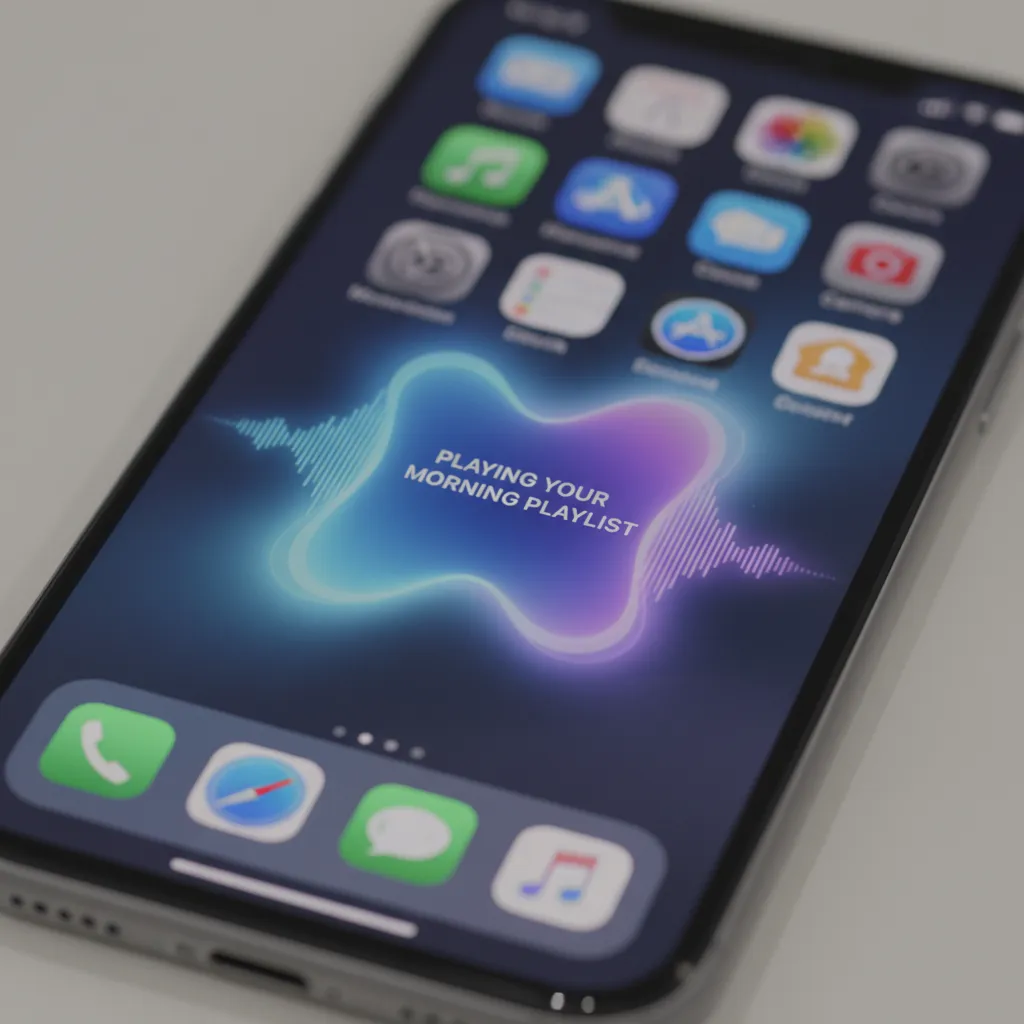
Siri, long criticized for lagging behind competitors, received a monumental update with Apple Intelligence, transforming it into the next generation Siri. The Siri update 2024 introduces three massive improvements:
1. Contextual Screen Awareness
The new Siri can understand and act upon what is currently visible on your screen. You can ask Siri to do things like:
- “Add this restaurant address to my Notes app.” (While viewing a website).
- “Send my spouse this article link.” (While reading in Safari).
- “Delete the two photos I took yesterday of the sunset.” (While viewing the Photos app).
This level of comprehension moves Siri from a reactive command bot to a proactive, helpful assistant that understands the current workflow.
2. Enhanced Natural Language
Siri is now significantly more conversational and capable of handling complex, layered requests. It can pause, re-ask questions, and remember previous interactions within a thread. If you make a mistake, you can correct Siri with your voice or, for the first time, type your requests directly.
3. New Visual Design
The classic Siri orb is replaced by a subtle, glowing edge around the screen, indicating that it is listening and ready to assist. This less intrusive design reflects its seamless integration.
AI Writing Tools Apple: Summarize, Rewrite, and Proofread
Integrated across Mail, Notes, Pages, and third-party apps, the AI writing tools Apple provide instant compositional assistance, making professional communication faster and clearer.
1. Rewrite
Users can select text and instantly rewrite it in different tones—from professional and concise to friendly and engaging. This is invaluable for drafting sensitive emails or polishing important documents.
2. Summarize Text AI
The system can instantly generate key takeaways from long articles, academic papers, emails, or notes. This powerful feature for summarize text AI works everywhere, significantly speeding up information consumption.
3. Proofread
Beyond basic spell-check, the new Proofread feature checks for grammar, syntax, word choice, and tonal consistency, offering suggestions that elevate the quality of the writing, ensuring users always sound their best.
[Related: unlock-your-best-self-ai-powered-personalized-nutrition-fitness-optimal-health/]
Image Creation: Genmoji and Image Playground
Apple Intelligence brings a suite of generative image tools focused on creativity, personalization, and fun, primarily accessed through two features: Genmoji and Image Playground.
Genmoji: Personalized Emojis
Genmoji allows users to describe an emoji they want, and the system instantly creates it. If you need a “T-Rex wearing a chef hat crying into a skillet,” Genmoji generates it. These personalized, high-quality images can be used as sticker reactions, inline in messages, or attached to notes. They integrate seamlessly into the standard keyboard, transforming communication with truly custom expressions.
Image Playground: Instantaneous Visuals
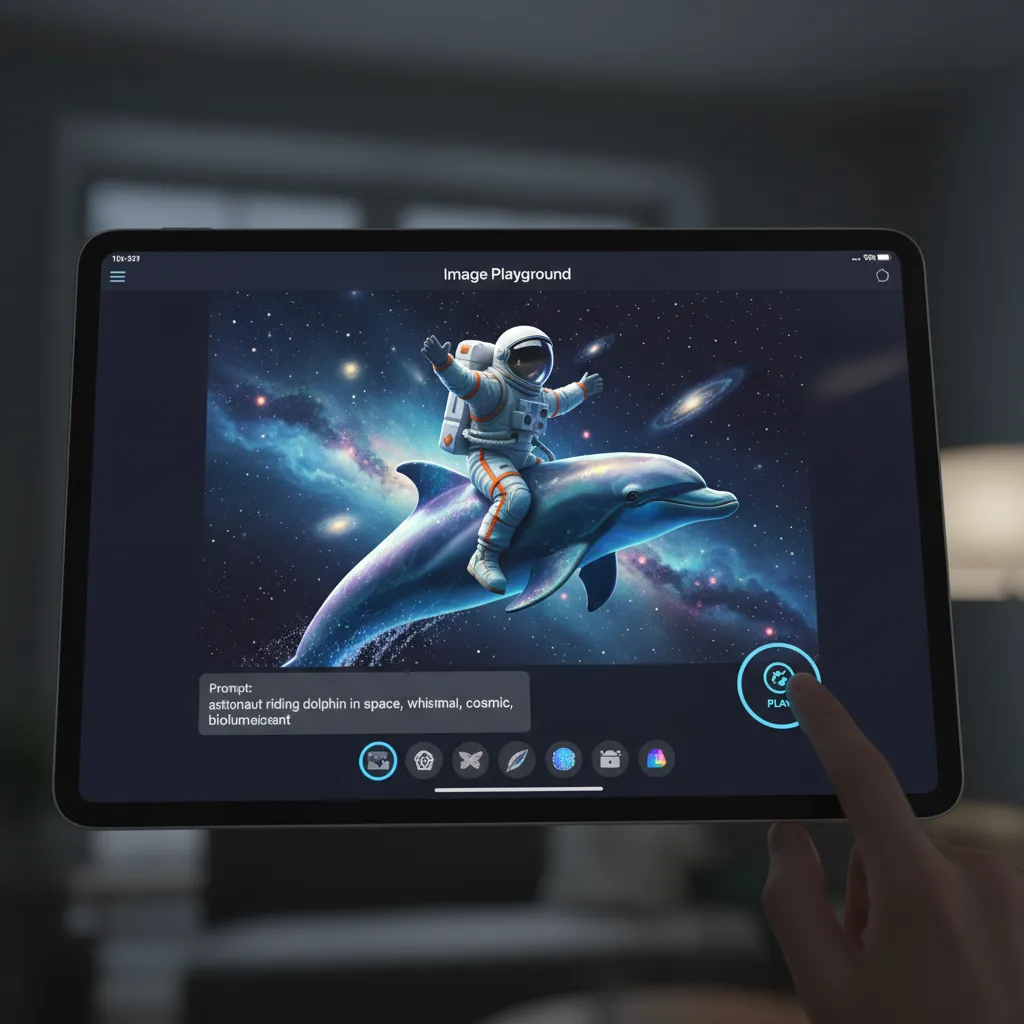
Image Playground is a dedicated app and system feature that allows users to create images quickly and easily. Unlike complex professional tools, Image Playground emphasizes speed and simplicity, generating images in three styles: Sketch, Illustration, and Animation.
Image Playground is built for use within Messages, Notes, Freeform, and other creativity apps, allowing users to rapidly prototype visuals, create storyboards, or design custom invitations without leaving their current application.
Organization and Focus: Priority Notifications iOS 18
One of the most immediate benefits of the enhanced personal context AI is the overhaul of notifications. Apple Intelligence uses its understanding of your relationships, projects, and the content of incoming messages to provide priority notifications iOS 18.
- Priority Ranking: The system identifies truly urgent messages (e.g., from your child’s school or your boss about a critical meeting) and elevates them, ensuring you don’t miss essential information amid clutter.
- Smart Filtering: During Focus Modes, the system offers a summary of non-priority notifications, allowing you to catch up quickly without being constantly interrupted.
Photo and Video Enhancements
Apple Intelligence integrates into the Photos app to provide more intelligent organization and powerful editing tools, often utilizing AI photo editing iOS 18.
The most anticipated tool is “Clean Up,” which allows users to easily remove unwanted objects or people from the background of a photograph non-destructively, delivering results comparable to advanced desktop editing suites. Furthermore, enhanced photo search allows for natural language queries tied to personal context, making it far easier to retrieve memories.
Section 3: The Architecture of the Apple Intelligence System
Understanding the underlying technology reveals why Apple’s solution is fundamentally different from competitors who are primarily focused on maximizing training data volume. Apple Intelligence is fundamentally about minimizing data exposure while maximizing utility.
The Role of Semantic Indexing
The effectiveness of any personal intelligence system hinges on its ability to access and understand personal data rapidly. Apple’s semantic indexing Apple is the mechanism that makes this possible.
Unlike traditional indexing which only maps keywords, semantic indexing maps the meaning and relationships between different pieces of information across all your apps.
- Example: If your spouse messages you about “the dinner plans on Tuesday” and you later receive a calendar invite for “Project Titan review,” the semantic index links these two events to your Tuesday schedule. When you ask Siri, “Did I have anything planned that conflicts with dinner this week?”, the system can instantaneously cross-reference context across Messages, Mail, and Calendar, even if the exact keywords were never used together.
This localized, hyper-efficient indexing is what gives Apple Intelligence the contextual awareness AI it needs to be genuinely helpful without relying on massive, remote servers for every simple query.
Device Compatibility: Why Your iPhone Needs an Upgrade
The hardware requirements for Apple Intelligence are strict, leading many users to check if their current phone or tablet supports the new features.
The list of Apple Intelligence compatible devices is limited to those featuring the M1 chip or later, or the A17 Pro chip:
- iPhones: iPhone 15 Pro and iPhone 15 Pro Max (requires A17 Pro).
- iPads: All models with M1 chip or later (iPad Pro, iPad Air).
- Macs: All models with M1 chip or later.
This requirement underscores the reliance on on-device AI. The high-performance Neural Engine in these chips is essential for executing the large foundation models locally for speed, security, and true personalization. Older devices simply lack the necessary silicon horsepower to run the core features of the Apple personal intelligence system.
Section 4: The AI Battleground—Apple AI vs Google Gemini
As the AI arms race intensifies, it’s necessary to analyze how Apple Intelligence compares to industry heavyweights like Google Gemini and other major LLMs. The comparison of Apple AI vs Google Gemini highlights a philosophical divergence in the future of computing.
| Feature | Apple Intelligence | Google Gemini (Cloud/On-Device) |
|---|---|---|
| Core Philosophy | Personal Context & Privacy First | World Knowledge & Data Scale First |
| Privacy Model | On-device processing + Private Cloud Compute (Verifiable) | Cloud processing with tiered privacy settings |
| Context Access | Deep, semantic access to personal data (Emails, Photos, Calendar) | Primarily based on Google ecosystem data (Search, Gmail, Workspace) |
| Integration | Deep OS integration across system features (Writing Tools, Photos, Siri) | Primarily integrated into Google apps (Search, Android, Workspace) |
| Generative Tools | Genmoji, Image Playground (Simple, Fast, Creative) | Imagen, Text Generation (Complex, High-Fidelity, Broad) |
| Openness | Limited integration with OpenAI (opt-in) | Native, deep integration with its own proprietary LLMs |
Apple’s advantage is its closed, vertically integrated ecosystem. Because Apple controls both the hardware (the M-series chips) and the software (the OS), it can guarantee a level of security and efficiency that third-party AI companies cannot match. While Google Gemini and Microsoft Copilot excel at accessing the vastness of the internet, Apple Intelligence excels at accessing the vastness of your life, privately.
[Related: the-rise-of-depin-decentralized-physical-infrastructure-networks-reshaping-the-future/]
Section 5: Availability and Getting Started
The transition to a fully personalized system is a multi-year effort, but the initial rollout of Apple Intelligence explained a clear path to users.
The Apple Intelligence Release Date
Apple Intelligence will be released in phases, starting with beta testing:
- Developer Beta: Features began rolling out with the developer betas of iOS 18 features, iPadOS 18, and macOS Sequoia in June 2024. This initial phase allows developers to test integration.
- Public Beta: A limited public beta Apple Intelligence program typically follows, allowing adventurous users to test features like the new Siri and writing tools.
- General Release: The full public launch of the features will occur in the fall of 2024, alongside the final release of iOS 18. However, key features, particularly those requiring complex Private Cloud Compute operations (like the full extent of the next generation Siri), will be rolled out gradually throughout 2025.
How to Use Apple Intelligence
Since Apple Intelligence is fundamentally an operating system feature, there is no single app to download. Instead, you interact with it through existing applications and system interfaces:
- Siri: Simply activate Siri and ask more complex, context-aware questions.
- Writing Tools: Look for the new “magic wand” icon in text fields within Mail, Notes, and Messages to access the Rewrite and Summarize tools.
- Image Playground: Access this feature directly from the Messages keyboard or within creativity apps like Notes and Freeform.
- Photos: The new Clean Up tool and enhanced natural language search are integrated into the Photos app interface.
Understanding how to use Apple Intelligence is primarily about recognizing that your device is now much smarter and more contextually aware, encouraging users to ask the system to perform complex, cross-app tasks they couldn’t before.
[Related: wwdc-2024-ai-predictions-apple-intelligence-shift/]
Conclusion: The Era of Contextual Computing
The introduction of Apple Intelligence marks the most significant evolution of Apple’s operating systems since the original iPhone. By focusing on personalization, contextual understanding, and privacy in AI, Apple has successfully carved out a unique space in the crowded world of artificial intelligence.
Apple Intelligence explained a commitment to making powerful tools accessible, fun (hello, Genmoji!), and inherently secure. The fusion of powerful on-device AI with the unique security guarantees of Private Cloud Compute ensures that users can leverage the full potential of generative models without sacrificing control over their most personal data.
As iOS 18 AI and its companion operating systems roll out, users will experience a sea change in efficiency, communication, and creative output. From utilizing the AI writing tools Apple to craft the perfect email, to asking the next generation Siri to manage cross-app tasks, the experience will feel less like using software and more like interacting with a truly capable, personal assistant.
The future of digital interaction is personal, contextual, and, thanks to Apple Intelligence, deeply private. Get ready to experience what truly personalized computing feels like when the intelligence system is built just for you.
FAQs: Frequently Asked Questions About Apple Intelligence
Q1. What is Apple Intelligence’s biggest selling point?
Apple Intelligence is best defined as a personal intelligence system whose core advantage is its deep contextual awareness AI combined with unparalleled privacy. It can seamlessly access and understand your personal data (emails, calendar, photos) across apps to perform tasks, all while keeping that data local or securing it using Private Cloud Compute (PCC).
Q2. Which devices are required to use Apple Intelligence?
The core features of Apple Intelligence require significant processing power from the Neural Engine. Therefore, Apple Intelligence compatible devices include iPhones with the A17 Pro chip (iPhone 15 Pro and newer), and iPads and Macs equipped with the M1 chip or any newer M-series chip. Older devices will receive iOS 18 but will not have access to Apple Intelligence features.
Q3. How does Apple Intelligence ensure user privacy with cloud computation?
Apple uses Private Cloud Compute (PCC) for tasks too large for on-device AI. When data must go to the cloud, it is encrypted and sent to proprietary Apple Silicon servers where it is processed in a temporary, verifiable environment. Crucially, the system is designed to reject any attempt by the server to log or store user data, ensuring the task is performed securely before the data instantly vanishes.
Q4. What specific creative tools does Apple Intelligence offer?
Apple Intelligence offers two primary creative tools: Genmoji, which allows users to instantly generate custom, descriptive emojis for use in messages, and Image Playground, a fast, simple generative AI tool for creating illustrations, sketches, and animations on the fly within apps like Messages and Notes.
Q5. When will I be able to start using Apple Intelligence?
The initial features of Apple Intelligence began rolling out to developers with the iOS 18 AI beta in mid-2024. The general public release for Apple Intelligence release date is expected alongside the final stable version of iOS 18 in the fall of 2024, with some complex features continuing to roll out throughout 2025.
Q6. Does Apple Intelligence use ChatGPT?
Yes, Apple Intelligence integrates the capabilities of ChatGPT for complex world knowledge and general queries. This Apple ChatGPT integration is strictly opt-in; the user must give permission for the request to be sent. Apple ensures that OpenAI does not store or use the requests to train its models unless the user signs in with their own paid ChatGPT account.
Q7. What is Semantic Indexing and why is it important?
Semantic indexing Apple is an on-device framework that organizes and maps the meaning and relationships between data across your operating system. This is what provides contextual awareness AI, allowing the next generation Siri and other features to quickly cross-reference information from Mail, Photos, and Calendar to provide personalized, relevant, and instantaneous answers.