Apple Intelligence: All-New AI Features Redefining the iPhone Experience
Introduction: The Dawn of Contextual Personal Intelligence
For years, we’ve anticipated the moment Apple would step fully into the age of generative AI. That moment arrived with the reveal of Apple Intelligence at WWDC 2024 AI. This isn’t just a set of new gimmicky features; it’s a foundational shift in how you interact with your iPhone, iPad, and Mac. It’s the next generation AI Apple, deeply integrated across iOS 18, iPadOS 18, and macOS Sequoia, designed specifically to be powerful, helpful, and, most critically, private.
The core promise of Apple Intelligence is contextual personal intelligence. Unlike general AI models that operate in a vacuum, Apple’s system understands your personal context—who you are, what you’re doing, and what your past interactions have been. This capability allows the suite of Apple AI features to anticipate your needs, streamline tasks, and enhance your creative output in ways traditional software simply couldn’t.
We’re going beyond basic digital assistance. We’re talking about an operating system that can automatically summarize a lengthy email thread, generate custom emojis based on text, and rewrite your sloppy draft into professional prose—all while ensuring your data stays uniquely yours.
In this exhaustive guide, we’ll explore every facet of this groundbreaking system, from the completely revamped Siri update 2024 to the industry-leading security of Private Cloud Compute. If you’ve been wondering “what is Apple Intelligence?” and how it will fundamentally change AI for iPhone, read on.
What is Apple Intelligence? Defining Apple’s AI Ecosystem
Apple Intelligence is the collective term for the machine learning and generative AI capabilities embedded directly into the newest versions of Apple’s operating systems. It is built on a framework that seamlessly switches between powerful on-device AI iPhone processing and secure cloud-based computing when required.
The key differentiation point is its focus on personalization. Apple Intelligence can access and cross-reference data across your apps—Calendar, Mail, Messages, Photos—to provide highly relevant actions and information without requiring third-party cloud services to see your private life.
Contextual Personal Intelligence: The Core Philosophy
This is the central pillar of Apple Intelligence. The system is designed not just to answer questions, but to perform actions that require an understanding of your life, calendar, and relationships.
For example, you could ask the new Siri, “Show me the photos Sarah sent me from the camping trip last month,” and it knows which contact “Sarah” is, what “camping trip last month” refers to based on your location data or calendar entries, and can retrieve the exact images—a feat of semantic indexing photos AI. This kind of cross-application context makes the intelligence truly useful and predictive.
The Role of On-Device AI iPhone and iPadOS 18 AI
To ensure speed and, more importantly, Apple AI privacy, most common tasks in Apple Intelligence are executed using the Neural Engine, housed within the latest Apple silicon chips (A17 Pro, M1, and newer). This on-device AI iPhone processing means:
- Speed: Tasks like summarizing text or generating quick images happen instantly.
- Security: Your data never leaves your device for these common operations.
This deep reliance on the chip architecture is why support for the new features is restricted to the latest models (more on iOS 18 supported devices later).
The Revolution of Siri: A Smarter, More Capable Assistant
The Siri update 2024 is perhaps the most immediate and impactful change brought by Apple Intelligence. After years of incremental improvements, Siri has undergone a complete transformation, making it a true competitor in the smart assistant space.
New Siri Features: Understanding You and Your Screen
The new Siri features are centered around two capabilities: deeper language understanding and screen awareness.
Siri can now:
- Handle Conversational Corrections: If you misspeak or change your mind mid-request, Siri understands the context and adapts without needing a fresh command.
- Take Action within Apps: Siri can now interact with specific app interfaces based on your request. For instance, “Take the photo I just took and make it look like a black and white film photo, then send it to Mom.” This moves Siri from being an information retrieval tool to an action automation engine.
- Understand Screen Context: A new visual indicator allows you to ask Siri about something on your screen, whether it’s a location in Maps or a specific email in Mail, making multitasking effortless in iOS 18 AI and macOS Sequoia AI.
Siri and OpenAI: The Apple ChatGPT Integration
Apple recognized that while its contextual personal intelligence is unrivaled for personalized tasks, a powerful, general generative AI model is necessary for broad knowledge tasks and creative content generation.
This led to the announcement of the Apple ChatGPT integration. When Siri determines a request is best handled by a world-class large language model (LLM)—such as writing a complex poem or researching an esoteric topic—it will seamlessly route the request to ChatGPT.
Crucially, this interaction is handled securely:
- Users are prompted before any data is sent to OpenAI.
- IP addresses are obscured.
- OpenAI commits to not storing or logging the requests for future training.
This partnership allows Apple Intelligence to offer both the deep, private personalization it excels at, combined with the vast, general knowledge of a model like ChatGPT.
Elevating Communication: Apple Writing Tools
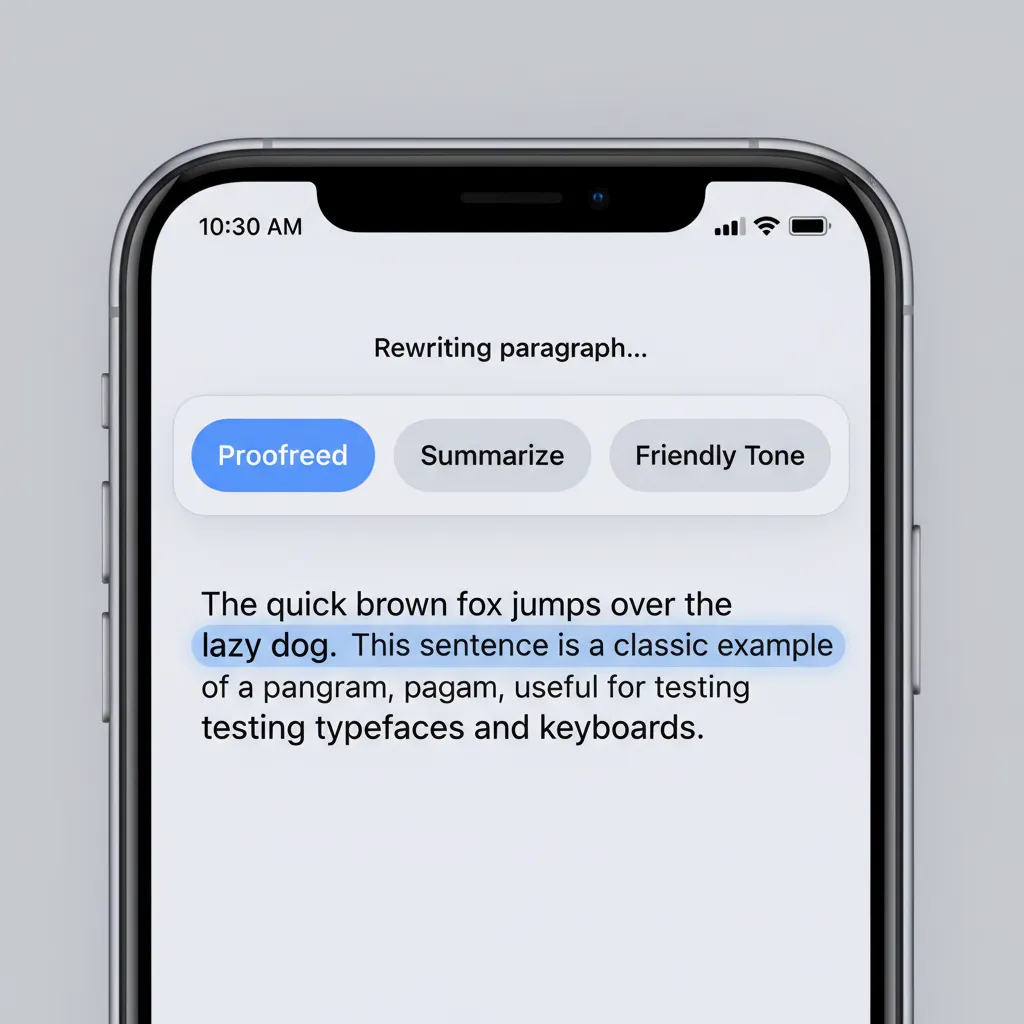
One of the most universally applicable features of Apple Intelligence is the new suite of Apple Writing Tools. These tools are integrated directly into the system, appearing automatically in apps like Mail, Notes, Pages, and even third-party applications where text is input.
These tools are designed to refine, summarize, and enhance your writing instantly.
Feature Breakdown: Rewrite, Proofread, and Summarize
The core tools revolutionize how we manage text on Apple devices:
| Tool | Function | Best Used For |
|---|---|---|
| Rewrite | Offers various versions of written text, adjusting tone, complexity, and style (e.g., formal, casual, assertive). | Turning quick notes into professional emails or polishing social media captions. |
| Proofread | Checks grammar, spelling, and sentence structure, offering suggestions for clarity and conciseness, not just corrections. | Ensuring critical documents or communications are polished and error-free. |
| Summarize | Condenses lengthy articles, documents, or conversation threads into easy-to-digest bullet points or short paragraphs. | Quickly grasping the content of a long email chain or research document. |
Real-World Application: AI Email Summary Apple Mail
Imagine opening your Mail app to an inbox flooded with fifty unread messages. With the AI email summary Apple Mail feature, Apple Intelligence quickly provides a snapshot of the most important content at the top of the message list. You can instantly see the key takeaways from a long client thread or a detailed project update without scrolling through endless text.
This feature, alongside the new Smart Reply suggestions that automatically generate concise and context-aware responses, transforms Mail from a management tool into a productivity powerhouse.
[Related: ai-unleashed-revolutionizing-money-smart-personal-finance/]
Generative AI on Apple Devices: Creativity Unleashed
Apple Intelligence isn’t just about utility; it also brings powerful new creative capabilities to the user’s fingertips through generative AI on Apple devices. These features are designed to be fun, accessible, and integrated directly into communication apps.
Genmoji: Create Custom Emoji iOS 18
Perhaps the most engaging and viral-ready feature is Genmoji. This new function allows users to create custom emoji iOS 18 simply by typing a descriptive text prompt.
Instead of being limited to the existing thousands of Unicode emojis, you can generate:
- An “Avocado wearing a tiny top hat.”
- A “T-Rex riding a skateboard.”
- A “Crying stack of pancakes.”
These Genmoji are fully compliant with Unicode standards, meaning they can be used inline in messages and react to Tapbacks. They are generated rapidly using the on-device AI iPhone capabilities and add a unique, personalized layer to digital conversations.

Image Playground: Instant Image Creation
For more complex visual content, Apple introduces Image Playground. This tool facilitates the creation of unique, fun images in seconds across Messages, Notes, Keynote, and other compatible applications.
Image Playground is built around ease of use and stylistic control, offering three distinct styles:
- Animation: A classic, cartoonish look.
- Illustration: A more artistic, graphic novel aesthetic.
- Sketch: A simple, black-and-white drawing style.
This feature supports private communication by allowing users to generate visuals that complement their messages without needing external, privacy-invasive generative tools.
[Related: ios-18-ai-photo-editing-tools-explored-apple-intelligence/]
AI Photo Editing iOS 18: The Magic of Clean Up
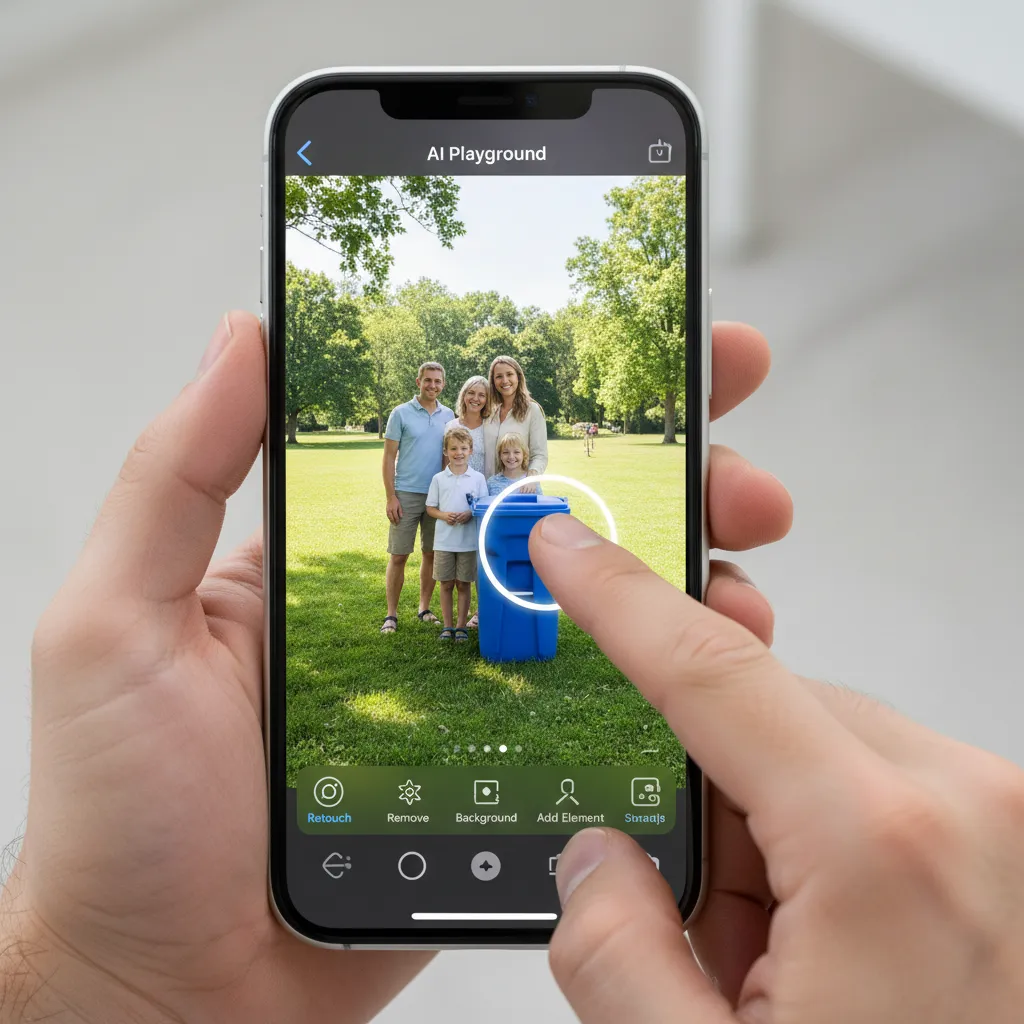
The Photos app in iOS 18 AI receives a significant upgrade, notably with advanced AI photo editing iOS 18 features. The headlining tool is “Clean Up.”
Clean Up uses generative AI to identify and seamlessly remove distracting objects or people from the background of a photograph. Unlike simple cropping or blurring, Clean Up intelligently fills the space with realistic, contextually appropriate information from the rest of the image, making the removal appear natural.
This is powered by the sophisticated semantic indexing photos AI which understands the content of the image—not just pixels, but objects, landscapes, and people—allowing for highly precise manipulation and automatic categorization of memories.
Privacy as a Pillar: The Private Cloud Compute Model
Apple has consistently positioned itself as a champion of user privacy, and Apple Intelligence is no exception. Recognizing the vast computational power required for complex generative tasks, Apple developed a revolutionary infrastructure called Private Cloud Compute (PCC).
How Private Cloud Compute Works
PCC is Apple’s answer to the trade-off between power and privacy. When a request is too complex for the on-device AI iPhone (e.g., generating a very high-resolution image or solving a highly complex query), it is securely routed to dedicated Apple servers running custom Apple silicon (M-series chips).
The security mechanism involves:
- Secure Enclave Protection: The user’s request is cryptographically sealed by the Secure Enclave on the user’s device.
- Transient Servers: The servers running the cloud tasks are auditable and designed to be transient, meaning they do not store user data persistently.
- Verified Code: Apple uses cryptographic attestation to ensure that the server running the task is running only Apple-verified, non-logging software. It is mathematically impossible for even Apple engineers to access or view the user’s personal data once it is processed on the PCC server.
This architecture ensures that the computational boost needed for the most demanding features of Apple Intelligence is achieved without ever compromising Apple AI privacy.
Apple Intelligence vs Google AI: A Privacy Showdown
The implementation of Private Cloud Compute draws a stark line between Apple Intelligence and competing AI models like Google Gemini or Microsoft Copilot.
While models offered by Google and others provide impressive capabilities, they often rely on large, centralized cloud infrastructure where data handling can be opaque or require explicit user permissions that often involve logging data for model refinement.
Apple Intelligence vs Google AI boils down to data philosophy:
- Google AI (General Focus): Focuses on vast scale and training data, often prioritizing capability over absolute data isolation.
- Apple Intelligence (Personal Focus): Prioritizes on-device processing and cryptographic security (PCC) to ensure personal context remains private, only leveraging the cloud when necessary and under strict auditing.
This dedication to privacy is what positions Apple Intelligence as a truly trustworthy next generation AI Apple offering.
[Related: navigating-future-imperative-ethical-ai-smart-world/]
Device Compatibility and Release: Will My iPhone Get Apple Intelligence?
The power of Apple Intelligence relies heavily on the advanced machine learning capabilities built into the latest Apple silicon. This has significant implications for iOS 18 supported devices and those running iPadOS 18 AI and macOS Sequoia AI.
The A17 Pro Requirement: A Steep Barrier
The critical hardware requirement for accessing the full suite of Apple Intelligence features is the presence of an Apple chip with a sufficiently powerful Neural Engine.
Will my iPhone get Apple Intelligence?
Currently, full access to Apple Intelligence is limited to devices equipped with the A17 Pro chip or later, or M-series chips:
- iPhones: iPhone 15 Pro, iPhone 15 Pro Max, and all subsequent models. (Older models like the iPhone 15, 14, and 13 series will not receive these features, even if they can run iOS 18).
- iPads: All models equipped with the M1 chip or later.
- Macs: All models equipped with the M1 chip or later.
This requirement, driven by the need for complex, simultaneous on-device processing, has made device compatibility the biggest point of discussion since the announcement.
Apple Intelligence Release Date and Timeline
The official Apple Intelligence release date will align with the stable public release of the new operating systems.
- Initial Developer Betas: Immediately following WWDC 2024 (June).
- Public Beta: Expected later in the summer (July/August 2024).
- Official Stable Release: Scheduled for Fall 2024, likely alongside the launch of the new iPhone lineup (September/October).
It is important to note that the features will initially launch in English (US) only, with other languages rolling out progressively throughout 2025. This gradual rollout is typical for complex, language-dependent features like contextual personal intelligence.
Final Takeaway: How to Use Apple Intelligence
Learning how to use Apple Intelligence is less about learning a new app and more about adopting a new way of interacting with your operating system. Because the features are seamlessly integrated across every part of iOS 18, iPadOS 18, and macOS Sequoia, the intelligence is simply there, ready to assist.
Whether you are using Genmoji in Messages, asking Siri to perform complex, multi-step actions, or letting the system help you summarize an important client proposal, Apple Intelligence promises a major step toward a truly intelligent, personalized, and secure digital experience. This is not just AI in a box; it’s AI baked into the core functionality of your most personal devices.
The blend of cutting-edge generative AI on Apple devices with an unwavering commitment to Apple AI privacy sets a new standard for the tech industry, ensuring that users can harness immense power without sacrificing control over their data.
Conclusion
Apple Intelligence marks the most significant evolution of Apple’s operating systems in a decade. By prioritizing on-device AI iPhone performance and building the cryptographic shield of Private Cloud Compute, Apple has delivered a powerful suite of features—from the enhanced AI photo editing iOS 18 to the comprehensive Apple Writing Tools—that feel inherently Apple: thoughtful, integrated, and respectful of privacy.
While the steep hardware requirement limits access to the latest devices, for those who can utilize it, the features promise genuine efficiency gains and creative freedom. The future of the iPhone is smart, and with Apple Intelligence, the focus is decidedly and securely personal. We look forward to seeing how these capabilities evolve and expand the definition of contextual personal intelligence in the years to come.
Stay tuned to Hyperdaily as we continue to track the rollout and real-world performance of these exciting new features.
FAQs
Q1. What is Apple Intelligence?
Apple Intelligence is the brand name for the suite of generative AI and machine learning capabilities integrated into iOS 18, iPadOS 18, and macOS Sequoia. It focuses on contextual personal intelligence—using user data (like calendar, email, and photos) on-device to provide highly personalized, proactive assistance and creative tools.
Q2. Which iOS 18 supported devices will get Apple Intelligence?
Due to the heavy requirement for on-device processing, full Apple Intelligence features are only available on the iPhone 15 Pro and iPhone 15 Pro Max (which use the A17 Pro chip), and any iPad and Mac models equipped with the M1 chip or later. Older iPhones running iOS 18 will not receive these specific AI functions.
Q3. How does Private Cloud Compute ensure Apple AI privacy?
Private Cloud Compute (PCC) is Apple’s cloud-based server infrastructure running on Apple silicon. When a complex AI task must be processed off-device, PCC ensures the data is cryptographically sealed by the device’s Secure Enclave, processed on transient, auditable servers running Apple-verified software, and never stored or accessed by Apple, making it a key differentiator in the Apple Intelligence vs Google AI discussion.
Q4. Does Apple Intelligence use ChatGPT?
Yes, Apple Intelligence includes an optional, integrated Apple ChatGPT integration. Siri can seamlessly route complex, general knowledge, or creative requests to ChatGPT (GPT-4o) when the proprietary Apple models cannot handle the task, ensuring user data is protected by obscuring IP addresses and preventing logging by OpenAI.
Q5. What can the new Apple Writing Tools do?
The Apple Writing Tools are system-wide features that allow users to Rewrite text to change tone, Proofread for errors and conciseness, and Summarize long documents or conversations. A key application is the AI email summary Apple Mail feature, which quickly condenses lengthy threads into key takeaways.
Q6. When is the Apple Intelligence release date?
The Apple Intelligence release date will coincide with the public launch of iOS 18, iPadOS 18, and macOS Sequoia, expected in the Fall of 2024. Initially, the features will only be available in English (US).
Q7. What are Genmoji and Image Playground?
Genmoji allows users to create custom emoji iOS 18 simply by typing text descriptions (e.g., “smiling hot dog wearing sunglasses”). Image Playground is a companion tool for quick image generation in Messages and Notes, offering styles like animation, illustration, and sketch, showcasing the new generative AI on Apple devices.