AI Supercharge: Automate Your Workflow, Boost Productivity Now

That feeling of being buried under a mountain of tasks is all too familiar. The endless emails, the repetitive data entry, the constant switching between apps—it’s a daily battle for focus. What if you could reclaim hours of your day, not by working harder, but by working smarter? This isn’t a futuristic dream; it’s the reality of AI workflow automation.
AI is no longer just a buzzword for tech giants. It’s a powerful, accessible tool that can act as your personal assistant, data analyst, and creative partner, all rolled into one. By learning to automate tasks with AI, you can delegate the mundane and unlock your true potential for deep, meaningful work.
This guide will walk you through everything you need to know to supercharge your efficiency. We’ll explore powerful AI automation strategies, introduce you to the best AI workflow tools, and provide actionable steps to build your own productivity engine. Get ready to transform your work life and maximize your output with AI.
What Exactly is AI Workflow Automation? (And Why It’s Not Just for Tech Giants)
At its core, AI workflow automation is the use of artificial intelligence to design, execute, and manage a sequence of tasks that would otherwise require human intervention. Think of it as creating a team of intelligent digital employees who work 24/7 without making mistakes.
But it’s crucial to understand this isn’t the same as traditional automation.
- Traditional Automation: Follows rigid, “if-this-then-that” rules. For example, “If a new email arrives with the word ‘invoice,’ move it to the ‘Finance’ folder.” It’s powerful but lacks flexibility.
- AI-Powered Automation: This is where the magic happens. AI can understand context, make decisions, and handle variability. For example, an AI can read an invoice, understand the vendor, amount, and due date, and then enter that data into your accounting software, flagging any anomalies for your review.
This leap in capability makes it a game-changer for everyone, from solo entrepreneurs to large enterprises. For AI for small business productivity, this means having the operational power of a larger company without the overhead. You can streamline operations, handle more clients, and focus on growth instead of getting bogged down in administrative weeds. The automated workflow benefits are no longer a luxury; they’re a competitive necessity.

The Core Benefits: Moving Beyond “Saving Time”
While reclaiming your time is a massive advantage, the true impact of AI-driven efficiency runs much deeper. It’s about fundamentally upgrading how you work and think.
1. Reclaim Your Cognitive Energy
It’s not just about the hours you save; it’s about the mental energy you preserve. Repetitive tasks drain your focus and lead to decision fatigue. By offloading these to AI, you free up your brainpower for strategy, creativity, and complex problem-solving—the work that truly moves the needle.
2. Drastically Reduce Human Error
AI doesn’t get tired or distracted. For tasks like AI in data entry, report generation, or information transfer, this means near-perfect accuracy. Fewer errors lead to better data, more reliable outcomes, and less time spent on damage control.
3. Achieve Scalable Efficiency
Want to double your output without doubling your team? AI automation makes it possible. You can process more leads, manage more projects, and handle more customer inquiries seamlessly. It allows your business process to scale effortlessly with demand. [Related: The DePIN Rise: Powering Smart Cities & The IoT Decentralized Future]
4. Unlock Data-Driven Insights
Many AI tools don’t just complete tasks; they analyze them. An AI integrated system can monitor your workflows, identify bottlenecks, and suggest optimizations you might never have noticed. This turns your daily operations into a source of valuable business intelligence and AI decision making support.
5. Foster Creativity and Innovation
When your team isn’t bogged down by administrative drag, they have the freedom to innovate. This is especially true for AI for creative professionals, where it can handle the technical grunt work (like transcribing interviews or sorting assets), allowing more time for the actual creative process. [Related: How AI Reshapes Creativity: The Art, Music, and Design Revolution]
Building Your AI-Powered Productivity Engine: A Step-by-Step Guide
Getting started with AI workflow automation might sound intimidating, but it’s more accessible than ever thanks to a new generation of no-code and low-code tools. Here’s a practical framework to build your system from the ground up.
Step 1: Identify Your Automation Candidates
Before you can automate, you need to know what to automate. Grab a piece of paper or open a spreadsheet and conduct a “task audit.” For one week, list out your daily tasks and look for candidates that are:
- Repetitive: Do you do it over and over again? (e.g., sending the same follow-up email)
- Rule-Based: Does it follow a predictable set of steps? (e.g., saving attachments from specific senders)
- Time-Consuming: Does it eat up a significant chunk of your day? (e.g., compiling weekly reports)
- Low-Creativity: Is it a necessary chore that doesn’t require strategic thinking? (e.g., copying data between apps)
| Task | Time Spent / Week (Est.) | Automation Potential |
|---|---|---|
| Sorting and tagging client emails | 3 hours | High |
| Creating project folders/templates | 1 hour | High |
| Transcribing meeting notes | 2 hours | High |
| Drafting initial social media posts | 4 hours | Medium |
| Strategic client calls | 5 hours | Low |
This simple exercise will give you a clear roadmap for your first automation projects.
Step 2: Choose Your AI Toolkit: The “Automation Stack”
The market for AI tools for productivity is exploding. Instead of getting overwhelmed, think of them in categories that work together to form your “stack.”
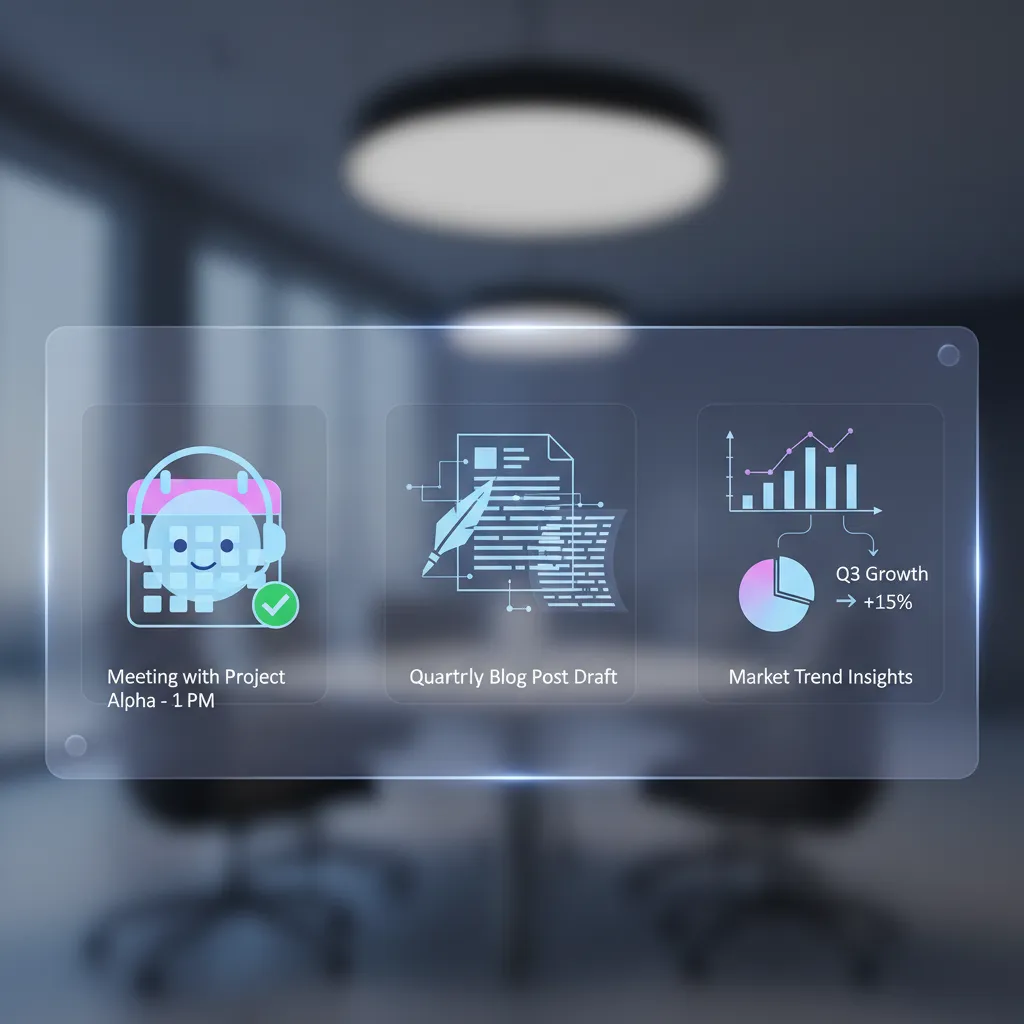
- Integration Platforms (The Glue): These are the conductors of your AI orchestra. Tools like Zapier, Make.com, and n8n allow you to connect different apps and create workflows without writing any code. They are the backbone of most personal and small business automation.
- Generative AI Powerhouses (The Brains): This is where the intelligence comes from. ChatGPT, Google Gemini, and Anthropic’s Claude can understand and generate text, summarize information, and make decisions within your workflows. They are essential for AI for content automation and handling unstructured data.
- AI-Enhanced Project Management (The Command Center): Modern project management tools are embedding AI directly. Notion AI, Motion, Asana AI, and ClickUp AI can help you plan projects, generate task lists, and even manage your schedule intelligently. This is the heart of AI project management.
- Specialized AI Tools (The Specialists): There are thousands of tools for specific tasks, from AI-powered transcription services like Descript to email assistants like Superhuman.
Step 3: Design & Implement Your First Workflow
Let’s put theory into practice with a common example: Automating the initial steps of a new client inquiry.
- The Trigger: A potential client fills out a contact form on your website (e.g., using Typeform or Jotform).
- Step 1 (Capture & Enrich): Using Zapier, the form submission data is automatically sent to your CRM (like HubSpot or a simple Google Sheet).
- Step 2 (Analyze & Summarize): The data is also sent to ChatGPT. You give it a prompt like: “Read the following inquiry. Summarize the user’s needs in one sentence, identify their potential budget, and categorize them as ‘High Priority’ or ‘Medium Priority’ based on their company size and stated needs.”
- Step 3 (Task Creation): Zapier takes the AI’s output and creates a new task in Asana. The task title could be “Follow up with [Client Name]” and the description would contain the AI’s summary and priority level.
- Step 4 (Draft a Reply): Zapier then sends the client’s original message and the AI summary to your Gmail, creating a pre-populated draft reply using a template. All you have to do is review, personalize, and hit send.
In just a few minutes, you’ve created a robust system that saves time, ensures no lead falls through the cracks, and prepares you for every conversation.
Step 4: Test, Refine, and Scale
Your first workflow won’t be perfect. Run tests, see where it breaks, and refine the prompts you give your AI. Automation is an iterative process. Start with one simple workflow, master it, and then look for the next bottleneck to solve. Over time, these small automations compound into massive gains in AI-driven efficiency.
Real-World AI Automation Strategies for Different Roles
How AI improves workflow isn’t one-size-fits-all. Here’s how different professionals can leverage these tools.
For Small Business Owners
Beyond lead management, use AI to automate financial tasks. Connect your invoicing software to an AI tool to automatically send payment reminders for overdue invoices. Integrate your e-commerce platform with a generative AI to write initial product descriptions, freeing you up to focus on marketing and strategy.

For Creative Professionals
Tired of the tedious parts of creativity? Use AI to transcribe interviews and meetings in minutes. Feed the transcript to a Generative AI and ask it to pull out the most important quotes, themes, and action items. Use AI image generators to create concept art or mood boards for inspiration, dramatically speeding up the ideation phase.
For Remote Workers
AI for remote work is a superpower. Use AI meeting assistants like Otter.ai or Fathom to automatically record, transcribe, and summarize your video calls. Set up workflows that manage your notifications, holding non-urgent pings and delivering a summary digest twice a day to protect your deep work blocks. [Related: Eco-Tourism Unpacked: Your Guide to Sustainable Adventures]
The Cognitive Supercharge: How AI Makes You Smarter, Not Just Faster
The most profound shift enabled by the future of work with AI is not just delegation, but augmentation. AI is becoming a tool for thought, a cognitive partner that enhances our own abilities.

Think of it as cognitive offloading. By entrusting your personal AI assistant with scheduling, reminders, and information retrieval, you reduce the mental load of managing your life. This frees up precious cognitive resources for higher-level thinking. An AI for task management tool like Motion doesn’t just list your to-dos; it analyzes your priorities and calendar to build an optimal schedule for your day, eliminating the constant “what should I do next?” fatigue.
This partnership is the core of AI for smarter work. It’s about using AI to prepare you for important moments. Imagine an AI that, before a big meeting, automatically compiles a briefing document with the attendees’ LinkedIn profiles, recent email exchanges, and a summary of your last conversation. You walk in faster, smarter, and better prepared.
The Rise of Integrated AI Ecosystems
The next frontier is the move from connecting individual tools to using deeply AI integrated systems. Companies like Apple, Google, and Microsoft are building AI into the very fabric of their operating systems.
This is the promise of concepts like Apple Intelligence. Instead of you telling Zapier to connect your calendar to your email, the AI will have inherent context across all your apps. It will understand your relationships, your projects, and your personal context to offer proactive assistance. [Related: What is Apple Intelligence? A Deep Dive into Apple’s AI]
These AI-powered personal assistants will make automation even more seamless and powerful. You’ll be able to give simple, natural language commands like, “Draft an email to my team summarizing our conversation about the ‘Project Phoenix’ launch and pull up the design mockups from last week.” The AI will understand, locate the information, and execute the task across multiple applications. [Related: Apple Intelligence Guide: iOS 18’s New AI Features Explained]
Conclusion: Your Automated Future Starts Now
AI workflow automation is more than just a collection of clever AI efficiency hacks; it’s a fundamental shift in how we approach work. It’s about recognizing that your most valuable asset is your creativity, strategic thinking, and human connection—not your ability to copy and paste data.
By strategically identifying repetitive tasks, choosing the right AI solutions for productivity, and starting with small, manageable workflows, you can build an engine of efficiency that works for you around the clock. You’ll not only boost your productivity but also reduce stress, minimize errors, and unlock more time and mental space for the work that truly inspires you.
The future of work isn’t about being replaced by AI; it’s about being amplified by it. The journey starts with a single step. What’s the first task you’re going to automate?
Frequently Asked Questions (FAQs)
How do I automate my workflow with AI?
You can start by following a simple four-step process: 1) Identify repetitive, time-consuming tasks in your daily work. 2) Choose accessible no-code tools like Zapier or Make to connect your apps. 3) Integrate a generative AI like ChatGPT to handle tasks involving text or decision-making. 4) Design, test, and refine your automated workflow, starting with a simple task and gradually adding complexity.
What is an example of AI in a workflow?
A great example is automating lead follow-up. When a new lead fills out a form on your website, an AI can instantly analyze their submission to determine their needs and priority level. It then automatically creates a task in your project management system, drafts a personalized follow-up email, and alerts you to review and send it.
What are the best AI tools for productivity?
The best tools often fall into three categories: 1) Integration Platforms like Zapier and Make.com to connect your apps. 2) Generative AI like ChatGPT or Google Gemini for content creation and analysis. 3) AI-Enhanced Project Managers like Motion, Notion AI, or Asana AI to help organize and plan your work.
Can AI really improve my productivity?
Absolutely. AI improves productivity by automating manual and repetitive tasks, which saves significant time and reduces the chance of human error. More importantly, it frees up your cognitive energy from mundane chores, allowing you to focus on high-impact strategic and creative work that requires human ingenuity.
Is it difficult to set up AI workflow automation?
No, it’s more accessible than ever. Modern no-code platforms like Zapier have a user-friendly interface that allows you to build powerful automations without writing a single line of code. While workflows can become complex, setting up simple, high-impact ones is a skill anyone can learn quickly.
How is AI used in business process automation?
In business, AI is used to streamline operations from end to end. This includes automating data entry and validation, handling customer service inquiries with chatbots, qualifying sales leads, generating financial reports, and managing supply chain logistics. This leads to increased speed, higher accuracy, and significant cost savings.