AI PCs Unveiled: Boost Productivity & Creativity with Next-Gen Hardware
For the first time in nearly three decades, the personal computer is undergoing a seismic shift. We’re not just talking about faster processors or thinner designs; we’re witnessing the dawn of a fundamentally new category of machine: the AI PC. You’ve likely heard the buzzwords—Copilot+, NPU, on-device AI—but what do they actually mean for you?
This isn’t just another incremental upgrade. The new era of PCs promises to transform how we work, create, and interact with our devices. Imagine a laptop that anticipates your needs, streamlines complex tasks into single clicks, and supercharges your creative tools, all while sipping power for true all-day battery life. This is the tangible promise of AI acceleration technology built directly into the hardware.
In this deep dive, we’ll unveil the world of AI PCs. We’ll demystify the technology, explore the game-changing AI PC features, and show you how these next-gen laptops are poised to deliver an unprecedented AI PC performance boost for both productivity and creative workflows. Get ready to understand the future of personal computing.
What is an AI PC, Really? Beyond the Hype
The term “AI PC” is more than a marketing slogan. It defines a computer with a specific hardware architecture designed for the age of artificial intelligence. While powerful PCs have been running AI software for years, the key difference lies in how they do it.
It’s More Than Just a Faster CPU
For decades, the Central Processing Unit (CPU) has been the undisputed “brain” of the computer, handling general computations. The Graphics Processing Unit (GPU) later joined, specializing in parallel tasks perfect for gaming and complex visual rendering.
An AI PC introduces a third, highly specialized processor to this team: the Neural Processing Unit (NPU). This “three-brained” approach—CPU, GPU, and NPU—creates a more efficient and powerful system, where each component handles the tasks it’s best suited for.
The Magic Ingredient: The Neural Processing Unit (NPU)
The NPU is the heart of the AI PC. It’s a purpose-built accelerator chip designed from the ground up to handle the unique, sustained calculations required for artificial intelligence and machine learning tasks.
Think of it this way:
- The CPU is a versatile project manager, great at handling a wide variety of sequential tasks quickly.
- The GPU is a heavy-lifting crew, perfect for massive, parallel jobs like rendering a 3D scene or training a large AI model in the cloud.
- The NPU is a highly efficient, specialized assistant that works tirelessly on specific AI tasks—like real-time language translation or background blurring—using very little power.
By offloading these persistent AI workloads to the NPU, the AI PC frees up the CPU and GPU to focus on what they do best, leading to a smoother, faster, and more responsive experience overall. This is the secret behind the remarkable AI chip benefits.
On-Device vs. Cloud AI: Why Local Processing Matters
Most of us have experienced cloud-based AI. When you use ChatGPT or a cloud-based image generator, your request is sent over the internet to a massive data center, processed, and the result is sent back. This works well, but it has limitations.
On-device AI processing changes the game. By having a powerful NPU, AI PCs can run complex AI models directly on your laptop. This has three transformative benefits:
- Speed: There’s virtually no latency. AI-powered features feel instant and seamlessly integrated into your workflow because the data doesn’t need to travel to a server and back.
- Privacy & Security: Your personal data stays on your device. For sensitive tasks like analyzing your documents or emails, nothing is sent to the cloud, offering a significant privacy advantage.
- Cost & Connectivity: You’re not reliant on an internet connection for core AI features to work, and you’re not paying for cloud processing credits. It works on a plane, in a coffee shop with spotty Wi-Fi, or anywhere in between.
This move towards local processing is a critical part of the personal computing evolution. [Related: Edge AI Explained: Powering Smart Devices with Real-Time Intelligence]
The Dawn of a New Era: Introducing Copilot+ PCs
To standardize the AI PC experience, Microsoft has introduced a new benchmark: Copilot+ PC. This isn’t just a sticker; it’s a seal of approval signifying that a machine meets a specific set of hardware requirements to unlock the next generation of Windows AI features.
The minimum spec for a Copilot+ PC is a big leap forward:
- An NPU capable of 40+ TOPS (Trillion Operations Per Second).
- At least 16GB of RAM.
- A 256GB SSD or larger.
The first wave of these devices, including the new Surface Pro and Surface Laptop, are powered by Qualcomm’s Snapdragon X Elite laptops, which were designed from the ground up for this new era of efficient, AI-centric computing.
Exclusive Windows AI Features Unlocked
Owning a Copilot+ PC grants you access to a suite of groundbreaking features that are processed locally by the NPU. A Copilot+ PC review wouldn’t be complete without highlighting these experiences:
- Recall: This powerful feature creates a semantic, searchable timeline of virtually everything you’ve seen or done on your PC. You can scroll back in time or search for things you vaguely remember—like “that blue dress I saw on a shopping site last week”—and Recall will find it. While it sparked a privacy debate, Microsoft has since made it an opt-in feature with enhanced security.
- Cocreator in Paint: Generate and refine images using text and simple drawings. The NPU allows for rapid, iterative creation right within the classic Paint application.
- Live Captions with Translation: Get real-time captions for any audio playing on your PC—a video, a podcast, a live call—and translate it from over 40 languages into English instantly.
- Windows Studio Effects: Your video calls get a major upgrade with NPU-accelerated effects like superior background blur (Portrait blur), creative filters, and an impressive Eye Contact feature that makes it seem like you’re always looking at the camera.
[Related: Copilot+ PC Buyer’s Guide: Top AI Laptops of 2024]
The Ultimate Productivity AI PCs: Reinventing Your Workflow
The most immediate and tangible AI laptop benefits are found in everyday productivity. These aren’t futuristic concepts; they are practical tools that streamline how you work, communicate, and manage information.
Intelligent Multitasking and Smart Assistant Integration
The core idea behind productivity AI PCs is to move from a world where you tell your computer what to do to one where it understands your intent. Smart assistant integration is at the heart of this. The Copilot key, now standard on new AI PCs, provides instant access to an AI assistant that is contextually aware of what you’re doing.
Imagine your PC helping you manage your focus by intelligently silencing non-critical notifications, suggesting apps to open based on your meeting schedule, or helping you organize your windows for a specific task. This is the promise of a truly smart operating system, powered by the NPU.
AI-Powered Productivity Tools in Action
Software developers are rapidly updating their apps to leverage this new hardware. The AI software optimization is where the magic truly happens:
- Email & Documents: In Microsoft 365, Copilot can summarize long email threads, draft replies in your tone, and help you brainstorm or rewrite sections of a Word document—all processed locally and privately.
- Meetings & Presentations: Tools like Microsoft Teams can use the NPU to provide real-time transcription, translation, and generate meeting summaries with action items, even with a spotty internet connection. You can even get real-time coaching on your presentation skills.
- Coding & Development: For AI for developers, the ability to run smaller language models locally on the NPU is a game-changer. It allows for faster code completion, debugging, and testing without constant reliance on cloud APIs.
[Related: Claude 3.5 Sonnet vs. GPT-4o: The Ultimate AI King Showdown]
Unprecedented Battery Life
One of the most celebrated features of the first wave of Snapdragon-powered Copilot+ PCs is their incredible battery life. This is a direct result of the NPU’s efficiency. By handling constant AI tasks (like video call effects or OS predictions) at very low power, the NPU allows the power-hungry CPU to rest. This efficient division of labor means you can genuinely work or create all day without reaching for a charger, a huge win for mobile professionals.
A Canvas for Creation: How AI Hardware Fuels Creative Workflows
For artists, designers, editors, and musicians, creative AI hardware is not just a convenience—it’s a paradigm shift. It automates tedious tasks, provides new creative avenues, and dramatically speeds up workflows. This is how AI for graphic design and video editing is being revolutionized.
The New Speed of Light: AI in Video and Audio Editing
Video editing AI PCs equipped with NPUs are set to drastically reduce export times and enable real-time effects that were previously impossible on a laptop.
In apps like DaVinci Resolve and Adobe Premiere Pro, AI features are already here:
- AI-powered transcription for instant subtitle generation.
- Auto Reframe to quickly adapt videos for different social media aspect ratios.
- Scene Edit Detection to automatically find cuts in an already-edited video.
- AI-driven color grading to match shots from different cameras seamlessly.
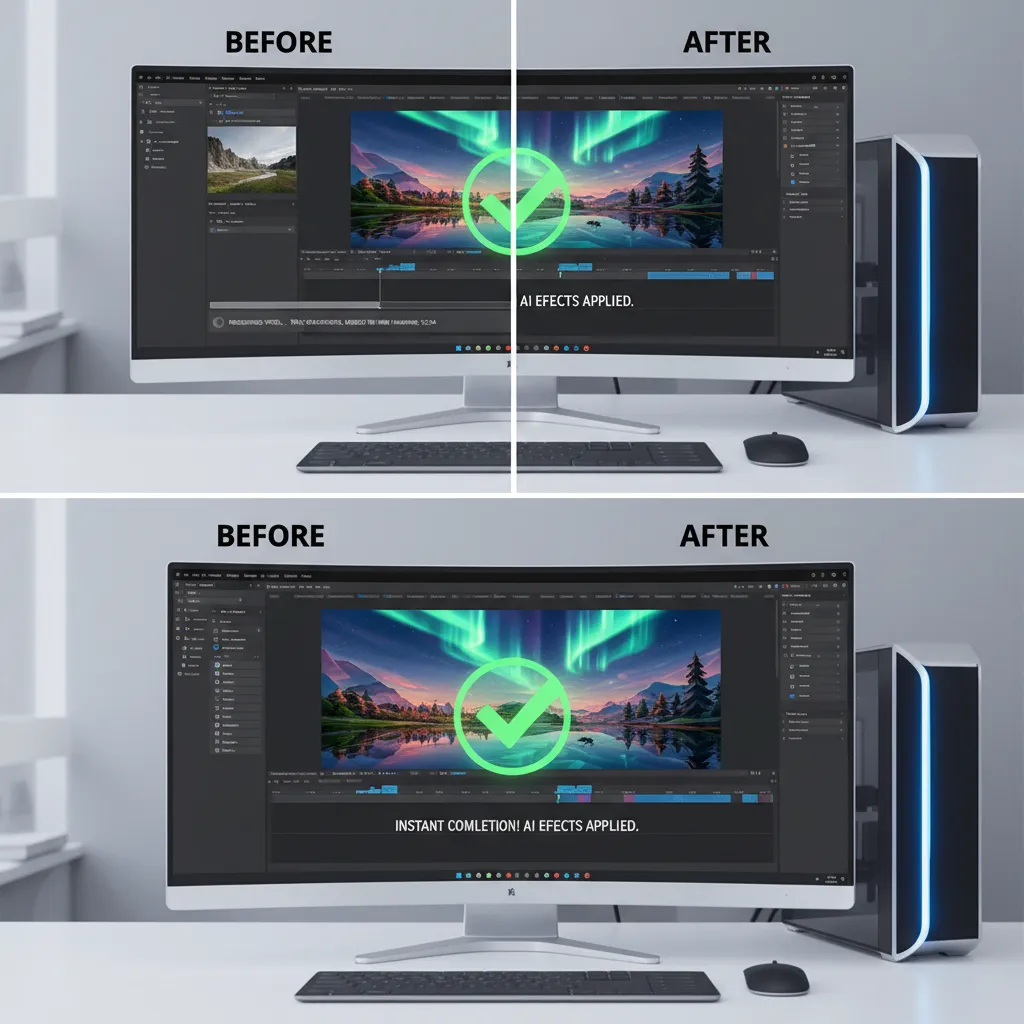
With an NPU, these tasks become faster, smoother, and don’t bring the rest of your system to a halt. You can apply complex AI effects and still scrub through your 4K timeline without a stutter.
Graphic Design and Illustration Reimagined
The Adobe Creative Suite is a prime example of AI integration. Features like Generative Fill in Photoshop, which once relied entirely on the cloud, can now leverage the NPU for faster performance. This means enhanced creative workflows where you can ideate and experiment at the speed of thought. Whether you’re removing objects, extending backgrounds, or generating new elements from text prompts, the process becomes more interactive and less time-consuming.
[Related: The Rise of AI PCs: Is 2024 a Game-Changer for Computing?]
Architects, Engineers, and 3D Artists: Your AI Co-Pilot
The benefits extend to highly technical creative fields. AI acceleration technology can be used in CAD and 3D modeling software to:
- Accelerate complex physics simulations.
- Offer generative design options based on a set of constraints.
- Dramatically speed up rendering times for architectural visualizations and product designs.
By handling these intensive calculations on dedicated silicon, AI PCs empower creators to iterate more, experiment freely, and deliver better results faster.
Beyond Work and Play: What About Gaming on AI PCs?
This is a hot topic. The first Copilot+ PCs with Snapdragon chips are not positioned as elite gaming machines. They can run many games through the “Prism” emulation layer, but performance won’t match a dedicated gaming laptop with a high-end discrete GPU from NVIDIA or AMD.
However, the future of gaming on AI PCs is incredibly exciting. The NPU opens up fascinating possibilities:
- AI-Powered Upscaling: Imagine a technology like NVIDIA’s DLSS or AMD’s FSR, but run entirely on the NPU, freeing up the GPU to focus solely on rendering raw graphics for even higher frame rates.
- Smarter NPCs: Game developers could use the NPU to run complex AI for non-player characters (NPCs), leading to more realistic, dynamic, and unscripted behavior that makes game worlds feel truly alive.
- Real-Time World Generation: AI could be used to procedurally generate vast, detailed environments on the fly, tailored to the player’s actions.
For now, hardcore gamers should stick to traditional gaming rigs. But the NPU is a new tool in the developer’s arsenal that will undoubtedly shape the future of gaming. [Related: Cloud Gaming’s Epic Return: Play Anywhere, No Console Needed]
The Future of Personal Computing: Is an AI PC Right for You?
We’ve covered how AI PCs work and the incredible potential they hold. But the big question remains: should you buy one of the best AI computers 2024 has to offer?
The answer depends on your needs and how you use your computer.
Who Should Upgrade Now?
- Early Adopters & Tech Enthusiasts: If you love being on the cutting edge and want to experience the future of computing first, the answer is a clear yes.
- Mobile Professionals: If you value all-day battery life, instant-on functionality, and your workflow involves communication, presentations, and document management, the productivity benefits are immediate and substantial.
- Creative Professionals: If your software of choice (like Adobe Creative Suite or DaVinci Resolve) is already integrating NPU-accelerated features, an AI PC could save you hours of waiting and unlock new creative possibilities.
Who Can Wait?
- Hardcore Gamers: As mentioned, dedicated gaming laptops still offer superior performance for today’s titles. The AI gaming revolution is on the horizon, but it’s not here yet.
- Users with Recent High-End Laptops: If you bought a powerful machine in the last year or two, it will still handle most tasks beautifully. You can wait for the AI software ecosystem to mature further.
- Budget-Conscious Buyers: As with any new technology, the first wave of AI PCs commands a premium price. More affordable and diverse options will become available as Intel, AMD, and others release their competing chips.
It’s also worth watching how competitors respond. Apple is making its own major push into on-device AI with Apple Intelligence, which will bring similar productivity and creative benefits to its ecosystem. [Related: Apple Intelligence: A Deep Dive into the Top AI Features Coming to iOS 18]
Conclusion
The AI PC is not an incremental update; it’s a foundational redesign of personal computing. The inclusion of the Neural Processing Unit (NPU) marks a pivotal shift towards on-device intelligence, delivering a faster, more private, and context-aware user experience.
We are at the very beginning of this journey. The true power of these machines will be fully unlocked as more developers build software that takes full advantage of dedicated AI hardware. But the promise is clear: a future where our devices work more intelligently, our creative visions are realized more quickly, and our productivity is amplified in ways we’re only just beginning to imagine.
The personal computing evolution is here. By boosting workflow with AI and providing powerful new tools for creators, AI PCs are setting the stage for the next decade of innovation. The question is no longer if AI will change computing, but how quickly you’ll embrace the change.
Frequently Asked Questions (FAQs)
Q1. What is the main difference between an AI PC and a regular PC?
The primary difference is the inclusion of a Neural Processing Unit (NPU). While regular PCs use their CPU and GPU for AI tasks, an AI PC has this dedicated, highly efficient processor specifically designed to run AI workloads locally, resulting in better performance, privacy, and battery life.
Q2. What is an NPU in a laptop?
An NPU, or Neural Processing Unit, is a specialized microchip designed to accelerate artificial intelligence and machine learning tasks. It handles the specific mathematical operations required by AI models far more efficiently than a general-purpose CPU, making it ideal for sustained, on-device AI features.
Q3. Do I really need an AI PC in 2024?
It depends on your needs. If you’re a professional who can benefit from AI-accelerated creative software, or if you highly value long battery life and the new AI features in Windows, an AI PC is a compelling upgrade. If you’re a hardcore gamer or a casual user with a recent laptop, you can likely wait for the technology to mature further.
Q4. Can AI PCs run all my old software?
Yes. The first wave of Copilot+ PCs running on ARM-based Snapdragon chips use a powerful emulation layer called Prism to run traditional x86/x64 applications. While performance for emulated apps is surprisingly good, applications compiled to run natively on ARM will always perform best.
Q5. What are the privacy risks of AI PCs?
This is a valid concern, especially regarding features like Microsoft’s Recall. However, the core principle of on-device AI processing is actually more private than cloud-based AI, as your data is processed and stored locally on your machine instead of being sent to a remote server. Manufacturers are adding more user controls to manage what data is used by AI features.
Q6. Are Copilot+ PCs the only AI PCs?
No. “Copilot+” is a standard set by Microsoft that guarantees a certain level of AI performance for specific Windows features. Other PCs from Intel (with Lunar Lake chips) and AMD (with Strix Point chips) also feature powerful NPUs and are considered AI PCs, even if they don’t meet the Copilot+ spec at launch. The market for AI PCs is set to become very diverse and competitive.