AI Digital Declutter: Taming Information Overload for Peak Productivity

Introduction
Does the relentless ping of notifications make your eye twitch? Is your email inbox a chaotic abyss of unread messages, newsletters, and “urgent” requests? Are your browser tabs a sprawling, forgotten city of good intentions? If you nodded along, you’re not alone. You’re experiencing information overload, the digital pandemic of the 21st century. This constant deluge of data doesn’t just clutter our screens; it clutters our minds, leading to cognitive overload, crippling decision fatigue, and plummeting productivity.
For years, the solution was manual: tedious file sorting, complex filter rules, and sheer willpower. But today, we have a revolutionary ally in the fight for a clutter-free digital life: Artificial Intelligence. An AI digital declutter isn’t about finding one magic app; it’s about building an intelligent system that automates, filters, and organizes your digital world, allowing you to focus on what truly matters.
This guide will explore how you can leverage peak productivity AI to transform your digital chaos into a streamlined sanctuary of focus. We’ll dive into practical strategies, explore the best AI tools for decluttering, and show you how to build a personalized system for smart digital organization that brings back mental clarity and supercharges your efficiency.
The Silent Productivity Killer: Understanding Digital Clutter
Before we unleash the power of AI, we must understand the enemy. Digital clutter is more insidious than a messy desk. It’s an invisible force that constantly drains our most valuable resources: attention and cognitive energy.
It manifests in many forms:
- The Inbox Avalanche: The average professional receives over 120 emails per day. Managing this flood is a part-time job in itself.
- Notification Overload: Constant pings from social media, news apps, and messaging platforms fragment our focus and keep us in a reactive state.
- The “Tab-pocalypse”: Dozens of open browser tabs representing a to-do list we never get to, creating visual and mental clutter.
- The Content Graveyard: A bottomless pit of saved articles, podcasts, and videos that we intend to consume “later,” contributing to a sense of digital debt.
- Disorganized Files: Cloud storage that looks more like a digital junk drawer than a functional filing cabinet.
This constant bombardment leads directly to cognitive overload. Our brains have a finite capacity for processing information. When we exceed it, our ability to think critically, make decisions, and retain information plummets. This is the breeding ground for decision fatigue, where even simple choices feel overwhelming, and procrastination becomes the default response. The result? Stress, burnout, and a tragic loss of creative and productive potential.
Enter the AI Digital Declutter: Your Smart Solution for a Clutter-Free Life
An AI digital declutter leverages machine learning and automation to do the heavy lifting of digital organization for you. Think of it as a team of hyper-efficient AI personal assistants, each tasked with a specific part of your digital life. They learn your priorities, anticipate your needs, and tirelessly work in the background to create a streamlined environment.
The core principle behind this revolution is AI-powered information filtering. Instead of you manually sifting through the noise, AI algorithms analyze patterns in your behavior, content, and communications to intelligently decide what deserves your attention.

This isn’t a futuristic fantasy; it’s happening now. AI in personal efficiency is about transforming you from a passive recipient of information into a focused, proactive creator. Let’s break down the key strategies to implement this system.
Strategy 1: Reclaim Your Inbox with Email Management AI
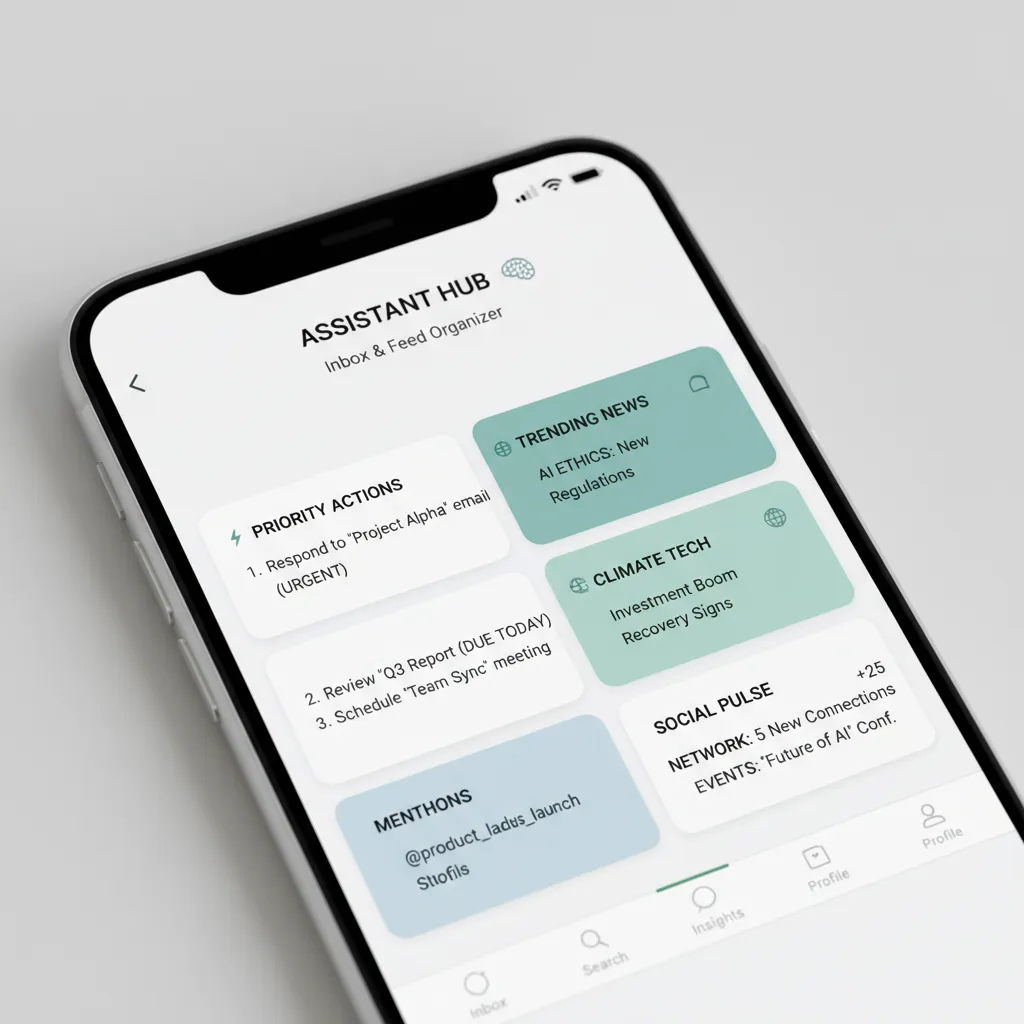
Your email inbox is often the epicenter of digital chaos. Taming it provides the biggest and most immediate boost to your mental clarity. Email management AI goes far beyond simple spam filters to create a truly intelligent communication hub.
How AI Transforms Your Inbox:
- Smart Prioritization: Tools like SaneBox or the AI features in Gmail and Spark learn from your behavior. They analyze which emails you open, reply to, or delete, and automatically filter non-essential messages into separate folders (like “SaneLater” or “Newsletters”), keeping your primary inbox reserved for what’s truly important.
- AI Content Summarization: Overwhelmed by a long email thread? AI tools can provide a “TL;DR” (Too Long; Didn’t Read) summary, giving you the key points and action items in seconds. This saves immense time and cognitive energy.
- One-Click Unsubscribing: Instead of hunting for the tiny “unsubscribe” link, AI services can identify all your subscriptions and let you get rid of them with a single click.
- Automated Response Generation: For routine inquiries, AI can draft context-aware replies that you can send with a quick edit, drastically reducing the time spent on repetitive communication.
By implementing an AI organization app for your email, you stop being a slave to the “new message” notification and start engaging with your communications on your own terms.
Strategy 2: Automate and Organize Your Workflow with AI Task Automation
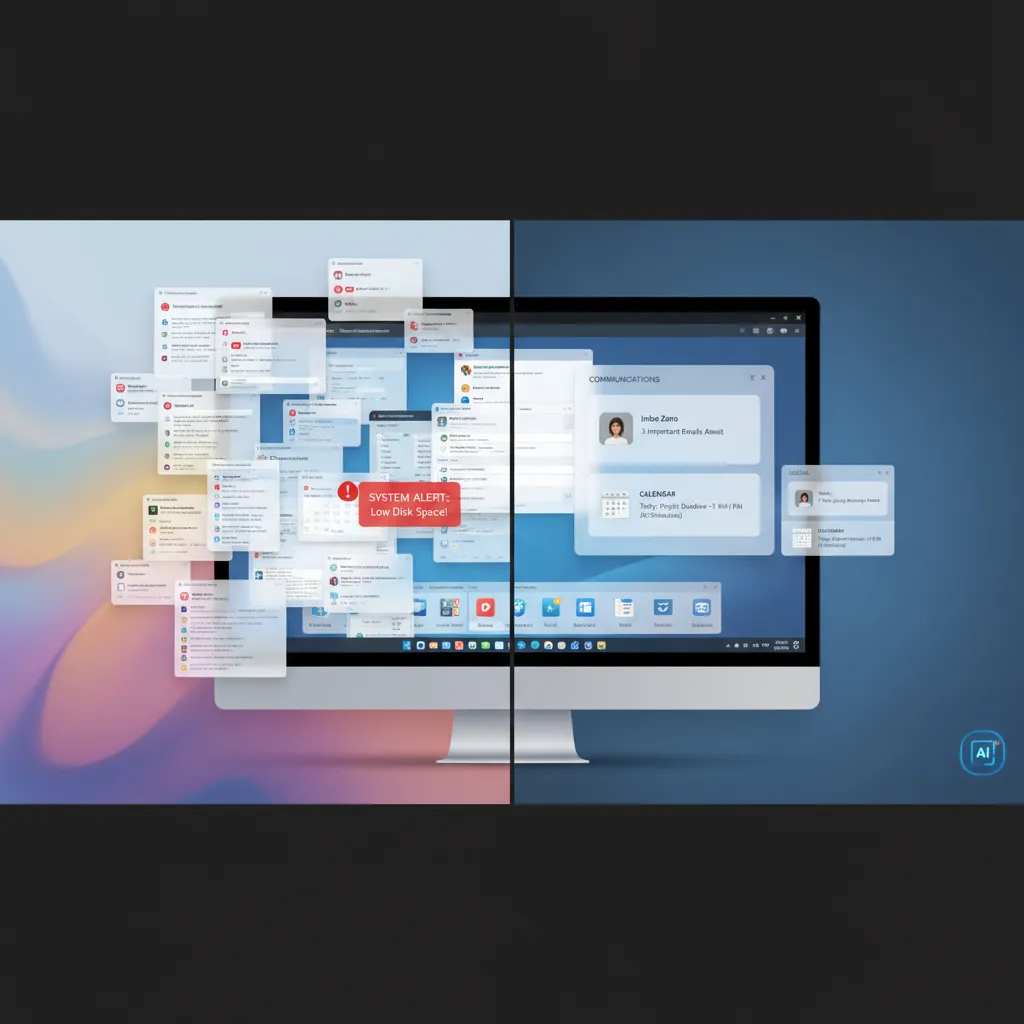
A significant source of mental clutter is the endless to-do list and the constant effort of managing projects. AI task automation is about creating a self-organizing system that reduces the manual work of staying on track, helping you streamline your digital workflow.
Related: AI Agents Automate Your Entire Digital Life
Building an Intelligent Workflow:
- From Intention to Action: AI tools like Motion or Todoist can use natural language processing to turn a vague idea into a concrete plan. You can say, “Plan a marketing campaign for the Q4 launch,” and the AI will break it down into actionable steps, assign deadlines, and schedule them on your calendar. This is a game-changer for AI time management.
- Connecting Your Tools: Platforms like Zapier and Make.com now have AI components that can build complex “if-this-then-that” automations. For example, you can create a workflow that automatically creates a task in your project management app, saves the attachment to a specific cloud folder, and sends a confirmation message whenever you receive an invoice via email. This is the essence of being able to automate digital tasks AI.
- Proactive Scheduling: Focus enhancement AI tools don’t just list your tasks; they actively find time in your schedule to complete them. They can reschedule appointments automatically if a conflict arises, ensuring your day is always optimized for deep work.
By offloading the “meta-work” of organizing and scheduling to AI, you free up your brain to focus on high-value, creative, and strategic thinking.
Strategy 3: Conquer Content Overload with AI-Powered Curation and Summarization
The internet is an infinite library, but without a good librarian, it’s just noise. We save countless articles, podcasts, and videos, creating a digital “to-read” pile that induces anxiety. AI for content curation and summarization acts as your personal research assistant.
Taming the Information Firehose:
- Personalized Content Feeds: Instead of being at the mercy of chaotic social media algorithms, AI-powered readers like Artifact or Feedly learn your interests and deliver a curated digest of high-quality content, effectively acting as an AI-powered information filtering system for your learning.
- AI Content Summarization: This is one of the most powerful information overload solutions. Tools like Kome AI or Reader can summarize any article, PDF, or even a YouTube video into concise bullet points. You can absorb the key insights of an hour-long video in just two minutes, deciding what’s worth a deeper dive.
- Smart Tagging and Search: AI can automatically scan the content you save and apply relevant tags, making your personal knowledge base instantly searchable. Looking for everything you’ve ever saved about “quantum computing”? A simple search will bring it up, regardless of where you saved it from.
This approach transforms you from a content hoarder into a knowledge synthesist, ensuring that your digital consumption directly serves your goals and curiosities.

Building Your Personal AI Ecosystem for Digital Minimalism
The true power of an AI digital declutter emerges when you move beyond individual tools and create an integrated ecosystem. Digital minimalism AI isn’t about using no technology; it’s about using the right technology intentionally to support your goals.
A Step-by-Step Guide:
- Audit Your Digital Pain Points: For one week, consciously note what frustrates you the most. Is it the email clutter? The disorganization of your files? The constant distractions from notifications? Identify the 1-2 biggest sources of friction.
- Select Your “Core” AI Assistants: Don’t try to adopt ten new tools at once. Start with a cornerstone. If email is your biggest problem, focus on implementing a tool like SaneBox. If task management is the issue, explore an AI-powered planner like Motion. This will become your personal AI organizer.
- Integrate and Automate: Use tools like Zapier to create bridges between your apps. For example, when you “star” an email in Gmail (managed by your AI sorter), automatically create a task in your AI to-do list app. This creates a seamless flow and reduces manual entry.
- Ruthlessly Prune Notifications: Use AI to your advantage. Go through your phone and computer settings and turn off almost all notifications. Let your AI to manage notifications by summarizing them or delivering them in batches at set times of the day. This is one of the most effective productivity hacks AI can offer.
- Review and Refine: Every month, take 30 minutes to review your system. Is it reducing stress? Are you more focused? What isn’t working? A successful digital minimalism strategy is an evolving one.
Related: AI for Student Success: Smart Tools and Adaptive Learning Strategies
The Future of Digital Organization: AI, Well-being, and Mental Clarity
We are at the beginning of this revolution. The future of digital organization is moving beyond simple reactive automation to proactive, predictive assistance. Imagine a future where your digital well-being AI doesn’t just manage your tasks, but also your energy.
- Proactive Focus Protection: Your AI might notice you’re entering a state of flow and automatically silence all non-critical communications, telling your colleagues you’re in deep work mode.
- Cognitive Load Monitoring: By analyzing your digital behavior, future AI could warn you when you’re approaching cognitive overload and suggest taking a break, helping you manage your mental resources sustainably. It could even help you reduce screen time AI by showing you which activities are providing the least value.
- Personalized Information Diets: Your AI will not only curate content but also help you manage its consumption, ensuring a healthy balance between learning, work, and digital downtime for enhanced AI for mental clarity.
This technology is not about replacing human thought but augmenting it. The ultimate goal is to use AI to handle the machine-like tasks of sorting, filtering, and organizing so that we can be more creative, strategic, and, ultimately, more human.
Conclusion
The overwhelming tide of information overload is a defining challenge of our modern lives. It silently erodes our focus, fuels our anxiety, and limits our potential. But we now have an incredibly powerful tool to fight back. By embracing an AI digital declutter, you can systematically dismantle the chaos and build a digital environment that serves you, not the other way around.
Start small. Pick one area—your email, your to-do list, your content consumption—and explore how an AI-powered solution can help. By automating the mundane, you reclaim your time. By filtering the noise, you reclaim your focus. And by organizing the chaos, you reclaim your peace of mind. The path to peak productivity and mental clarity in the digital age isn’t about working harder; it’s about working smarter, with AI as your indispensable partner.
Frequently Asked Questions (FAQs)
Q1. What is an AI digital declutter?
An AI digital declutter is the process of using Artificial Intelligence tools and systems to automate the organization, filtering, and management of your digital life. It aims to reduce information overload, streamline workflows, and enhance mental clarity by offloading tasks like email sorting, task scheduling, and content summarization to intelligent software.
Q2. How can AI help reduce information overload?
AI offers powerful information overload solutions by acting as a smart filter. It uses machine learning to understand your priorities and automatically sorts emails, curates relevant articles, summarizes long documents, and manages notifications. This AI-powered filtering ensures you only see the most important information, drastically reducing cognitive load and distractions.
Q3. What are the best AI tools for digital organization?
The “best” tools depend on your specific needs, but popular and effective AI organization apps include SaneBox for email management, Motion for AI-powered time management and task scheduling, Todoist for smart to-do lists, and services like Kome AI or Reader for AI content summarization and curation.
Q4. Can AI automatically organize my files?
Yes. Modern tools and even operating systems are integrating AI to help organize files. AI can automatically tag photos based on their content (e.g., “beach,” “family”), categorize documents based on their text, and suggest folder structures. Dedicated applications can also monitor specific folders and auto-sort new files based on predefined rules.
Q5. How does AI help improve focus and productivity?
AI improves focus by minimizing distractions and reducing the mental effort required for administrative tasks. By handling email sorting, scheduling, and prioritizing tasks, focus enhancement AI frees up your cognitive resources for deep work. It helps you transition from a reactive mode, constantly interrupted by notifications, to a proactive mode where you control your attention.
Q6. Is using AI for productivity safe for my data?
This is a critical consideration. Reputable AI productivity companies invest heavily in security and have clear privacy policies. It’s essential to choose established tools that use end-to-end encryption and give you control over your data. Always read the privacy policy before connecting a new service to your email or files.
Q7. What is the difference between AI task automation and a simple to-do list?
A simple to-do list is a passive list of tasks you must manually organize and prioritize. AI task automation, on the other hand, is proactive. It can automatically create tasks from your emails, break down large projects into smaller steps, schedule those steps on your calendar based on their priority and your availability, and even reschedule them if conflicts arise.